
I made a video in 45 min and got 236 views in one day (not the way you think)
Producing high-quality videos (that resonate with your target audience) can both be very time-consuming and require specialized skills.
But we also know that creating video content for YouTube can be an excellent way to connect with your audience, drive engagement, and promote your brand.
Fortunately, YouTube has recently launched a new feature, making this way easier (and quicker) to do! 😃
This new feature provides a quick and easy way to create vertical videos.
In this post, I want to share my recent experience using YouTube Shorts (vertical YouTube videos under 1 min) to answer comments on my videos.
Over the weekend, I created a short video in just 45 minutes, which received 236 views in one day.
This is how I did it:
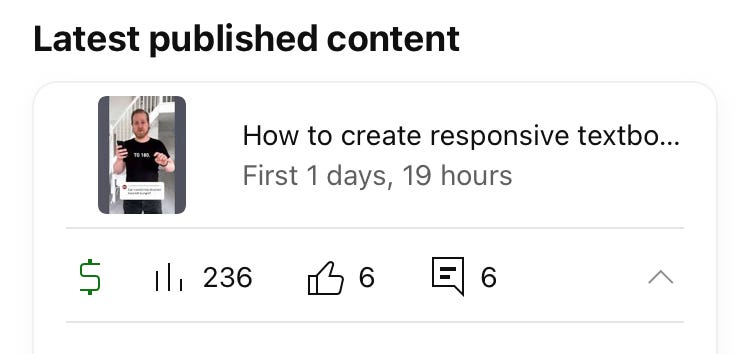
Firstly, I picked a comment from one of my videos, which I wanted to respond to, and then asked my girlfriend to film me with her phone as I was answering it.
This was a very casual and spontaneous approach, which made the video more relatable and personable.
(I used the window light as a natural light source. A good tip if you don’t have a big expensive softbox at home.)
Once my girlfriend had filmed me, she Airdropped the video to me, and I imported it into Adobe Premiere Pro.
I used the “auto-captions” feature (learn how to do that here) to transcribe the audio to text, adjusted the position and font of the text, and then exported the video.
Next, I sent the video to my phone and opened the YouTube app. I found the comment I had just recorded a video about.
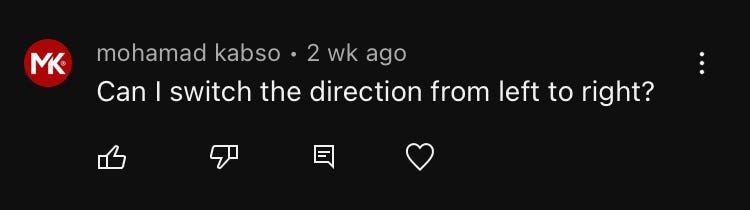
Then I clicked the “comment” icon underneath to reply, and then clicked the “Shorts” icon (to the very right), which allowed me to reply with a vertical video.
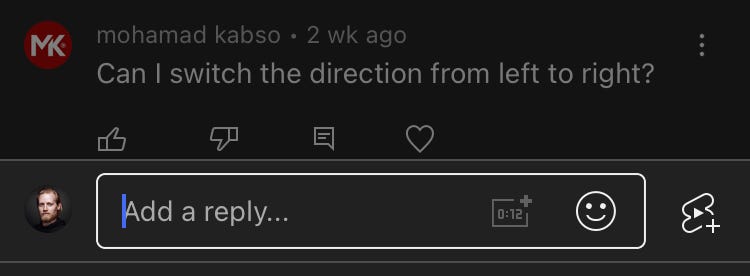
Here, I could click the record button in the middle and record a reply, but instead, I clicked “Add” in the lower left corner and there I selected the video I had just sent to my phone.
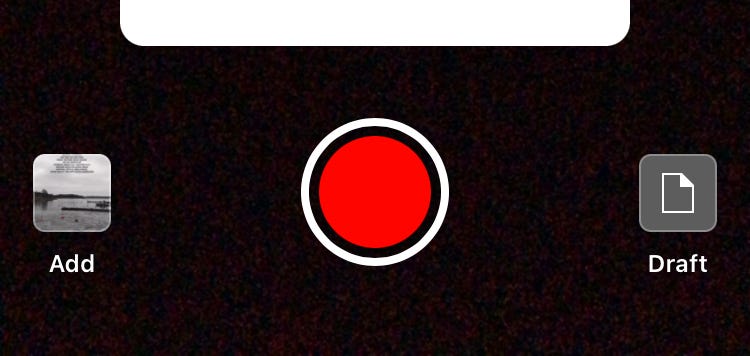
The comment/question was automatically included in the video (see the white square in the image above).
Now, all I had to do now was to click “publish” and wait for the views to roll in! 📈
The entire process, from filming to publishing, took just 45 minutes. This is an impressive turnaround time, especially considering that I used professional video editing software to edit the video.
Imagine the potential if you batch-produce videos like this! 🤯
One of the benefits of using YouTube Shorts to answer comments is that it provides a personal touch to your audience.
🎞 Check out the video I did here!
Responding to comments in a short video format is an excellent way to build trust and connection with your audience. Moreover, it encourages more engagement in your upcoming videos.
So, are you going to try this out? Let me know in the comments! 🙂
Thanks for reading, keep learning, and have a great day! 😃
3 of my other stories that might interest you: ⭐️ I think I just figured out life 🤯 ⭐️ 5 tips for making money on YouTube (How to get started today!) ⭐️ 25 things I learned during my first year as a Video Editor
— — — — — — —
Did you know? You can get full access to every story on Medium for just $5/month here!
(…Or the cost of one coffee ☕️)
Becoming a Medium member directly supports me ♥ ️(and other writers on Medium) so that we can keep creating helpful content for you! 🙏