
The reason I loved HyperCard
But why did it have to die?
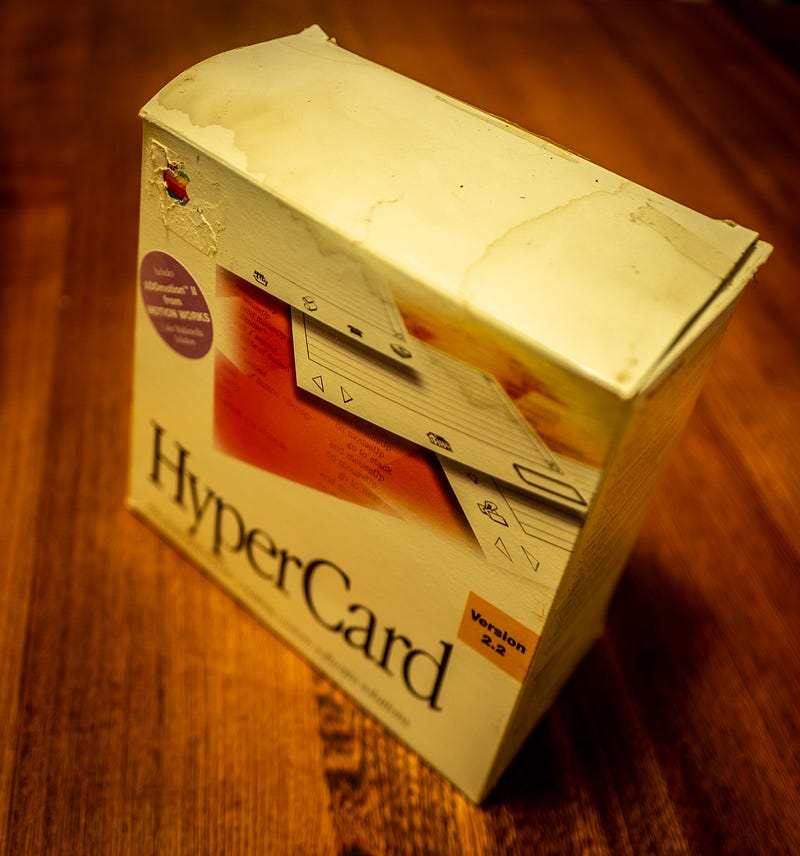
I literally blew the cobwebs off an old software package a few days ago. Way, way back in the garage — no longer used for a car these days — I’ve got a stack of old computers and tech set aside by the family since before I was born.
Two old Mac Pluses, each in their original green carry cases. Ancient PCs, bags of 4K memory chips, a pile of hard drives, boxes of floppy disks.
One of those Macs was mine, and in my early years I could spend hours making black and white pictures of flowers and elves, drawing with a cludgy mouse, and feeding floppies in until I found one with enough room to save the file.
My next Mac — one with a hard drive and colour and built-in speakers — came from the Apple doldrums period. Steve Jobs had gone, and with him all the style and class that made Apple great. My computer looked ugly, it had a name that looked ugly, but the software, what little there was available, looked and worked beautifully.
Macs were popular in university, but out in the real world of business, it was all PCs and Pentiums, and the Apple sections of the computer shops were poor relations indeed. If Microsoft put out a new product, it would be a year before it arrived on the Mac side of the world, and be full of workarounds for the one-button mouses we Mac folk had to use.
I dabbled in coding. If I put some effort into it, I could string a few macros together to look up something from a different spreadsheet, or change the colour of the font, or make a graph.
Real computer programming made my head spin. I’d look through the textbooks and they seemed to have been put together by aliens whose grasp of English came via Japanese t-shirt translators. Sprinkle in curly brackets and semicolons to add a degree of difficulty, and there you were. No thanks!
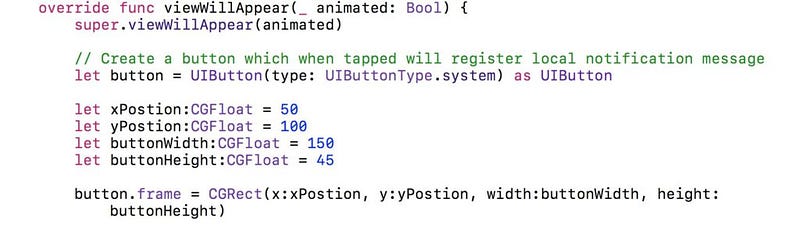
Here (I think) is the code from Apple’s current beginner-level language Swift to place a button on a screen:
HyperCard was different
HyperCard — they all seemed to have capital letters in the middle of product names in those days — was old school Mac. It was black and white to begin with, and it was super elegant.
You didn’t have to write code to do things. If you wanted a button or a graphic to appear, you just picked one out of the menu, plonked it down, and wrote a script for it. A script that was written in English, or at least a close cousin of it.
A handler to export text from the background fields of a HyperCard stack to a text file.
   on mouseUp
     put the short name of this stack & ".txt" into defaultName
     ask "Export text to what file?" with defaultName
     if it is empty then exit mouseUp
     put it into fileName
     open file fileName
     go to first card
     repeat for the number of cards
       repeat with i = 1 to the number of fields
         put field i into temp
         repeat
           if return is not in temp then exit repeat
           put space into char offset (return, temp) of temp
         end repeat
         write temp to file fileName
         if i < the number of fields then
           write tab to file fileName
         else write return to file fileName
         end if
       end repeat
       go to next card
     end repeat
     close file fileName
end mouseUp(Dr Dobbs)See the difference? HyperCard’s scripting language was called HyperTalk, and it was something that this teenager could easily wrap her head around. With a bit of puzzling over the manuals and a lot of experimentation.
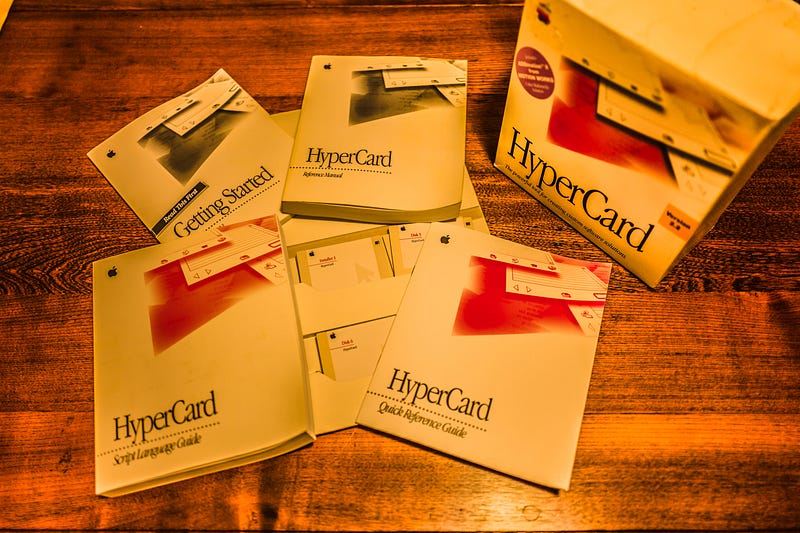
The manuals, like everything else from Apple in those days, were brilliantly written, with plenty of examples, and disks full of sample scripts, which could be picked apart and copied and modified.
In stark contrast to most other programming products, which seemed to have manuals written by programmers for experts.
So what is HyperCard?
Anything and everything. It could have been the computing world’s first internet browser, if the creator had been thinking outside the box. It was based around some high-level research where every bit of human knowledge was indexed and analysed and linked to every other bit. Sort of like Wikipedia where anything that looks remotely like a keyword is linked to an article, which is in itself full of more links.
It was, at heart, a database. The interface was based around “cards”, which could be assembled into “stacks”. If you consider each card to be information about a specific example of something generic, then you could assemble data files in a user-friendly manner.
For example, one might, if one were a teenaged girl with an interest in popular music, create a stack called “CDs” to catalogue her music collection. Each card in the stack would hold information about the artist, the cover art, the date of release, and a listing of tracks, which could be stored in a different stack and pulled in by looking up the CD name, if you were clever enough to write a script for it.
Likewise, each artist would have their own card in a different stack, with a photograph, biography, list of albums, and so on. It was all linked together.
In hindsight, kind of pointless, because you could just grab a bunch of CDs and look at all that information on the album covers, but it was a lot of fun.
Do the same with your library, make a contact list of friends and relations, even create a basic accounting system to keep track of a modest income. Or make a dungeon for a role-playing game with buttons to summon monsters and uncover treasures and draw a map of the party’s adventures.
The point was, it was infinitely flexible, easy to use. and extremely powerful.
Also extremely slow, if you started putting a lot of stuff into it and writing a lot of scripts.
A commercial success?
Kind of. One of the best computer games ever — Myst — was written in HyperCard. It had a dreamy, mystical feel to it, it featured colour, and it was beautiful. You had to solve all manner of puzzles to progress through the game, but each one was ingenious.
There were stacks written for a million specialised purposes. Games, databases, decision systems, scheduling programs. You name it, someone had done it.
It didn’t hurt that HyperCard 1 came bundled, along with MacWrite, and MacPaint, and all the other Mac applications, with every Macintosh sold for some years. You bought a Mac, you also bought HyperCard.
There was an upgraded version with colour, and more power. You could interface to other applications, even control your Mac through something called AppleScript, which resembled HyperTalk. Perhaps the most useful ability was to link to actual database systems, which could handle all the horsepower of sorting and relationships once you got over a few dozen cards.
That involved SQL — Structured Query Language — and I ran out of horsepower pretty quick myself, once you went beyond the simplest tasks. But you could do it if you wanted, that was the thing.
So why did I love it?
In a world full of computers and languages that assumed you were a high-order geek, and had apparently been written by the same people who think the bottom kitchen drawer is a masterwork of unity and organisation, HyperCard was elegant.
It made sense in every way. The concept was easily grasped, the scripting language could be read like English, the interface was just a matter of picking elements out of a pallette and laying them out as you wanted.
If you could drive a mouse and write words, you could do anything.
It’s not around any more?
HyperCard was released in 1987, three years after the Macintosh, and ended in 1998. There were various clones — SuperCard, Oracle Card, LiveCode and many more — and they gradually fell by the wayside as hardware and operating systems were upgraded.
A pity, really. HyperCard was a way to get into coding that didn’t involve busting your brain.
But there’s one left
LiveCode. This one survived. It runs on current Macs, and many other platforms. It has a free version, and some (expensive) commercial products. Fair enough, I guess. Play around with the freebie, which is extremely powerful, and if you want to deploy actual apps and run on the internet, it’s going to cost you a few hundred a year.
I’ve downloaded the free version, and I’m toying with the notion of writing some stacks to handle computer tasks. I tried playing with things like GoogleScript, and that just made my head hurt. When things started to go wonky I couldn’t straighten them out.
With LiveCode, I have a chance. Stand by for more reports.
Give it a go
Seriously. You don’t have to be a coder. Just someone with an idea. It’s free to start with, there’s a tonne of support, masses of examples, and in theory you can develop an iPad app in three minutes.
Let me know how you go, will you? I’ll do the same. I’ve got an idea, I want to give it a whirl, I don’t want to break my brain (or the bank) making it a reality.
Stay tuned!
Britni
More simple coding:


