avatarDr. Gabriella Korosi

Free AI web copilot to create summaries, insights and extended knowledge, download it at here

8060

Abstract

</figure></iframe></div></div></figure><p id="b722">The latter part of the constructor and the <i>render</i>() function remain the same.</p><p id="ec84">Now comes the most important and complicated part of our code, the <i>move</i>() function. Let us focus on the code for vehicles moving towards the right, as the same conditions are checked for other directions, and the code is quite similar.</p> <figure id="98e0"> <div> <div>
            <iframe class="gist-iframe" src="/gist/mihir-m-gandhi/346436779e84a2be4141f750929083ec.js" allowfullscreen="" frameborder="0" height="undefined" width="undefined">
          </div>
        </div>
    </figure></iframe></div></div></figure><p id="7b1c">For each direction, we first check if the vehicle has crossed the intersection or not. This is important because if the vehicle has already crossed, then it can keep moving regardless of the signal being green or red, depending only on the vehicle ahead. So when the vehicle crosses the intersection, we set the value of <i>crossed</i> to 1. Now, if the vehicle goes straight i.e. it does not turn, then we add it to the <i>vehiclesNotTurned</i> list and update its <i>crossedIndex</i>, which is its index in the <i>vehiclesNotTurned</i> list. This is done because the order of the vehicles changes after the intersection as some turn and some do not, and the <i>vehicles</i> list defined earlier is not useful to prevent them from overlapping.</p><p id="339c">Next, if the vehicle is going to turn, it moves straight until the turning point which is the middle of the intersection. This movement can happen in 3 cases:</p><ol><li>If it has not reached its stop point before the intersection</li><li>If it has already crossed the intersection</li><li>If the traffic signal controlling the direction in which the vehicle is moving is Green</li></ol><p id="af07">Along with this, we need to ensure that there is no overlap with the vehicle ahead when it moves. This is decided by taking into consideration the following <b>three parameters</b>: the coordinate of the vehicle ahead, the width/height of the vehicle ahead, and the <i>movingGap</i>. Also, if the vehicle ahead has already turned, then we need not worry about overlap. Only when any of these three conditions are satisfied along with no overlap, the coordinate of the vehicle is updated by incrementing/decrementing it by the speed of the vehicle, depending on its direction of motion.</p><p id="f76b">Once the vehicle crosses its turning point, if the <i>turned</i> value is 0, it turns as it rotates while moving along both the x and y-axis. Once the <i>rotationAngle</i> is 90 degrees, the <i>turned</i> variable is set to 1, the vehicle is added to the <i>vehiclesTurned</i> list, and its <i>crossedIndex</i> is updated. Else if the <i>turned </i>value is 1, the vehicle moves only if there is a sufficient gap to the vehicle ahead, found using the <i>vehiclesTurned</i> list. This is decided based on the same three parameters mentioned above. This turning logic is coded separately for the two lanes to have more control over the simulation.</p><blockquote id="5d31"><p>This is where the originalImage is used. Rotating an image is considered a destructive transform. This means that every time it is performed, the image loses pixel data. For this reason, it is better to re-transform the original image than to keep transforming an image multiple times. Thus, we rotate the originalImage by rotationAngle and update the image by this modified image, while keeping the originalImage unchanged.</p></blockquote><p id="b6e4">Lastly, if the vehicle is not going to turn, then the first part remains the same as the turning vehicles, and they move straight until they cross the intersection. However, after crossing the intersection, they simply move if there is a sufficient gap to the vehicle ahead, found using the <i>vehiclesNotTurned</i> list. Again, this is decided based on the three parameters mentioned above.</p><p id="7aea">The entire <i>move()</i> function is given below. Note that this function is also a part of the <i>Vehicle</i> class defined above and needs to be indented accordingly.</p>
    <figure id="e166">
        <div>
          <div>
            
            <iframe class="gist-iframe" src="/gist/mihir-m-gandhi/af2f8cf07af7708a309c38f519ceb2c2.js" allowfullscreen="" frameborder="0" height="undefined" width="undefined">
          </div>
        </div>
    </figure></iframe></div></div></figure><h2 id="9a13">Creating objects of TrafficSignal class</h2><p id="a920">We need to modify the <i>initialize</i>() function so that the 4 <i>TrafficSignal</i> objects are initialized with random values between the range specified by <i>randomGreenSignalTimerRange</i> if <i>randomGreenSignalTime</i> is set to True.</p><div id="9fdf"><pre>def initialize():
<span class="hljs-keyword">min</span>Time = <span class="hljs-keyword">random</span>GreenSignalTimerRange[<span class="hljs-number">0</span>]
<span class="hljs-keyword">max</span>Time = <span class="hljs-keyword">random</span>GreenSignalTimerRange[<span class="hljs-number">1</span>]
if(<span class="hljs-keyword">random</span>GreenSignalTimer):
    ts1 = TrafficSignal(<span class="hljs-number">0</span>, <span class="hljs-keyword">default</span>Yellow, <span class="hljs-keyword">random</span>.randint(<span class="hljs-keyword">min</span>Time,<span class="hljs-keyword">max</span>Time))
    signals.append(ts1)
    ts2 = TrafficSignal(ts1.yellow+ts1.green, <span class="hljs-keyword">default</span>Yellow, <span class="hljs-keyword">random</span>.randint(<span class="hljs-keyword">min</span>Time,<span class="hljs-keyword">max</span>Time))
    signals.append(ts2)
    ts3 = TrafficSignal(<span class="hljs-keyword">default</span>Red, <span class="hljs-keyword">default</span>Yellow, <span class="hljs-keyword">random</span>.randint(<span class="hljs-keyword">min</span>Time,<span class="hljs-keyword">max</span>Time))
    signals.append(ts3)
    ts4 = TrafficSignal(<span class="hljs-keyword">default</span>Red, <span class="hljs-keyword">default</span>Yellow, <span class="hljs-keyword">random</span>.randint(<span class="hljs-keyword">min</span>Time,<span class="hljs-keyword">max</span>Time))
    signals.append(ts4)
else:
    ts1 = TrafficSignal(<span class="hljs-number">0</span>, <span class="hljs-keyword">default</span>Yellow, <span class="hljs-keyword">default</span>Green[<span class="hljs-number">0</span>])
    signals.append(ts1)
    ts2 = TrafficSignal(ts1.yellow+ts1.green, <span class="hljs-keyword">default</span>Yellow, <span class="hljs-keyword">default</span>Green[<span class="hljs-number">1</span>])
    signals.append(ts2)
    ts3 = TrafficSignal(<span class="hljs-keyword">default</span>Red, <span class="hljs-keyword">default</span>Yellow, <span class="hljs-keyword">default</span>Green[<span class="hljs-number">2</span>])
    signals.append(ts3)
    ts4 = TrafficSignal(<span class="hljs-keyword">default</span>Red, <span class="hljs-keyword">default</span>Yellow, <span class="hljs-keyword">default</span>Green[<span class="hljs-number">3</span>])
    signals.append(ts4)
repeat()</pre></div><h2 id="204c">repeat() function</h2><p id="0b4e">The same applies to the <i>repeat</i>() function as well. The only change is that if <i>randomGreenSignalTimer</i> is set to True, we generate a random number between <i>randomGreenSignalTimerRange</i>[0] and <i>randomGreenSignalTimerRange</i>[1], and set it as the green signal time.</p><div id="8e72"><pre>def repeat():
global currentGreen, currentYellow, nextGreen
while(signals[currentGreen].green&gt;<span class="hljs-number">0</span>):
    updateValues()
    time.sleep(<span class="hljs-number">1</span>)
currentYellow = <span class="hljs-number">1</span>   
for i in range(<span class="hljs-number">0</span>,<span class="hljs-number"

Options

3</span>): for vehicle in vehicles[directionNumbers[currentGreen]][i]: vehicle.stop=defaultStop[directionNumbers[currentGreen]] while(signals[currentGreen].yellow><span class="hljs-number">0</span>):
updateValues() time.sleep(<span class="hljs-number">1</span>) currentYellow = <span class="hljs-number">0</span>
minTime = randomGreenSignalTimerRange[<span class="hljs-number">0</span>] maxTime = randomGreenSignalTimerRange[<span class="hljs-number">1</span>] if(randomGreenSignalTimer): signals[currentGreen].green=random.randint(minTime, maxTime) else: signals[currentGreen].green = defaultGreen[currentGreen] signals[currentGreen].yellow = defaultYellow signals[currentGreen].red = defaultRed currentGreen = nextGreen nextGreen = (currentGreen+<span class="hljs-number">1</span>)<span class="hljs-comment">%noOfSignals</span> signals[nextGreen].red = signals[currentGreen].yellow+signals[currentGreen].green repeat()</pre></div><h2 id="1f88">generateVehicles() function</h2><p id="b24b">The <i>generateVehicles</i>() function is modified as shown below. The vehicle type is set by generating a random number from <i>allowedVehicleTypesList</i>. This list is populated in the <i>Main</i> class below. We define a new variable <i>will_turn</i>, which is initially set to 0. <i>will_turn</i> is then set to 1 with a 40% chance using random numbers. Lastly, in addition to the existing variables, this <i>will_turn</i> variable is also passed in the constructor while creating an object of the <i>Vehicle</i> class.</p><div id="8de5"><pre><span class="hljs-attribute">def</span> generateVehicles(): <span class="hljs-attribute">while</span>(True): <span class="hljs-attribute">vehicle_type</span> = random.choice(allowedVehicleTypesList) <span class="hljs-attribute">lane_number</span> = random.randint(<span class="hljs-number">1</span>,<span class="hljs-number">2</span>) <span class="hljs-attribute">will_turn</span> = <span class="hljs-number">0</span> <span class="hljs-attribute">if</span>(lane_number == <span class="hljs-number">1</span>): <span class="hljs-attribute">temp</span> = random.randint(<span class="hljs-number">0</span>,<span class="hljs-number">99</span>) <span class="hljs-attribute">if</span>(temp<<span class="hljs-number">40</span>): <span class="hljs-attribute">will_turn</span> = <span class="hljs-number">1</span> <span class="hljs-attribute">elif</span>(lane_number == <span class="hljs-number">2</span>): <span class="hljs-attribute">temp</span> = random.randint(<span class="hljs-number">0</span>,<span class="hljs-number">99</span>) <span class="hljs-attribute">if</span>(temp<<span class="hljs-number">40</span>): <span class="hljs-attribute">will_turn</span> = <span class="hljs-number">1</span> <span class="hljs-attribute">temp</span> = random.randint(<span class="hljs-number">0</span>,<span class="hljs-number">99</span>) <span class="hljs-attribute">direction_number</span> = <span class="hljs-number">0</span> <span class="hljs-attribute">dist</span> =<span class="hljs-meta"> [25,50,75,100]</span> <span class="hljs-attribute">if</span>(temp<dist[<span class="hljs-number">0</span>]): <span class="hljs-attribute">direction_number</span> = <span class="hljs-number">0</span> <span class="hljs-attribute">elif</span>(temp<dist[<span class="hljs-number">1</span>]): <span class="hljs-attribute">direction_number</span> = <span class="hljs-number">1</span> <span class="hljs-attribute">elif</span>(temp<dist[<span class="hljs-number">2</span>]): <span class="hljs-attribute">direction_number</span> = <span class="hljs-number">2</span> <span class="hljs-attribute">elif</span>(temp<dist[<span class="hljs-number">3</span>]): <span class="hljs-attribute">direction_number</span> = <span class="hljs-number">3</span> <span class="hljs-attribute">Vehicle</span>(lane_number, vehicleTypes[vehicle_type], direction_number, directionNumbers[direction_number], will_turn) <span class="hljs-attribute">time</span>.sleep(<span class="hljs-number">1</span>)</pre></div><h2 id="726d">Main class</h2><p id="81c7">There is only one small addition here. We just need to populate the <i>allowedVehicleTypesList</i> according to the <i>allowedVehicleTypes</i> dictionary. For this, the following code needs to be added right at the beginning of the Main class, as shown below. The rest of the <i>Main</i> class remains the same.</p><div id="4cc3"><pre>class Main: global allowedVehicleTypesList <span class="hljs-selector-tag">i</span> = <span class="hljs-number">0</span> <span class="hljs-keyword">for</span> vehicleType <span class="hljs-keyword">in</span> allowedVehicleTypes: <span class="hljs-built_in">if</span>(allowedVehicleTypes<span class="hljs-selector-attr">[vehicleType]</span>): allowedVehicleTypesList<span class="hljs-selector-class">.append</span>(i) <span class="hljs-selector-tag">i</span> += <span class="hljs-number">1</span></pre></div><h1 id="a2bc">Running the code</h1><p id="6e5d">Time to see the results. Fire up a cmd/terminal and run the command:</p><div id="5888"><pre>$ <span class="hljs-keyword">python</span> simulation.<span class="hljs-keyword">py</span></pre></div><figure id="01b9"><img src="https://cdn-images-1.readmedium.com/v2/resize:fit:800/1*dhRA3M5L5pH5rmUsqdLueg.png"><figcaption>Snapshot of final simulation output showing vehicles turning</figcaption></figure><figure id="004b"><img src="https://cdn-images-1.readmedium.com/v2/resize:fit:800/1*FwYlT4MUI2OLs4g5FLwhdg.png"><figcaption></figcaption></figure><figure id="320a"><img src="https://cdn-images-1.readmedium.com/v2/resize:fit:800/1*GSJwZxuK8chZmw7QlXNhug.png"><figcaption>Snapshots showing simulation with: (i) Cars only, (ii) Heavy vehicles only (Buses and Trucks)</figcaption></figure><p id="ce86"><b><i>And we are done!</i></b> We have added the three additional features — turning functionality, vehicle type controller, and random green signal timer function — to our simulation. This makes the simulation more representative of the real-life scenarios and gives us more control to customize it, thus serving as a handy tool for data analysis as well as AI or ML applications.</p><p id="7d91"><b>Source code: <a href="https://github.com/mihir-m-gandhi/Traffic-Intersection-Simulation-with-Turns"></a></b><a href="https://github.com/mihir-m-gandhi/Traffic-Intersection-Simulation-with-Turns">https://github.com/mihir-m-gandhi/Traffic-Intersection-Simulation-with-Turns</a></p><p id="fe03">This is the second part in a series of articles:</p><ul><li><a href="https://towardsdatascience.com/traffic-intersection-simulation-using-pygame-689d6bd7687a">Traffic Intersection Simulation using Pygame, Part 1</a></li><li><a href="https://towardsdatascience.com/traffic-intersection-simulation-using-pygame-part-2-9ce512fdb253">Traffic Intersection Simulation using Pygame, Part 2</a></li><li><a href="https://towardsdatascience.com/traffic-intersection-simulation-using-pygame-part-3-98159178ef30">Traffic Intersection Simulation using Pygame, Part 3</a></li></ul><p id="2ec7">This simulation was developed as part of a research project titled ‘Smart Control of Traffic Lights using Artificial Intelligence’. Check out its demonstration video <a href="https://youtu.be/OssY5pzOyo0">here</a>. This research work was presented at IEEE International Conference on Recent Advances and Innovations in Engineering (ICRAIE) 2020 and published in IEEE Xplore. Read the paper here.</p><p id="50b4"><i>Thanks for reading! I hope this article was helpful. If you have any doubts or need further clarification, feel free to reach out to me on <a href="https://www.linkedin.com/in/mihir-gandhi-0706/">LinkedIn</a>.</i></p></article></body>

HUMANITY

Human Suffering

Under the microscope

Dr. Gabriella Kőrösi
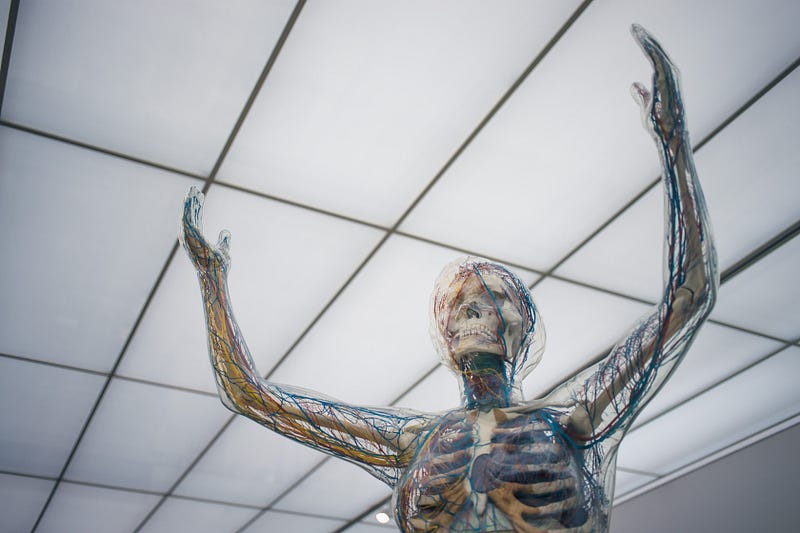
Photo by camilo jimenez on Unsplash

When you hear the word human suffering what is the picture you visualize in your mind?

I see children. Children without food, without a home, children who lost their parents, and children who have nothing to eat. I see people all over the world who lost everything and hanging onto their life with a thread of hope for some better future. I see people fleeing countries where there is war. I see refugees in the camp. I see people in pain, unimaginable pain.

Noelia Bueno-Gómez (2017) in her paper “Conceptualizing suffering and pain” discusses definitions of the phenomena. Noelia discusses pain from two perspectives the body and the mind. Furthermore, she asserts that pain has multiple dimensions including bodily, psychological, and sociocultural. Noelia argues that when we look at people and their pain there is a psychophysical view is needed to understand what the concept entails.

“A definition of pain cannot be based only on the neurological understanding of it but has to incorporate other relevant factors such as cognitive awareness, interpretation, behavioral dispositions, as well as cultural and educational factors beyond the medical sphere.” Noelia Bueno-Gómez (2017)

Steven Gambardella writes about philosophy. He describes pain a follows:

“Nobody can understand the pain of another in the way the other knows that pain. “

How do you feel about pain?

We might not be exactly able to feel another person’s pain. As a mother, I can recall multiple occasions when my children were in physical and emotional pain, and I felt their pain. Maybe not exactly the way they felt it. I recall a time when my son was getting ready for surgery, and we were in the emergency room. I was sitting next to him, holding his hand, and wished if I could take away his pain. It hurt more seeing my child suffer than if I would have the pain. This situation happened on multiple occasions in my life when it comes to close loved ones and their suffering. I do believe if there is someone close to you it is a bond between the two of you that creates the effect when you can feel their pain and suffering.

What are the things we can do if we see someone in pain?

Being there is very important. Even if you physically cannot be there, calling, sending a message to let your loved one know you are thinking about them can help ease their pain. Knowing that you are loved is essential to help ease pain and suffering.

Suffering can be caused by many different reasons. Suffering can be physical or mental or both. Suffering can be from a disease, loss of friends and family. Suffering can come in many different shapes and forms. Suffering is a complex phenomenon that is not easily explained and can be different for every being.

What does suffering mean to you? I would love to hear your thoughts.

If I look at the definition of suffering it means “the state of undergoing pain, distress, or hardship”. Interestingly this definition only touches the surface of suffering.

Suffering comes with pain and tears. My question is: can we make it better?

There are different degrees of suffering. A mother losing a child is one of the most unimaginable pain. People being tortured and people being sold and trafficked, used as the property of others, and being abused. There is suffering that can come from our minds and bodies.

Why do we create suffering for ourselves?

We have been in constant war against each other.

Chris Hedges wrote an article in the New York Times in 2003 stating that in the past 3400 years humanity has been only at peace for about 8% of that time 268 years. In 2003 we had 30 wars going on in the world.

Chris defines war as where more than 1000 lives are lost. I wonder about all the occasions where fewer lives are lost, they do not classify as war, yet when you add all the people who died trying to survive hardship it sounds war to me.

Our current world population is 7,909, 827, 633 at the moment I am writing this article. Our population is continuing to increase by every second. People born and die every second. It is amazing as well as scary to see how quickly the numbers change.

You can check out the current world population here https://www.worldometers.info/world-population/

As of today, we have 5,216,406 deaths from coronavirus in the world. The number is continuing to increase.

Coronavirus is just one of the diseases that infect and kills people causing pain and suffering. There are too many acute and chronic diseases and infections that cause pain and suffering to count and write down in this article. Human suffering is more than suffering from physical pain caused by diseases and injuries.

Ulrich Diehl in his article “Human Suffering as a Challenge for the Meaning of Life” (2009) asserts that human suffering contribution is from philosophical psychology. Ulrich discusses that human suffering is more than suffering from disease or pain. He describes that humans can suffer as not feeling being whole, related to the lack of purpose in life. The lack of purpose can be spiritual, cognitive, or emotional. Ulrich calls this description to be part of “the ethics of suffering”.

Dr. Juan Carlos Marvizon (2015) in his article “The Uniqueness of Human Suffering” discusses similarities and differences of human and animal suffering and raises the question of whether they are similar or not. Dr. Marvizon reveals recent findings that during our evolution there was a change in the brain and how it processed pain. Our brain can associate emotions with pain creating negative emotions in the insula area. Steven Gambardella argues that all creatures can suffer.

Steven Gambardella in his article “Our Suffering Has a Meaning” discusses human suffering that starts from birth. I would like to add to that idea that even before birth the fetus can also feel and can react to the mother’s emotions, sounds in the environment, and harmful chemicals including addictive medications, radioactivity, alcohol, and pharmaceuticals for example. Thus, human suffering can extend to unborn children as well.

Steven Gambardella makes a great point where suffering can be beneficial when it comes to identifying diseases:

“The mere absence of suffering could be considered good fortune. In times and places where medical science is not as available, illnesses that are easily remedied for us cause an immense amount of suffering”

Looking at human suffering and the universal consciousness the question arises:

Why do we suffer if the universe is perfect the way it is?

A great description by Steven Gambardella

“Our partial understanding of the universe prevents us from seeing the greater good of all things that pass, even things that seem irredeemably terrible. This is a very similar way that suffering is given a cosmic meaning.”

He further discusses the difficulty of explaining to a parent of a young child why the child has to suffer. It is a complex question, and the answer can depend on people’s belief systems and their understanding of our place in the universe. Religions explain the need for suffering to be able to fulfill a destiny that led to learning or enlightenment.

There is a lot to discuss when it comes to human suffering. There are many continuing questions and possible answers in this area that have not been explored yet.

Please share your thoughts and continue the conversation.

Alejandro Betancourt thank you for creating Bottomline Conversations.

Thank you for reading,

Gabriella

Explore other articles from Gabriella

Buy me coffee here . Follow me on medium here. Sign up for e-mail here

My Books available on Amazon here and on Barnes and Nobles here

Subscribing to the Medium platform here

References

Chris Hedges (2003) Retrieved from https://www.nytimes.com/2003/07/06/books/chapters/what-every-person-should-know-about-war.html

Noelia Bueno-Gómez (2017) Retrieved from https://peh-med.biomedcentral.com/track/pdf/10.1186/s13010-017-0049-5.pdf

Juan Carlos Marvizon, Ph.D. (2015) Retrieved from https://speakingofresearch.com/2015/01/12/the-uniqueness-of-human-suffering-suffering-from-pain/

Steven Gambardella (2020) Retrieved from https://readmedium.com/our-suffering-has-meaning-316485335668

Ulrich Diehl (2009) Retrieved from https://philpapers.org/archive/DIEHSA.pdf

Worldometer (2021) Retrieved from https://www.worldometers.info/coronavirus/

Philosophy
Dancingelephantspress
Writehere
Humanity
Life Lessons
Recommended from ReadMedium