
How to Write Better; Improve Your Vocabulary With 5 Free Tools
If you are not a linguist or English is your second language, these free tools can help you write with a better vocabulary.

I remember the first English class I had at The Faculty of Philology in Serbia (Southeast Europe) when our lecturer Jonathan Pendlebury told us:
“Forget words good, bad, OK, and interesting. Try to find equivalent synonyms for them.”
But how? we freshmen thought.
God, it was hard to write in the Pre-Internet era. You spent so much time flipping through dictionaries. I hated it. I thought I would never become a translator.
Now I use online tools to make my sentences better. And natives do that as well.
Here’s what I work with to brush up my English so I don’t sound like a robot or a 10-year old:
Online Oxford collocation dictionary
Sometimes all you need is to check if 2 words go well together.
For example, it is correct to say: big help, enormous help, tremendous help, but not: giant help, oversized help.
You can say: What is interesting ABOUT it, but you can’t say: What is interesting IN it.
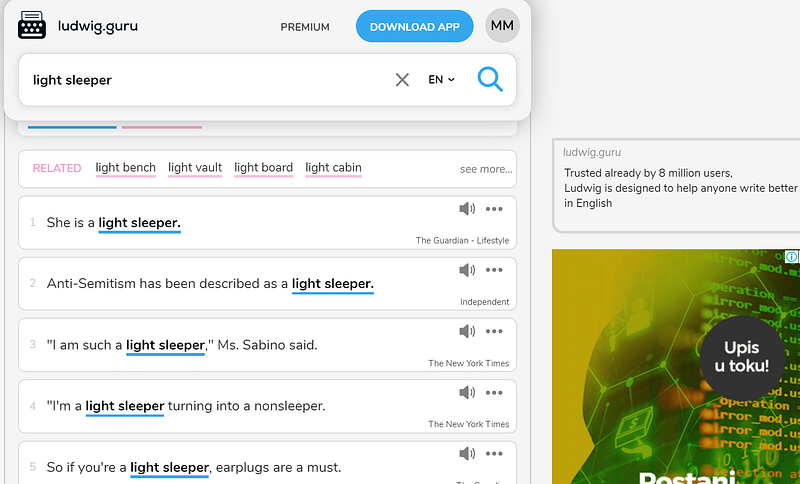
You can say: a light sleeper, but not: an easy sleeper.
When 2 words go together well in a phrase, they are called a collocation.
- Certain adjectives go with certain nouns,
- specific adverbs follow particular verbs,
- only some prepositions go with certain nouns or verbs.
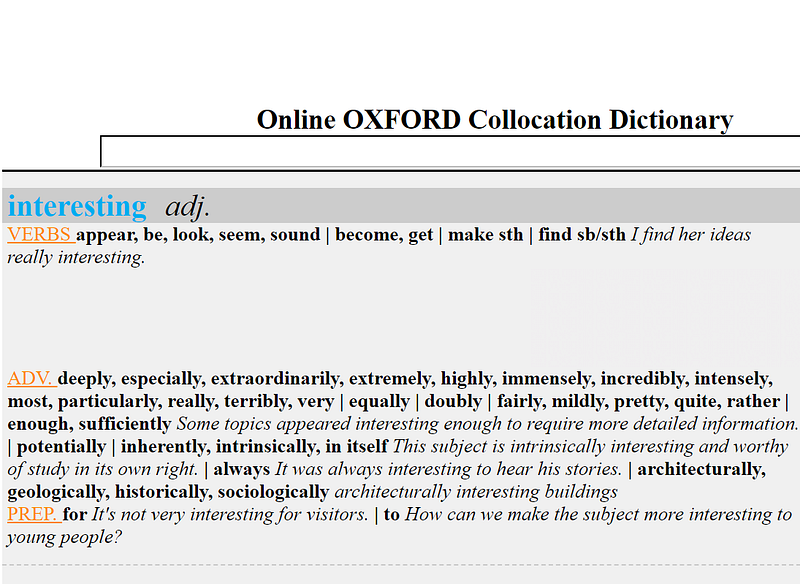
Online Oxford Collocation Dictionary gives you the specific term which goes well with the word you have chosen.
If you type in the word interesting, you get what verbs go well with it: This seems interesting, It sounds interesting, to find something interesting.
You also get adverbs: extremely interesting, interesting enough, and prepositions: interesting FOR someone, interesting TO people.
When I can’t find a collocation I am looking for in the Collocations Dictionary, I check it out on Ludwig Guru.
Ludwig Guru
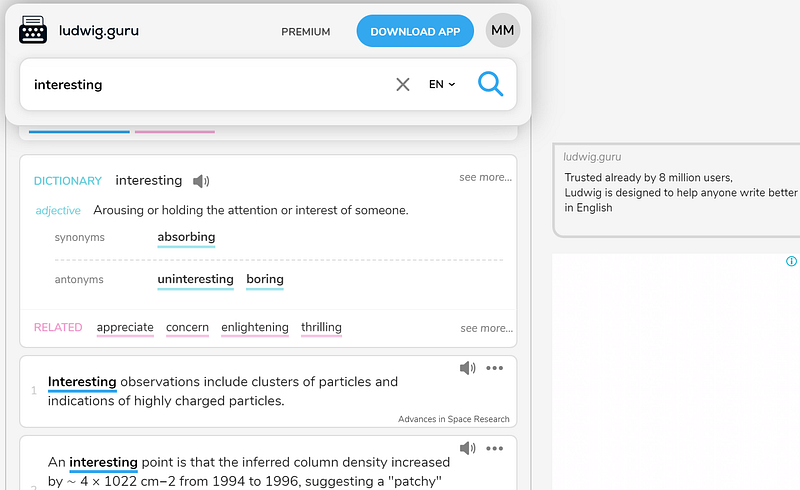
Ludwig Guru is a nice little app that gives you dozens of correct sentences from The New York Times, Pub Med, and other credible resources.
This linguistic search engine helps you check if your collocation is grammatically correct. It can also help you translate your sentence into English, find the right synonym for your word, paraphrase your sentence, etc.
Just type in your word in the search bar, and you will get a definition, synonyms, antonyms (i.e. the words of the opposite meaning), words related to your word, and plenty of sentences as examples of your word with the credible sources from the internet quoted below them.
As I already said, it is particularly good when you are not sure if your collocation is grammatically correct.
Longman Dictionary
Obviously, sometimes I want to check the right meaning of a word. Or to see if a noun is uncountable or countable (so I know if I can put are or is, do or does after it).
I use the Longman Dictionary of Contemporary English the most because I’m used to its form and orderliness. It has everything an average dictionary needs:
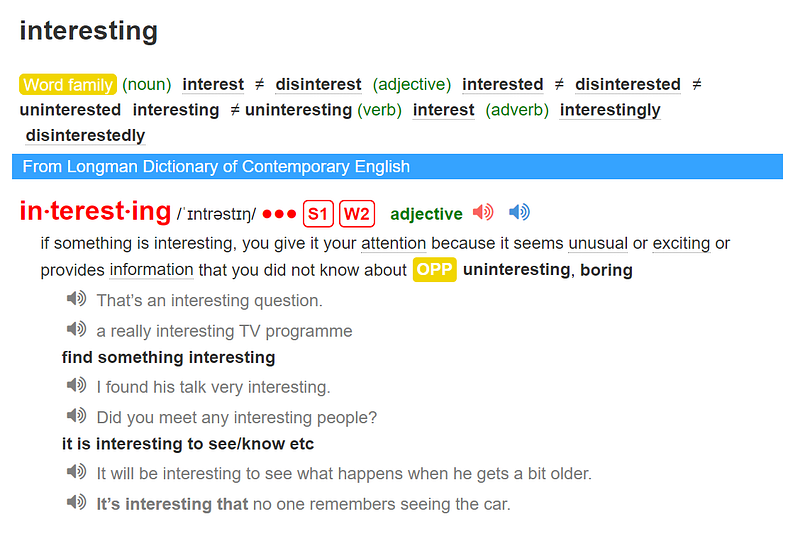
It gives you the whole word family of your word. For the word interesting, I got: interest (noun), disinterest (noun), interested (adjective), interestingly (adverb), etc.
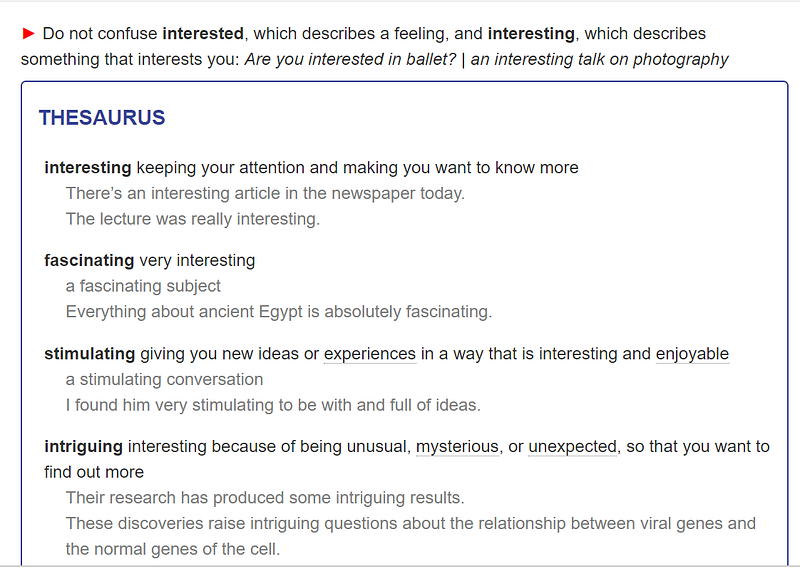
It also offers the antonym, defines the meaning of your word, a few phrases, several examples in a whole sentence, an explanation of the difference between your word and the one with similar form (such as interesting and interested).
What’s best, there is a thesaurus box which explains the difference between your word and words with a similar meaning: fascinating, stimulating, intriguing:
Website Thesaurus.com
Every day I practice the first lesson Jonathan taught us on how to write better. I try to find the right synonym for my word so I don’t sound like a robot repeating the same word over and over again.
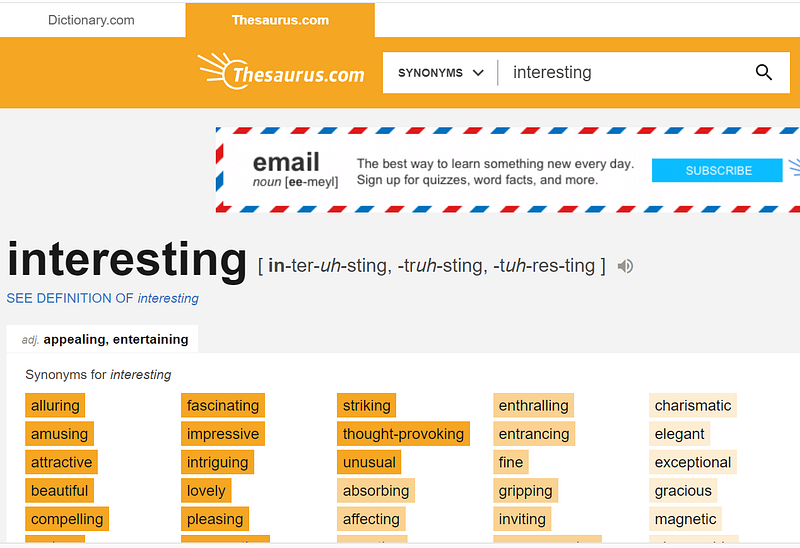
Thesaurus is an excellent dictionary that gives you all the words similar to the one you have already used.
As you can see, Thesaurus also gives you a short definition of the chosen word.
Its synonyms are colored with different shades of orange to mark how similar these other words are compared to yours.
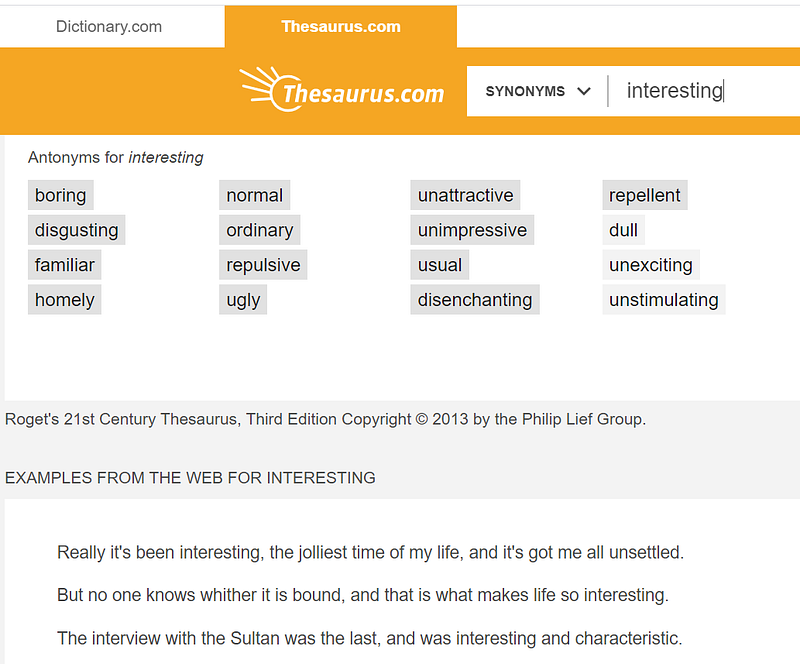
You also get antonyms to your word given in different shades of grey below the synonyms, as well as sentence examples from the web for the word you typed in the search bar:
At the end of each page, there are related words and synonyms for the word you typed in, as well as their synonyms: absorbing, amusing, attractive, engaging, etc.
Grammarly
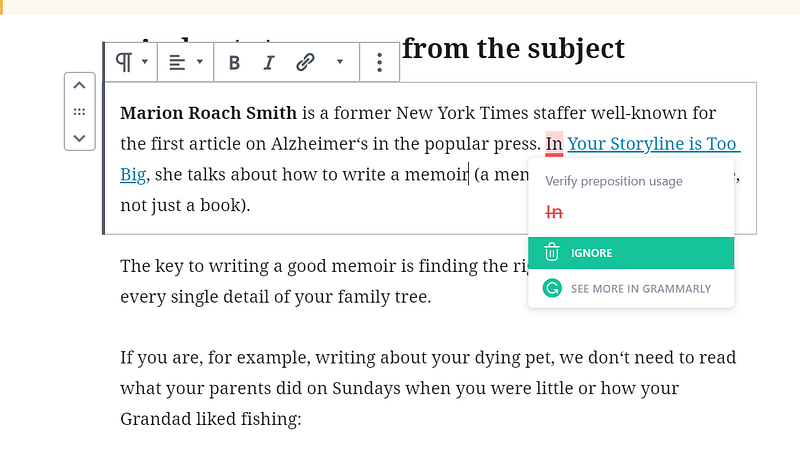
Although not ideal, most writers use it because it works as a tiny electronic teacher: it corrects your mistakes by underlining them in red and offers possible correct options. It also gives you a short explanation of why they are correct in the right-hand margin.
You can use it in Word, Wordpress, on Medium, etc.
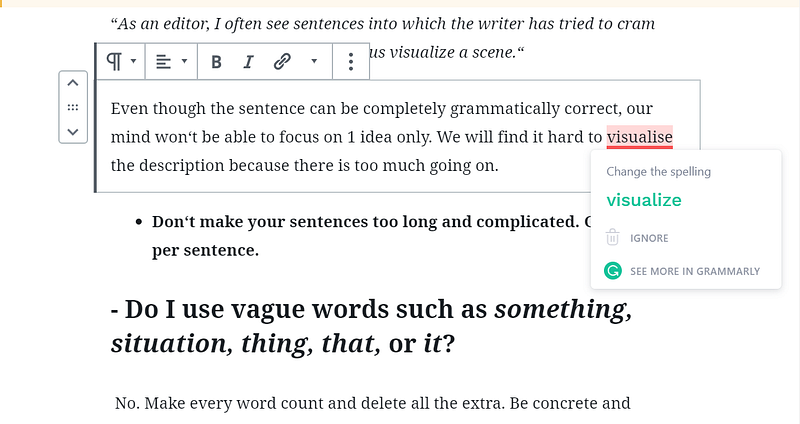
However, Grammarly is just software, so it‘s prone to interpret some sentences wrong by sticking rigidly to grammatical explanations. In that case, click the option IGNORE, so your word doesn‘t remain in red every time you open the document:
One more good thing about Grammarly is that it has both British and American English options. You can choose the option in your Gmail account.
Take a look at the picture below: I chose American English but I wrote the word in British English. Grammarly sees it as incorrect:
Despite the fact that it is far from perfect, this writing tool does a great job of detecting even the smallest parts of speech such as articles and prepositions.
However, read carefully their privacy policy and what they do with your data. They can store all your user content on their servers, so think about whether you want to use it. I don’t see any harm in using it for writing, but I don’t work for a big company.
My writing has significantly improved since I started using these 5 tools. I write every day and working with them became a part of my routine.
One more thing to have in mind if you are wondering how to write better: read quality material. Good books and high-quality articles on many different subjects teach you new phrases and forms. So, go on and find interesting topics, be it history, science, drama, politics, or philosophy. Read good content and something will stick in your mind.
I’ve created a 5-day free course on writing that you can read on Medium. Check it out:


