
Using TypeScript Template Literal Types Like a Pro
Write more elegant TypeScript code by learning how to use Template Literal Types. Explained with animations.
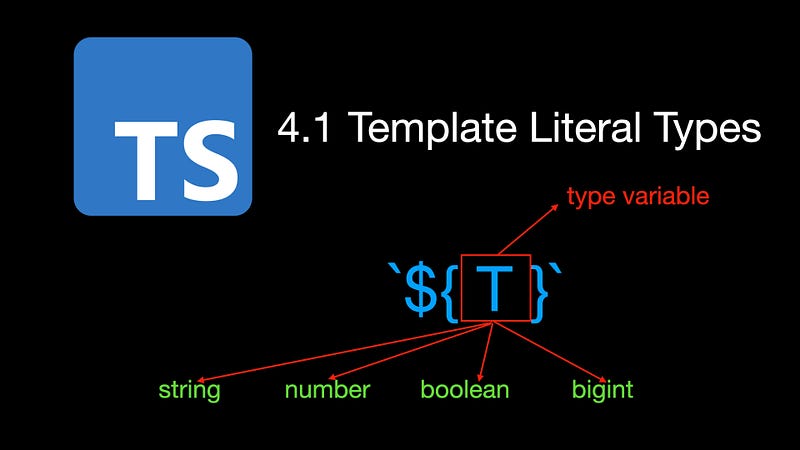
Welcome to the Mastering TypeScript series. This series will introduce the core knowledge and techniques of TypeScript in the form of animations. Let’s learn together! Previous articles are as follows:
- What Are K, T, and V in TypeScript Generics?
- Using TypeScript Mapped Types Like a Pro
- Using TypeScript Conditional Types Like a Pro
- Using TypeScript Intersection Types Like a Pro
- Using TypeScript infer Like a Pro
- Using TypeScript Template Literal Types Like a Pro
- TypeScript Visualized: 15 Most Used Utility Types
- 10 Things You Need To Know About TypeScript Classes
- The Purpose of ‘declare’ Keyword in TypeScript
Have you heard of TypeScript’s template literal types? Do you want to know how to use template literal types to write more elegant TypeScript code? If you want, after reading this article, maybe you will.
When developing web pages, we usually use Tooltip or Popover components to display some prompt messages or explanatory information. In order to meet different usage scenarios, Tooltip or Popover components will allow users to set their placement position. For example, top, bottom, left, right, etc.
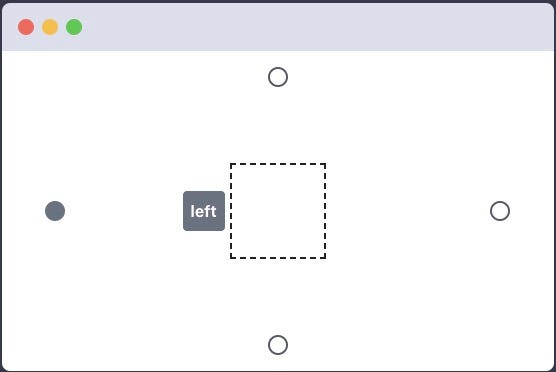
Since string literal types can basically spell-check our string values, we define a Side type using TypeScript’s type aliases.
type Side = 'top' | 'right' | 'bottom' | 'left';let side: Side = "rigth"; // Error
// Type '"rigth"' is not assignable to type 'Side'.
// Did you mean '"right"'?ts(2820)For the above 4 positions, it can already meet most scenarios. But if you want to set the placement position of the Tooltip more precisely, for example, let the Tooltip display in the upper left area of the specified element:
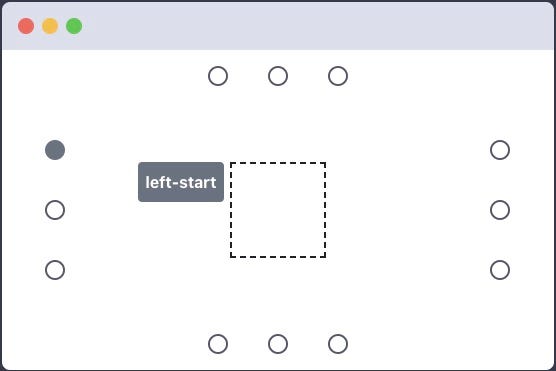
Then the existing Side type can’t meet the requirements, so let’s define a new Placement type:
type Placement = Side
  | "left-start" | "left-end"
  | "right-start" | "right-end"
  | "top-start" | "top-end"
  | "bottom-start" | "bottom-end"
In the Placement type, in addition to the original 4 positions, we add 8 new positions such as “left-start”, “left-end” and “right-start”, which correspond to the 8 string literal types. Looking at these string literal types, we find some duplicate codes “-start” and “-end”. In addition, when defining these string literal types, spelling errors may occur if you are not careful.
So how to solve the above problems better? This is where we can use the new template literal types introduced in TypeScript 4.1, which is used in the following way.
type Alignment = 'start' | 'end';
type Side = 'top' | 'right' | 'bottom' | 'left';
type AlignedPlacement = `${Side}-${Alignment}`;
type Placement = Side | AlignedPlacement;After reading the above code, do you think it is much simpler? Similar to template strings in JavaScript, template literal types are enclosed in backticks and can contain placeholders of the form ${T}. The actual type of the type variable T can be string, number, boolean, or bigint.
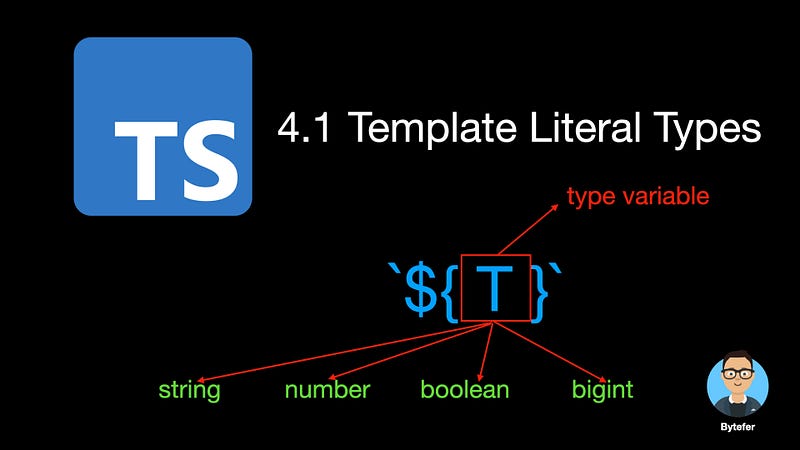
Template literal types provide us with the ability to concatenate string literals and convert literals of non-string primitive types to their corresponding string literal types. Here are some examples:
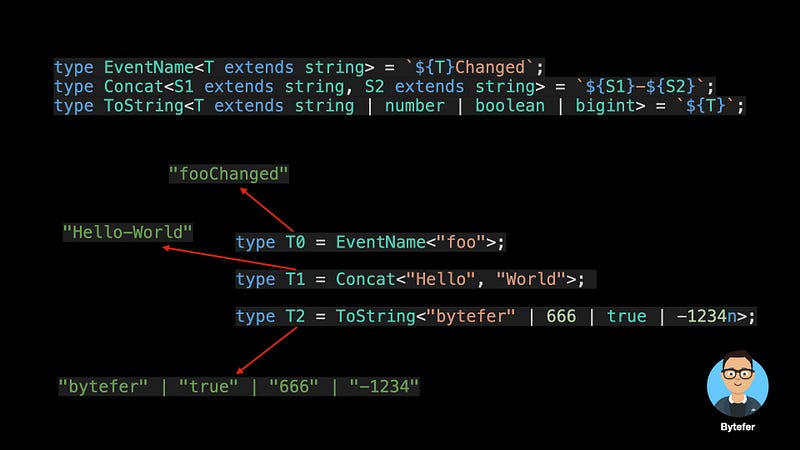
type EventName<T extends string> = `${T}Changed`;
type Concat<S1 extends string, S2 extends string> = `${S1}-${S2}`;
type ToString<T extends string | number | boolean | bigint> = `${T}`;
type T0 = EventName<"foo">; // 'fooChanged'
type T1 = Concat<"Hello", "World">; // 'Hello-World'
type T2 = ToString<"bytefer" | 666 | true | -1234n>;
// "bytefer" | "true" | "666" | "-1234"For the above example, it’s not really that complicated. But now the question arises, what would be the result if the actual type of the EventName or Concat utility type passed in is a union type? Next, let’s verify that.
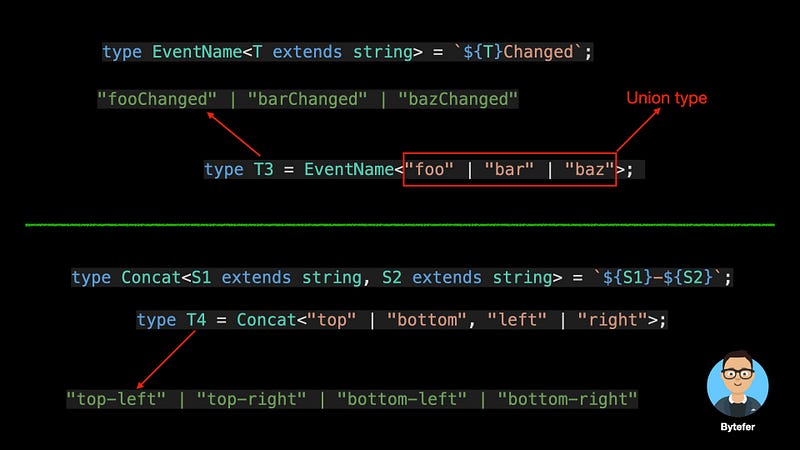
type T3 = EventName<"foo" | "bar" | "baz">;
// "fooChanged" | "barChanged" | "bazChanged"
type T4 = Concat<"top" | "bottom", "left" | "right">;
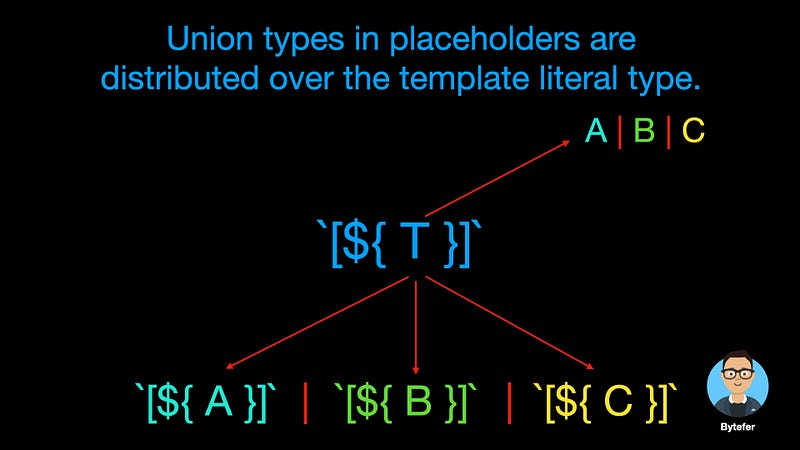
// "top-left" | "top-right" | "bottom-left" | "bottom-right"Why would such a type be generated? This is because, for template literal types, union types in placeholders are distributed over the template literal type.
`[${A|B|C}]` => `[${A}]` | `[${B}]` | `[${C}]`
And for cases with multiple type placeholders, such as the Concat utility type. Union types in multiple placeholders resolve to the cross product.
`${A|B}-${C|D}` => `${A}-${C}` | `${A}-${D}`
  | `${B}-${C}` | `${B}-${D}`
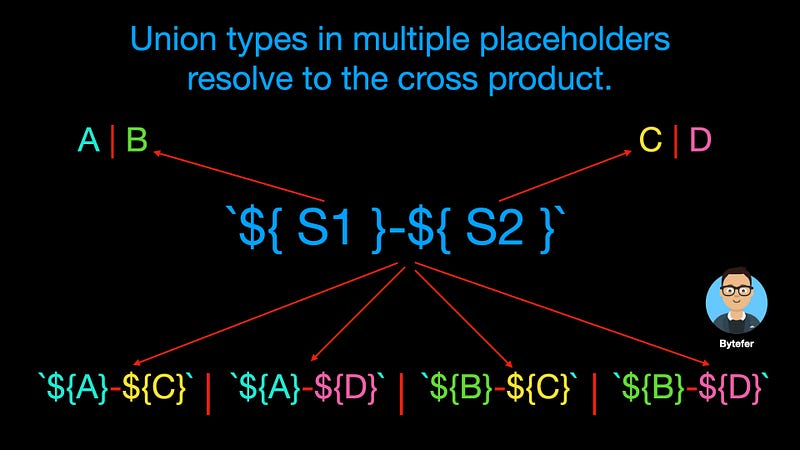
After understanding the above operation rules, you should be able to understand the generated T3 and T4 types.
When working with template literal types, we can also use the built-in utility types provided by TypeScript for working with string types, such as Uppercase, Lowercase, Capitalize, and Uncapitalize, in the following way.
type GetterName<T extends string> = `get${Capitalize<T>}`;
type Cases<T extends string> = `${Uppercase<T>} ${Lowercase<T>}
  ${Capitalize<T>} ${Uncapitalize<T>}`;
type T5 = GetterName<'name'>; // "getName"
type T6 = Cases<'ts'>; // "TS ts Ts ts"In fact, the ability of template literal types is very powerful. Combined with TypeScript’s conditional types and the infer keyword, we can also implement type inference.
type InferSide<T> = T extends `${infer R}-${Alignment}` ? R : T;type T7 = InferSide<"left-start">; // "left"
type T8 = InferSide<"right-end">; // "right"In the above code, the InferSideutility type uses the TypeScript conditional types and infer in addition to the template literal types. If you are not familiar with this content, you can read Using TypeScript Conditional Types Like a Pro and Using TypeScript infer Like a Pro.
TypeScript 4.1, also allows us to use the as clause to remapping keys in mapped types. Its syntax is as follows:
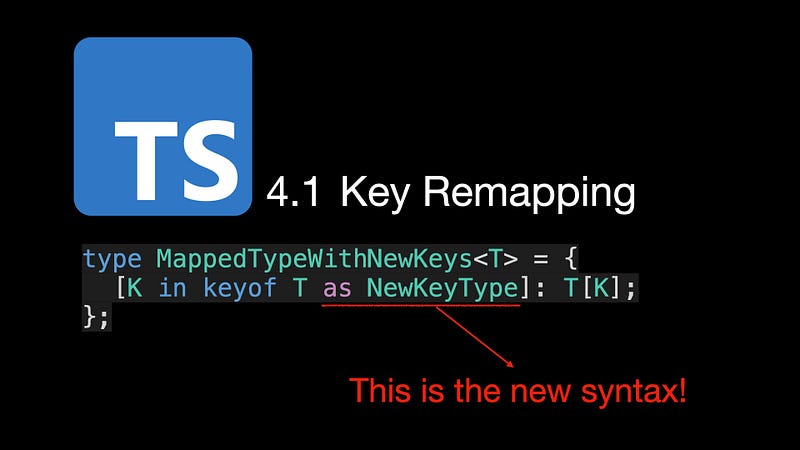
where the type of NewKeyType must be a subtype of the string | number | symbol union type. In the process of remapping, combined with the capabilities provided by template literal types, we can implement some useful utility types.
For example, we can define a Getters utility type to generate corresponding Getter types for object types:

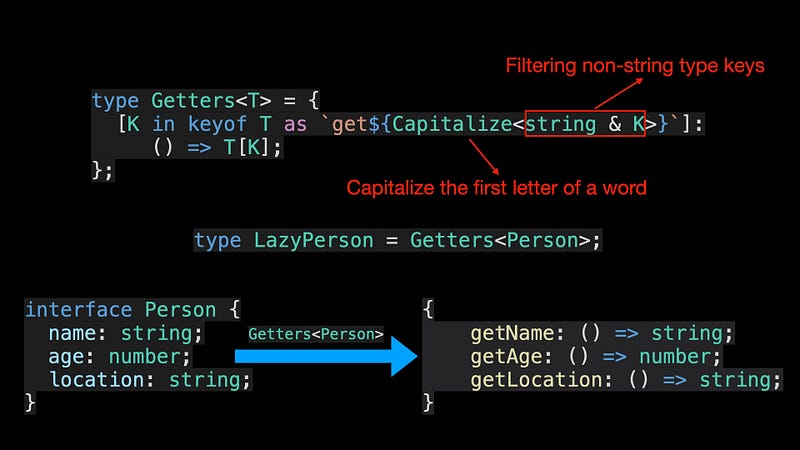
In the above code, since the type returned by keyof T may contain the symbol type, and the Capitalize utility type requires that the type to be processed needs to be a subtype of the string type, it needs to be type filtered by the & operator.
In addition to implementing simple utility types, we can also implement more complex utility types. For example, for getting the type of an object type with arbitrary hierarchical properties.
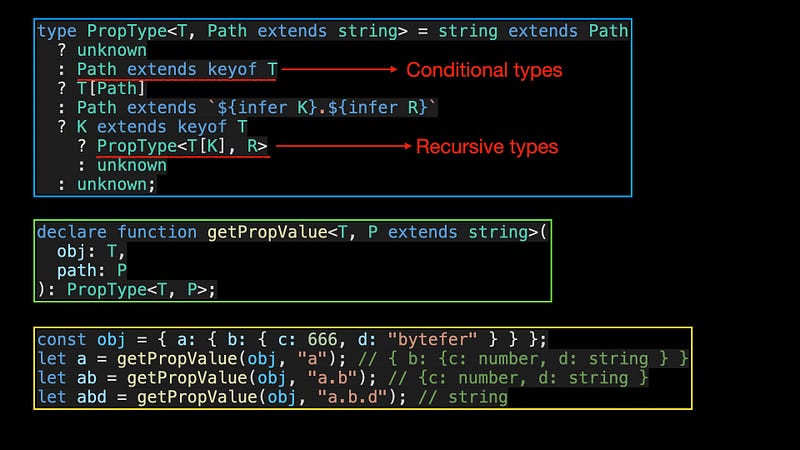
type PropType<T, Path extends string> = string extends Path
  ? unknown
  : Path extends keyof T
  ? T[Path]
  : Path extends `${infer K}.${infer R}`
  ? K extends keyof T
    ? PropType<T[K], R>
    : unknown
  : unknown;
declare function getPropValue<T, P extends string>(
obj: T,
path: P
): PropType<T, P>;In the above code, the PropType utility type involves several core knowledge in TypeScript. In addition to recursive types, conditional types, conditional chains, and infer type inference are all covered in my previous articles.
I will cover it in a later article about recursive types. If you want to learn TypeScript, then don’t miss the Mastering TypeScript series.
Follow me on Medium or Twitter to read more about TS and JS!
Resources
More content at PlainEnglish.io. Sign up for our free weekly newsletter. Follow us on Twitter, LinkedIn, YouTube, and Discord.


