
How to Use Pinterest to Drive Traffic to Your Site
I have seen it firsthand — it works

There are countless individuals and businesses using Pinterest to drive traffic to their sites.
Anna Runyan used Pinterest to drive 500k traffic in a single month using Pinterest in 2017 for her business. But, can Pinterest drive traffic in 2020?
I can’t say this is the “get views easily” policy. What may have worked for me might not work for you.
That being said, we all know Pinterest has been here for long enough and gets millions of visitors every single month. So, it has proved itself to be an authority site and you should give a try for at least once to check if it works for you or your business.
Create A Business Account
Sign up and create a business account to get access to the inbuilt Pinterest analytics. You won’t get the analytics with a standard account.
Don’t get confused with the term “business account” — it’s simple and free. Also, don’t forget to link your website (if you have one)and verify it.
You can add a Rich Pin these days which will allow you to show extra information directly on a Pin.
Also, sync your Instagram, Etsy, and Youtube accounts with Pinterest if you want.
Create A Board
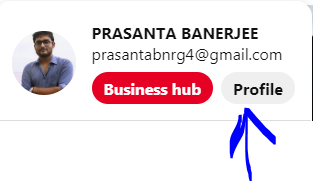
To create a Board, just go to your “Profile”. Click on “Boards” and you will find a “Create Board” option.
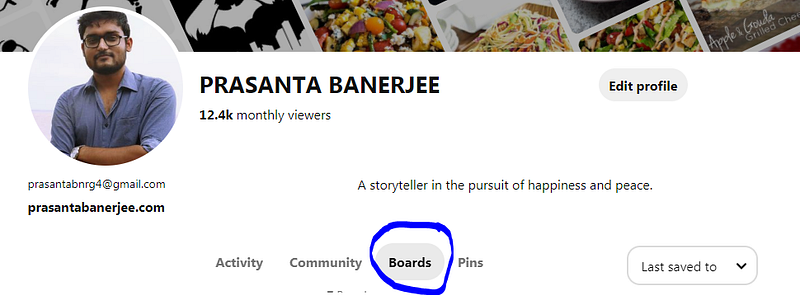
Name the Board you created and you are good to go.
Create A Pin
What “Story” is to Medium, “Pin” is to Pinterest. How much traffic you will bring to your site is dependent on how well you worked on your Pins. Below is the list of things that you “must” do to create a traction-worthy Pin.
Include A Catchy Title
You already know how important Titles are on Medium. Without a catchy title, your Medium Story can go unread. Similarly, not having a captivating title on Pinterest means people may just scroll past your Pins.
Use Canva To Create An Appealing Image
I use Canva all the time. You can use other sites or Softwares as well, but I recommend Canva for its simplicity.
Your Image is probably the most important aspect of your Pin. You need to use high-quality images that can attract users' attention. There is no way you can compromise on this step.
Use Texts On Your Images
Using texts on your images is a good way to dazzle your users. Texts on images can increase engagements on your Pins. Generally, texts are used as call-to-actions. Just give yourself a few minutes before deciding on what to write.
Have A “Call To Action” On Your Description
It’s good to have a call-to-action on your image. But don’t limit yourself to that. Use the same in your description and maybe elaborate a little.
If someone is reading your description, it means that they are already charmed by your Pin — they like your image and your title. Descriptions are a good way to Pin those users down.
Remember To Add URL Linking To Your Blog Post Or Medium Article
Well, if you forget to add the URL linking to your Medium story or blog post, your Pin will merely be an image and useless in this case — our main objective is to drive traffic.
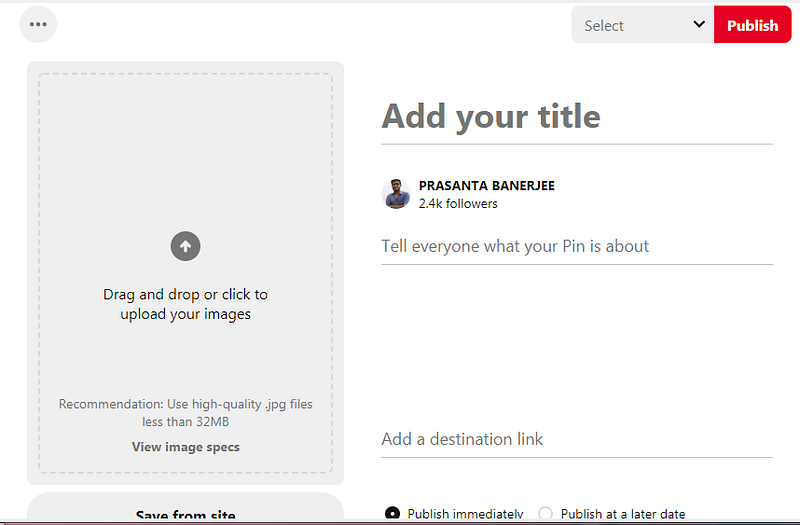
“Add a destination link” is where you can add your site’s URL.
Pin At The Right Time
This is something that varies from user to user. There is no one solution to all. You just have to keep on posting at different times throughout the day and at different days if you are not regular in order to check when you are getting the most engagement. Keep experimenting.
You will have better answers after a couple of months. So, just stick to it.
Join Pinterest Group Boards
Group Boards are similar to a Board that you created with the only difference being many users can Pin on that Board. It’s not private to you. I guess the name “Group” Board is self-explanatory.
There is a good chance that some of the users coming to Pin on that Board may just be drawn to your Pin and check your site out.
Be Social
After all, Pinterest is a social site. So, be social. The more you interact, the more chances you will have that some of them will check your stories out and develop an attachment to your writings.
By no means, I am saying that this will work for you. As you can see I get 12.4k unique monthly viewers despite not being active for the last 4 months.
I hope this gives more clarity.
If you like this article, you can also check:
See you again next time.
Regards.


