avatarJulian Cosky

Free AI web copilot to create summaries, insights and extended knowledge, download it at here

1423

Abstract

d information with the help of a master password.</p><p id="1d49">In fact, the master password is the only one you need to remember.</p><p id="65ac">I’ve used LastPass since 2010 and I’d be completely lost without it. There are other password managers on the market, like BitWarden, Dashlane or 1Password.</p><p id="e5a0">When you create an account, you will set up a (Master) password. This should be a hard-to-guess password, as it’s the only one you’ll need in the future.</p><p id="690f">It’s so important that, if you lose it, then you’ll lose access to all your passwords!</p><p id="4c10">The first time you log in to one of your online accounts, LastPass will ask you if you want to store this in your vault. Just say ‘Yes’, and the username and password will be stored securely.</p><p id="6500">The next time you log in, LastPass will recognise the site and pre-populate your login information and password.</p><p id="f6b5">It’s magic 🪄.</p><p id="208c">It’s even better when you create a new online account.</p><p id="6b94">Rather than think about what the password should be, you can use LastPass to generate a password.</p><p id="327d">It will be completely random, and since it’s stored in your vault, you don’t need to remember it.</p><blockquote id="6030"><p><b>FACT</b>: I don’t know many of the passwords I need. They’re all stored securely</p></blockquote><p id="82da">LastPass is available as an app on A

Options

ndroid, iOS, Mac, Windows — in fact, everywhere. There are also extensions for use on the various web browsers.</p><p id="a7f3">It’s definitely worth checking out, especially if you’re someone who has the same password across multiple accounts!</p><p id="e3e2">Change your passwords (<i>LastPass will help you with that too</i>) and relax in the knowledge that you’ve secured your accounts.</p><p id="c2ea"><a href="https://lastpass.wo8g.net/kjVW20">Click this link to get a free 30-day trial</a></p><blockquote id="d554"><p>Full Disclosure: If you decide to continue after your free trial, then, as an affiliate for LastPass, I will receive a small commission; but this doesn’t affect the price you will pay.</p></blockquote><p id="ab4f">I’d love to know what you think of LastPass, or the password manager you already use.</p><h2 id="c215">Thank you for reading</h2><p id="9614">👉🏻 Before you go, if you’d like to receive my articles directly into your inbox, then just <a href="http://jcosky.medium.com/subscribe"><b>click here</b></a>!</p><p id="d88e">👉🏻 <a href="http://jcosky.medium.com/membership"><b>Sign up with this link</b></a> for access to everything on Medium, and you’ll support me directly with a portion of your fee, it won’t cost you a penny more.</p><p id="b3e8">👉🏻 If you’d prefer, <a href="https://ko-fi.com/jcosky"><b>please buy me a coffee</b></a> to show your appreciation</p></article></body>

How To Take The Stress Out Of Remembering Passwords

Here’s a clue… you don’t have to remember them
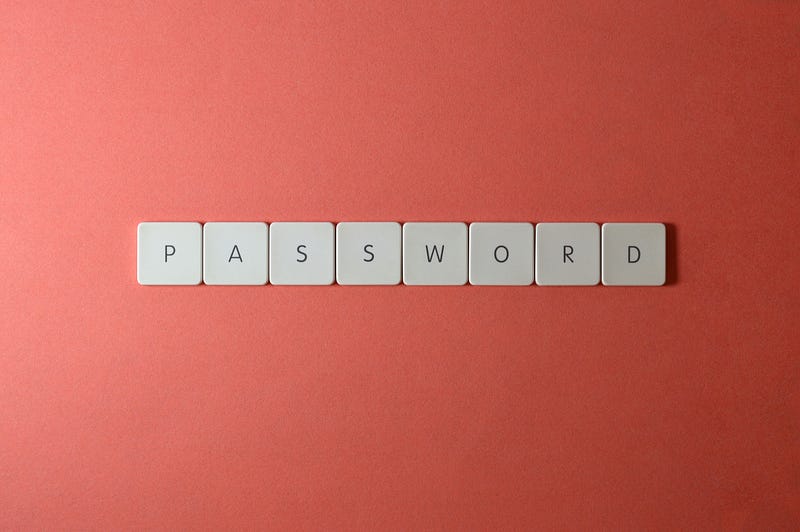
Photo by Miguel Á. Padriñán from Pexels

One of the biggest challenges to using passwords is remembering them.

Strong and unique passwords are the only way to almost guarantee your online accounts are safe from prying eyes.

I’ve shown you how to create a hard-to-guess password to help keep your online accounts secure.

Check out Follow This To Create The Perfect Password

Now we’re going to look at how to remember them.

A password manager is a software application that is used to store and manage your passwords for various online accounts.

Your passwords are stored in an encrypted format and provide secure access to all the password information with the help of a master password.

In fact, the master password is the only one you need to remember.

I’ve used LastPass since 2010 and I’d be completely lost without it. There are other password managers on the market, like BitWarden, Dashlane or 1Password.

When you create an account, you will set up a (Master) password. This should be a hard-to-guess password, as it’s the only one you’ll need in the future.

It’s so important that, if you lose it, then you’ll lose access to all your passwords!

The first time you log in to one of your online accounts, LastPass will ask you if you want to store this in your vault. Just say ‘Yes’, and the username and password will be stored securely.

The next time you log in, LastPass will recognise the site and pre-populate your login information and password.

It’s magic 🪄.

It’s even better when you create a new online account.

Rather than think about what the password should be, you can use LastPass to generate a password.

It will be completely random, and since it’s stored in your vault, you don’t need to remember it.

FACT: I don’t know many of the passwords I need. They’re all stored securely

LastPass is available as an app on Android, iOS, Mac, Windows — in fact, everywhere. There are also extensions for use on the various web browsers.

It’s definitely worth checking out, especially if you’re someone who has the same password across multiple accounts!

Change your passwords (LastPass will help you with that too) and relax in the knowledge that you’ve secured your accounts.

Click this link to get a free 30-day trial

Full Disclosure: If you decide to continue after your free trial, then, as an affiliate for LastPass, I will receive a small commission; but this doesn’t affect the price you will pay.

I’d love to know what you think of LastPass, or the password manager you already use.

Thank you for reading

👉🏻 Before you go, if you’d like to receive my articles directly into your inbox, then just click here!

👉🏻 Sign up with this link for access to everything on Medium, and you’ll support me directly with a portion of your fee, it won’t cost you a penny more.

👉🏻 If you’d prefer, please buy me a coffee to show your appreciation

Illumination
Online Security
Cybersecurity
Productivity
Life
Recommended from ReadMedium