

How to Set a Bring-Your-Own-Device (BYOD) Policy in the Workplace
Don’t let a careless lack of policy harm your business
Smartphones and other mobile devices have entered our daily lives and it does not appear that they’re going away anytime soon. Understanding that fact, it should be no surprise to learn that they’re a similarly indispensable part of how you and your employees conduct business. Because many businesses don’t have the budget or framework to provide mobile devices to every employee, they, instead, allow employees to use their personal smartphones or tablets as tools to make their jobs easier.
As more people bring their mobile devices into their workspaces — whether those spaces be traditional offices or out in the field — you need to establish some bring-your-own-device (BYOD) policies and protocols for these devices and the data they’re accessing to help keep your business secure.
As cybersecurity threats continue to rise year after year, small to medium-sized businesses need to be aware that they are especially vulnerable to phishing, malware, and other cyberattacks. The good news is that there are simple but effective steps you can take to make sure your private business information and sensitive customer data are safe from prying eyes or manipulation from outside threats.
Creating a Mobile Device Security Policy
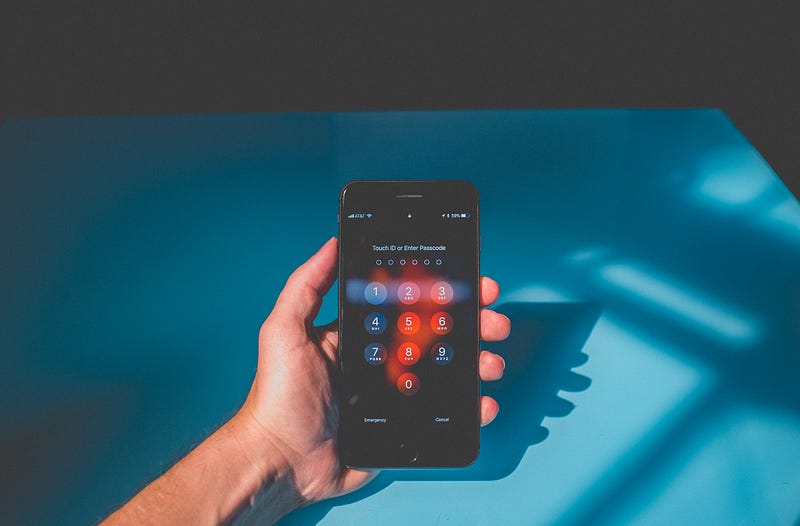
It’s not the concept of BYOD that leads to vulnerability, but that fact that individual employees are going to be the ones most likely to accidentally allow your data to be compromised. Carelessness and inexperience are the usual reasons for this. You can lessen that threat by laying out clear policies regarding mobile device usage. If your employees wish to use their own devices, make it a requirement they follow guidelines such as:
- Every device must be PIN-locked
- Anything business or customer-related must be password-protected
- Always use strong passwords (numbers, letters, and symbols at least — no birthdays or other easily-guessed passwords)
- Avoid connecting to public Wi-Fi networks
- Update apps as those updates become available
- Back up data regularly
- Use company-authorized antivirus software whenever possible
- Practice safe email habits. Do not download attachments unless certain of the source
- Use encryption software — especially if you’re in an industry requiring regulatory security compliance
These safety measures may seem obvious, but unless you come out and clearly state these policies, your team may neglect or forget about them over time. Remind them regularly, and, whenever possible, encourage them to set up automatic updates on all their devices.
Erasing Data Remotely — Too Extreme?
It’s unfortunate, but one thing you may not be able to have much control over is lost or stolen devices. When this happens (and it will), you will want a protocol set in place to minimize the damage. As soon as an employee’s mobile device has gone missing, they need to notify the appropriate company contact. Once determined that the device is missing and not easily or quickly recoverable, you or your IT team members should look into activating a remote wipe to delete all the device data.
Does that sound too extreme? Or is it better to play it safe instead of gambling on whether or not your company’s data has been compromised? Sensitive business documents or data in the wrong hands can end up becoming a more costly issue than a single phone, tablet, or laptop would cost to replace.
Some devices, such as tablets and smartphones, have a security option that erases data after a set number of incorrect password attempts are made. It can be a useful and powerful security tool depending on the nature of your business, but some caution should also be used with this option, as it could be accidentally triggered by a child playing on a parent’s phone. (I have a three-year-old. Ask me how I know.)

Keeping Track of Everything
One of the major pluses of a BYOD policy can also be one of its biggest challenges. With all of the devices employees are going to want to employ to make their jobs easier, how can you keep track of everything? What about when a personal device gets upgraded or traded in?
A record of each device and its user should be kept on file. That’s the first obvious step. The set policy should also require notification of any change in a device so that you or your IT team can help the employee bring their device into compliance.
Why doesn’t everyone enable device tracking software on their mobile devices regardless of whether or not they’re also being used as work devices? Who among us can say we’ve never lost track of a cellphone? Most mobile devices now come with the ability to track their location. Even laptops can be tracked now.
Not only will device-tracking help you keep tabs on all the devices associated with your business, but tracking will also come in handy for situations involving loss or theft. Tracking should be a non-negotiable part of your BYOD policy before permitting any employee to use one of their mobile devices as part of your business.
In Closing…
Ushering a BYOD policy into your workplace can offer several benefits to your business, not the least of which include cost saving and employee satisfaction. That said, without sensible precautions and policies put in place, you could easily put your company in a vulnerable position.
By adopting these security measures, you’ve gone a long way toward protecting your organization from both bad actors and careless users. Securing your data is always good for business.
Thank you for reading. I’d love to share more with you via my Weekly Word Roundup newsletter sent to subscribers every Sunday. It will feature news, productivity tips, life hacks, and links to top stories making the rounds on the Internet. You can unsubscribe at any time.


