
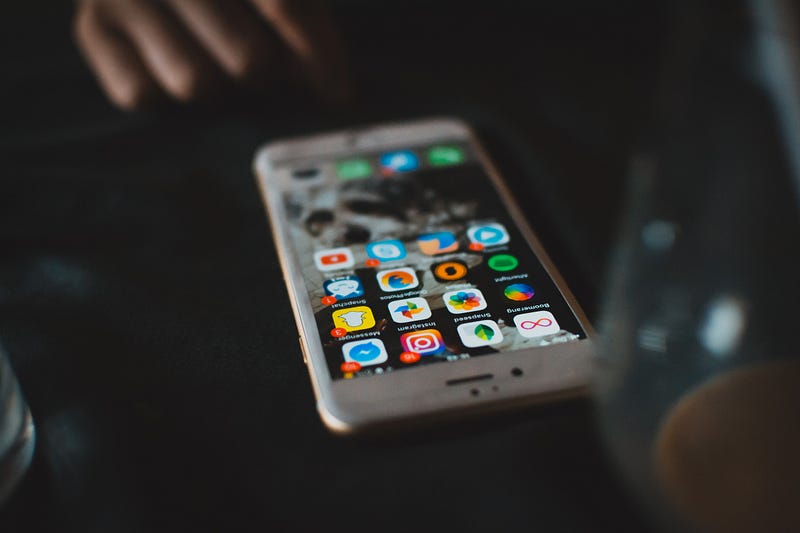
6 Best Practices for Mobile Device Security
Keep your business data safe wherever you may roam
While it’s important to protect your organization’s computers and networks from malicious activity in order to safeguard sensitive data, it is just as important to address security issues involving the mobile devices used for your business.
Whether your business has a bring-your-own-device (BYOD) policy or has company-issued mobile devices, any attempts to keep your office IT secure will come to nothing if you don’t also address mobile security. Consider these taking these steps to promote a safer, more secure mobile business environment.
Educating employees
The first line of defence in maintaining mobile security is the users themselves. Make sure your employees understand the important role mobile security plays in protecting sensitive business data and the ability to perform their jobs effectively. They need to be aware of the risks involved in not maintaining effective mobile security.
As a business owner, it’s your responsibility to ensure employees are taught the best practices for keeping business-related mobile devices secure, as well as informed on the various types of threats that exist.
In a recent Verizon study, 35% of healthcare organizations and a third of public sector entities experienced downtime or significant data loss due to failures in maintaining proper mobile security practices. Across all industries, barely 15% of businesses had any kind of plan in place for basic mobile security.
Practising sensible authentication
The simplest and most effective way to get a handle on your mobile security is to engage in sensible authentication practices. This starts with always using a password to access your device and making sure that the passwords you’re using contain unique combinations of upper and lowercase letters, numerals, and other characters.
Two-step authentication adds an additional layer of security in that it requires a second form of access, such as a one-time access code, security phrases or fingerprint identification. While some users may find two-step authentication inconvenient, it’s not as inconvenient as having to deal with the damage resulting from compromised data.
It should go without saying that passwords should be kept private and changed on a regular basis.
Conducting regular system and software updates
Creators of software and mobile devices should be considered extended parts of your security team. They constantly work to improve security features and often provide important systems and software notifications for your devices urging you to install the latest updates when available. Too often, people ignore these notifications or intend to install them at some point in time only to eventually forget. These system updates often feature crucially important security patches that help keep your devices safe as new cyber threats evolve.
That said, respond to notifications with some caution. While there are some instances in which a software or device developer will send an update notification via email or text message, be wary before reacting. Be sure that these notifications come from verified sources and confirm that you’re not the target of a phishing scam.
Scheduling regular backups of mobile data
No one likes to be caught unprepared, but what will you do should the worst happen and your data becomes compromised either through malicious behaviour or simple accident?
A way to avoid this problem is by conducting regular backups of your mobile data — just as you would for local network data. Cloud backup solutions can usually be automated through your device apps. This is a smart plan not only for business and customer data but also for your business contacts and schedules. Should the loss of a device occur either through carelessness or honest accident, you want to keep downtime at a minimum. With regularly scheduled backups, you can keep your business running smoothly.
Maintaining physical security
Do you know where your smartphone is? How about your tablet? Or your laptop?
Not every danger is high-tech. Sometimes it’s something as mundane as a lost or stolen device that can put your business’s data at risk. Think back… had you logged out before your mobile device went AWOL?
Even a laptop or tablet set aside while you attended other matters is still vulnerable to review by anyone passing by. Likewise, are you certain no one was looking over your shoulder as you entered your password? Being aware of where your mobile device is and who can view your device can save you some major headaches in the long run.
Malicious persons are not the only danger. You should also be on guard for simple physical accidents. A tablet falling off a desk or a cell phone slipping out of a shirt pocket can damage your device to the point of inoperability. This can lead to expensive and inconvenient downtime — something surely to avoid.

Taking encryption seriously
Heavily regulated industries such as healthcare have additional security concerns when it comes to business technology. HIPAA compliance is serious business and failing to keep on top of security standards can result in expensive fines.
The good news is that by using advanced options available for mobile security and end-to-end data encryption, you’re in a better position to protect data from cyber snooping and you can assure yourself that all parties take security compliance seriously.
A little bit of vigilance can go a long way
To make major headway in protecting your business from data exposure, downtime, and loss of reputation, you need to be aware of the security issues with mobile devices and to act on those issues straight away.
The keys to maintaining mobile device security include consistency, common sense and an emphasis on the same safe practices you should already have established in the rest of your IT infrastructure.
Thank you for reading. I’d love to share more with you via my Weekly Word Roundup newsletter sent to subscribers every Sunday. It will feature news, productivity tips, life hacks, and links to top stories making the rounds on the Internet. You can unsubscribe at any time!


