avatarRobert Ralph

Summary

Robert Ralph explains how to share a draft article on Medium for feedback before publishing.

Abstract

Robert Ralph's article provides a step-by-step guide on how to send a draft link of an unpublished Medium article to others for feedback. He emphasizes the utility of this feature for writers seeking advice or external opinions on their work. The process involves navigating to the drafts section, selecting the desired draft, and using the "share draft link" option to generate a link that can be shared privately. Additionally, Ralph encourages readers to engage with his content by joining Medium through his referral link and supporting him with a Ko-fi donation.

Opinions

  • The author, Robert Ralph, finds the draft sharing feature on Medium helpful and often uses it to improve his writing.
  • Ralph humorously encourages readers to click on a link, playing on the idea that curiosity will prompt them to support him or engage with his content.
  • He suggests that readers can become friends and support each other, indicating a belief in the value of community and mutual support among writers and readers on Medium.
  • Ralph is open to further engagement with his audience, inviting them to leave comments or questions and to let him know if they need assistance with anything else on the platform.

How To Send A Draft Link

Without publishing your article

Photo by Nick Fewings on Unsplash

Without publishing your article, I will show you how to send a draft link to people you would like to view it before publishing.

Writers use this to gain feedback from friends, and maybe they need advice.

I have used this on many occasions myself and find it helpful to have in my locker.

Want to know how to send a draft article to a publication? Then click on the link below.

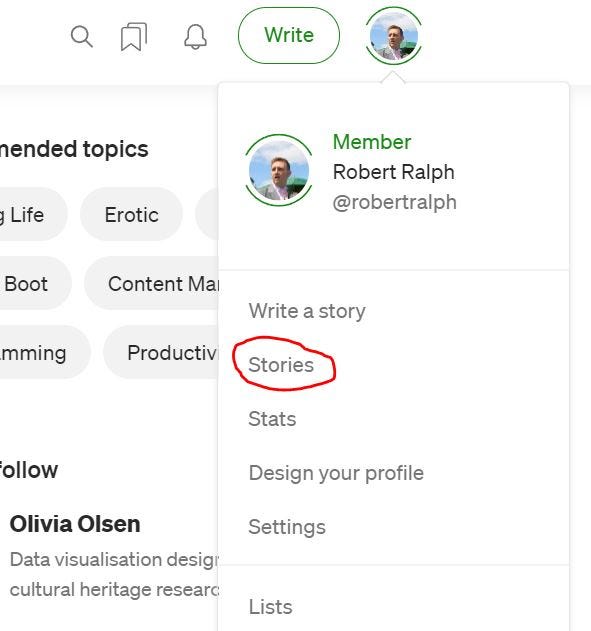
There are four simple steps you need to take, first click on your profile picture, then click on “stories.”
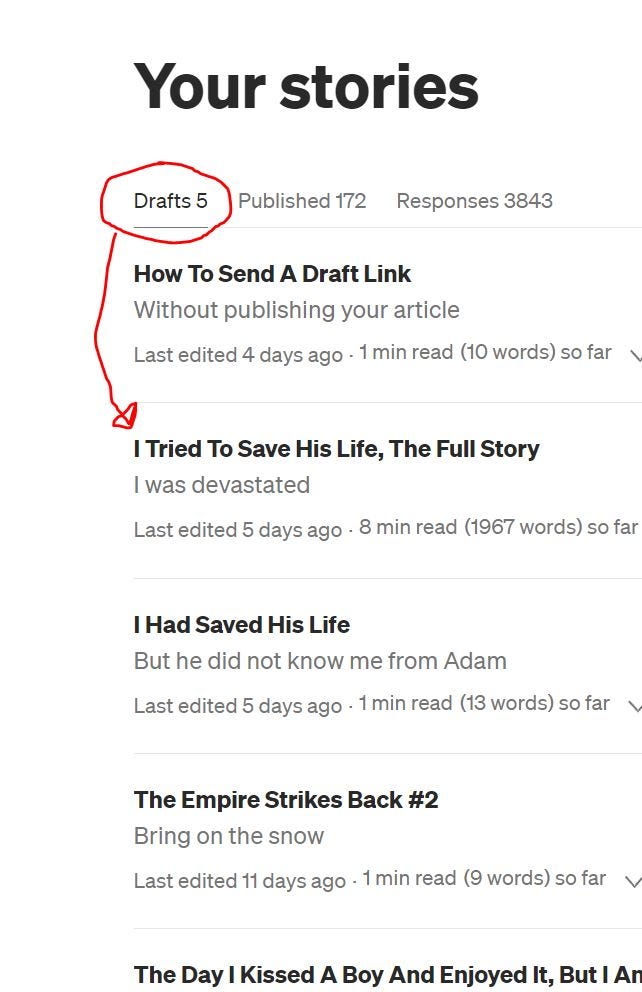
It should direct you to your drafts section. Would you please select the draft that you would like to share
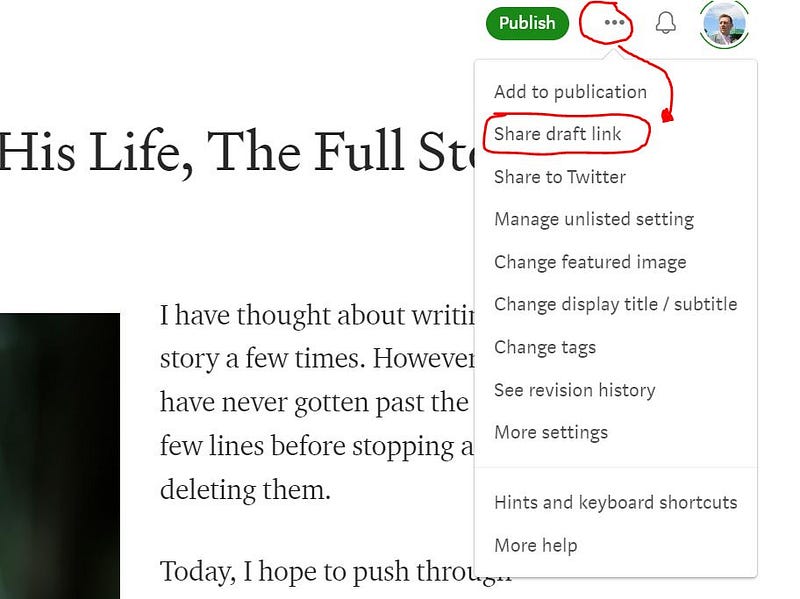
Once you have the draft article open that you want to share, next click on the three dots and select “share draft link.”
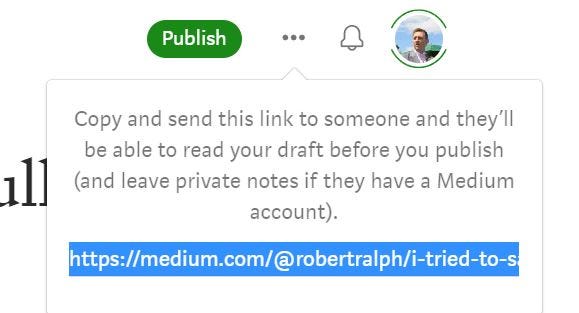
Please copy the link produced for you, and you can then paste it into an email to send to a friend. If you need a friend, please click here.

Go on, quick, click on the link, you know you want to.

No one is watching, If you don’t click on it, you will never know what is there, as they need a friend too! (Just my humour 😃)
I hope you found this helpful. Please let me know in the comments section if I can help you with anything else, also please let me know.

Written by Robert Ralph

Please would you buy me a Ko-fi

Join Medium here (Affiliate Link)

Advice
Writing
Love
New Writers Welcome
Robert Ralph
Recommended from ReadMedium