
How To Submit To A Publication
Step by step August 2021

Our publication has been set up for new writers; one of the first things I wanted to do when I joined Medium was writing an article and get it published.
This also provided me with a problem, how do I actually submit to a publication? I will take you through this step by step, so stick around and enjoy the read if you have not done it yet.
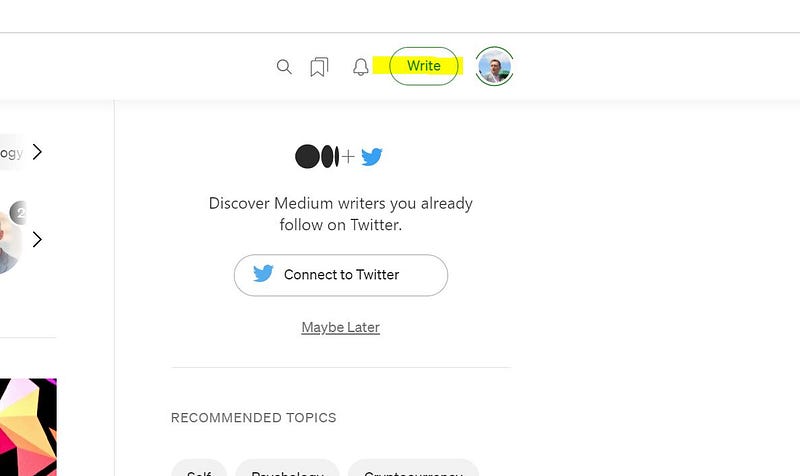
- Write your article, and enjoy expressing yourself. If you enjoy writing it, then maybe people will enjoy reading it.
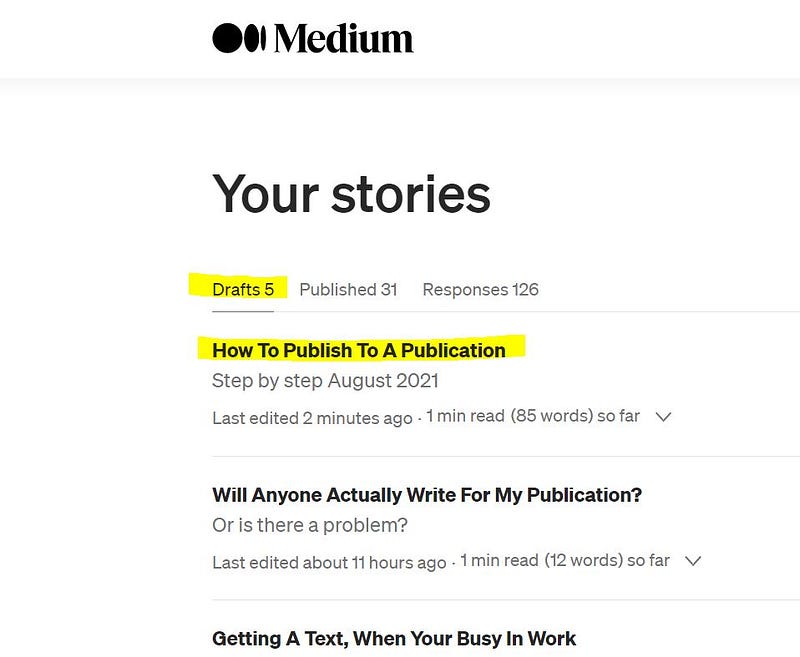
2. Once you have written your article, Medium will save it into your drafts. If you click on your profile pictures in the top right-hand corner and select stories, this will take you to your drafts page. Next, click on the story that you would like to submit from your draft articles.
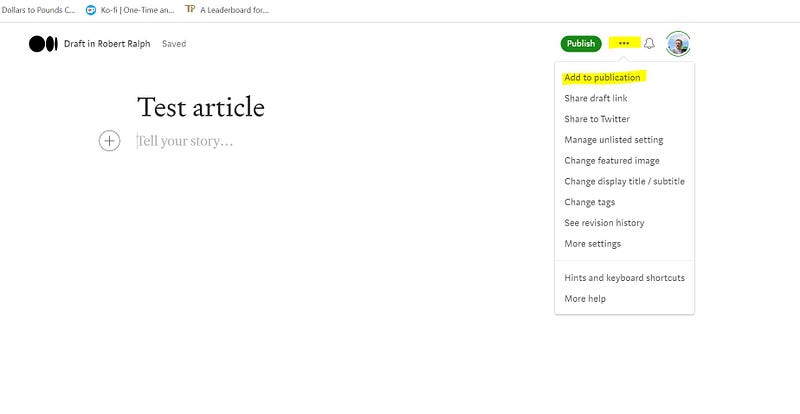
3. Once you have selected your article, look at the top right-hand side of your screen again, then click the three dots, this will give you a drop-down menu.
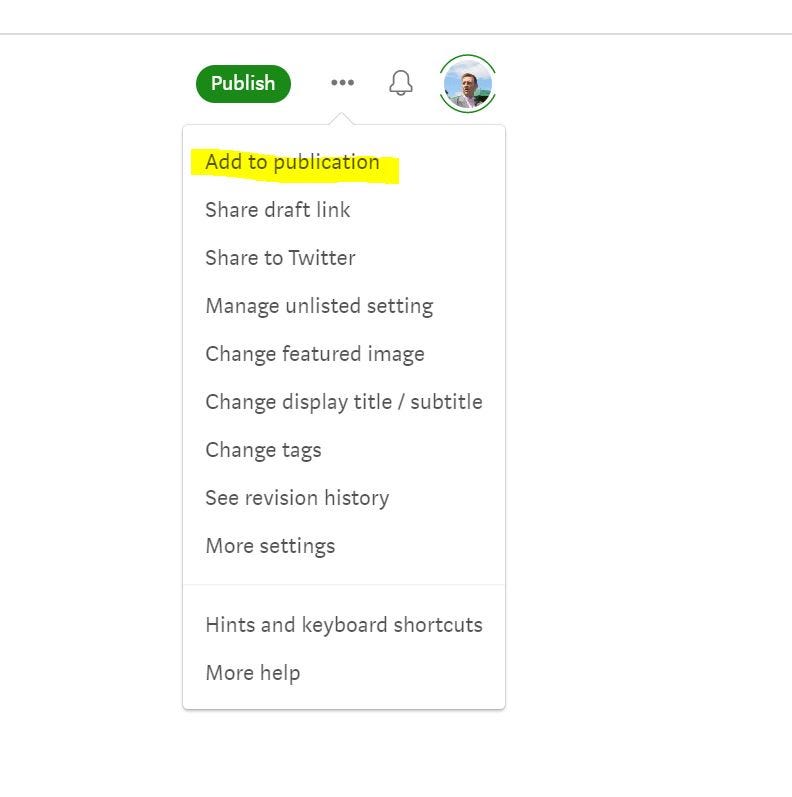
4. Next, you need to click on add to the publication
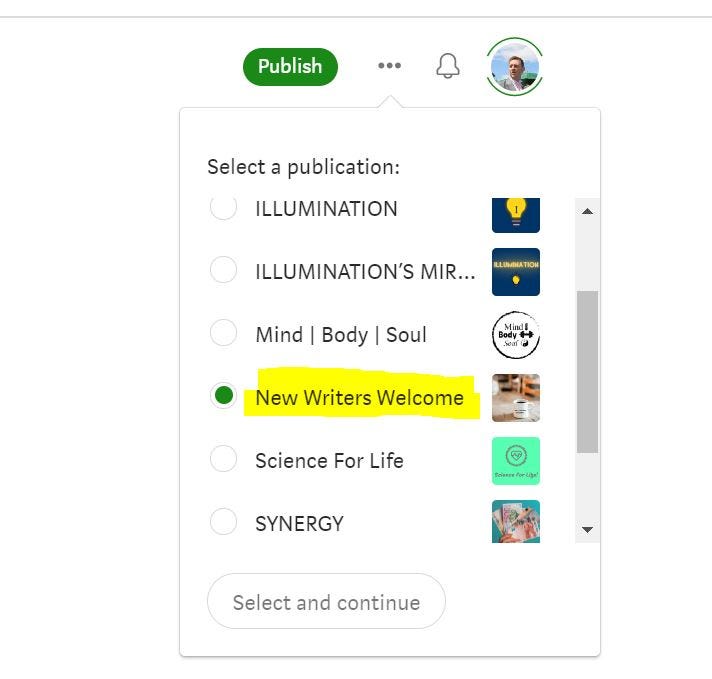
5. Then you submit it to your chosen publication; it will show your selection with a green dot next to it, then click select and continue.
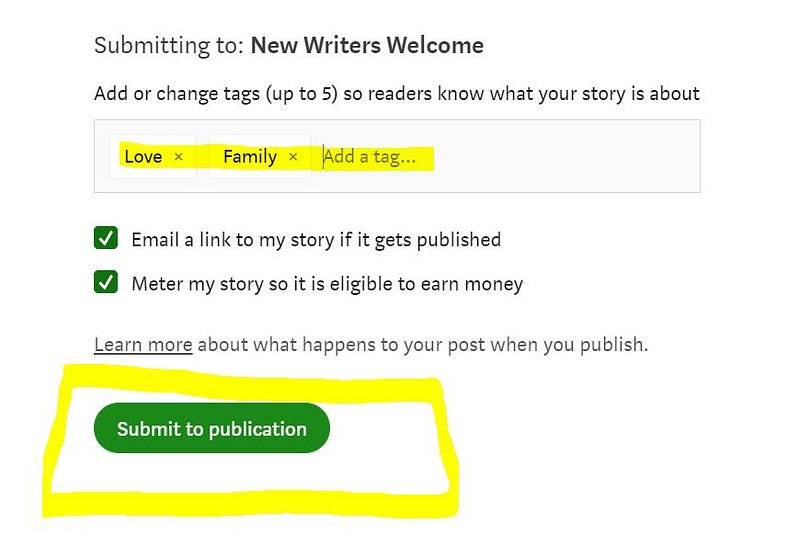
6. You will then see this screen (excluding “email a link to my subscribers”). You should then add up to five tags, and this is one-way people will find your story. You then click on submit to the publication.
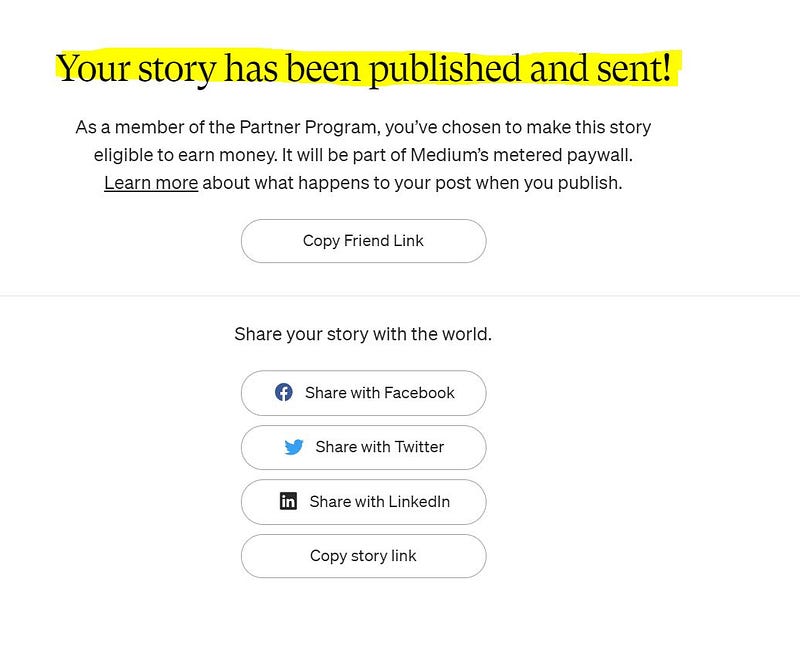
7. Hey presto! You have done it congratulations. The publication will then read your article and decide whether to publish it or not.
I know this is a basic article; however, I hope it helps new members to the Medium platform. There are other ways to submit to a publication, and this is simply one way to do it.
Written by Robert Ralph
Join Medium here (affiliate link)


