
How to Publish Content with the Instagram Graph API
Share Instagram posts from a React app — Step by step guide

Facebook finally exposes the API for creating Instagram posts with photos and videos. The Instagram Content Publishing API was in closed beta with Instagram Partners for a long time, but it has changed in January 2021 and now you can use the API too.
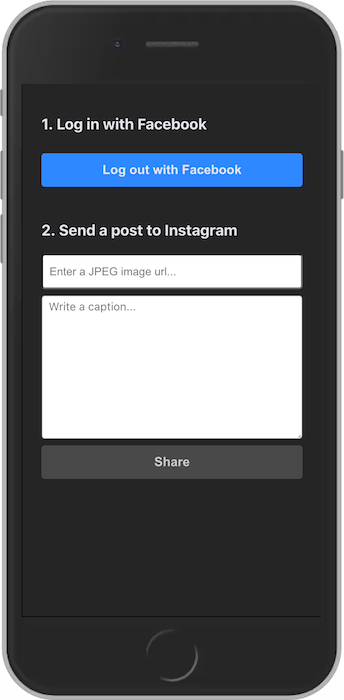
You’ll see how to enable the Instagram Graph API and how to use it step by step.
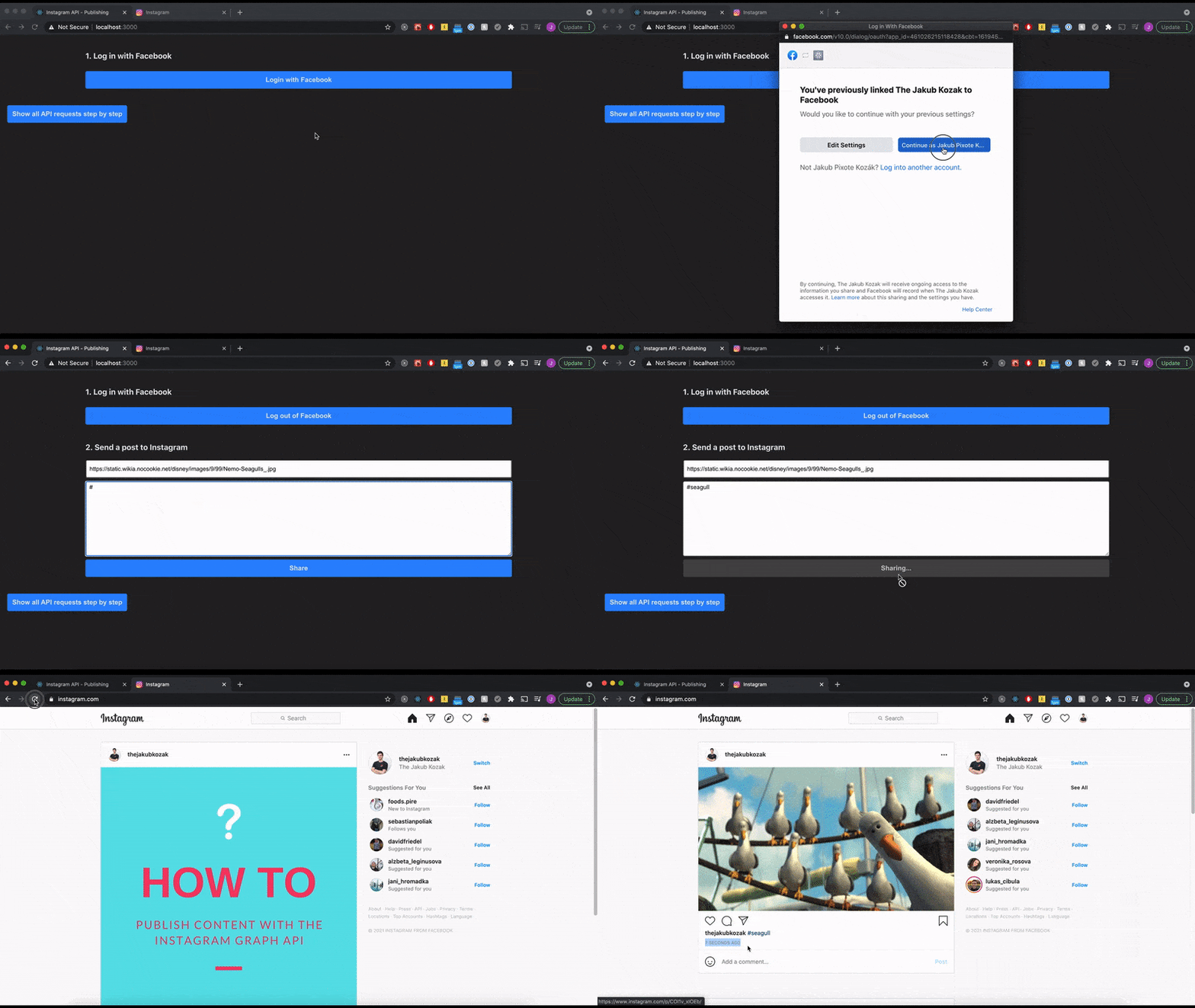
At the end of this tutorial you’ll have a React app with Facebook Login and a form for an image and a caption with any hashtags you like.
1. Before you start coding
If you want to use the Instagram Content Publishing API, Facebook requires you to follow a few steps first. The good news is that it takes only a few clicks.
Step 1: Create an Instagram business account
If you already have a personal account on Instagram, you can easily convert it to a business account. If you’re just experimenting with the Instagram API, you can create another account — you may have 5 accounts at a time.
Step 2: Connect a Facebook page to your Instagram business account
Even though you might not want to share anything on your Facebook page, you still need it for the Instagram API. You’ll see why when we get to the code.
How to Connect a Facebook Page to Your Instagram Business Account
Step 3: Register a Facebook app
When you use the Instagram or Facebook API, you always have to provide a unique ID of your Facebook app. After you create a Facebook app, you can activate various products, e.g. Facebook Login and Instagram Graph API for this React web app.
Step 4: Set up Facebook Login
- Go to the Facebook Dashboard and select your app: https://developers.facebook.com/apps
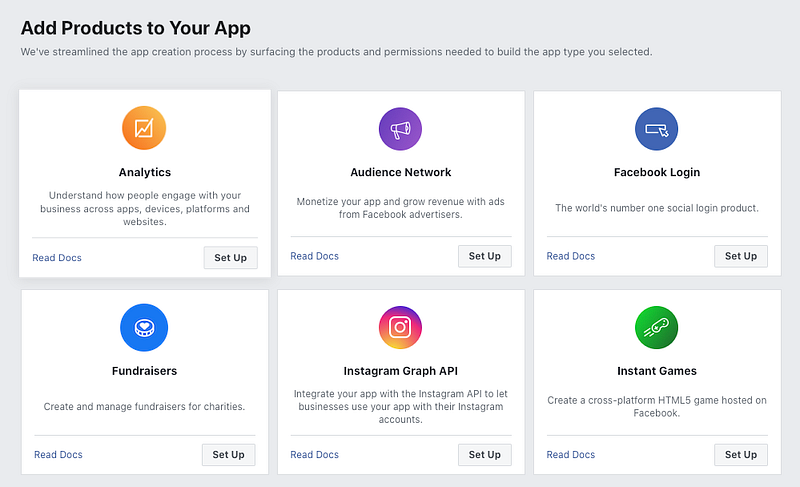
- Then you’ll see the App Dashboard with all available products. Select “Facebook Login”.
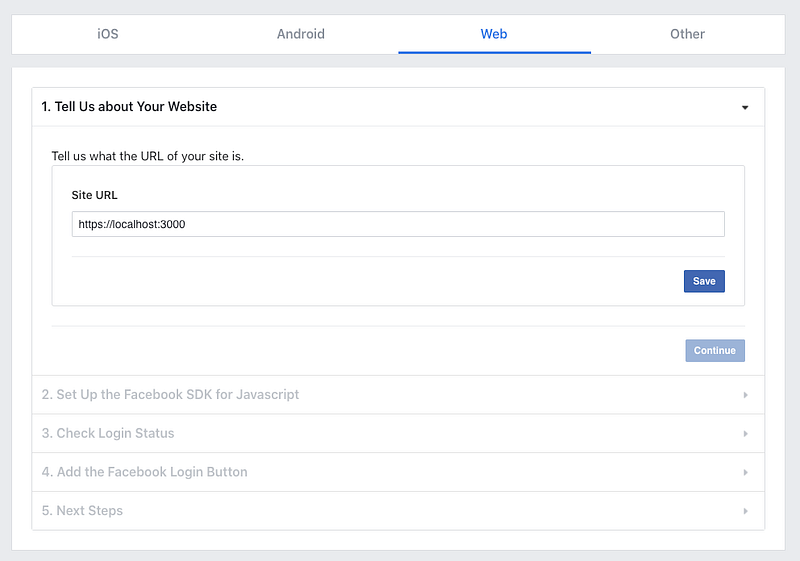
- When setting up Facebook Login, you have to enter only the “Site URL”. Our React app will run on
https://localhost:3000in development.
Step 5: Set up Instagram Graph API
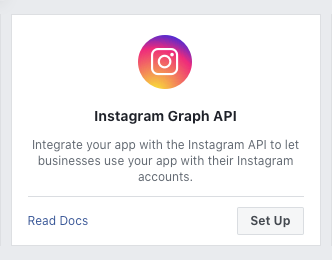
Then go back to the App Dashboard and add another product — “Instagram Graph API”. You don’t need to do anything besides clicking the “Set Up” button. That’s it!
2. Flow for posting to Instagram with APIs
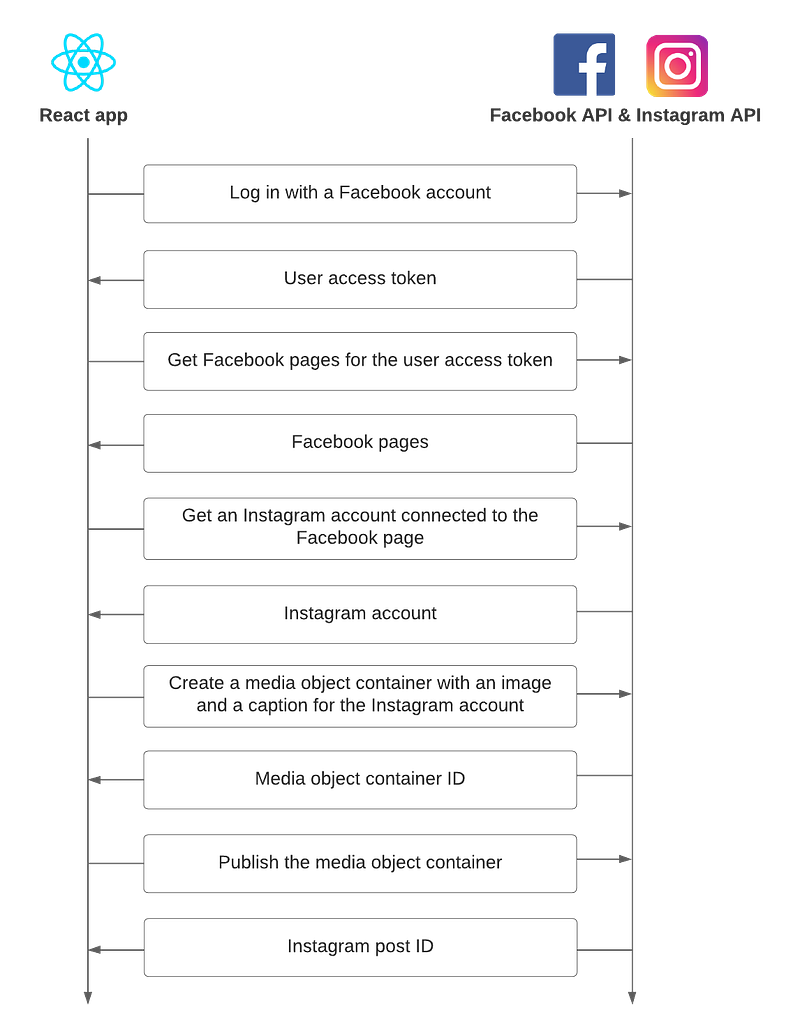
The following chart shows the overall flow for sharing content to Instagram. Here you can also see why you need to have a Facebook page connected to your Instagram account. We’ll implement this flow in a React app in the next step.
3. Let’s code the Instagram app
- We’ll set up the app with Create React App by running just one command:
npx create-react-app instagram-content-publishing-react-app2. Facebook requires clients to use HTTPS with their products. We can enable it locally by changing the start script in package.json.
"start": "HTTPS=true react-scripts start"3. Then we have to inject the Facebook SDK to our app. We can create a function that will run before starting the React app.
If you’d like to initialize the SDK after your app has started, you can have a look at that approach here: https://github.com/pixochi/fb-page-posts-integration/blob/master/src/fb-hooks.js.
4. The code below does everything you’ve seen in the chart. We log in to Facebook with their SDK and get a user access token, and then the rest can be found in the shareInstagramPost function.
For a better idea, you can have a look and clone the GitHub repo with the complete app:
4. Other considerations
Should I use the SDK for Facebook Login?
I’m not saying that Facebook will do something shady with data from your app, but if your app displays some sensitive information only to authenticated users, you should consider building the flow for Facebook Login manually without the SDK.
https://developers.facebook.com/docs/facebook-login/manually-build-a-login-flow/
Is it secure to post to Instagram from the frontend?
This demo sends all API requests and handles the entire flow on the frontend for the sake of simplicity. However, it is recommended to improve security of your app by using App Secret for server API calls. That means you would implement just the Facebook Login on the frontend and move the rest to your server.
https://developers.facebook.com/docs/graph-api/securing-requests/
If you like this article, follow me for more future tips on development with React, JavaScript, TypeScript and more :)

Best React Books and Courses in 2023
React — The Complete Guide 2023 (incl. React Router & Redux)

Modern React with Redux [2023 Update]
The Road to React: Your journey to master plain yet pragmatic React.js

Become a member
If you enjoy reading stories like these and want to support me as a writer, consider signing up to become a Medium member. It’s $5 a month, giving you unlimited access to stories on Medium. If you sign up using my link, I’ll earn a small commission 🙌
Job Opportunity — Come Join Me
My amazing team at Tjekvik is looking for more developers! Do you have experience with React and Ruby on Rails? Then don’t hesitate and apply right here: https://www.tjekvik.com/careers. You can work from anywhere in Europe! 🌍
Disclosure: Some links on this site are affiliate links. This means I may earn a commission if you make a purchase through those links, at no extra cost to you.


