
How to Download Assets from Google Earth Engine (GEE) and Overcome the Size Limitations
Learn a workaround that can be applied to avoid the annoying limitation set by Google to download contents directly to your local machine
Introduction
When I started using Google Earth Engine (GEE) back in 2018, I found it an amazing idea to have all the satellite imagery datasets in the cloud, and accessing them in such on-demand basis. Once we understand that the computations happen on the server side, through the Earth Engine API, and it is done “on-the-fly” for any region in the globe it is really game changing. Google announces planetary-scale analysis capabilities. And, in fact, it is.
However, if we need to interact with other datasets not available on their cloud or if we need to apply an algorithm that is not supported by their API, things are more challenging. Additionally, while the built-in code editor (javascript) is really quick to get started (for experimenting their API and visualizing the results), it is very limiting for a more heavy-use scenario. Additionally, using GEE from the Python API was not straightforward enough at the time. It seems that the geemap package developed by professor Qiusheng Wu from University of Tennessee comes to change this, but I will leave this review for a next story.
The Problem
Because of these aforementioned reasons, my GEE use has been limited to lightweight uses, when I need quick access to some data without bothering with the download process that is usually painful across the various providers. As an example, I’ve been using GEE in the past to create training patches for a Deep Learning model, as explained in the story : Creating training patches for Deep Learning Image Segmentation of Satellite (Sentinel 2) Imagery using the Google Earth Engine (GEE).
However, one limitation still bothers me. It is annoying (and slow) to get results out of there. There is a batch export engine to google drive (but I don’t have much storage there) and through the http protocol they limit the grid size in 10,000 pixels and also overall size for each download. For high resolution images from Sentinel 2, it is really limiting.
I understand that GEE is not intended to be a data provider, but even to extract a boolean mask result for a Sentinel 2 tile is a pain. And I needed to do it for some thousands of images.
The Solution
To overcome this, I decided to write a python class that slices the asset I want to download (inspired by the duck arrays in XArray) download them in parallel and recreate the original array. The script is not available yet on PyPI as a package because it is missing testing for a larger number of GEE assets, but it can be a starting point for those with the same problem I have.
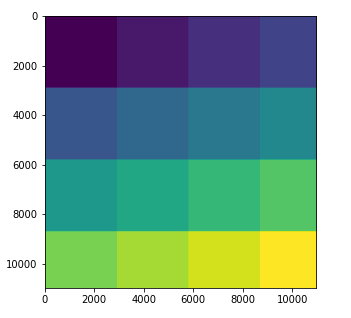
The code is not straightforward for starters, but here are the main steps for those who want to get a deeper understanding:
- First of all, we estimate the size of the asset (band) to be downloaded given it’s nominal scale and original dimensions;
- Divide the array in tiles (sub-arrays) that fit in the maximum size allowed by GEE (figure 1). The tiling will adjust automatically to the image, depending on resolution, scale and precision;
- Extract the bounding box for each tile in the original band projection coordinates and then project to EPSG:4326;
- Download each tile, in parallel, using http protocol;
- Reconstruct the final array, copying each tile to its original position in the final array;
Installation
The package can be installed directly from the github, using pip, like so:
pip install git+https://github.com/cordmaur/GEES2Downloader.git@mainOr cloning the project and installing in editor mode to access the code:
git clone https://github.com/cordmaur/GEES2Downloader.git
cd GEES2Downloader
pip install -e .
To check if it is correctly installed:
python
>>> import geeS2downloader
>>> geeS2downloader.__version__
'0.0.1'
Usage
To test the use of GEES2Downloader, we will first select an image in GEE from the Python api and display it using geemap. As example, we will select a cloud probability map.
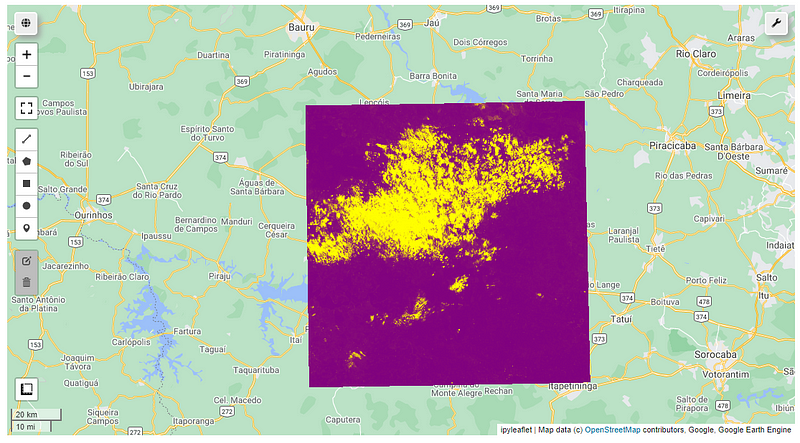
If we try to export this product in full scale (10m resolution) using geemap, for example, we will receive the following message:
> geemap.ee_export_image(cld, 'd:/temp/clouds.tif', scale=20)Generating URL ...
An error occurred while downloading.
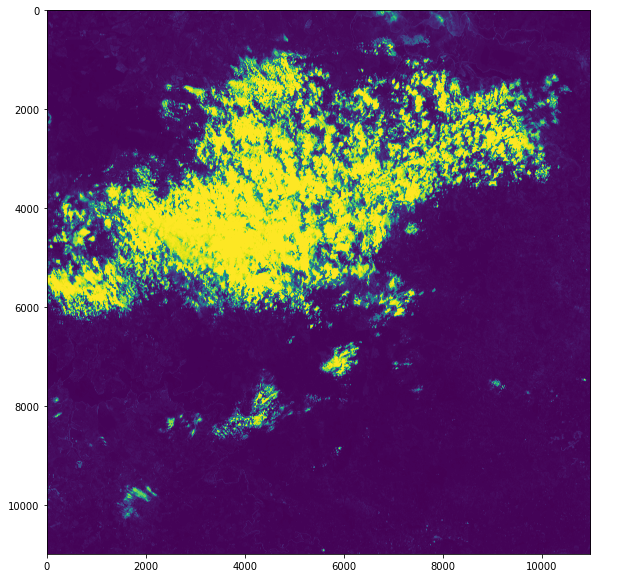
Total request size (60324128 bytes) must be less than or equal to 33554432 bytes.And that’s where the GEE2Downloader can help us:
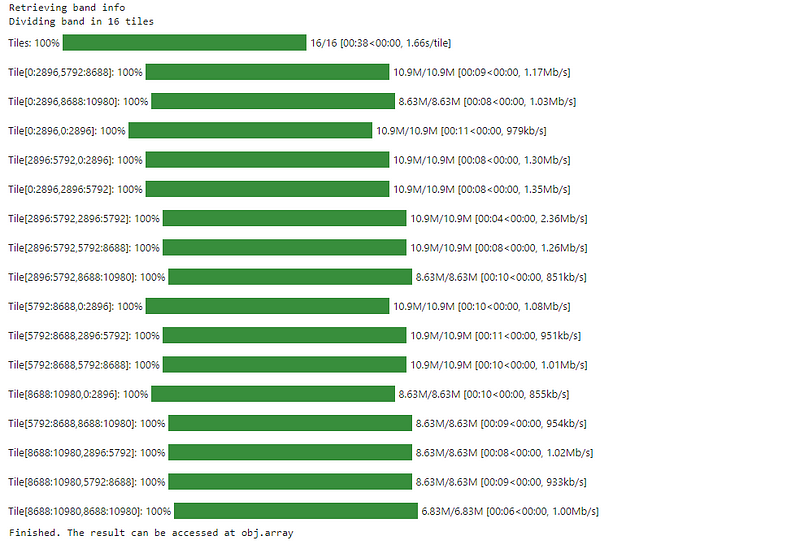
The resulting array, in full resolution will be available in downloader.array member. To check if everything is alright:
Conclusion
As you can see, the GEES2Downloader is a simple solution in those cases where we need to get something out of Google Earth Engine, but the size constraints are limiting and we don’t want to pass through the Google Drive. It is still in its infancy, but with some collaboration it can be improved and tested to cover a broader range of assets and to have more features.
Hope you’ve liked. And see you in the next story.
Stay Connected
If you’ve liked this article and want to read other stories like this, go to my webpage (http://cordmaur.carrd.co) and also consider becoming a Medium member to read and learn without limits.


