CONTROLNETS, POSEMYART
How to create the desired custom body pose using Stable Diffusion and PoseMyArt
Quick Guide on creating flexible body pose using PoseMy.Art
Context
If you are creating some graphic novels or comics, you will definitely want more control in determining the pose of your characters. Here is a quick way to create your own custom pose. But before that, here is a sample output.
A sample
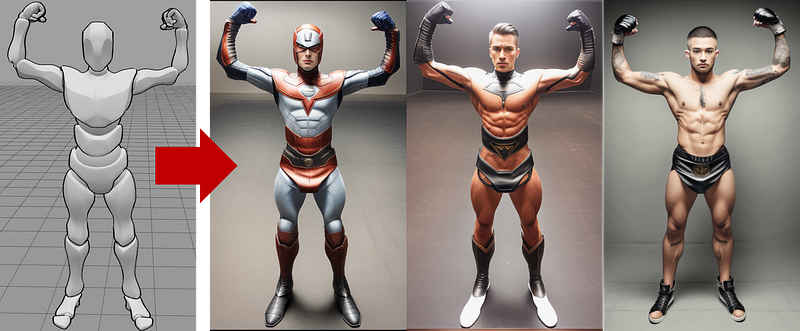
This is the prompt we used for the above image.
photo of a super hero , raising both arms , wearing a leather dress with logo on his chest , full body shot ,
 intricate, masterpiece, highest quality
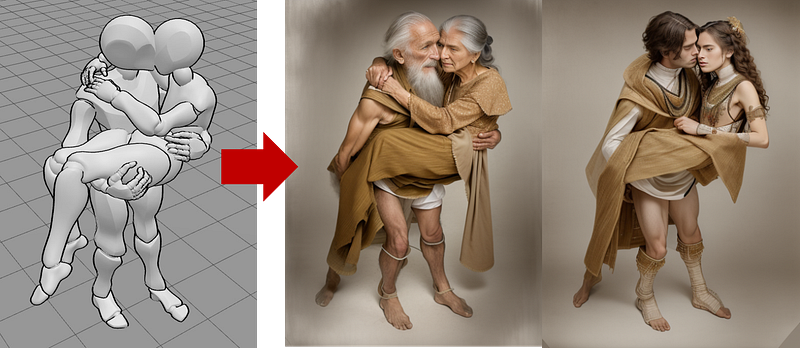
Workflow
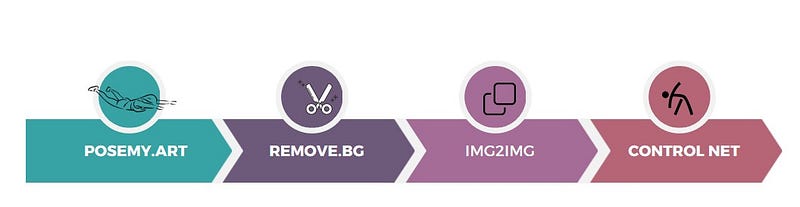
- Goto
posemy.art and create your pose, (You can select your character (if you are a paid user , or use some of the available characters available in the Free Plan)
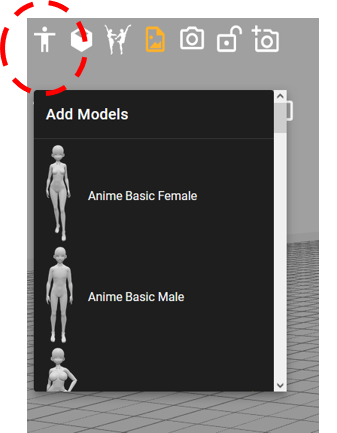
2. Click on the nodes / joints of the body to select the orientation, degree of rotation. Move the circles through the desired angles to rotate/ move the body part / limb.
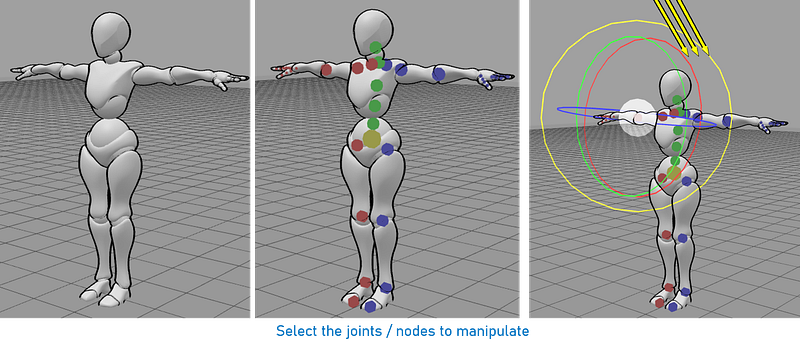
3. Once you get your desired pose for the character, take a screen shot ( Use the button, or manually take one )
This image will have the grid lines / reference lines from the application. These will interfere with the output image. So you will want to remove them from any of the free online applications like remove.bg ( https://www.remove.bg ) .
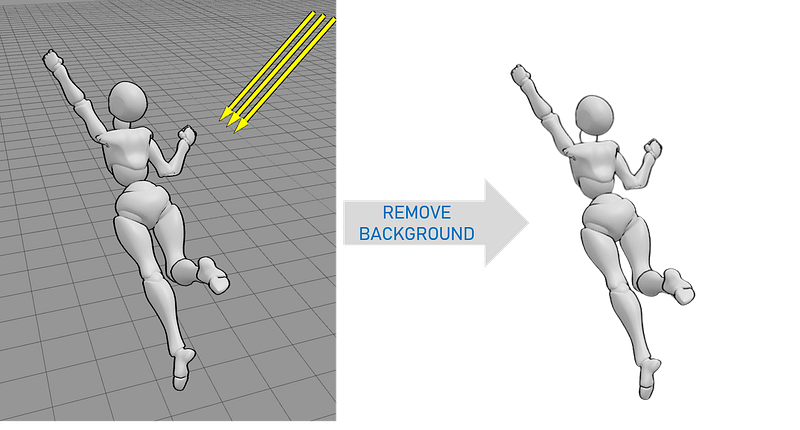
4. Copy this images ( with the back ground removed ) to your Stable Diffusion app. Here we are using AUTOMATIC1111 WebUI .
5. Use this as the Control Map and also as the input image. And go ahead and create your output image based on the desired text prompt .
If you are new to ControlNets, we highly encourage you to see the tutorial on how to get started with ControlNets . Link here .
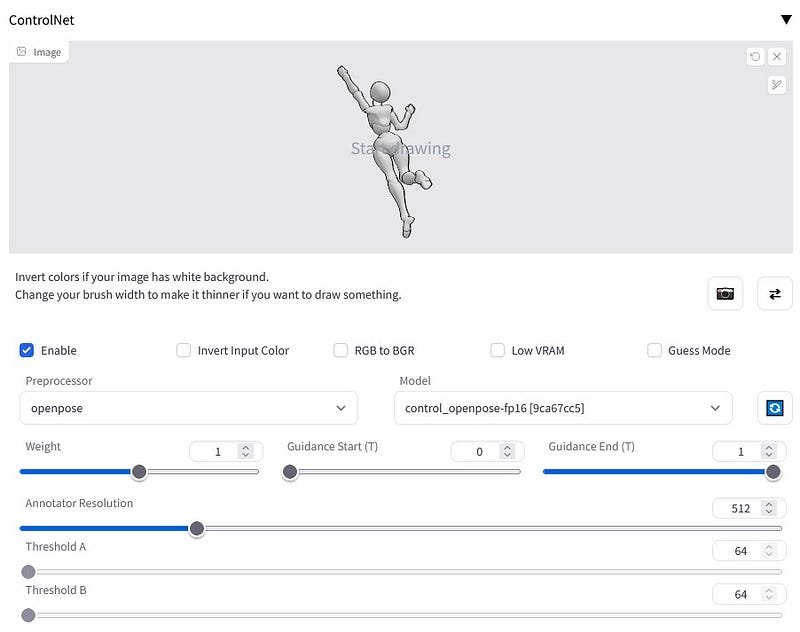
Here is a the prompt that we used for this example :
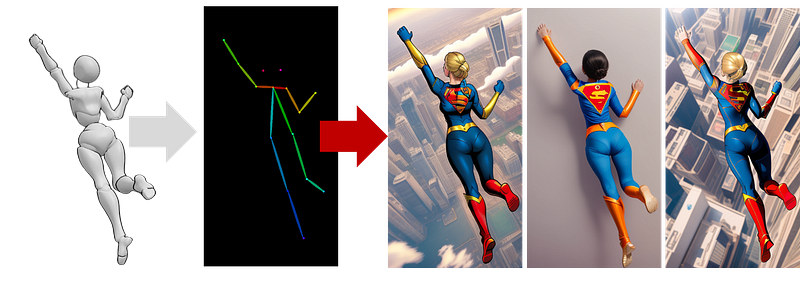
super woman flying in the sky with left hand raised up , view from above , birds eye view , looking from above, view of the back of the head
And you are all done ! Go ahead and experiment with your prompt text and the ControlNet algorithms.
Tips
💡 Use one of the following algorithms as your ControlNet pre-processor for best results.
fake_scribbleopenpose
The other options ( particularly canny) tend to exactly replicate the contour of the control map, which we do not want. We just need the pose !
References
[1] posemy.art ( the app to create your skeleton pose )
[2] https://www.remove.bg — Remove the background from the images


