
How to connect Apache Airflow to Snowflake to send CSV files into AWS S3 Bucket?
An easy way to create a Snowflake connection and execute SQL commands in your Snowflake data warehouse .
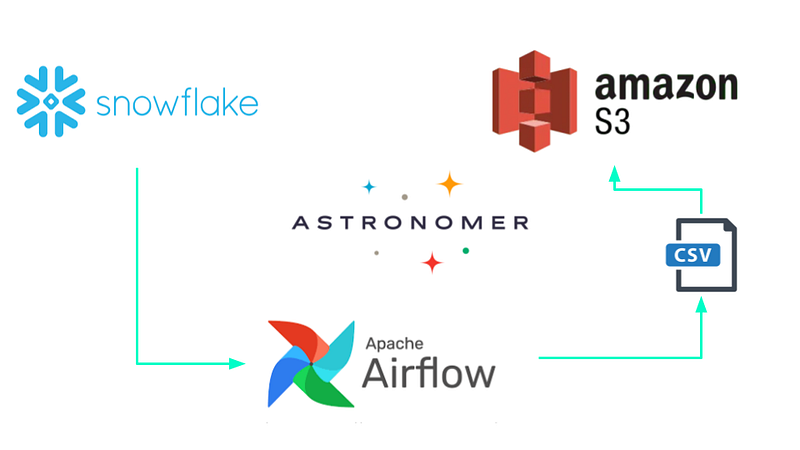
As Data Engineers, we need to store extracted data somewhere, which includes delivery in different formats (CSV, JSON, Parquet among others) to stakeholders, for this reason, I was encouraged to write this article to show a simple task as a Data Engineer.
Apache Airflow
Apache Airflow is a great tool for orchestrating workflows and data processing pipelines. It’s available as a managed service with Google Cloud Composer, Amazon Managed Workflows for Apache Airflow, and Astronomer. It can also be deployed locally or in any cloud with Docker, I suggest reviewing this article by @ryannhatter.
Target audience
The reader should have some familiarity with Apache Airflow, Snowflake, and AWS.
Step By Step
After you have data in some table in the Snowflake data warehouse you can start moving and loading data wherever your customers need it, for that, I suggest following these steps :
- Create a Snowflake Connection on Airflow.
- Create an S3 connection.
- Create a DAG — Code.
- Run your DAG!
Here we go!
Something important before running airflow is to know which dependencies we need, for example in this tutorial, we need the following dependencies :
With Astronomer after following this CLI Quickstart Guide, it is as easy as to add dependencies to the requirements.txt file. Now, you are ready to go on.
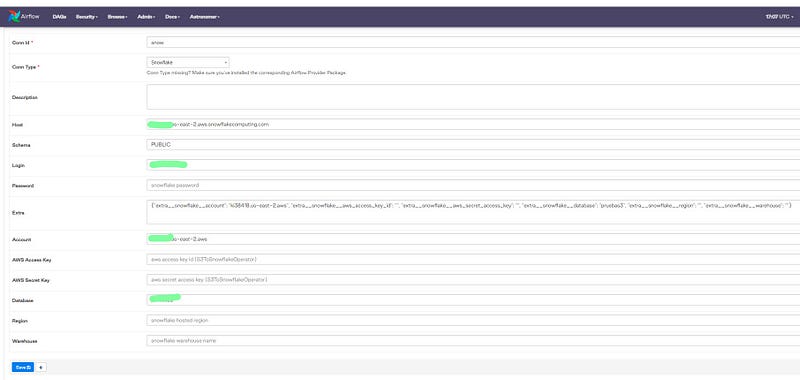
Create a Snowflake Connection
The first step to execute SQL commands in your Airflow DAG is to create a connection, for this, you must go to the path Admin >> Connections (you can check the Airflow documentation here)
Create an S3 Connection
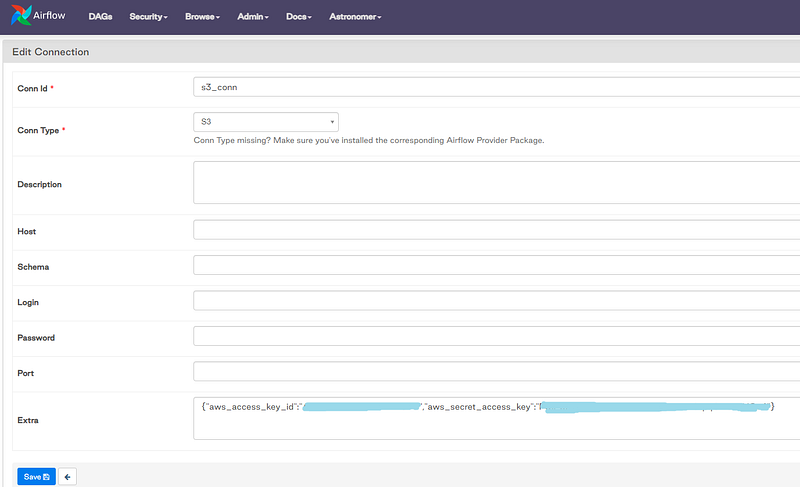
The second step is to create an S3 connection that allows you to communicate with AWS services through programmatic credentials.
Create a DAG
When you want to start creating our DAG, you must ask a question, if you need to return query results or not, it means that if you don’t need query results as create, insert, merge, update, delete, copy into, truncate, you can use a Snowflake Operator.
On the other hand, if you need the query results then a Snowflake Hook is your best option because probably you need to transform and load it file somewhere.
For this reason, I used Snowflake Hook to create a pandas dataframe creating a CSV file but you keep in mind this is not recommended in case of multi-worker deployments, finally, you’re ready to send it into S3 Bucket using S3Hook.
Below is an example DAG:
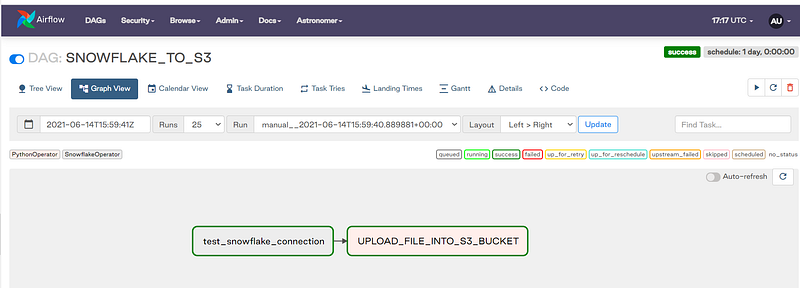
Let’s run our DAG!
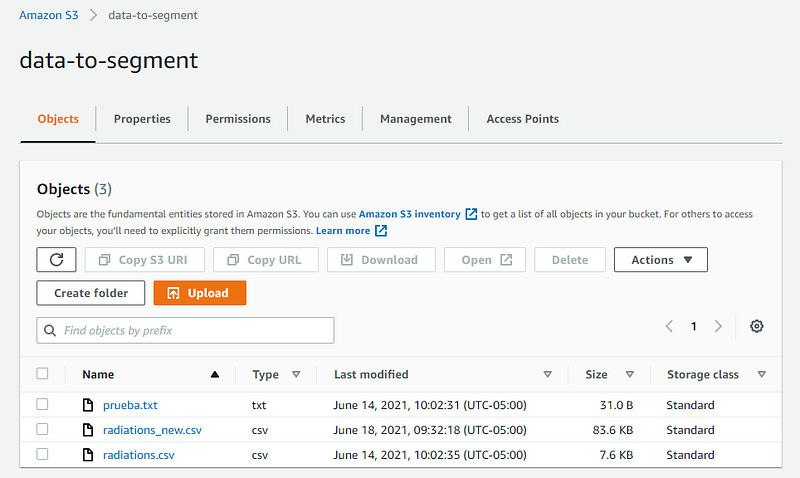
Summary
As you can see, Airflow can be helpful when you need to send data from Snowflake to S3 as long as you have Docker installed first, remember that you can keep exploring all Apache-airflow-providers-amazon if you want.
Thank you for reading this far. If you find this article useful, like and share this article. Someone could find it useful too and why not invite me for a coffee.

Follow me 👉 LinkedIn
Follow me 👉 Twitter
Contact: [email protected]


