
How To Clean Up Your Writing
Use The Ultimate Proofreading Checklist
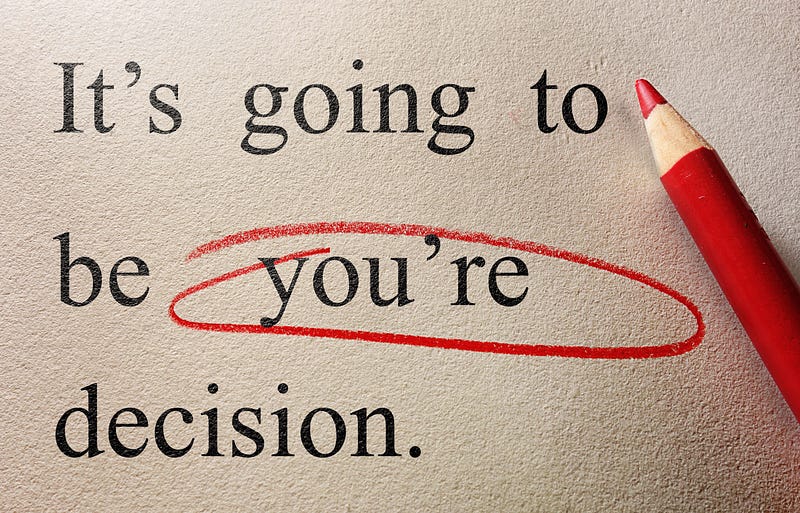
You Must Proofread
Your readers don’t like reading typos, misspelled words, or other mistakes in your writing. Careful proofreading helps you find and correct common errors.
“The Ultimate Proofreading Checklist” guides you through errors many of us make frequently, even though we know better.
Despite my years as an editor and countless hours spent getting paid for proofreading, I’m sloppy with my own stuff. And I’ve paid the price.
I sent an article to a friend of mine because it was about her family. She and her husband read it. She sent it to her daughters and her sister.
Her sister commented that she hoped when the story made its way into my book, Oh Look . . . There’s a Squirrel and Other Stories, my editor would catch all the errors! I was mortified!
That’s why I decided to write a second story on proofreading. (You’ll find the first proofreading story at the bottom of this post.)
What To Do Before You Use “The Ultimate Proofreading Checklist”
Begin by reading your article out loud. You’ll discover where your writing flows smoothly or what might need a tweak.
You’ll discover where you need another comma or where you need to break one long sentence into two. If you’ve left out a word, you’ll catch it. You’ll also pick up little mistakes along the way.
Now you’re going to look for words and punctuation that spellcheck doesn’t find. If you use “there” instead of “their,” spellcheck doesn’t know it’s wrong.
Put Your Article in a Word Doc for Proofreading
If you wrote your article in a word processing program like Microsoft Word, proofread before you copy and paste over to Medium. If you wrote first on Medium, copy and paste your article into Word for proofreading.
I know it’s a nuisance. And Medium gurus tell you not to. But it will help you find more errors. It’s easier to read in a word processing program and you can use “search and replace.”
I’m guessing 90 percent of the mistakes we all make are common. And I’m guessing most of that 90 percent are words that sound alike.
Other common errors pop up in revising. It’s a problem with computers that we old folks never had with typewriters. You type “That dog is adorable.” You meant to write “That cat is adorable.” You realize you made a mistake and stick in “cat.” You forget to remove “dog.” Now you have “That dog cat is adorable.”
For most of you reading this article, despite what you might think, you’re least likely to make a grammar error except when revising. You wrote “While out this morning, there was dogs.” This seems like an obvious grammar error that you recognize immediately.
Probably it’s a typo. You accidentally hit “s.” You were correcting “there was dog” and botched up the revision by leaving out the “a” and inserting “s.”
Or maybe you revise: “While out this morning, there were a dog.” You put in the singular noun “dog” but forgot to change verb to “was.”
My examples are short and silly. But in a long sentence, it’s easy to make mistakes like this. I’ve done revisions in a hurry that ended up with as many errors as the original.
Those of us old enough to remember typing college term papers on a typewriter never made these revising mistakes. We aren’t smarter than you are. A typewriter didn’t let us revise without poking a hole in the paper with our erasers or using Wite-Out. (“Wite” is correct!)
We also had to look for misspelled words. In today’s world spellcheck does it on autopilot for us. Note: Occasionally spellcheck is wrong. It sometimes highlights a word that is spelled correctly, often a foreign word.
And we had carbon paper and that stuff used for mimeograph machines. Never mind, this is not an article about antiques!
Just keep in mind that being able to type books on a computer and get footnotes at the bottom of the page if required is a miracle! I burned up my written-on-a-typewriter Master’s thesis over putting footnotes at the bottom of the page!
Here’s that sorry story:
Fortunately, footnotes went at the end of each chapter by the time I finally got around to writing a PhD dissertation.
Use “Find and Replace” for Proofreading in a Word Doc
Back to proofreading your article as it is in Word or your word processing program. You’re going to use the checklist below to look up common words that many of us botch often.
If you’re using Microsoft Word, scroll to the left on the tool bar past the heading fonts to the magnifying glass and “find.” “Replace” is under that. “Find and Replace” will save you time and discover errors you might have missed when you read your work out loud.
Once you’ve put the words from the checklist into “find,” and edited or replaced as necessary, go back and proofread line by line. Then you can hit “publish” in Medium. (Unless you want to read out loud a second time. If the piece you’re writing is important, I recommend a second read.)
The Ultimate Proofreading Checklist
Words that Sound Alike
- It’s versus its: One of the most common errors, and if you think about the rule, it’s confusing. Usually an apostrophe indicates possessive: “MaryJo’s cat loves to find its toy when it’s under the couch. “It’s” and ‘its” play differently than the usual rule for apostrophes. Since “it’s” is the contraction for “it is,” “its” then becomes the possessive: “When the Christmas tree fell over, none of its ornaments broke.”
- Yours or your’s: “Yours” is a word. It is possessive. “Your’s” is not a word.
- The T words — there, their, and they’re: “There” she goes to “their” house, but “they’re” not home. This mistake happens a lot! I botch it up on a regular basis.
- More T words — Too, to, and two: “Too” and “to” are the most frequent mistakes, even though most writers know the difference. “Too” means also. “To” is an infinitive as in “to ski.” Obviously, “two” is a number.
- You’re or your: One is a contraction and the other indicates possessive. Most of us know the rule, but we often get it wrong. I’m guilty of this. “You’re gonna be in big trouble if you don’t do your homework.”
Words that Do Not Sound Alike
- Repeated names that have tricky spelling: In an article about “Tchaikovsky,“ you spell his name three different ways.” This example shouldn’t be tricky except that often we pronounce his name without the “v.” But we often panic over foreign names and don’t even get them correct phonetically.
- Singular noun when you intended plural: “Dog” when you meant “dogs.” Or plural when you meant singular: “Dogs” when you meant “dog.”
- When to add “es” for the plural: “Armadillos” doesn’t have the “e.” “Potatoes” has the “e.” (Spellcheck should catch this.)
- The words you know you often get wrong: Many writers have their pet words, punctuation, spelling, even grammar rules they routinely get wrong when they know the rule. Here’s my favorite because getting it wrong makes no sense since the words don’t sound alike. I often type “now” when I mean “know.” Write your pet peeve wrong words down so you’ll remember to run them through “find and replace.”
Omitting or Repeating Letters, Words, and Paragraphs
- Leaving out words, especially little ones: “The,” “an,” and “and.”
- Repeating a sentence or even a paragraph: Blame it on clicking on “copy and paste” instead of “cut and paste.” For example, a paragraph that you wrote near the end of your article needs to be the 2nd paragraph. You click “copy and paste,” and insert it. Now it shows up twice. This can easily slip by unnoticed by you . . . but not your readers. Repeating a sentence or paragraph often happens with long articles when you take a break in the middle of proofreading.
- Missing the final letter of word: Fast typists beware: You are frequently guilty of this mistake. An example is “th” instead of “the.” Oddly, it seems to happen more frequently with little words than longer words.
Punctuation
- Quotation marks with question marks: The rule is simple, but we still get it wrong and don’t catch it. Often we’re not sure about the rule. Example: Did Hamlet say “To Be or Not To Be”? The question mark is outside the quotation because I’m asking a question. “To Be, or Not to Be” is not the question in this example. If it were the question, the question mark would go inside the quotation marks.
- Missing the end of a set of parentheses: Talk about confusing. Leaves your readers unclear about what is not important as the sentence runs into main points of your article.
- Missing the final quotation marks: Occurs frequently, especially when quoted material is several paragraphs. The rule is “yes” to quotation marks at the beginning of each new paragraph, but “no” to final quotation marks at the end of each paragraph until the last paragraph.” My question: “Why do you have several paragraphs of quoted material in the first place?”
- Missing a period at the end of a sentence: It’s even worse if you start the next sentence without a capital letter and end up with a run-on sentence.
Final Proofreading Step
You’re done. Go have lunch. Watch TV. Go to bed. The NEXT day proofread what you wrote yesterday. You will be amazed! You will think a gremlin crept into your office, got in your computer, and created a bunch of mistakes.
Please wait at least several hours. I always wait until the next day. I can’t explain why our brains and eyes see obvious, big, glaring, jump-off-the-page mistakes that we didn’t spot yesterday. I’m startled every single time! It’s gotta be the gremlins.
Of course, proofreading involves more than a 16-point checklist and checking your work the next day but this should give you a good start.
For more proofreading suggestions, take a look at “Proofreading Matters.”
And while you’re at it, why not aim for being curated?


