
How to Capture Professional Looking Images from Phone Camera To Make Money
Some people would say that taking pictures with your phone is not worth anything. But there are many reasons you might want to start taking pictures with your phone or smartphone, which make it worth something.
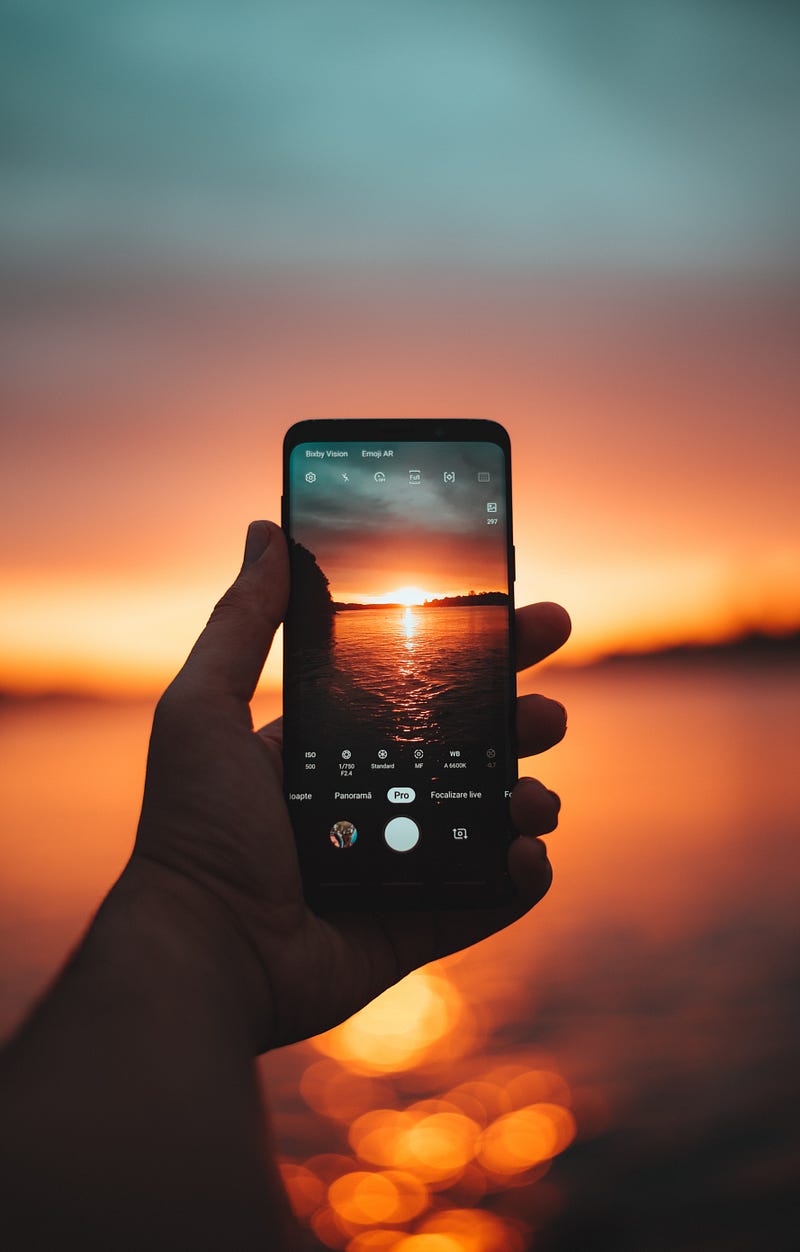
First, you need to be able to capture great-looking images even if you are not a professional photographer. Here are 4 tips I share with you below.
1. The Lightings
An important fact you need to look at is where the light flaws on the subject. In any situation, look for the brighter side of your subject.
Look where the light is coming from. From the ceiling, from a window, or from the nearby side lamp?
Position your body at where the light is coming from but do not cover the lights from the source.

2. Camera Settings
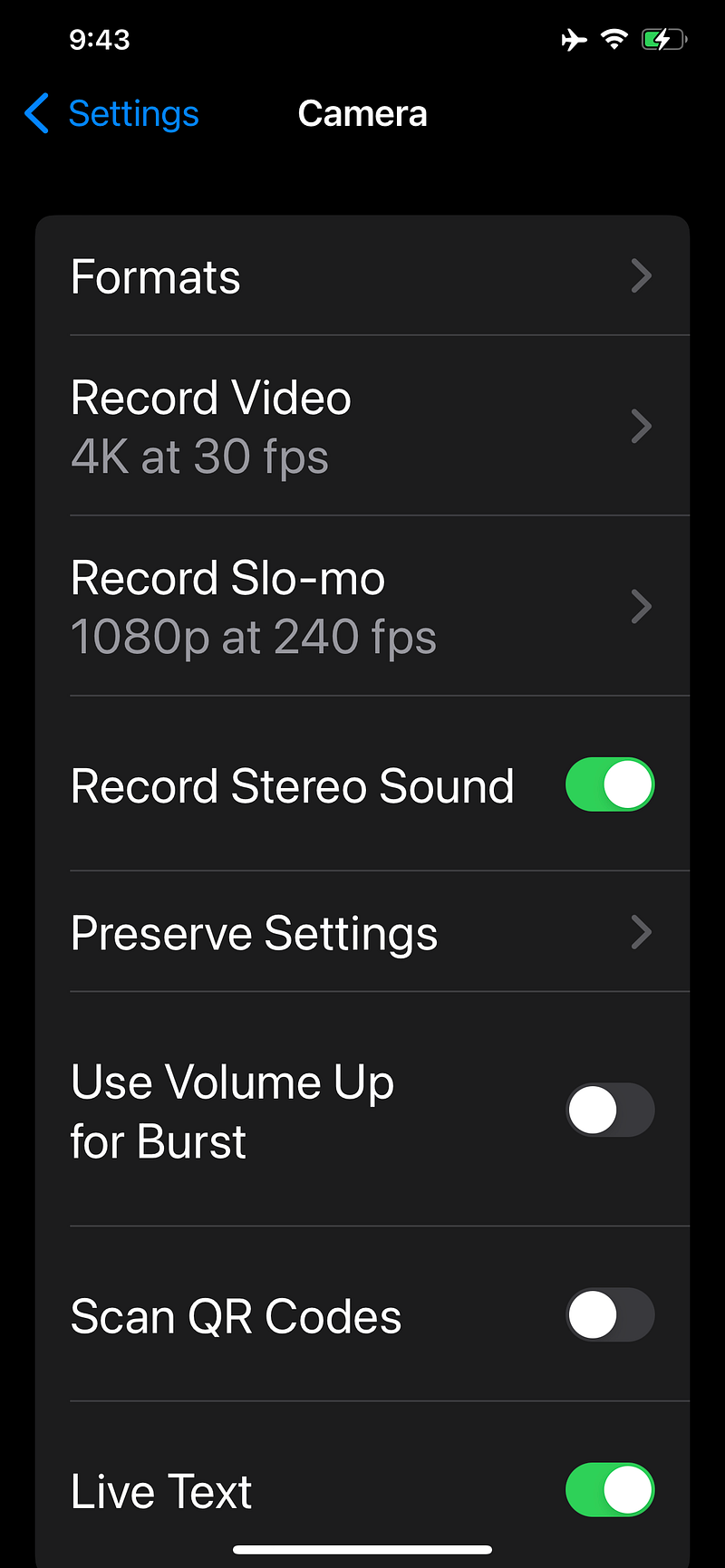
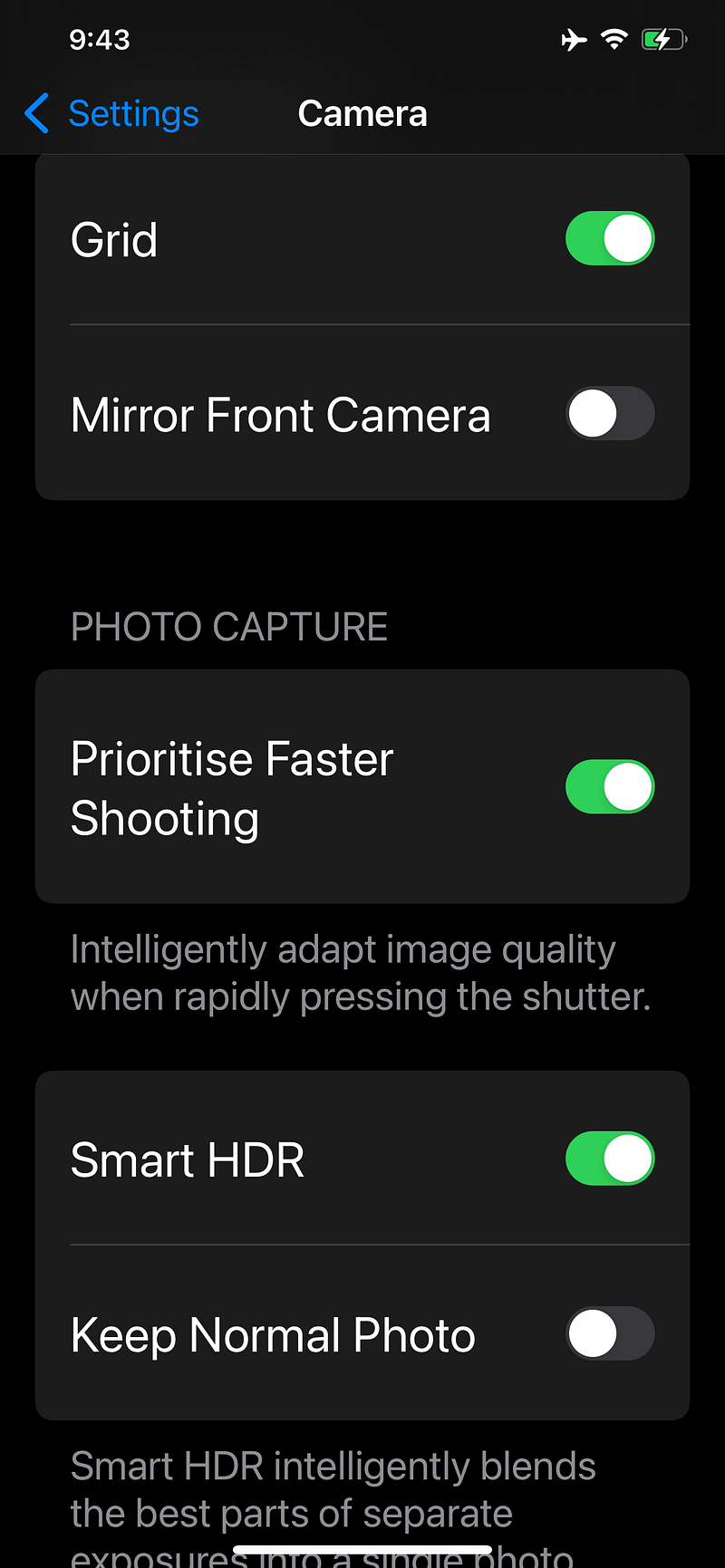
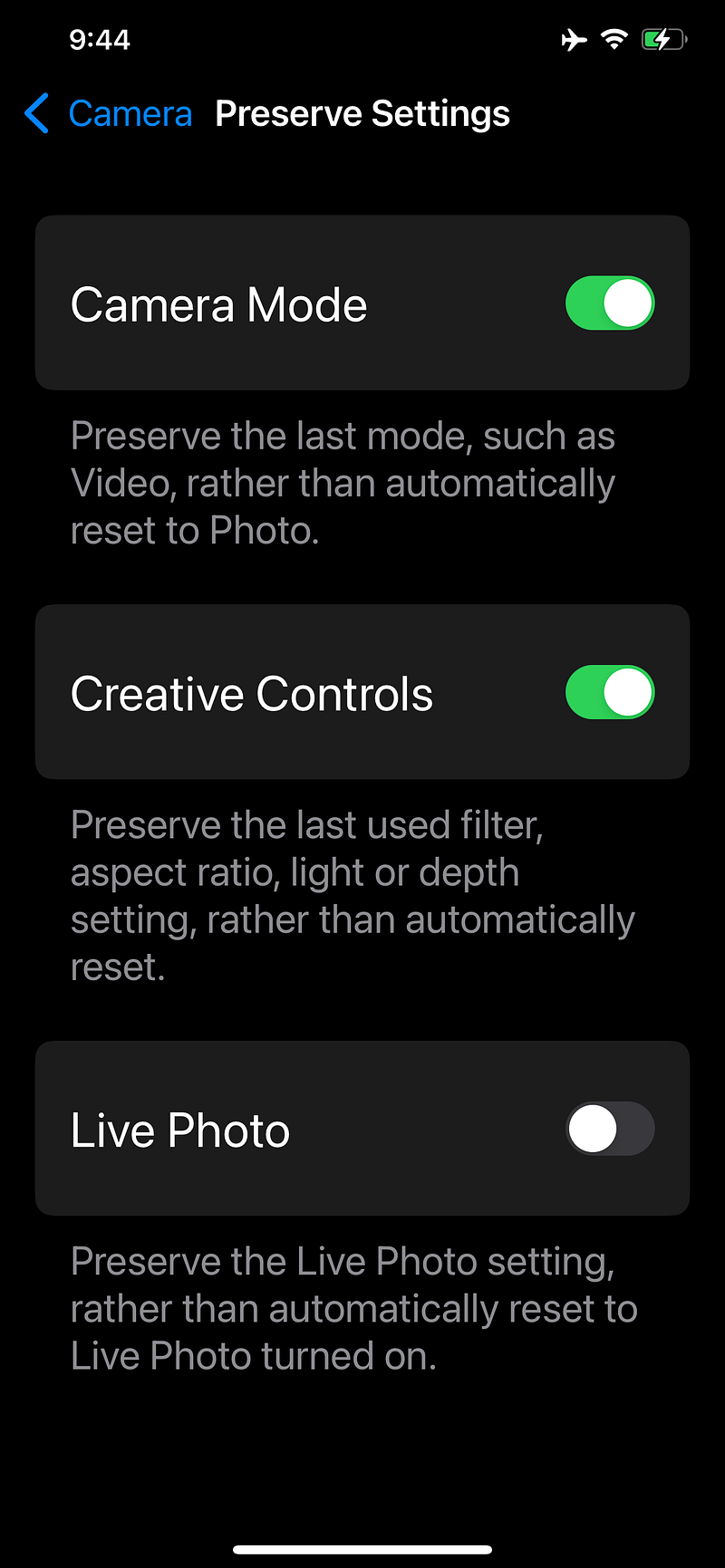
Here are my phone settings to give you an idea.
If you go to your phone settings — then to the camera — you will see all this information. Check on your phone if you have these settings. (Follow the settings below to improve the way you capture photographs).
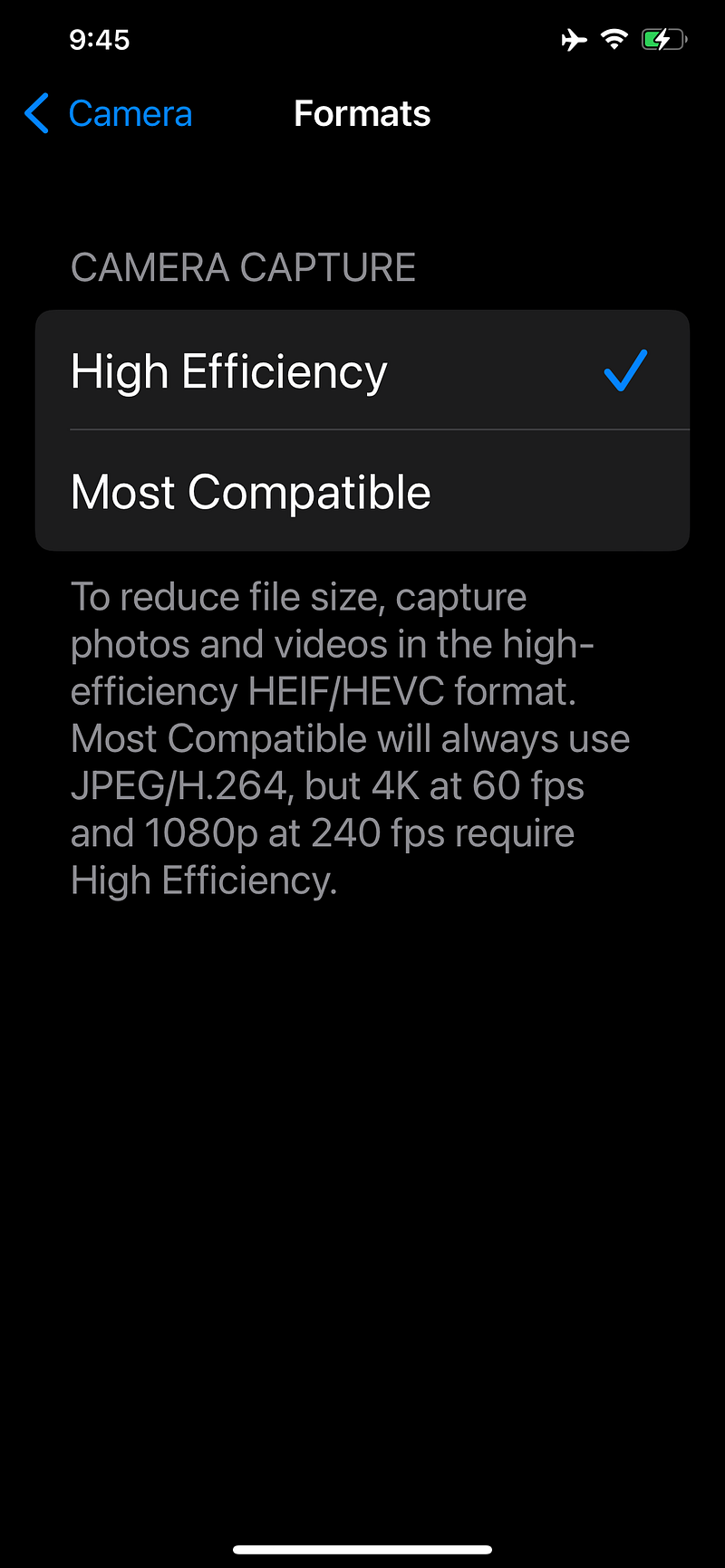
3. Build in Filters
Use the available filters on your smartphone. If your smartphone has a filters function available, use it while you capture the subject rather than applying the filters on a finished image.
4. Composition and Depth of Field
This is the most important factor when taking photographs with your Phone
When you are composing to photograph an image, DOF — Depth of Field is the number one to consider.
You decide which subject is blurry and which one is not.
Let’s look at the image below.
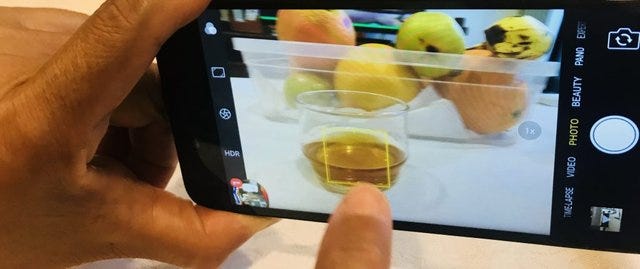
When you compose a subject to be photographed, try to pin that subject so it becomes more focused and the rest is blurry.
If a selfie stick or a tripod is available, place your phone on it as you composed. Trust me, you will have a crispy-looking image.
“Before I pull out my phone to capture a photograph, that image has been registered in my head”.
Compose an image right there when you take them. Do not think that you can edit it later.
If a subject is not moving too fast, you have seconds to think about your composition, then you have that moment to decide to the best possible angle you can capture.
I like taking the close-up shots and focusing on the subject only with the blurry background if I can. Because I like to emphasize a subject where a person looking at it can say ‘wow’.
Minor cropping adjustment can still be acceptable, but it will lose its quality when an image is cropped more than 20% from the original frame.
Consider with your own POINT OF VIEW. Ask yourself what are you going to emphasize on the image?
Too much editing does not make you a better photographer at all.
Taking pictures that are ready to be published, that’s the one I called… You are a great Photographer! The image that people buy.
Let’s look at another example once more.
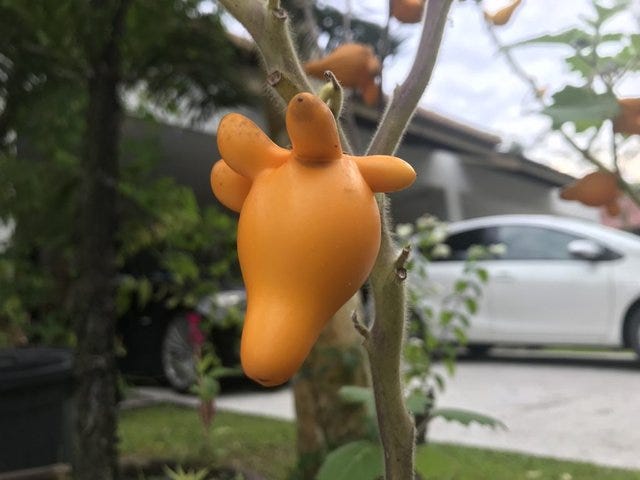
This image was taken on a gloomy day. When you have such a similar color of an image, you need to adjust the contrast a little higher on your phone settings. Then it will be perfect.
The final image still depends on you
You may own a superphone. Some may only have a kind of smartphone that is good for calling and texting friends and family.
But whatever smartphone you may own, it is still capable of taking great images.

What makes this image attractive? It’s the color, right?
Choosing your subject color is another key that your images turn stunning. I love taking pictures with a combination of ambient lights, colors, and shapes. The depth of field is up to me.
The use of Flash from Smartphone
I never, ever, use my phone flash when taking any photographs from my smartphone.
I see nothing nice using a flash that is built inside. It shows no artistic effect and it disturbed people’s eyes as well as creates attention from the surroundings.

In the images above, the color is pretty off. They are all white. But sometimes, even the most off-color or no-color subject can be turned into a beautiful one.
The use of Wide Angle settings on the Phone.
Some smartphone has a super wide-angle lens and they are great for taking landscape or nature shots.
The Pano mode on your phone camera takes a great panoramic shot. Once again, use the filter to your advantage.
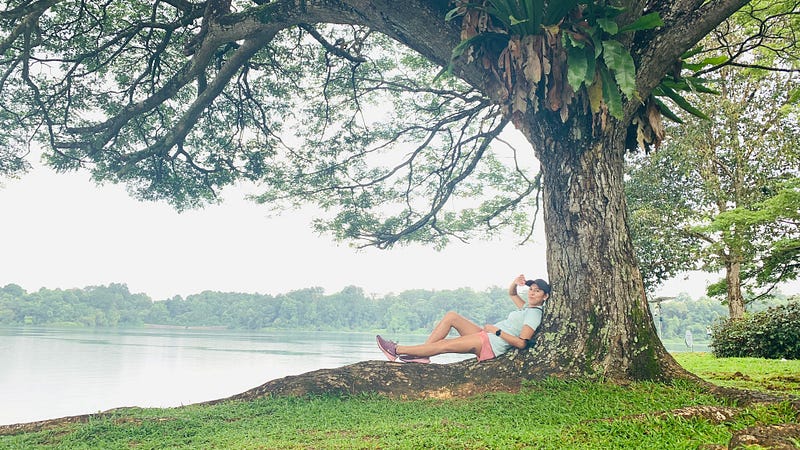
I have written a separate article about how to take pano images.
Where to sell your image?
Here are the apps I use to sell my images. Using Apps to upload images comes in handy. These Apps below will accept both images and video clips.
Check them out and create a free account: Please know that these are not affiliate links.
Contributor — This is from the Shutterstock agency.
AyEm — AyEm is from Getty Stocks Agency.
But if you are not into selling images yet but you want to know how good your photographs are, try to publish them on Unsplash.
Unsplash is a website dedicated to sharing stock photography — When people like your photos, they download them and use them for personal and commercial use. This is where you can learn what photos are popular and it can give you an idea of what images to capture.
Summary
The tips detailed in this article provide a general guideline for taking better photos with your smartphone.
Though these are not the only option you have, these are settings are my favorite and apply when taking professional-looking photographs with a phone.
With years of experience, I have sold numerous images taken with it.
I am pretty sure you already do taking images with your smartphone. I hope this article adds up to your knowledge.
Thank you for reading… and remember
Be creative.
Be yourself
If you haven’t signed up for Medium yet, and want to read all of my articles, use my affiliate link. I will be getting a small portion of your $5 monthly subscription and you get to read all articles you like on medium. Thank you.
You may also like my other photography topic article


