avatarMING

Summary

The web content provides a technical guide on building cross-platform applications for iOS, iPadOS, macOS, and watchOS using SwiftUI 2, including instructions for device-specific designs, toggle sidebars, and widget creation for iOS 14.

Abstract

The article is a comprehensive tutorial aimed at developers interested in creating applications that are compatible with multiple Apple platforms. It outlines the process of using SwiftUI 2 to develop a single app that can run on iOS, iPadOS, and macOS, with the possibility of extending it to watchOS. The guide explains how to detect the operating system using conditional compilation and how to differentiate between iPhone and iPad designs within the same codebase. Additionally, it offers insights into building a native toggle sidebar and creating widgets specifically for iOS 14, addressing common challenges and providing solutions, such as uploading widgets to TestFlight using Xcode 12 beta.

Opinions

  • The article positions SwiftUI 2 as a powerful tool for streamlining cross-platform app development.
  • It suggests that developers can efficiently manage different device interfaces by leveraging SwiftUI's environment properties and size classes.
  • The inclusion of a native toggle sidebar and widget creation is presented as enh

How to: Build A Cross-Platform App with SwiftUI 2

Let me show you how to build a simple app that works on iOS, iPadOS, and macOS…
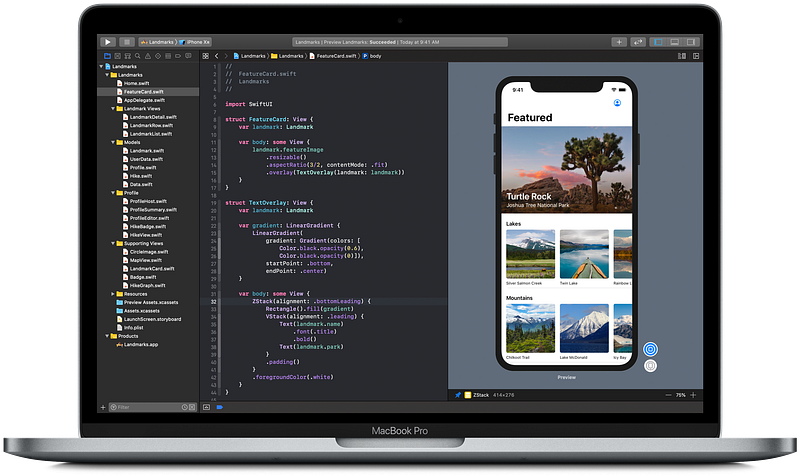
Image: developer.apple.com

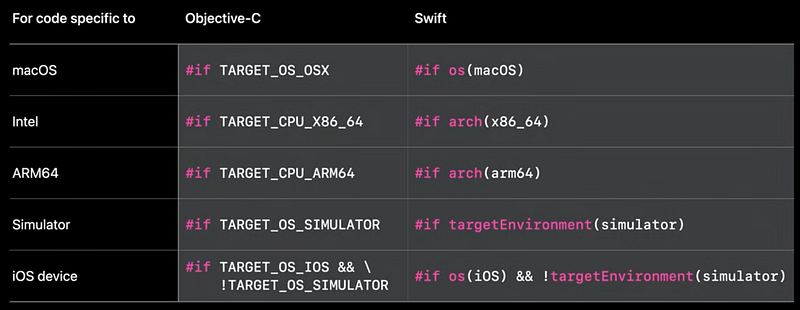
How to know the device is running iOS / macOS?

We can use:

#if os(iOS) //For iPhone/iPad
#elseif os(macOS) //For Mac
#elseif os(watchOS) //For WatchOS
#endif
WWDC20

If you want to divide iPhone and iPad design, before

var body: some View

add the following code,

@Environment(\.horizontalSizeClass)
private var horizontalSizeClass

and then add,

if horizontalSizeClass == .compact //For iPhone

after

var body: some View

Example:

import SwiftUI
struct ContentView: View {
#if os(iOS)
@Environment(\.horizontalSizeClass)
private var horizontalSizeClass
#endif
var body: some View {
#if os(iOS)
if horizontalSizeClass == .compact //For iPhone
{
Text(“Hello! iPhone.”)
}
else //For iPad
{
Text(“Hello! iPad.”)
}
#else //For Mac
Text(“Hello! Mac.”)
#endif
}
}

How to Build A Native Toggle Sidebar to SwiftUI?

How to Build A Native Widget for iOS 14 with SwiftUI?

How to Upload iOS14 App Widget to TestFlight?

👏 That’s all. Congrats!

Swiftui
Cross Platform
Apple
Developer
Xcode
Recommended from ReadMedium