avatarDouglas Lampi

Free AI web copilot to create summaries, insights and extended knowledge, download it at here

6800

Abstract

want to include the transcript in the description below the video… but I don’t see a way to get the transcript in the shorts video style.</p><figure id="f975"><img src="https://cdn-images-1.readmedium.com/v2/resize:fit:800/1*Iqdh70-vHrmdbFi1ugjiWw.png"><figcaption></figcaption></figure><h2 id="10c7">YouTube Trick</h2><p id="6f1e">But, I found that if I take the video identifier and put it into the standard video link — then I can pull up the transcript and use it in the description below the video, and perhaps in a blog post too.</p><figure id="e45a"><img src="https://cdn-images-1.readmedium.com/v2/resize:fit:800/1*HsIsVNfzt2gDlWNQuP5Mmw.png"><figcaption></figcaption></figure><p id="6880">Copy and past the transcript.</p><figure id="ec8e"><img src="https://cdn-images-1.readmedium.com/v2/resize:fit:800/1*p6r2SGLnZyNnZJQqw6AyjA.png"><figcaption>screenshot by author</figcaption></figure><p id="0f31">Check out the resulting video.</p><div id="d112" class="link-block"> <a href="https://www.youtube.com/shorts/cQnQRe3BFIg"> <div> <div> <h2>Unlock Your Wealth Potential Shift Your Perspective and Watch Your Money Grow</h2> <div><h3>Unlock Your Wealth Potential Shift Your Perspective and Watch Your Money GrowCrypto Mastermind for Publishers and…</h3></div> <div><p>www.youtube.com</p></div> </div> <div> <div style="background-image: url(https://miro.readmedium.com/v2/resize:fit:320/0*KkX633vXtg8LRxx0)"></div> </div> </div> </a> </div><p id="d117">This AI Tool for YouTube Videos is truly a massive time saver!!</p><p id="2edc">I saved so much time just in creating that one clip. But there are several that I can now upload.</p><h1 id="d875">Step Two</h1><h1 id="13a1">Here’s How I Processed The New YouTube Shorts</h1><figure id="b31b"><img src="https://cdn-images-1.readmedium.com/v2/resize:fit:800/1*pEYkC-jthdiwSkrEq9QbbQ.png"><figcaption>screenshot by author</figcaption></figure><p id="f081">I uploaded the videos in draft mode so I can go through the transcripts and format the description below each video.</p><h1 id="1147">Trim and Cut with YouTube Editor</h1><figure id="9fc2"><img src="https://cdn-images-1.readmedium.com/v2/resize:fit:800/1*vvh3neTC5ugw07LJRi1iyA.png"><figcaption>screenshot by author</figcaption></figure><p id="2b68">I had to clean up a bit on both ends of some clips, but that was easy!</p><p id="f571">Wow. I love it!</p><p id="de2c">I posted the video on YouTube, then I took the transcript and I created an article post on Medium and submitted to CoinMonks Publication for their review.</p><p id="846e" type="7">But then it occurred to me that I’ll have a batch of these Shorts videos and I could create a small dedicated publication to group them all together.</p><p id="9e2a">Pretty quick. And now I have one of the shorts from this set created. I’ll go through and process the remaining videos and I’ll prepare a draft article to go along with each.</p><p id="0946">Later I’ll create summary articles from <a href="https://www.beehiiv.com?via=saleprice">my Beehiiv website</a> and from my Substack newsletter. The summary articles will link to small batches of five or six of the mini-net of articles with the shorts embedded…</p><figure id="1244"><img src="https://cdn-images-1.readmedium.com/v2/resize:fit:800/1*2CumWTr4sgoGp8nN0wWWxg.png"><figcaption>screenshot by author</figcaption></figure><h1 id="8e37">Real Face Videos on YouTube</h1><p id="ac63">It causes me some discomfort to put my face everywhere to be sure. I’ll have to watch my own emotions and my own imagining of ‘other people’s reactions’ — just the same as watching my emotions about the direction of the market.</p><p id="05c4">I cannot control either and that’s not my job. I put my trade out there, and add on to those that prove successful.</p><figure id="fe5a"><img src="https://cdn-images-1.readmedium.com/v2/resize:fit:800/1*W0raHmdZpkuDYeytSy6Oig.png"><figcaption>screenshot by author</figcaption></figure><p id="eb2b">It makes me a little uncomfortable because sometimes the way the artificial intelligence tool did the editing, the wording kind of suggests more than the video actually offers - without the larger video that it was clipped from.</p><p id="f35a">But — this is a marketing experiment. Let’s complete the set of video shorts, so the social sharing, create the support blog posts and track the data.</p><h1 id="9361">Getting The Process Down</h1><figure id="5969"><img src="https://cdn-images-1.readmedium.com/v2/resize:fit:800/1*pGXmFeiQObuyeCKLpkYDOA.png"><figcaption></figcaption></figure><p id="8f01">After adding my second video to process, I downloaded the six resulting clips, then I uploaded them in a batch. While YouTube processes the transcripts for me, I’ll start preparing to schedule out one or two shorts per day.</p><figure id="34db"><img src="https://cdn-images-1.readmedium.com/v2/resize:fit:800/1*N7RD-A7f2wdyH2vn6qCFyw.png"><figcaption>screenshot by author</figcaption></figure><p id="c540">I was able to get ahead of myself pretty quickly. With just the free credits from this AI Tool for Video Clip… it looks like I’ll have two or three weeks of shorts to post at this schedule!</p><h1 id="dfd2">Using ChatGPT Make The Process Faster</h1><p id="6b2c">Steal this prompt and use <a href="https://tinyurl.com/chatgpt-ai">ChatGPT</a> to help you process the youtube video transcripts. I use this cleaned up version in the description below the video, and I can also use it in a supporting blog post — and important way to build out more potential revenue streams from this tiny bit of content.</p><blockquote id="c128"><p>I have a video transcript that I’ll need you to process. I’ll ask you to clean up the punctuation, capitals and paragraphs with no changes to the wording. stick strictly to the original wording. Create new subheadings where major content breaks occur. remove the timestamps from the transcript text, and create a separate table with timestamp field first and subheadings as the next field:</p></blockquote><h1 id="9958">Step Three</h1><h1 id="97d4">Thirty Amazing Clips Later</h1><p id="88e1">These are so good that I can cluster these into a separate publication on Medium, and I can organize that content in a drip feed. Even better, is I can use all this content for the next month to drive a serious wave of traffic past my post powerful affiliate earning centers!</p><p id="c54c">I created a separate, dedicated Publication in Medium where I’m the only author. I used the new beta layout, and included a few links to my favorite trading tools along the top.</p><figure id="8cec"><img src="https://cdn-images-1.readmedium.com/v2/resize:fit:

Options

800/1*CQCl1OuxiF_Ra5ZfBtk6GQ.png"><figcaption>Bundle the set of video shorts into a publication (screenshot by author)</figcaption></figure><p id="b3a6" type="7">In just a few minutes, I’ve created an entirely new revenue funnel from these video shorts!</p><figure id="1c0a"><img src="https://cdn-images-1.readmedium.com/v2/resize:fit:800/1*JGe6Fev0VwI1WuUusxEtNQ.png"><figcaption>Forward scheduling posts (screenshot by author)</figcaption></figure><p id="3e51">Let me consider what else I can include in each of the blog posts so that I can be sure to provide more value and perspective about the content in the video… while also building some calls to action that may build my email lists too.</p><h1 id="bb30">First the Video and Transcript</h1><figure id="b561"><img src="https://cdn-images-1.readmedium.com/v2/resize:fit:800/1*NsgFwijZDiACuLSZlKVIKw.png"><figcaption>Embed the video and transcript as the main content (screenshot by author)</figcaption></figure><h1 id="82ce">Then Four Revenue Streams</h1><figure id="fdd6"><img src="https://cdn-images-1.readmedium.com/v2/resize:fit:800/1*NgR6Cf2FfbX7xKog3mdhZg.png"><figcaption>Revenue Stream Ideas (screenshot by author)</figcaption></figure><h1 id="23ac">Schedule The Social Media Buzz</h1><p id="c1f4">This is where the next wave of super juice comes from. Adding a layer of social media posts about each of the blog posts will help create a long-lasting trickle of visitors — turning this <a href="https://www.opus.pro/?via=dealcode">free trial of Opus</a> into an insanely exciting case study to build out.</p><h1 id="7491">Before Screenshot</h1><figure id="8860"><img src="https://cdn-images-1.readmedium.com/v2/resize:fit:800/1*pq33OZFy6RDFMlLVXCGgNA.png"><figcaption>Before Opus Pro (screenshot by author)</figcaption></figure><p id="a6ae">All of the shorts videos are scheduled for the next ten days. A post to the new Publication will be scheduled to post a couple hours later, and the social media share of the blog post will follow.</p><p id="5327" type="7">This part of the process takes some grinding. You’ve got to keep the end goal in mind when building out a mini-net like this because there are no immediate results.</p><p id="15f6"><a href="https://buffer.com/join/5c08fc1591bf9848751fd31bf7c507b48da216103efb90e08d37b762c0f252f1"><b>Buffer</b> has a free membership level</a> and it helps to schedule a few tweets in advance.</p><h1 id="8f37">Step Four</h1><p id="3b26">I was thinking to share the articles into LinkedIn, then it occurred to me that I might be able to also upload the videos there… and use each individual video upload <b>to promote the Publication </b>of all these shorts!</p><p id="fbbb">Once the mini-net of blog posts are in place — other platforms become even more powerful marketing tools!</p><p id="650b">Oh. And I can upload them to X (formerly known as twitter) — with a link to the Publication. Whew. Perhaps I’ll actually start a TicTok account.</p><figure id="aa8c"><img src="https://cdn-images-1.readmedium.com/v2/resize:fit:800/1*ykvJIsOBGLx1gPFmmO9c_Q.png"><figcaption></figcaption></figure><p id="ef04">I’m super excited to follow this experiment and update the post blow with the results as they roll out over the months to follow. The free membership level in the <a href="https://www.opus.pro/?via=dealcode">Opus Clip Artificial Intelligence Tool for YouTube Videos</a> can be enough to make a huge difference to a sleepy old YouTube Channel!</p><p id="09ef">With a little bit of planning and elbow grease (hard work), these new AI edited video content assets can be organized into a way that makes money as a passive source of revenue.</p><h1 id="e392">Opus Clip Discord Community</h1><p id="39d8">I just had to post about my enthusiasm for this AI Tool. I joined the discord community and left a few comments. I posted an example of the awesome clips that I’ve already posted to YouTube, along with a link to the matching blog post.</p><p id="d276">While I’m not expecting to find people interested in my content topic for the video I created with their AI video editing tool — but perhaps I will warm up a few of the Video Content Creators to follow along with the three step plan that I’ve outlined here.</p><p id="9566">I’d love to hear your success story below.</p><p id="722c"><i>Connect</i> on <a href="https://twitter.com/introtocryptos">Twitter</a> and <a href="https://www.linkedin.com/company/digital-currency-traders/">Linkedin</a></p><p id="764d">Trade safe and keep those losses small.</p><p id="a03c">Doug</p><h1 id="3a69">Read Next -</h1><div id="8409" class="link-block"> <a href="https://medium.com/@altseasoncopilot/about"> <div> <div> <h2>About - AltSeason CoPilot Doug - Medium</h2> <div><h3>About AltSeason CoPilot Doug on Medium. Crypto Portfolio Manager, Creator of the AltSeason CoPilot Spreadsheet, Editor…</h3></div> <div><p>medium.com</p></div> </div> <div> <div style="background-image: url(https://miro.readmedium.com/v2/resize:fit:320/0*86rM5GNM2R32uRO5)"></div> </div> </div> </a> </div><p id="91af">You can follow along with Trading For Beginners or Digital Currency Traders for more current articles.</p><div id="1cd8" class="link-block"> <a href="https://medium.com/trading-for-beginners"> <div> <div> <h2>Trading For Beginners</h2> <div><h3>Trading For Beginners</h3></div> <div><p> Trading For Beginnersmedium.com</p></div> </div> <div> <div style="background-image: url(https://miro.readmedium.com/v2/resize:fit:320/1*9yMhZ7fOuqm0y9y7n8QY2w.png)"></div> </div> </div> </a> </div><div id="c9e0" class="link-block"> <a href="https://medium.com/digitalcurrencytraders"> <div> <div> <h2>digitalcurrencytraders</h2> <div><h3>Digital Currency Traders. Real stories of Bitcoin, Defi, NFT, and Cryptocurrency Trader Journals, Opinions and Guides…</h3></div> <div><p>medium.com</p></div> </div> <div> <div style="background-image: url(https://miro.readmedium.com/v2/resize:fit:320/1*-7Lu5Sk7IylI3_rYfEJswg.png)"></div> </div> </div> </a> </div><p id="bc0c">This article contains referral links for some of my absolute favorite business tools for content creators and crypto enthusiasts.</p><p id="c4df">If you purchase one of my favorite software tools, I will receive a small commission at no additional charge to you.</p></article></body>

How This AI Tool for YouTube “Shorts” Exploded My Sleeping Channel

A complete strategy to repurpose old content, wake up a dead YouTube Channel and create a mini-net of passive income blog posts from a free AI Video Clip Generator.

A great free tool for making youtube shorts (midjourney image by author)

Opus Clip Video Clip Generator is making waves in the video editing industry. This AI-driven tool efficiently repurposes old YouTube videos into captivating shorts, revolutionizing the way content creators and marketers approach video content.

If you’re an investor in the tech or media sectors, this tool could signify a shift in how video content is produced and consumed.

The content below includes content created by Generative AI, AI editing assistance and AI Tools for Video Marketing.

What Makes Opus Clip Stand Out?

  • AI-Driven: Utilizes advanced algorithms to identify key moments in a video.
  • Efficiency: Transforms a single long video into multiple short clips in a matter of minutes.
  • User-Friendly: Designed with a simple interface that’s easy to navigate.

Why Should YouTubers Care?

Keep an eye on Opus Clip as it has the potential to disrupt traditional video editing and content creation methods. The tool’s AI capabilities make it a game-changer, offering high efficiency and quality output.

If you’re a content creator, Opus Clip Video Clip Generator is a tool worth exploring. Its innovative approach to video repurposing can save time and resources, making it a valuable asset for any digital marketing strategy.

I first learned about Opus while searching AI Tools for Youtube and I was so excited to try it out to see if these shorts videos might wake up my sleepy old youtube channel.

Three Step Plan

Before I disappoint you, I want to say there is no upsell to a course at the bottom of this article. The three steps that I outline here are all that needs to be done in order to create a brand new income stream for YOUR topic. What you might find below, are comments and case studies from people who have followed this very same step by step process to create a new passive revenue stream from their sleepy YouTube channel!

Let’s jump in.

If you are a crypto content creator, you likely have a stack of old videos that might have some hidden gems. Why not let AI go through and see what comes out?

Step One

Starting my Opus Free Trial
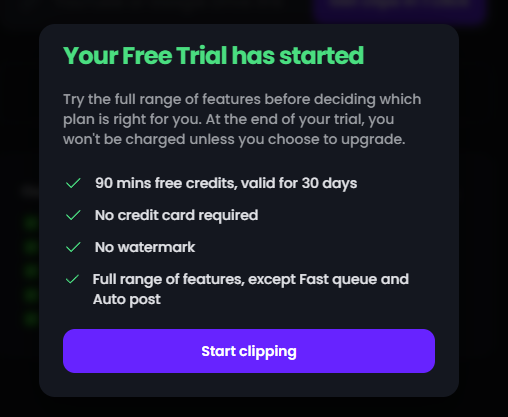
Opus Free Trial Screenshot by Author

My first idea was to clip out parts from a recent post about our Writers Community and Mastermind group.
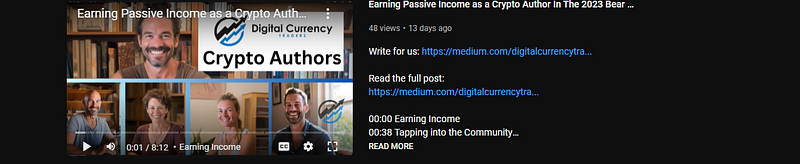
Before I got to that, I figured there are plenty of good headshot clips — it would be a nightmare for me to edit these myself… lets see what Opus can do.

Well- I don’t even have to download, I can just put in the link to the video.

And, um, it doesn’t even have to be MY video. Cheezy.
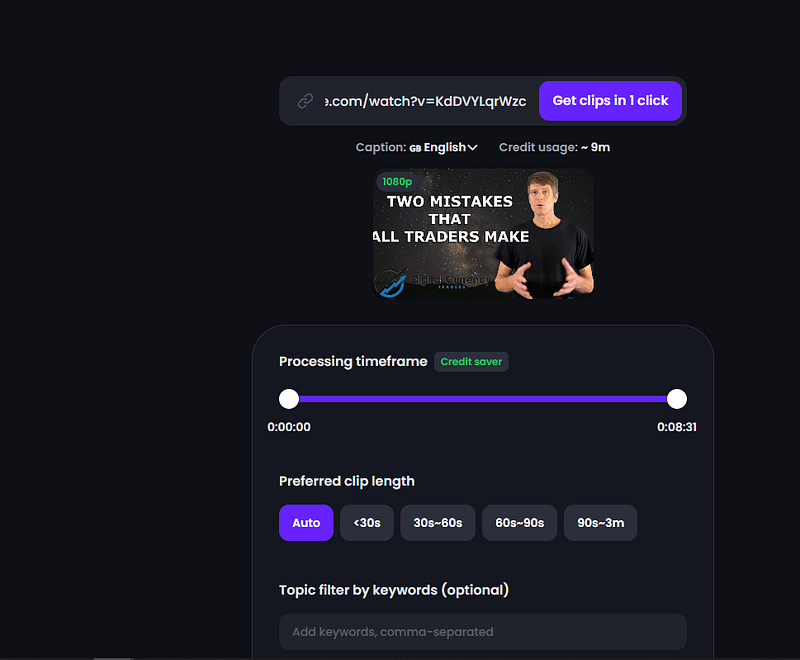
Opus in Action. Screenshot by AltSeason CoPilot Doug

It was easy to import.

I selected the 30s-60s option, yet some of the clips came back at longer than one minute. Can those be shorts?
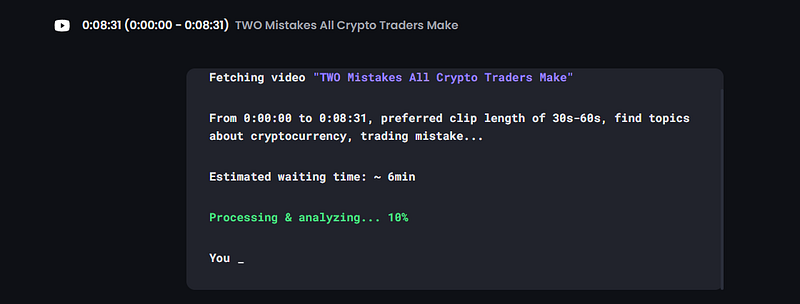
screenshot by author

So I took the first vid, uploaded.

screenshot by author

Another Revenue Stream

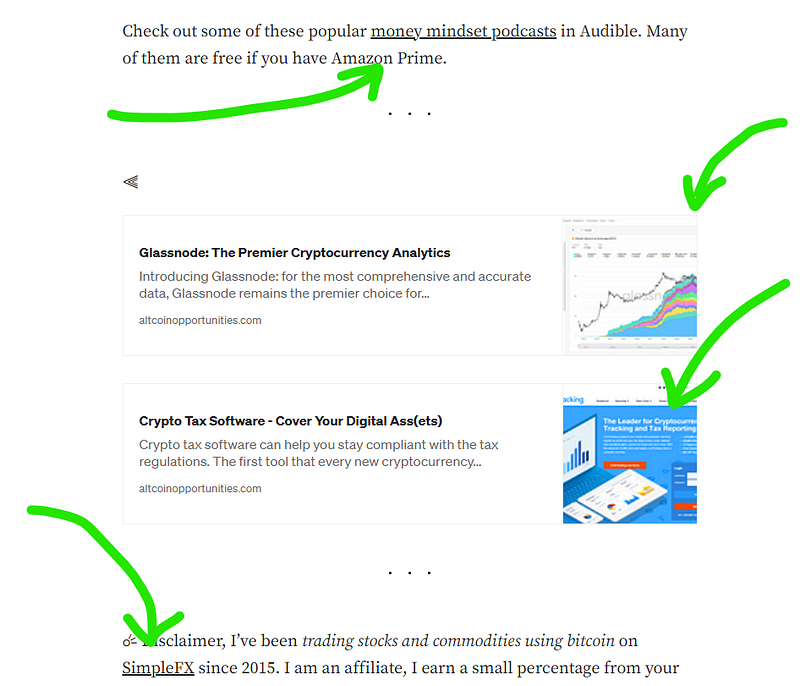
And I applied to be an affiliate, so that this post and future posts might be a small earning center when I’m talking about this Ai Tool for YouTube.

That gives me time for testing while I wait to be approved or not.
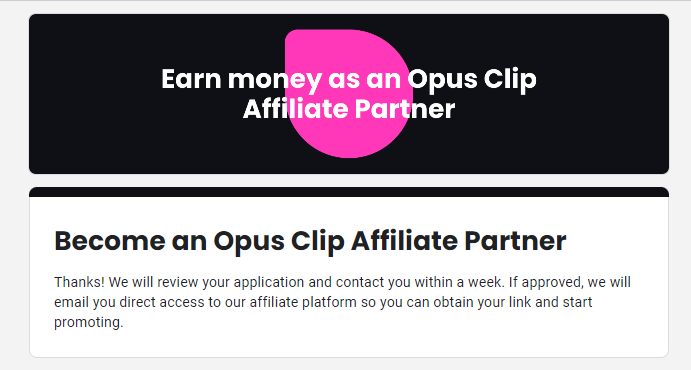
screenshot by author

Setting Up HotLinks with Bitly

I can set up a link with Bitly or TinyURL, and use that link throughout this post, and any place else that I plan to mention Opus Clip.

And when they approve my affiliate status, I can edit the link redirect within Bitly and all the post mentions of Opus Clip will become another potential revenue stream!
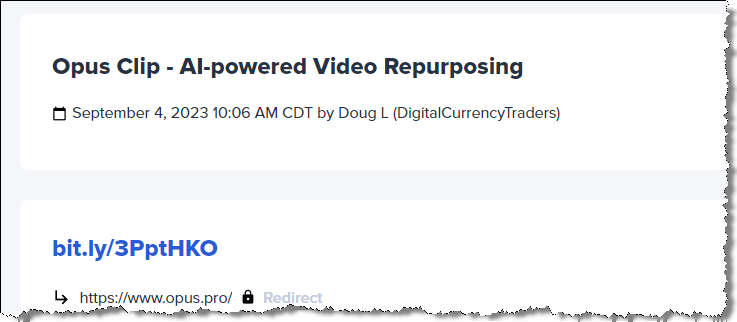
screenshot by author

Processing The Video Transcript

I want to create a blog post using the transcript, and I also want to include the transcript in the description below the video… but I don’t see a way to get the transcript in the shorts video style.

YouTube Trick

But, I found that if I take the video identifier and put it into the standard video link — then I can pull up the transcript and use it in the description below the video, and perhaps in a blog post too.

Copy and past the transcript.
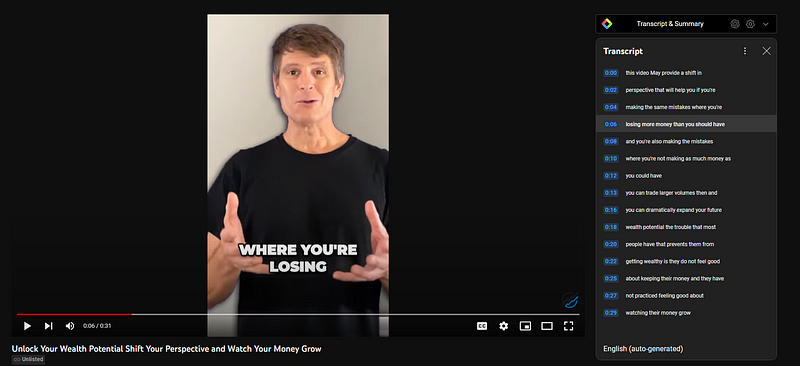
screenshot by author

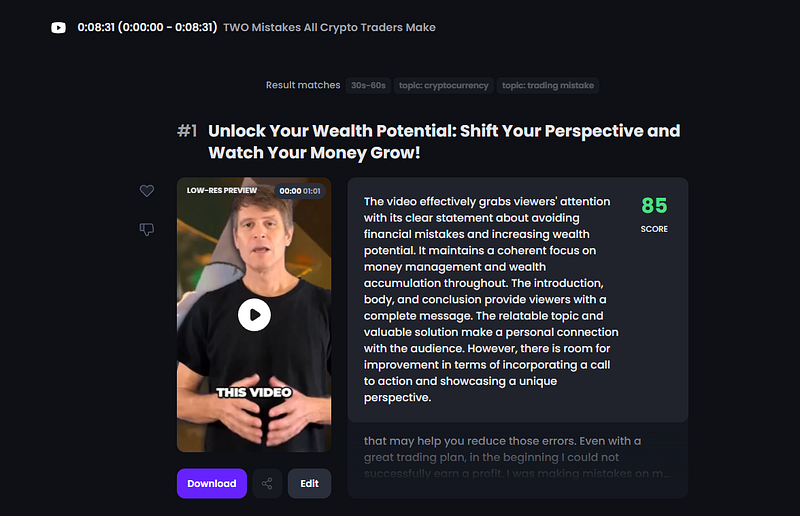
Check out the resulting video.

This AI Tool for YouTube Videos is truly a massive time saver!!

I saved so much time just in creating that one clip. But there are several that I can now upload.

Step Two

Here’s How I Processed The New YouTube Shorts
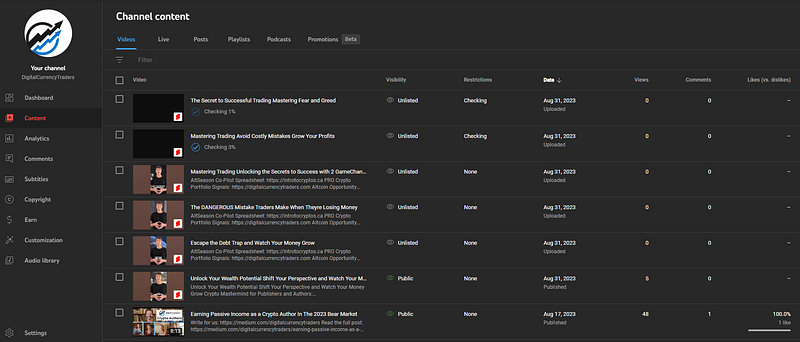
screenshot by author

I uploaded the videos in draft mode so I can go through the transcripts and format the description below each video.

Trim and Cut with YouTube Editor
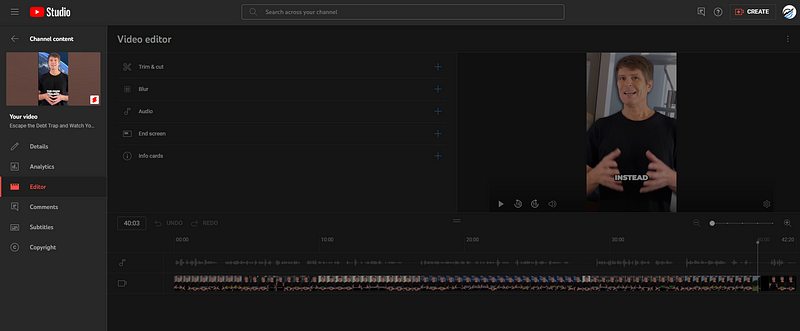
screenshot by author

I had to clean up a bit on both ends of some clips, but that was easy!

Wow. I love it!

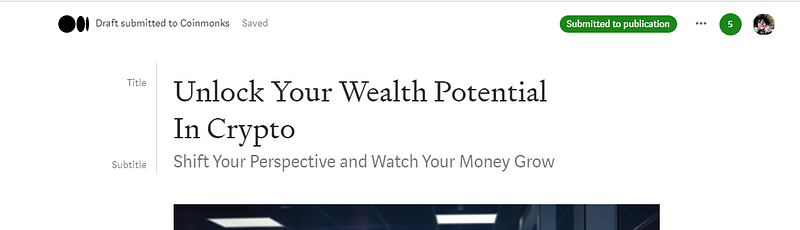
I posted the video on YouTube, then I took the transcript and I created an article post on Medium and submitted to CoinMonks Publication for their review.

But then it occurred to me that I’ll have a batch of these Shorts videos and I could create a small dedicated publication to group them all together.

Pretty quick. And now I have one of the shorts from this set created. I’ll go through and process the remaining videos and I’ll prepare a draft article to go along with each.

Later I’ll create summary articles from my Beehiiv website and from my Substack newsletter. The summary articles will link to small batches of five or six of the mini-net of articles with the shorts embedded…
screenshot by author

Real Face Videos on YouTube

It causes me some discomfort to put my face everywhere to be sure. I’ll have to watch my own emotions and my own imagining of ‘other people’s reactions’ — just the same as watching my emotions about the direction of the market.

I cannot control either and that’s not my job. I put my trade out there, and add on to those that prove successful.
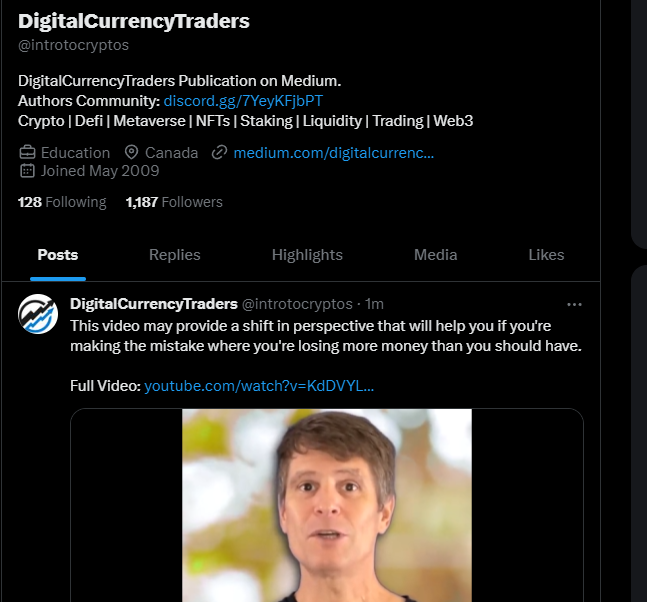
screenshot by author

It makes me a little uncomfortable because sometimes the way the artificial intelligence tool did the editing, the wording kind of suggests more than the video actually offers - without the larger video that it was clipped from.

But — this is a marketing experiment. Let’s complete the set of video shorts, so the social sharing, create the support blog posts and track the data.

Getting The Process Down
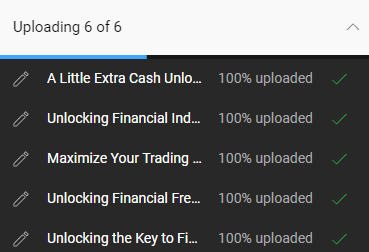
After adding my second video to process, I downloaded the six resulting clips, then I uploaded them in a batch. While YouTube processes the transcripts for me, I’ll start preparing to schedule out one or two shorts per day.
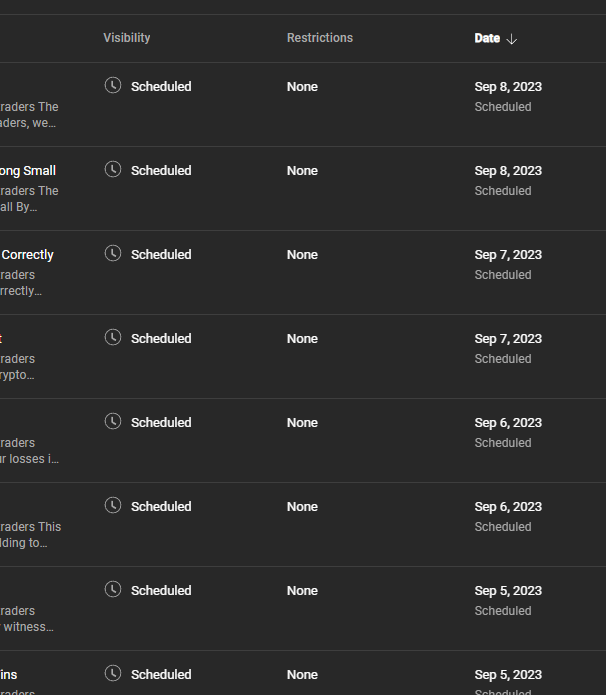
screenshot by author

I was able to get ahead of myself pretty quickly. With just the free credits from this AI Tool for Video Clip… it looks like I’ll have two or three weeks of shorts to post at this schedule!

Using ChatGPT Make The Process Faster

Steal this prompt and use ChatGPT to help you process the youtube video transcripts. I use this cleaned up version in the description below the video, and I can also use it in a supporting blog post — and important way to build out more potential revenue streams from this tiny bit of content.

I have a video transcript that I’ll need you to process. I’ll ask you to clean up the punctuation, capitals and paragraphs with no changes to the wording. stick strictly to the original wording. Create new subheadings where major content breaks occur. remove the timestamps from the transcript text, and create a separate table with timestamp field first and subheadings as the next field:

Step Three

Thirty Amazing Clips Later

These are so good that I can cluster these into a separate publication on Medium, and I can organize that content in a drip feed. Even better, is I can use all this content for the next month to drive a serious wave of traffic past my post powerful affiliate earning centers!

I created a separate, dedicated Publication in Medium where I’m the only author. I used the new beta layout, and included a few links to my favorite trading tools along the top.
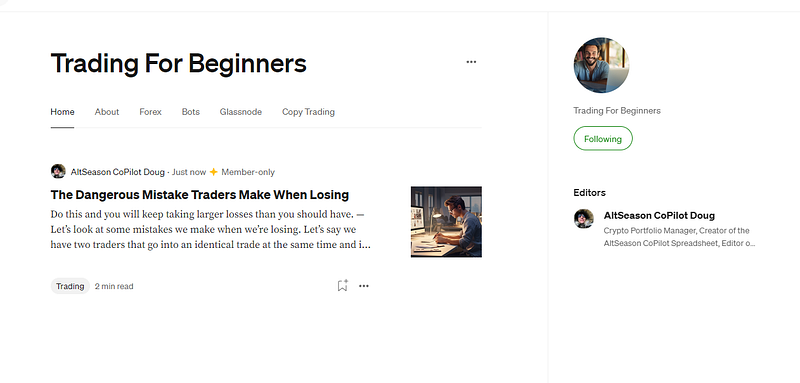
Bundle the set of video shorts into a publication (screenshot by author)

In just a few minutes, I’ve created an entirely new revenue funnel from these video shorts!
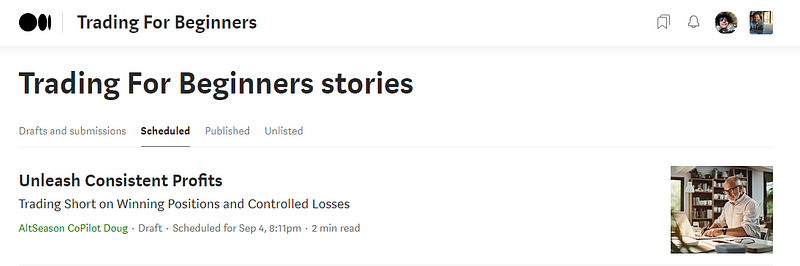
Forward scheduling posts (screenshot by author)

Let me consider what else I can include in each of the blog posts so that I can be sure to provide more value and perspective about the content in the video… while also building some calls to action that may build my email lists too.

First the Video and Transcript
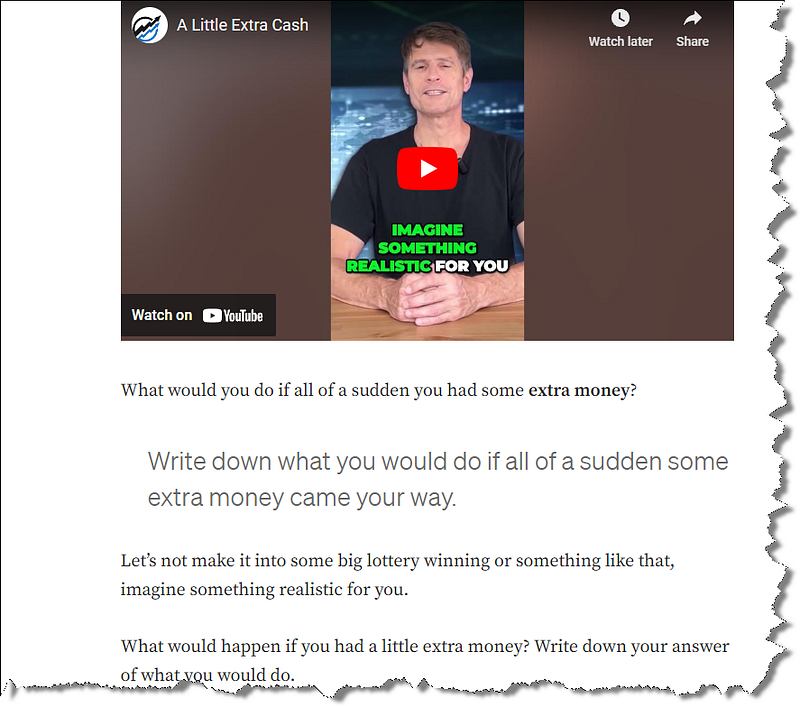
Embed the video and transcript as the main content (screenshot by author)

Then Four Revenue Streams

Revenue Stream Ideas (screenshot by author)

Schedule The Social Media Buzz

This is where the next wave of super juice comes from. Adding a layer of social media posts about each of the blog posts will help create a long-lasting trickle of visitors — turning this free trial of Opus into an insanely exciting case study to build out.

Before Screenshot
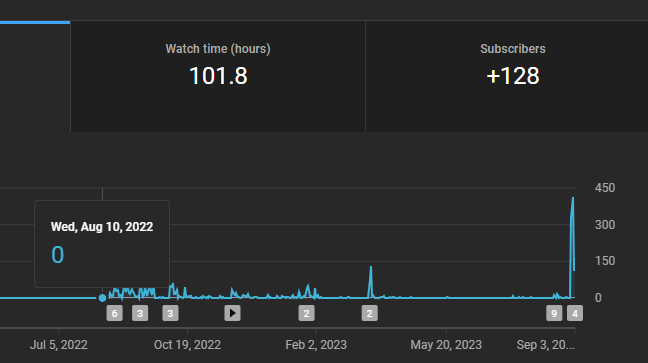
Before Opus Pro (screenshot by author)

All of the shorts videos are scheduled for the next ten days. A post to the new Publication will be scheduled to post a couple hours later, and the social media share of the blog post will follow.

This part of the process takes some grinding. You’ve got to keep the end goal in mind when building out a mini-net like this because there are no immediate results.

Buffer has a free membership level and it helps to schedule a few tweets in advance.

Step Four

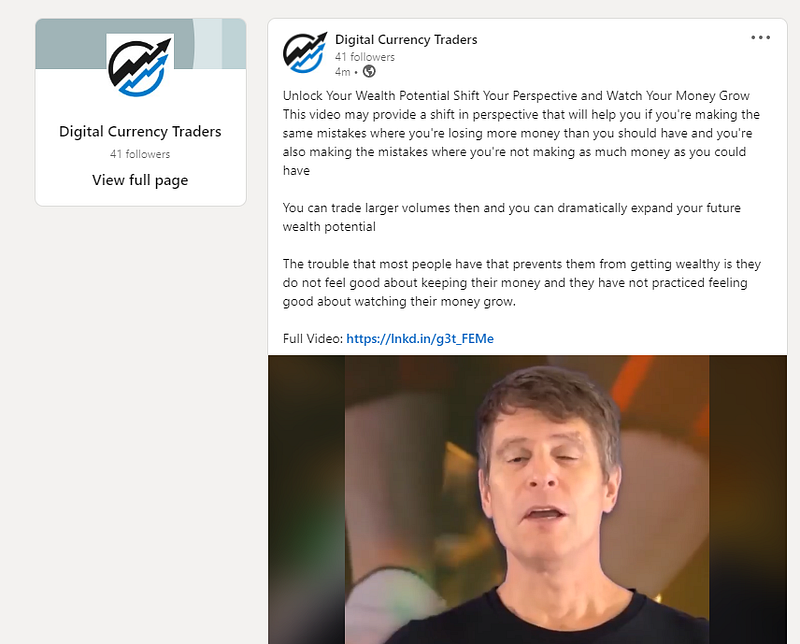
I was thinking to share the articles into LinkedIn, then it occurred to me that I might be able to also upload the videos there… and use each individual video upload to promote the Publication of all these shorts!

Once the mini-net of blog posts are in place — other platforms become even more powerful marketing tools!

Oh. And I can upload them to X (formerly known as twitter) — with a link to the Publication. Whew. Perhaps I’ll actually start a TicTok account.
I’m super excited to follow this experiment and update the post blow with the results as they roll out over the months to follow. The free membership level in the Opus Clip Artificial Intelligence Tool for YouTube Videos can be enough to make a huge difference to a sleepy old YouTube Channel!

With a little bit of planning and elbow grease (hard work), these new AI edited video content assets can be organized into a way that makes money as a passive source of revenue.

Opus Clip Discord Community

I just had to post about my enthusiasm for this AI Tool. I joined the discord community and left a few comments. I posted an example of the awesome clips that I’ve already posted to YouTube, along with a link to the matching blog post.

While I’m not expecting to find people interested in my content topic for the video I created with their AI video editing tool — but perhaps I will warm up a few of the Video Content Creators to follow along with the three step plan that I’ve outlined here.

I’d love to hear your success story below.

Connect on Twitter and Linkedin

Trade safe and keep those losses small.

Doug

Read Next -

You can follow along with Trading For Beginners or Digital Currency Traders for more current articles.

This article contains referral links for some of my absolute favorite business tools for content creators and crypto enthusiasts.

If you purchase one of my favorite software tools, I will receive a small commission at no additional charge to you.

Artificial Intelligence
Ai Tools
Entrepreneurship
YouTube
YouTuber
Recommended from ReadMedium