
How I Write My Epics and User Stories Using Notion Like A Product Manager (Part 3)
Use this template as a simple and effective way to record, refer and organise relevant information required for your Epics and User Stories
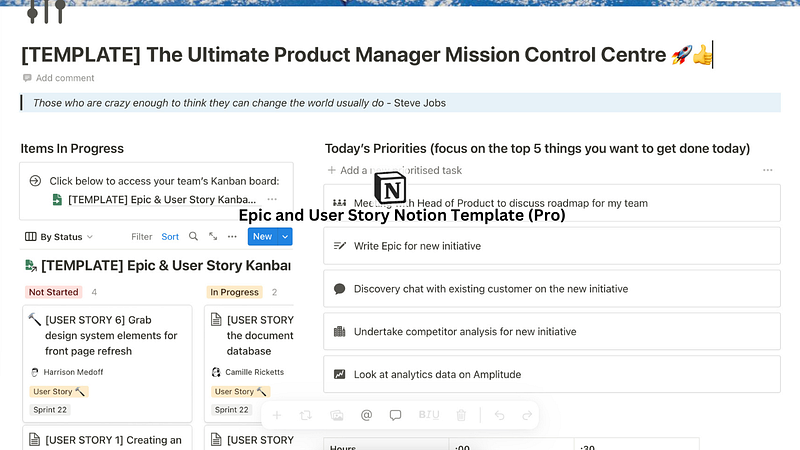
Link to updated template: click here
In my previous article, we covered the epic and user story template, and Kanban board structure and style, that I use in my day to day role as a product manager, which has not only helped me shape my initiatives and to break down large pieces of work into smaller, more digestible chunks that can be completed over the course of several sprints for my team, but to also allocate and organise those user stories into appropriate sprints. Additional guidance and instructions on how to use the epic and user story templates were also provided in previous Medium articles here and here.
Today, I want to continue building the epic and user story template with Kanban board and database by introducing the second half of the feature set for the Epic and User Story Template (Pro)
In addition to the Kanban board mentioned in the previous article, this Notion template allows you to do the following:
- Organise and keep your tasks in one spot, both for yourself and for your team.
- Efficiently and effectively timebox your tasks using the built-in Pomodoro scheduler.
- Manage, run and discuss discovery findings with your team with the built — in discovery research Notion template.
- Capture and record any meetings you have with internal and external stakeholders using the built-in meetings journal.
- Easily access and automate the creation of epics and user stories on a Kanban board for your team
Organise and keep your tasks in one spot, both for yourself and for your team
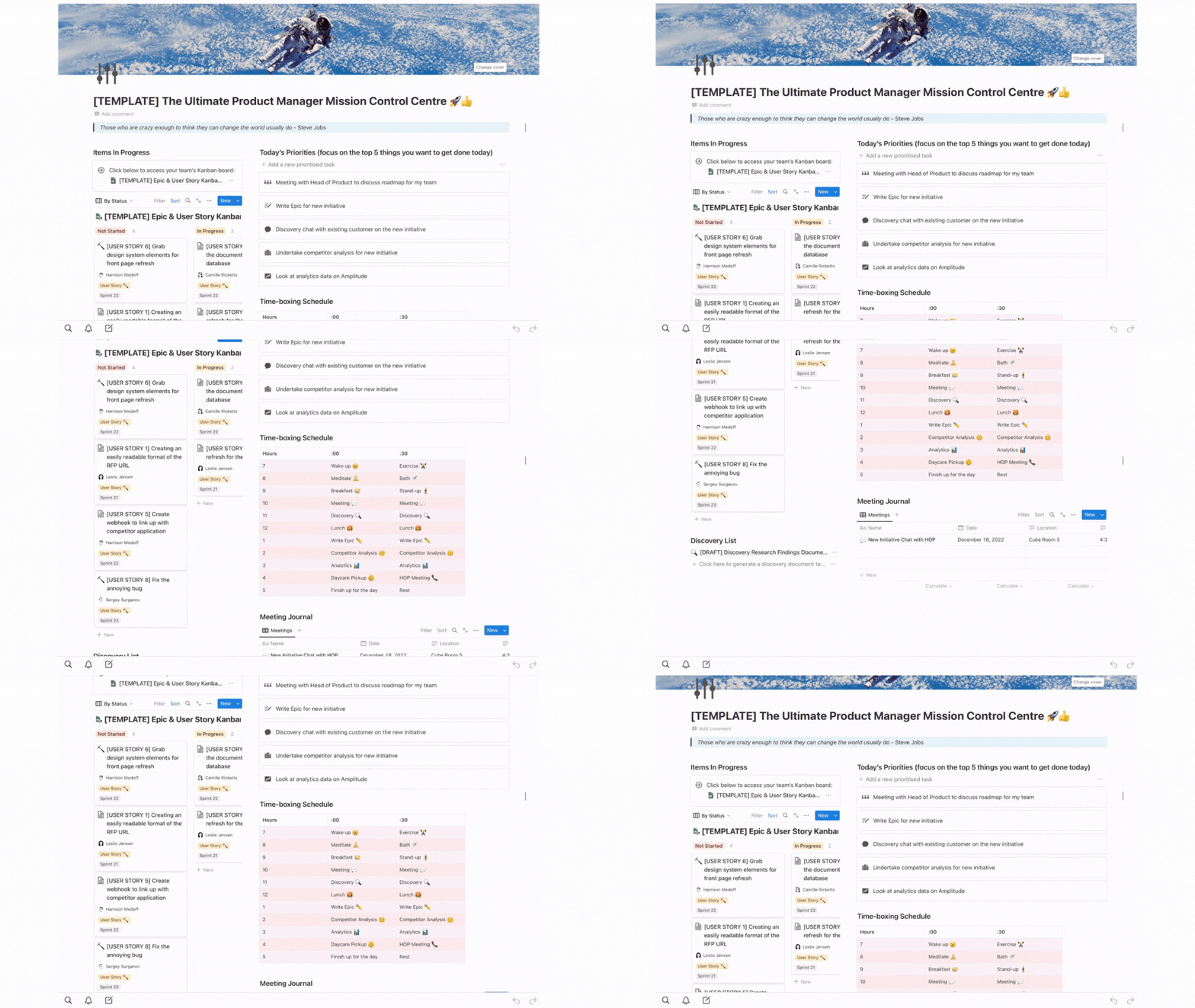
In addition to the automated epic and user story templates, as well as the Kanban board of the previous iterations, the Pro template includes a few more personal touches, including:
- a personal work to-do list;
- a meeting journal;
- a prioritised list of tasks for you to complete during the day; and
- a list of automated discovery templates you can use to conduct your weekly discovery conversations with customers
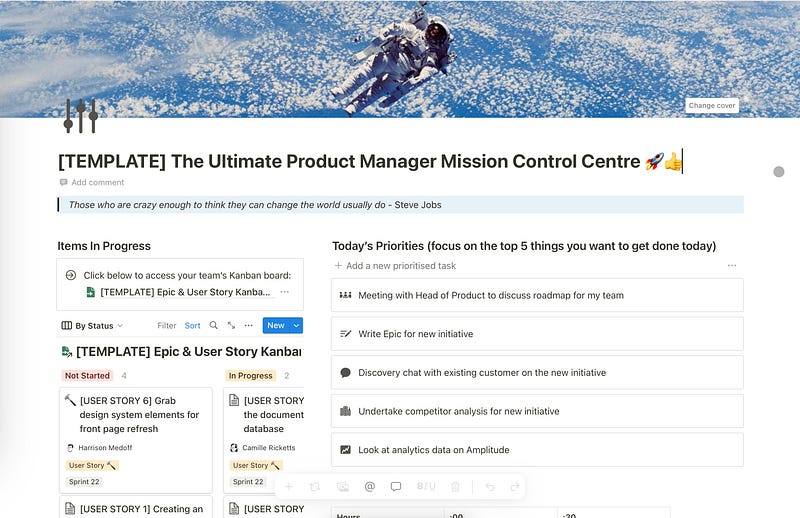
All of these elements are also easily accessible from your ‘mission control centre’ — the dashboard of this new template provides all of the above in a simple and easily digestible manner, giving you access to everything you need in order to run your team successfully like a product manager.
Efficiently and effectively timebox and prioritise your tasks using the built-in Pomodoro scheduler
As mentioned in my previous article, you’ll be inundated with different types of tasks and responsibilities as a product manager and, without having an efficient way to organise and priorities your tasks, you’ll soon find yourself drowning under the heavy weight of many to do’s and IOU’s.
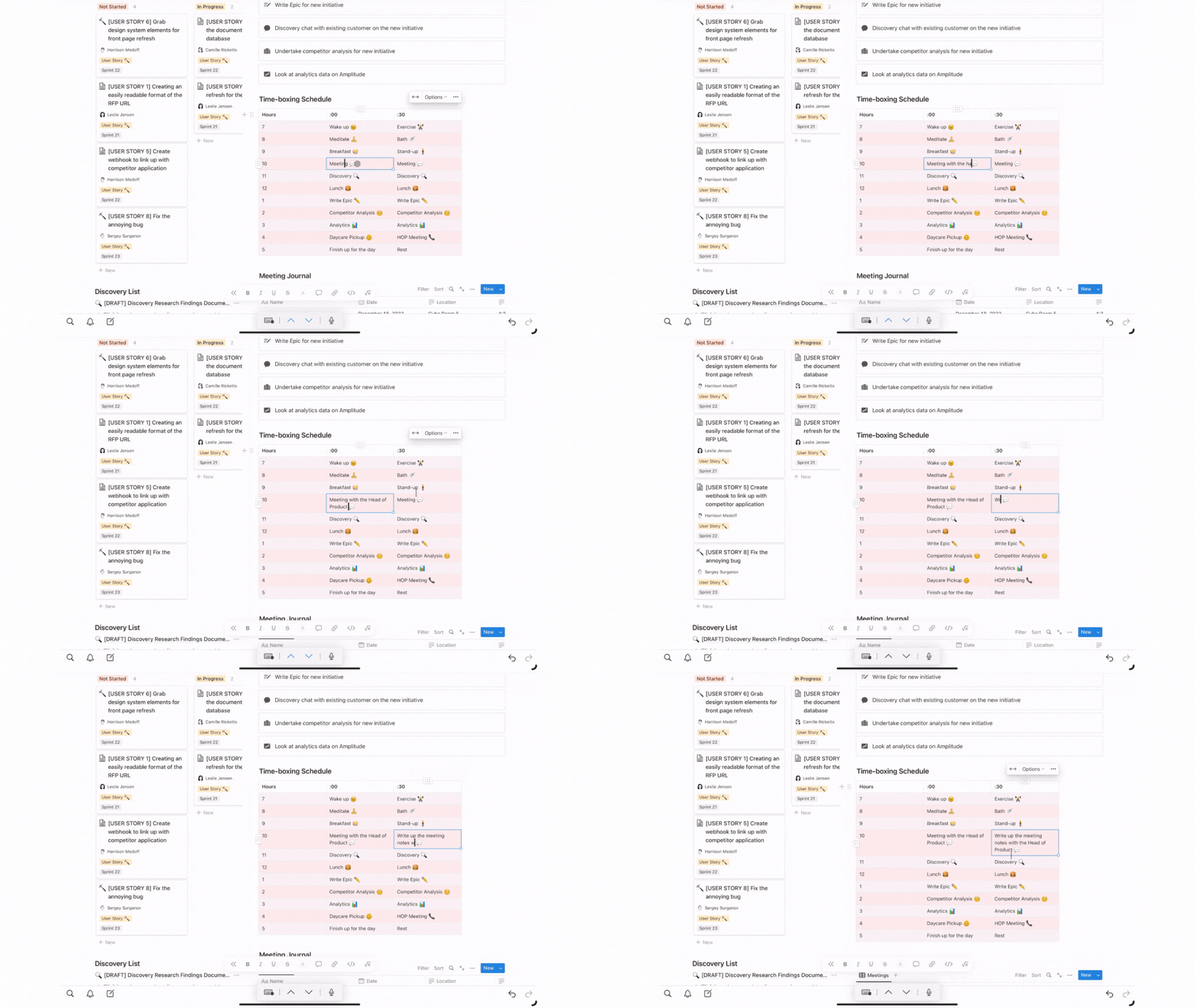
Using the Pomodoro technique, you’ll be able to efficiently timebox and complete your chosen within the allocated 30 minutes (25 to complete the task + 5 minutes to rest) before moving on to the next task on your list. This Notion template not only helps you keep track of the tasks you need to do in a typical day as a product manager, but also provides you a priority laundry list of things at the very top that allows you to not only keep in mind the next thing you need to complete but also allows you to customise how it looks like to your heart’s content:
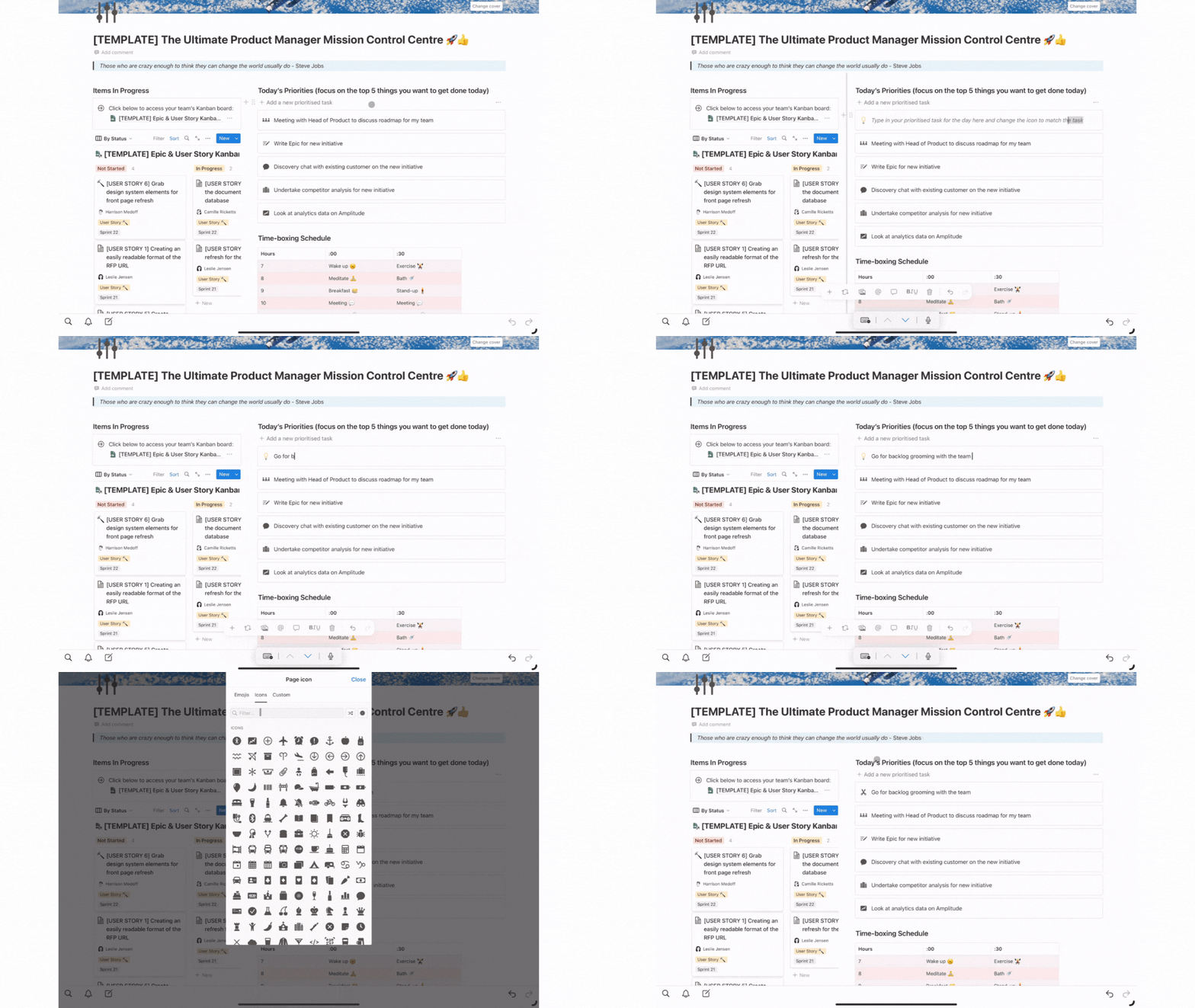
Having your list of timeboxed and prioritised tasks in one place allows you to understand what you need to do next at a glance, as well as making organising and prioritising what you or your team should work on next as simple and accessible as it can be.
Manage, run and discuss discovery findings with your team with the built-in discovery research Notion template
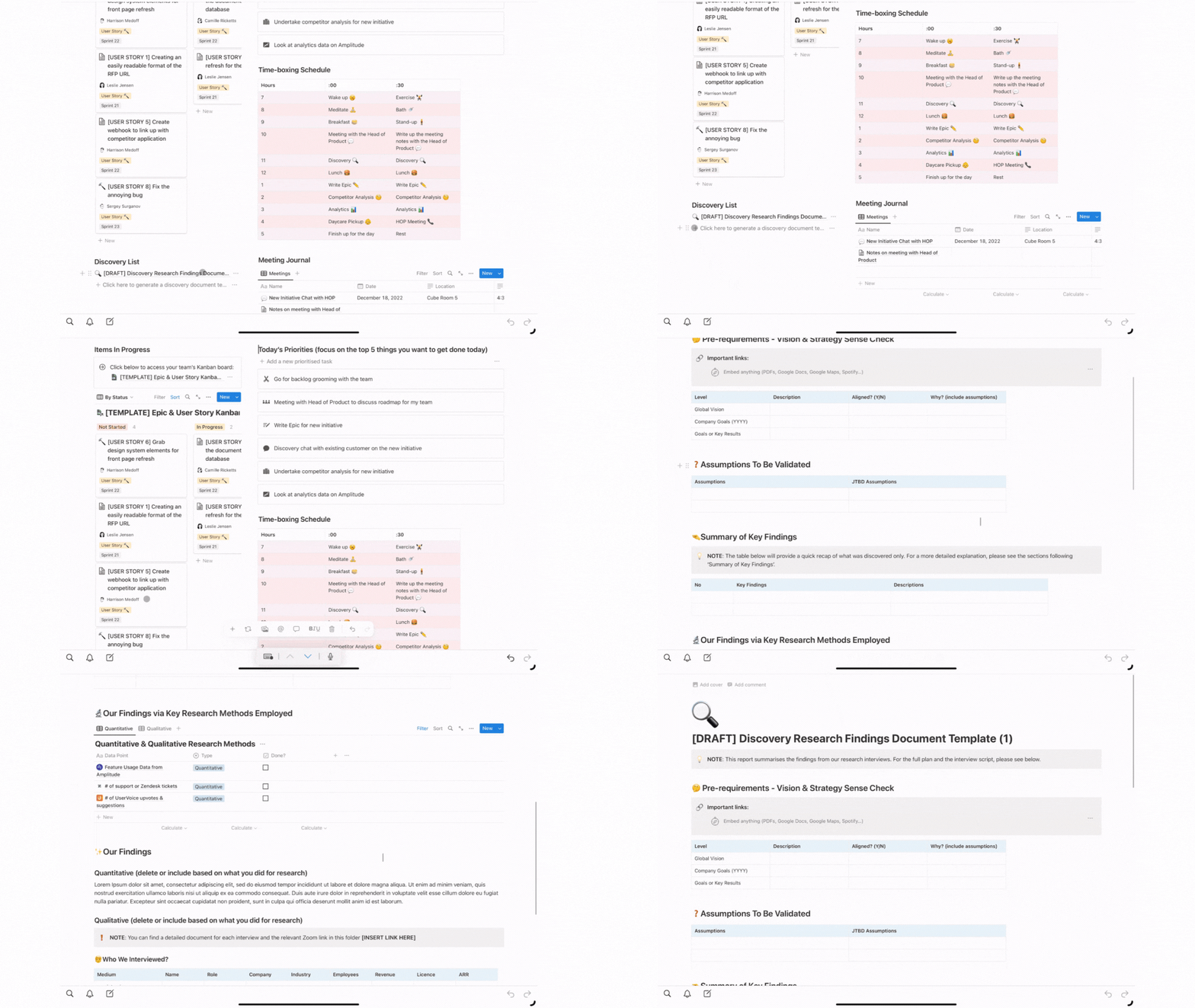
Continuous discovery is a key responsibility of any product manager working in any industry. Without having regular conversations with your customers, a product manager is in danger of having discussions internally or making key decisions without understanding the full context of why they are making those decisions in the first place i.e. does the decision help satisfy the customer pain point or opportunity in any way?
Having an easy way to capture, access and assess that information with your squad is an important step in making the right decision to provide the right solution that solves the right problem for the customer. As such, this Notion template comes with it’s own discovery research findings template, which allows you to do all of the following:
- Easily capture discussions with your squad on the pain point assumptions that need to be validated as part of your research run
- Summarise key findings from research and how they relate to the overall company & team mission, vision and goals
- Capture quantitative and qualitative data from a host of different platforms (Amplitude, Zendesk, UserVoice etc.); and
- Form a summarised action plan that the team can follow in order to solve the problems discovered during research
NOTE: You can also grab the discovery template as a separate Notion template here
Capture and record any meetings you have with internal and external stakeholders using the built-in meetings journal
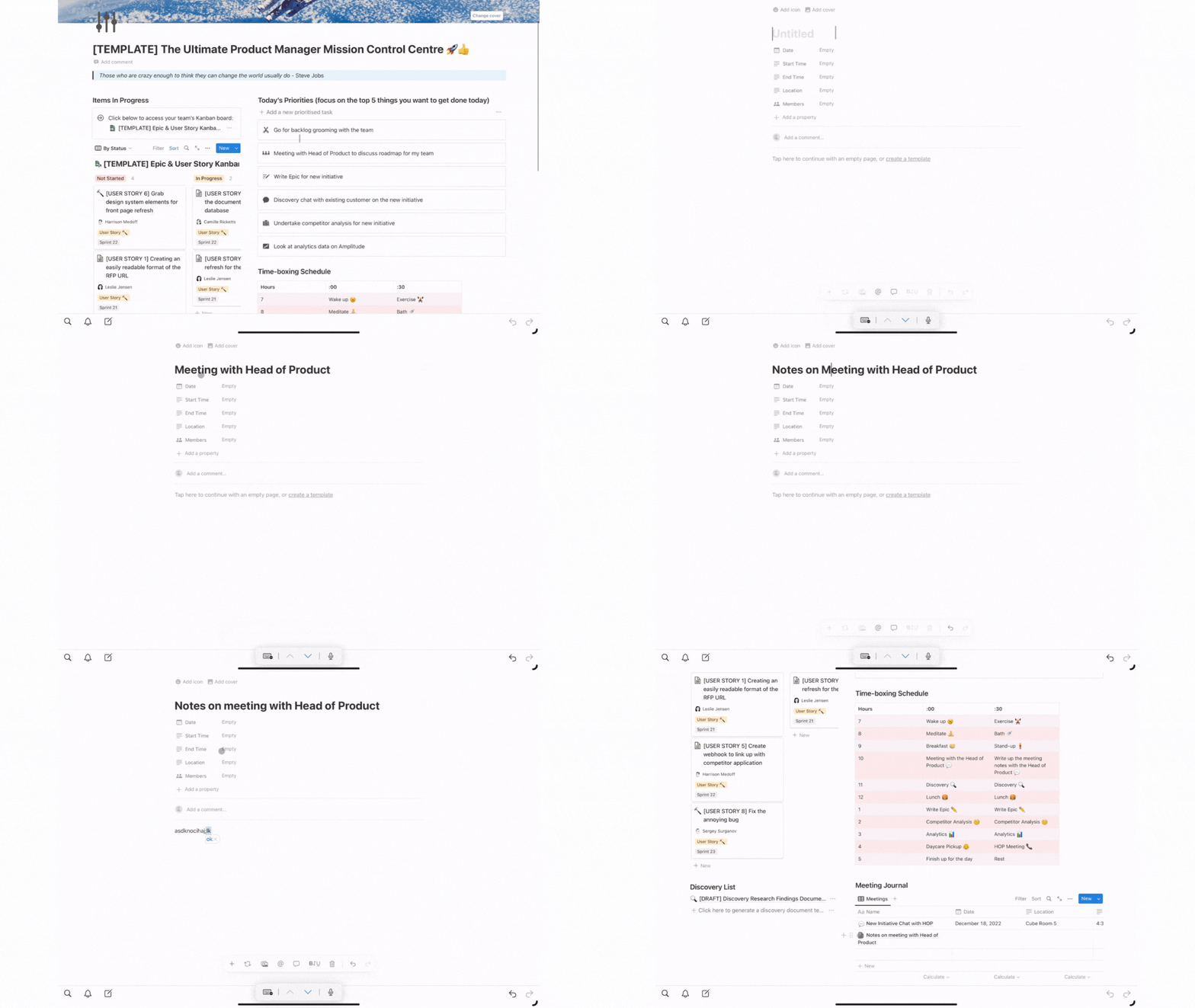
Being the communication funnel between your team and key internal stakeholders — and vice versa — is one of the key responsibilities of being a product manager. Not only do you have to inform key stakeholders on the progress your team is making on important initiatives but you must also be willing to listen to feedback, comments and questions from internal stakeholders within the company on what your squad is doing and whether what they are doing is helping the company achieve it’s short and long term goals and vision.
Having one location to store all of your meeting conversations with key stakeholders will help remind you what’s been discussed with them and makes it easy to reference previous conversations to help either direct what your team is doing or extract out key information that might transform itself into personal tasks you need to perform for said key stakeholder.
Easily access and automate the creation of epics and user stories on a Kanban board for your team
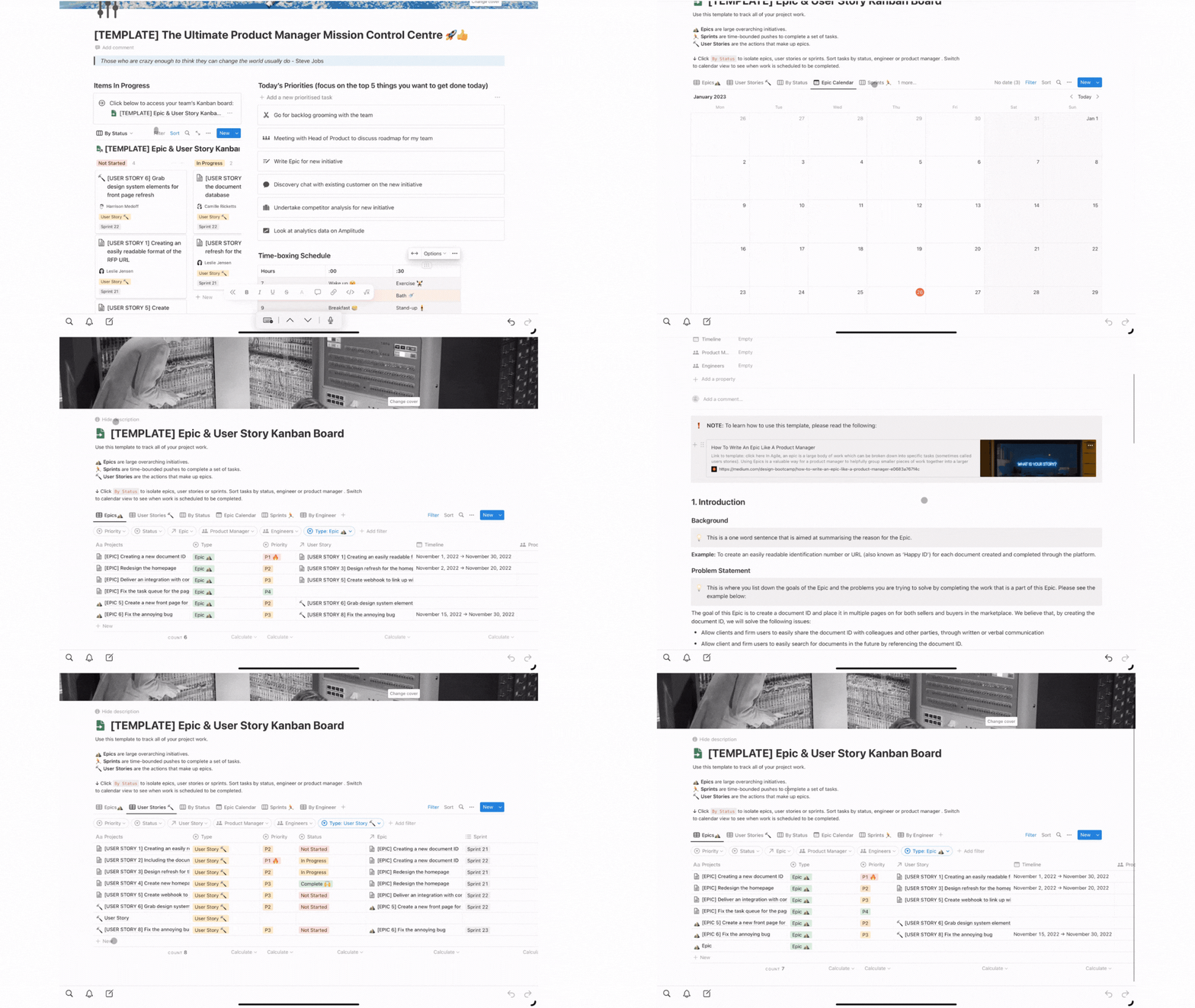
Finally, the Pro template also includes an easily accessible Kanban board to help prioritise the work that your team is doing, complete sprints and automatically generating epic and user story templates that you can use to help frame the work that your team should be doing to achieve your team and company goals.
Please read this article here for more info on using the Kanban board as part of this Notion template.