
How I Write My Epics and User Stories Using Notion Like A Product Manager (Part 2)
Use this Notion template as a way to not only write your epics and user stories but to also organise and manage your key initiatives and product releases
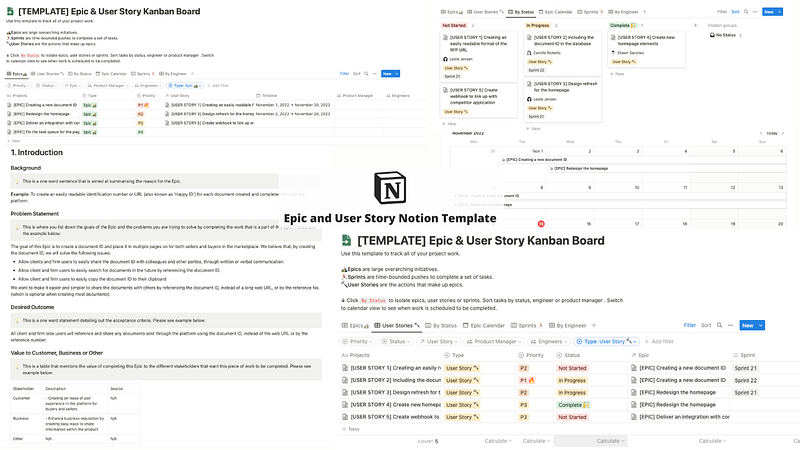
Link to updated template: click here
In my previous article, we covered the epic and user story template that I use in my day to day role as a product manager, which has helped me shape my initiatives and to break down large pieces of work into smaller, more digestible chunks that can be completed over the course of several sprints for my team. Additional guidance and instructions on how to use the epic and user story templates were also provided in previous Medium articles here and here.
Today, I want to continue building on the epic and user story templates discussed previously by introducing an simple, structured and singularly efficient way to organise your epics and user stories in one place — the Epic and User Story Template w. Kanban Board and Database
This Notion template allows you to do the following:
- Organise your initiatives according to epic, user story, status, timeline, sprints or responsible engineer;
- Creating epics and user stories in a kanban style board for easier management and organisation;
- The ability to prioritise and organise different user stories for an epic in an efficient, effortless and simple manner;
- Use the epic calendar and sprint schedule to keep track of initiative deadlines and timelines; and
- Align your team through collating, grouping and allocating user story tickets to your engineers.
Organise your initiatives according to epic, user story, status, timeline, sprints or responsible engineer
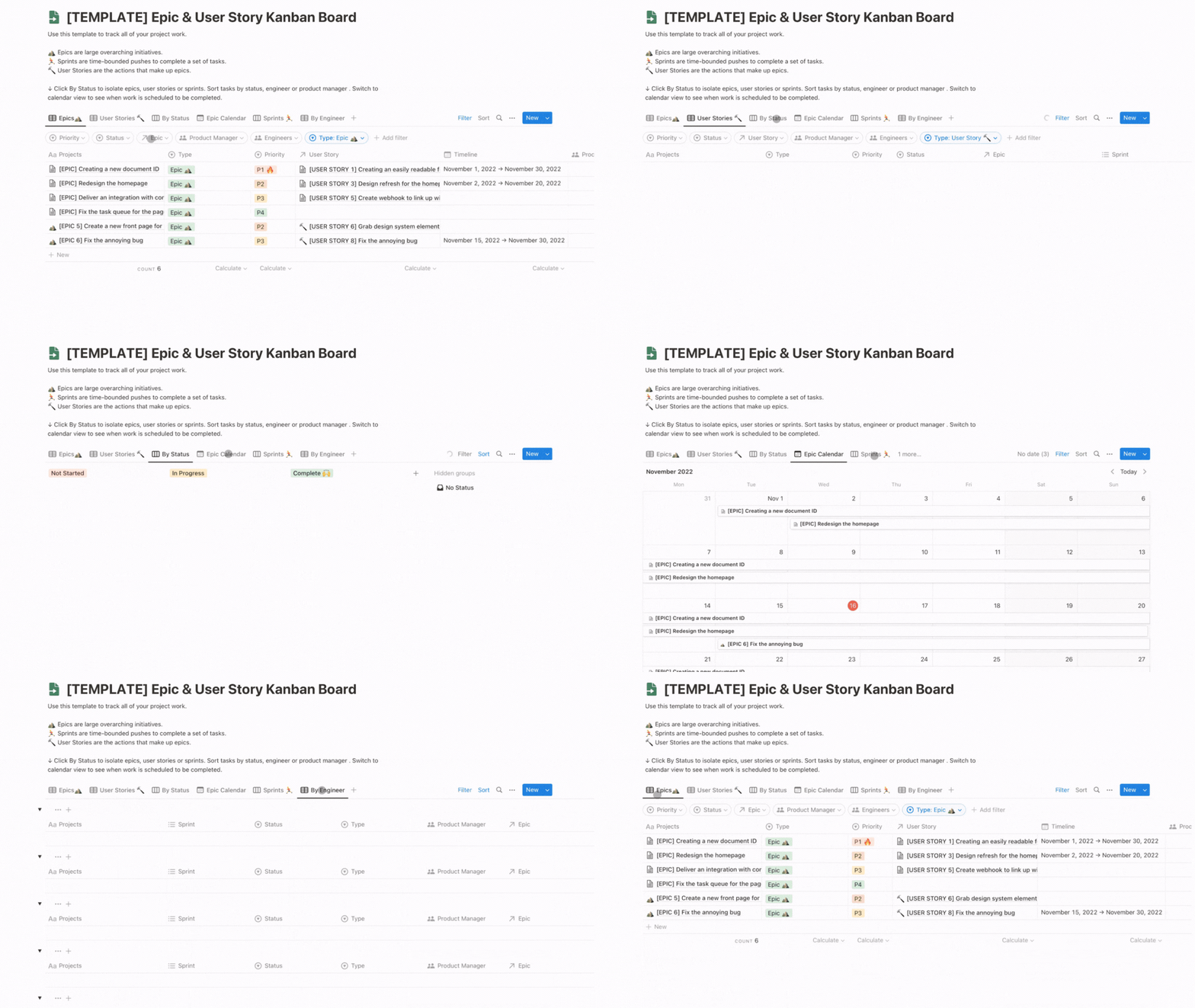
Using this updated Notion template allows you to organise your initiatives in such a way as to provide you the ability to see everything you need at a glance by using the appropriate pre-set filters. Fly through each database list — which is automatically tabulated and set for you — as you figure out which epics and user stories are currently in progress or waiting to be picked up, determine the priority status of some of your most pressing tickets, keep an eye on the deadline required for each initiative and see which engineers are allocated which epics and user stories.
As such, the overview tabs of the updated Notion template helpfully visualise different initiatives, deadlines and responsibilities in such a way that the user can be assured and confident in what is being delivered, when it is expected to be delivered and who is responsible for the delivery of said initiative.
Creating epics and user stories in a kanban style board for easier management and organisation
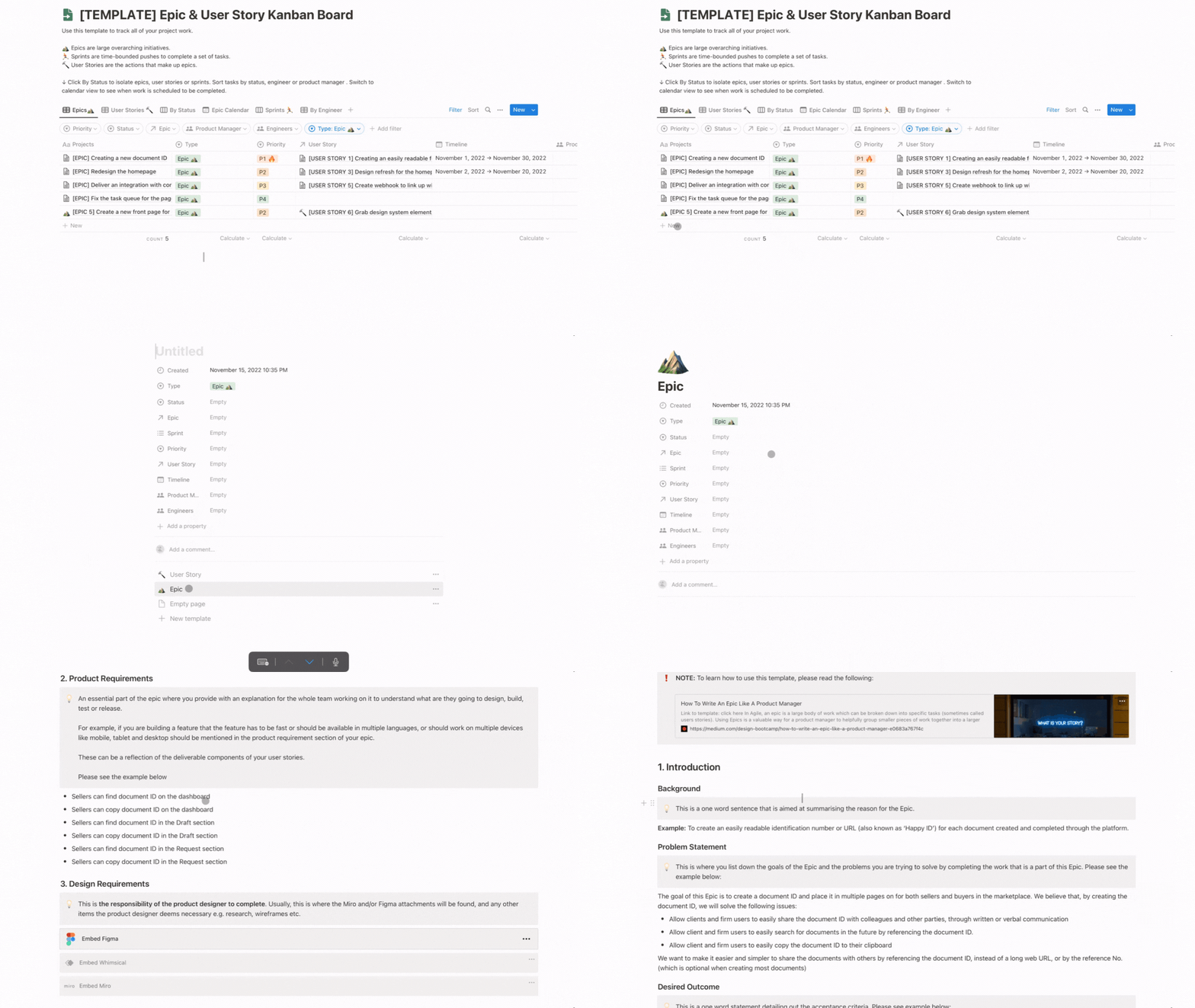
Just like the previous template, this new updated Notion template allows the user to create epics and user stories automatically by selecting a template on an open and empty ticket. Doing so populates the ticket with all the requisite information needed to help the team fully understand the larger initiative that needs to be undertaken.
Due to the automatic population of all the necessary headers, tables and artefacts needed to fully complete your Epic, users can be confident that they will not only save time from manually formatting the epic and, instead, can use that time to focus on building out the initiative for the team, but also be able to cover off all the information necessary to properly and efficiently explain the scope of the initiative to the team
For more information on how this Epic template is structured, please feel free to read this useful guide.
The ability to prioritise and organise different user stories for an epic in an efficient, effortless and simple manner
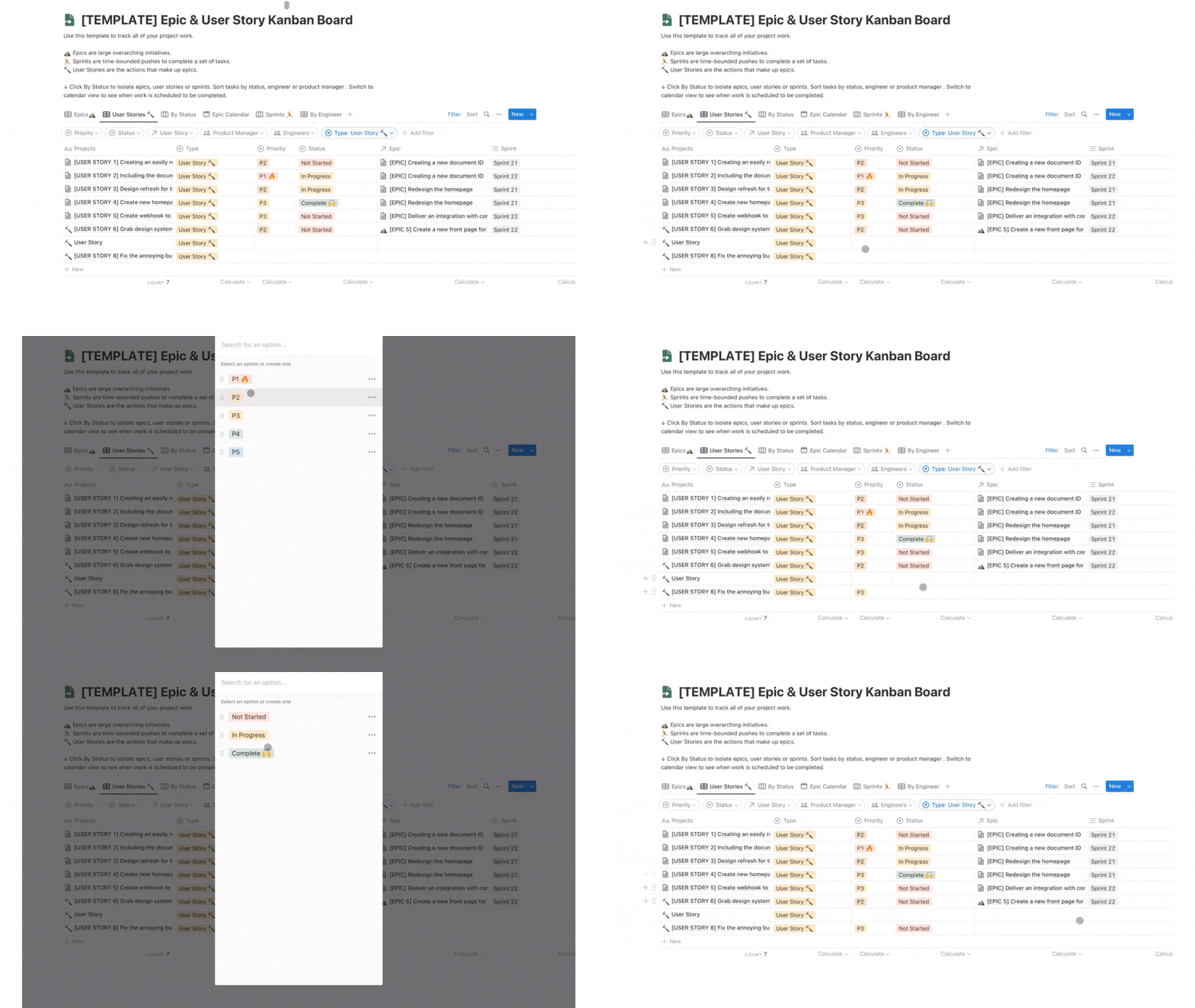
One of the distinct advantages of using this template is, since all of your epics and user stories are located in one, centralised location, you are able to see all of your user stories at a glance and, where necessary, provide priorities — scaling from P5 (least prioritised) to P1 (biggest priority) — and status updates — scaling from ‘Not Started’ to ‘Complete’, all without having to move manually between multiple tickets to do so, as well as having the option to filter by status and priorities to provide you a clearer picture of what your team is working on at the moment.
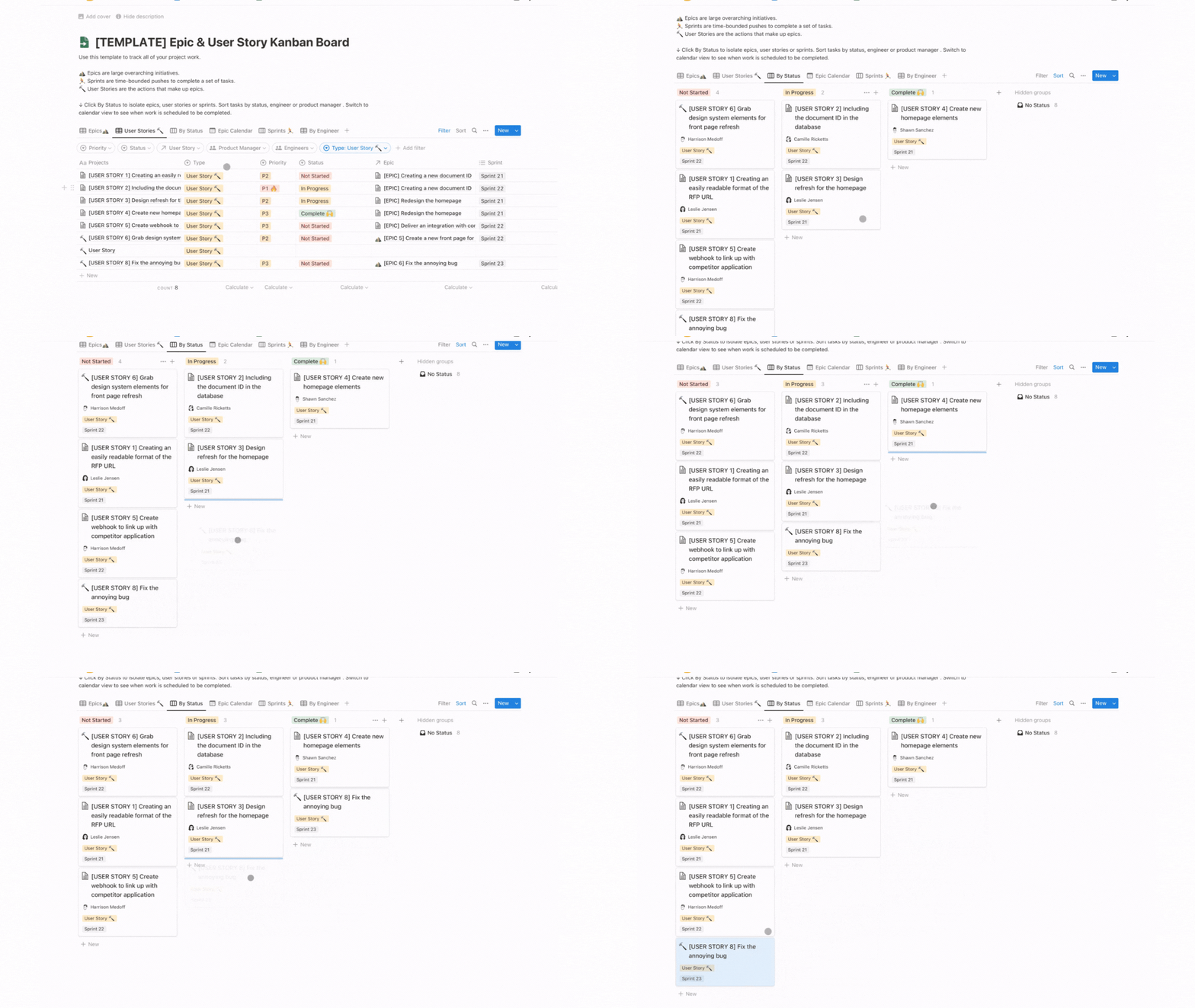
Additionally, this Notion template allows you to move your user story cards or tickets through it’s various stages of completion — as mentioned, from Not Started to Complete — which gives you an simple, smooth and succinct way for you and your team to shift user stories representing a larger epic through to the end of the project to signify the completion of the epic and the release of a new feature for your product.
Use the epic calendar and sprint schedule to keep track of initiative deadlines and timelines
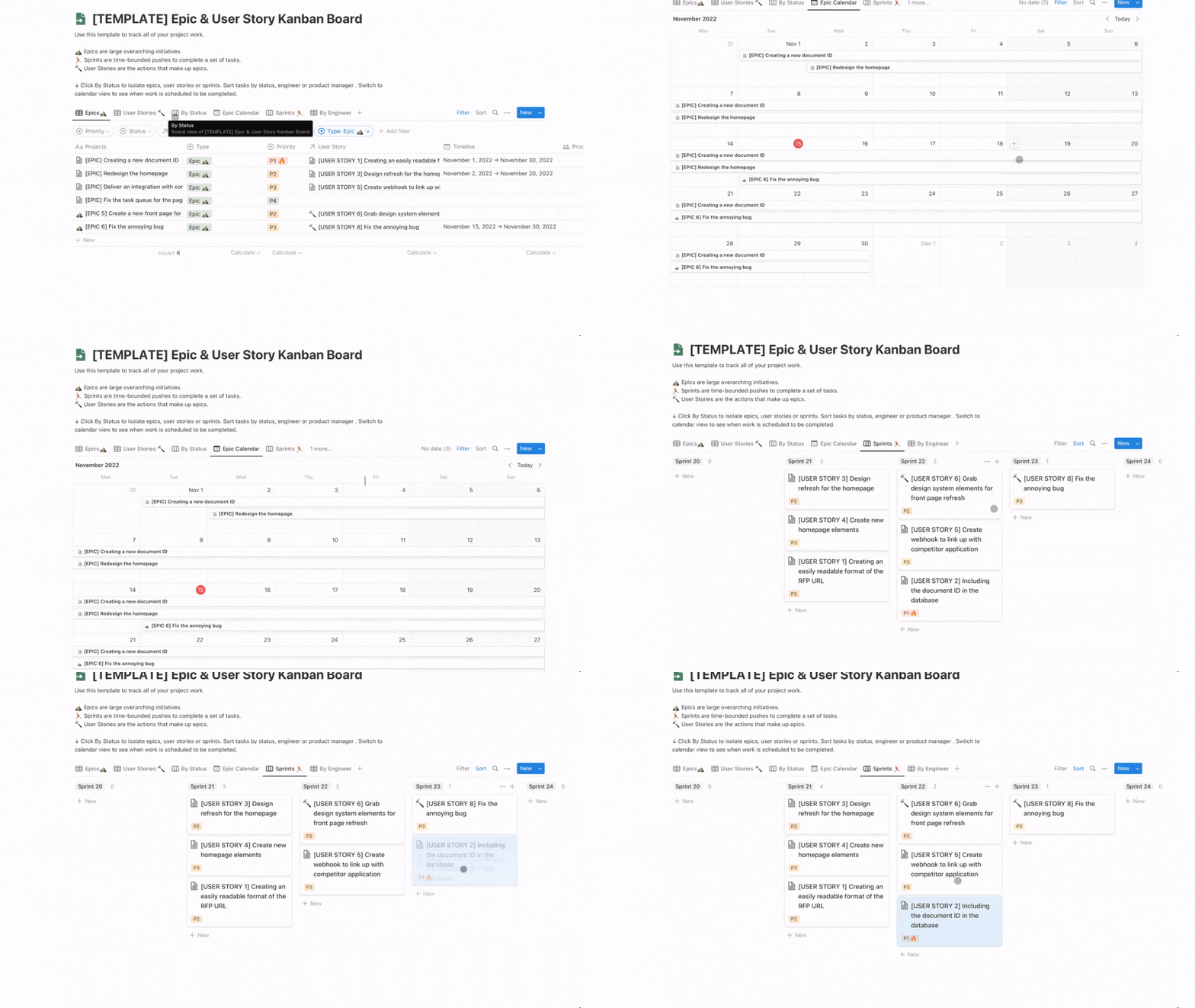
As product managers, it is important that we not only know when our initiatives are going to be delivered (i.e. the exact date in the year or quarter that your initiative is going to be shipped) but also when are the smaller increments of work will be shipped — which are your user stories.
To that end, this Notion template allows you to track the overall status of your initiatives by providing you an epic calendar to help you organise, visualise and make note which epics are expected to be delivered by what time frame. This is complemented by the spring Kanban board, which not only helps you visualise what is being completed in each sprint but also helps you easily move and allocate user stories into particular sprints, which assists in helping the team focus and understand the user stories that need to be completed at the end of the sprint, which — when completed cumulatively — helps you achieve the epic you want to release by the deadline specified in the epic calendar.
Align your team through collating, grouping and allocating user story tickets to your engineers
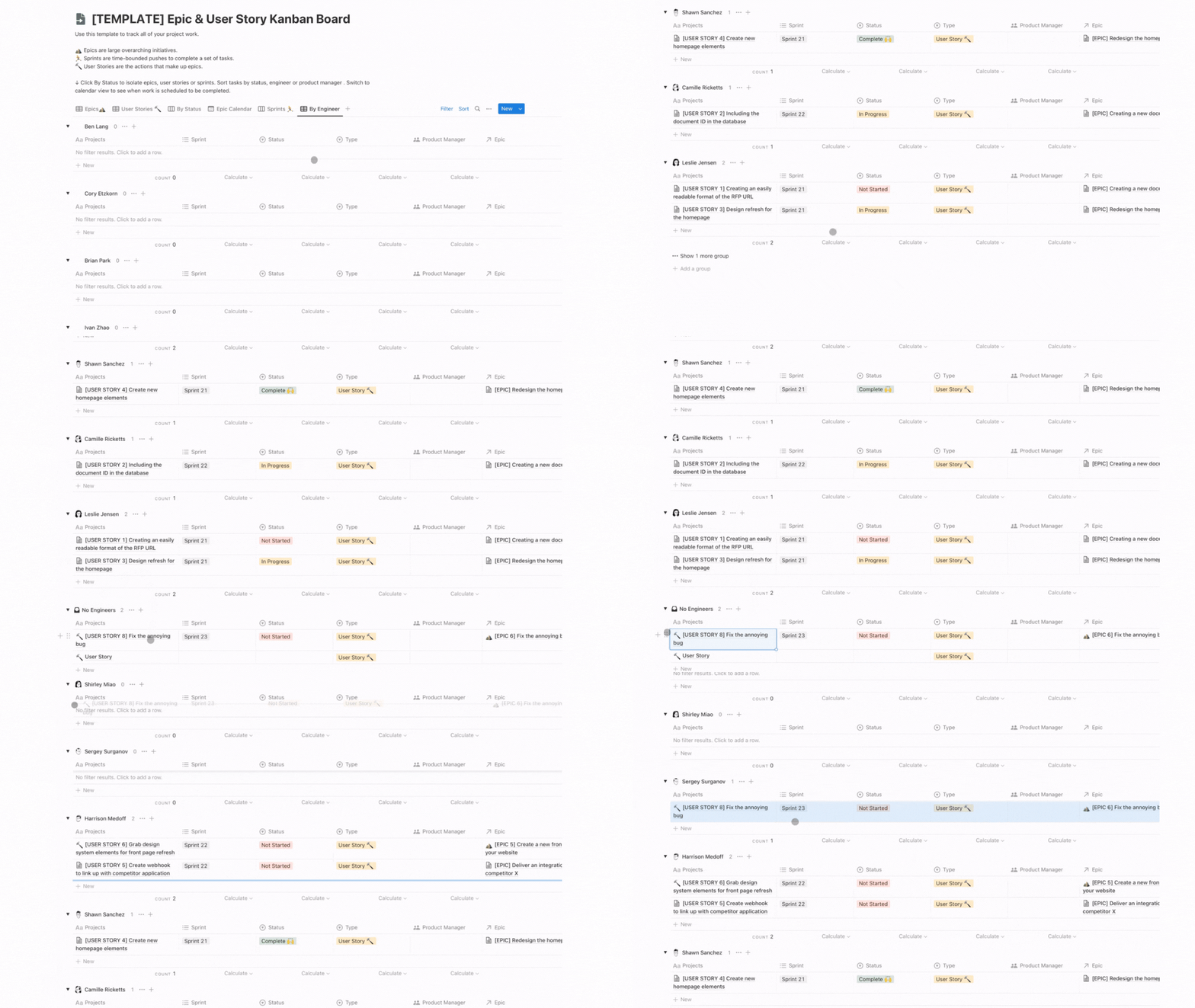
Finally, this Notion template makes it easy to assign engineers in your team to user stories that match their experience, skill, interest and participation in the relevant epic. Allocating your engineers to a user story is as simple as dragging and dropping it into their responsibility bucket, which will then allocate that user story to them and automatically updates the user story to reflect that particular engineer as the directly responsible individual for it’s completion.
By making a cascading list, you are able to see, at a glance, what each engineer is working on, the progress that they have made on the particular user story and if any engineer is being under-utilised to the point where you can consider giving them another user story to complete.
Conclusion
Follow the above tips and you’ll be writing Epics and User Stories on Notion like a product manager in no time. Click here if you would like to view and obtain this template for you and your team!
Click here to head to Part 3


