
How Do I Edit My Subscription Link and Get That Cool Box With My Image?
Sometimes you have to search a bit

I’ve been a writer here at Medium for a few years, and I’m an editor for several different publications as well. I‘m often asked questions about Medium and social media in general.
- Writers edit: Medium has discontinued the referral program. You can still use the information in this article to customize a message to your readers, but you won’t get paid for reader referrals.
- Here’s how you can increase the number of subscribers you have on Medium instead.
I know it’s possible to find answers if you search Medium, but I remember what it was like when I first arrived. I was so new, everything was tricky, and I was grateful for any tips.
Well, here’s me, paying it forward.
Here’s a recent question from a new writer:
I hope you can help me with this issue. At the end of each article, I have written this to get people to subscribe to me.
Click this link to become a member of my Medium family and get unlimited access to all the great Medium writers.
It’s just $5 a month ($50 per year), and you get unlimited access to all the amazing articles by the best writers on Medium.
How do I make it look like this cool box:
Here’s my answer:
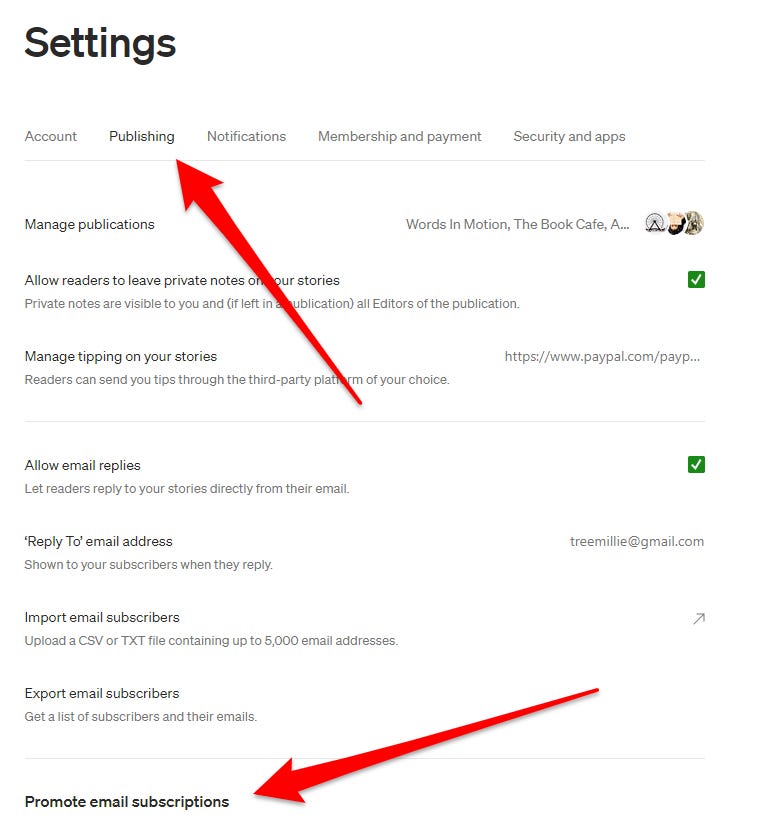
In your settings, look for Publishing and then Promote email subscriptions. Scroll down a bit more.
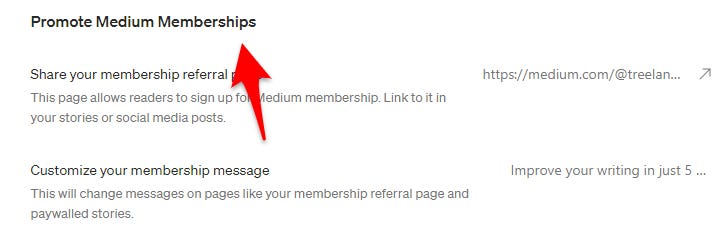
Below that, you’ll find Promote Medium memberships.
You will see a link you can use to promote memberships. Just copy this link.
This page allows readers to sign up for a Medium membership. Link to it in your stories or social media posts.
https://treelangdon.medium.com/membership
Copy the link, then go to your story where you want the link box.
- In Edit mode, click at that location.
- Hit Enter, so you begin on a new line.
- Then paste your link into that new line.
- Now you can hit ENTER, and in seconds the new shiny box will show up!
Bingo!
(thanks to Larry Berlin for his help in describing these steps!)
Editing your membership message
You can also edit your membership message on this same page. It’s easy to figure out.
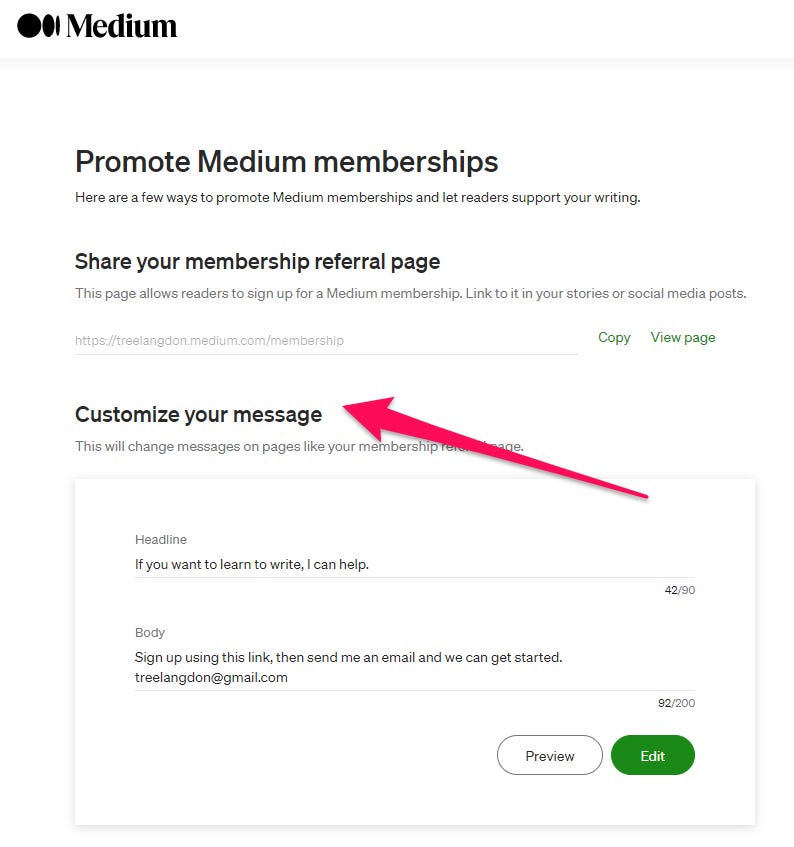
Go to Customize your message and get creative!
I hope you found something useful in this article. If you’re not already a Medium member, Join us here.
If you are a member, please share this story so more people can benefit from these wise words.