
Hands on: CDC Debezium + Kafka Connect + MongoDB
A step-by-step tutorial for setting up Change Data Capture with Debezium on a MongoDB and Kafka only with Docker-compose
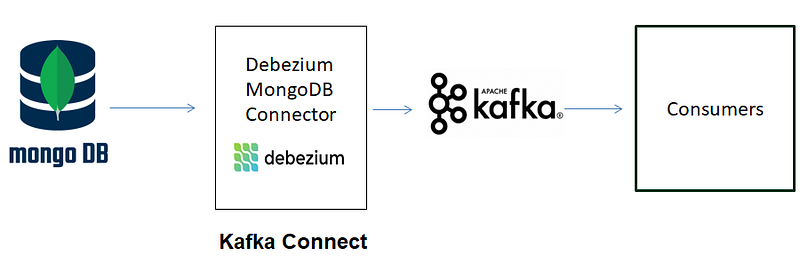
In the modern digital infrastructures, Change Data Capture (CDC) emerges as a crucial mechanism, enabling real-time data synchronization and analysis across diverse ecosystems.
In this article we are gonna see step by step how to implement a change Data Capture pipeline using Kafka, Kafka Connect, Debezium Connector and MongoDB.
Prerequisites
- Docker, Docker Compose
- For windows users, you can replace “localhost” by “host.docker.internal” to connect to services running on the Windows-host from inside a Docker-container.
CDC using Debezium ?
Change Data Capture (CDC) using Debezium refers to a technique that captures and monitors changes made to a database in real-time.
Debezium is an open-source distributed platform that provides a framework for capturing row-level changes from various databases and streaming them to other systems, such as Apache Kafka.
By utilizing Debezium, organizations can implement CDC to track and propagate changes, enabling real-time data synchronization, analysis, and integration across disparate systems.
Debezium MongoDB Connector
Debezium is built on top of Kafka and provides Kafka Connect compatible connectors that monitor specific database management systems. Debezium MongoDB Connector is used to capture and stream changes from MongoDB databases in real-time.
PS:
MongoDB Connector supports only a MongoDB replica set or a MongoDB sharded cluster. It is not capable of monitoring the changes of a standalone MongoDB server, since standalone servers do not have an oplog ( see this story about oplog ). The connector will work if the standalone server is converted to a replica set with one member.
Setup Kafka + Kafka Connect + MongoDB
With the following docker-compose:
We create the following services:
- Akhq: Kafka GUI for Apache Kafka to manage topics, topics data, consumers group, schema registry, connect and more…
- Zookeeper: we install zookeeper to use it with kafka.
- Kafka: is an open-source distributed event streaming platform designed to handle real-time data feeds and processing pipelines.
- Kafka connect: is a tool for streaming data between Apache Kafka and other data systems. It makes it simple to quickly define connectors that move large data sets in and out of Kafka. We use it to add the debezium MongoDB connector.
- Three MongoDB servers used as a replicat set with 3 members: in order to use Debezium with MongoDb, we need a replicat set. Here we are creating a replica set with 3 instances. We are also going to expose each of them to our local machine, so that we can access them using the Mongo shell interface from our local machine. Each of the three Mongo containers should be able to communicate with all other containers in the network. finally, we define the initialization server that runs the `rs.initiate` command to intialize the replica set and connect the three servers to each other.
- Mongo Express: A UI MongoDB admin interface.
Let’s create services :
docker-compose up -dIf we connect to the Mongo shell in any of the containers ( I am using Portainer to manage my containers) and we run “mongosh” :
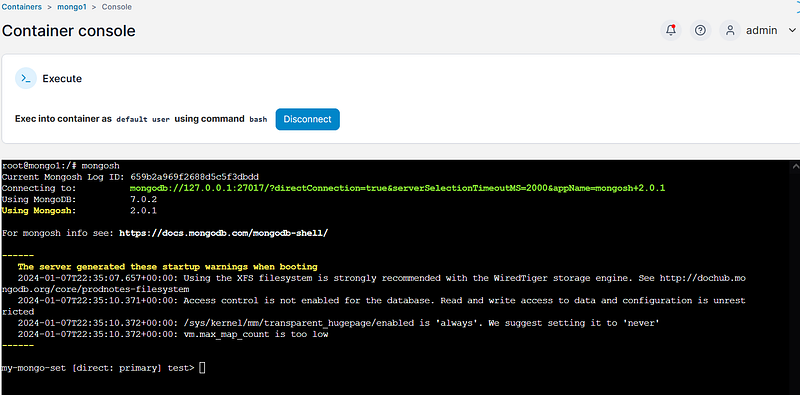
The prompt reflect that the current database is part of the replica set “ my-mongo-set”, and in this case, mongo1 is primary.
Then, we create a collection in the “test” database.

Next, we need to create a user with the user and password that we used in the docker-compose file:
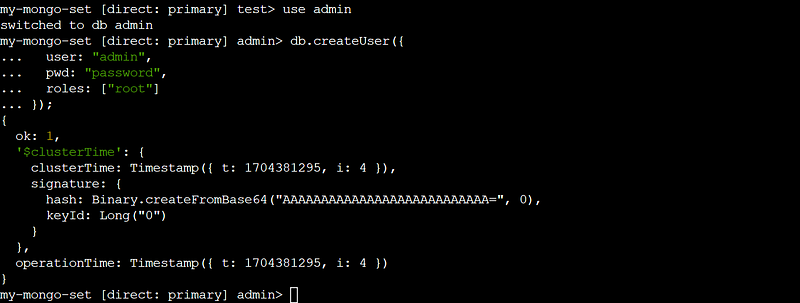
Then we go to check our created collection in : http://localhost:8081/db/test/
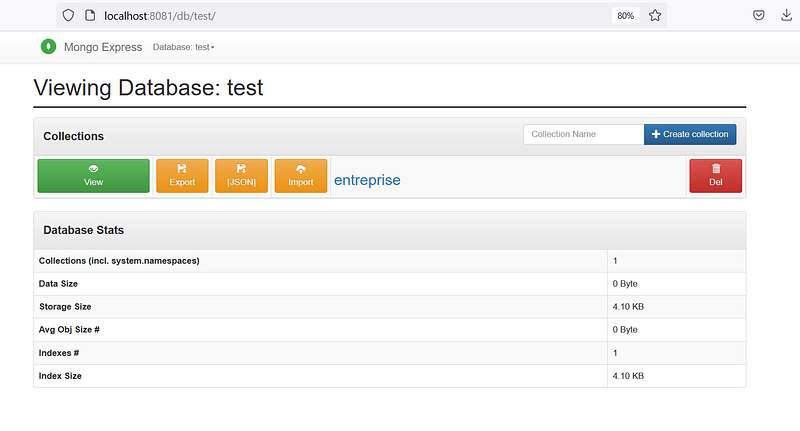
Now, let’s go create our Debezium connector:
Setup Debezium MongoDB Connector
Install
Since we have installed Zookeeper, Kafka, and Kafka Connect, then using Debezium’s connectors is easy.
We download the connector jar and add it to Kafka Connect’s plugin path (see above in the docker-compose, and code GitHub repository ).
Using the connector
To add the connetor, we are using the interface Akhq:
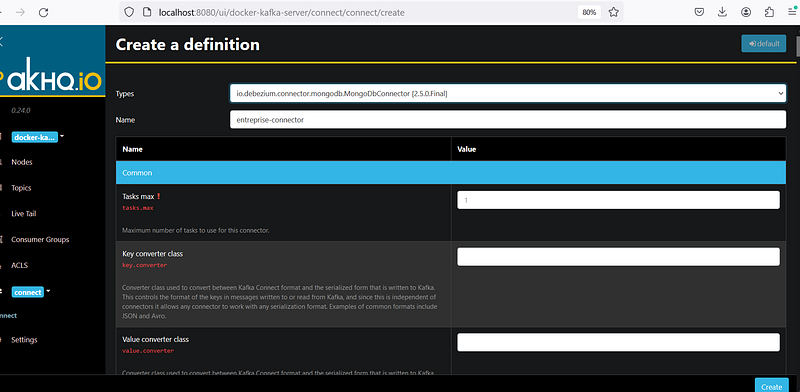
We are gonna specify the following configs:
- name ( The name of the connector and should be unique)= “test”
- topic.prefix ( It identifies and provides a namespace for the particular database server/cluster is capturing changes. The topic prefix should be unique) = “entreprise”
- collection.include.list ( A list of regular expressions that match the collection names for which changes are to be captured ) = “test.entreprise”
- database.include.list ( A list of regular expressions that match the database names for which changes are to be captured ) = “test”
- mongodb.connection.string = “mongodb://localhost:30001,localhost:30002,localhost:30003/?replicaSet=my-mongo-set&authSource=admin”
- mongodb.password: “password”
- mongodb.user: “admin”
And then click on “create”.
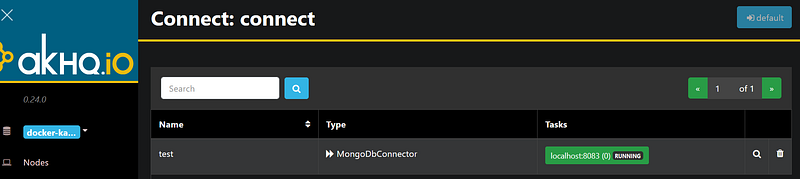
If the connector is created successfully, it will appears like this:
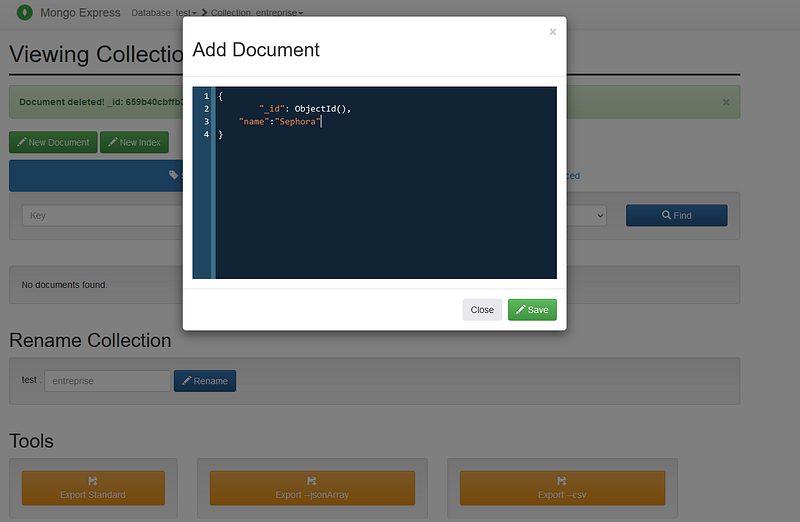
Now, let’s create a document in the “entreprise” collection:
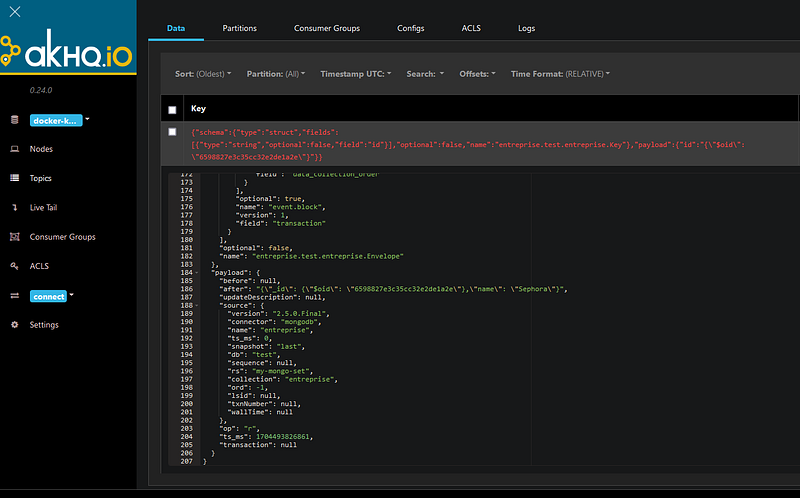
If we go check topics in akhq, we will see that a new topic is created “entreprise.test.entreprise”
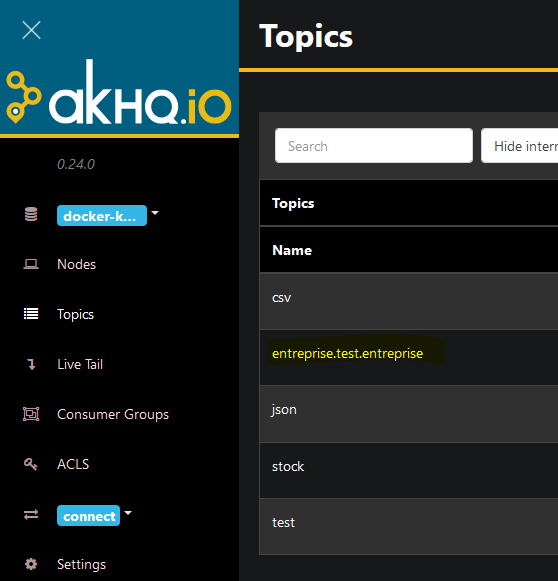
and an event about the document creation is sent to the topic:
Cleaning up
Remove the running containers:
docker-compose down
References
All the code is available in this GitHub repository.
https://debezium.io/documentation/reference/1.1/connectors/mongodb.html
https://ivanasalmanic.medium.com/oplog-retention-and-mongodb-connectors-for-kafka-798e0eae0100
https://docs.confluent.io/platform/current/connect/index.html
https://www.sohamkamani.com/docker/mongo-replica-set/?utm_content=cmp-true
Bonus
Now that the CDC pipeline is ready and changes are sent in real-time, monitoring the Debezium connector becomes crucial.
It you want to monitor your connector, go and check my article in Medium.
If you have any questions, feedback, or would like to share your experiences, please feel free to reach out in the comments section.
Clap my article 50 times 👏, that will really help me out and boost this article to others ✍🏻❤️. Follow me on Medium to get my latest article.
Thank you 🫶!


