
Goodbye ChatGPT: These (New) AI Tools Will Leave You Speechless
I bet that 99% of the readers are not familiar with any of these tools.

AI has been making waves in the tech world, and the proliferation of AI tools in various industries is nothing short of impressive.
One of the most prominent players in this field is ChatGPT, a language model developed by OpenAI that has revolutionized the way we interact with technology. Since its launch, several other AI tools have emerged, each one more innovative than the last.
These tools can create realistic images and videos with just a few text prompts, and even big companies like Canva, Adobe, Microsoft, and so on are integrating AI into their tools.
As someone who has spent countless hours researching and testing AI tools, I have come across some of the best ones on the market. In this post, I will share with you some of the latest and best AI tools that you won’t want to miss out on.
So, whether you are a tech enthusiast or just someone interested in exploring the world of AI, get ready to discover some game-changing tools that will blow your mind!
Note: I wasn’t compensated to write this piece by any of these tools. In other words, I don’t receive any payment from their founders. There is no affiliate link, and most of these are free to use up to a certain limit.
Let’s start.
1. HuggingChat
The world of artificial intelligence is seeing some fierce competition between tech giants Microsoft and Google.
Microsoft’s ChatGPT and Google’s Bard are both impressive AI tools that have been making waves in the industry. However, the competition isn’t just limited to these two companies, as new players are entering the market with their own mind-blowing AI tools.
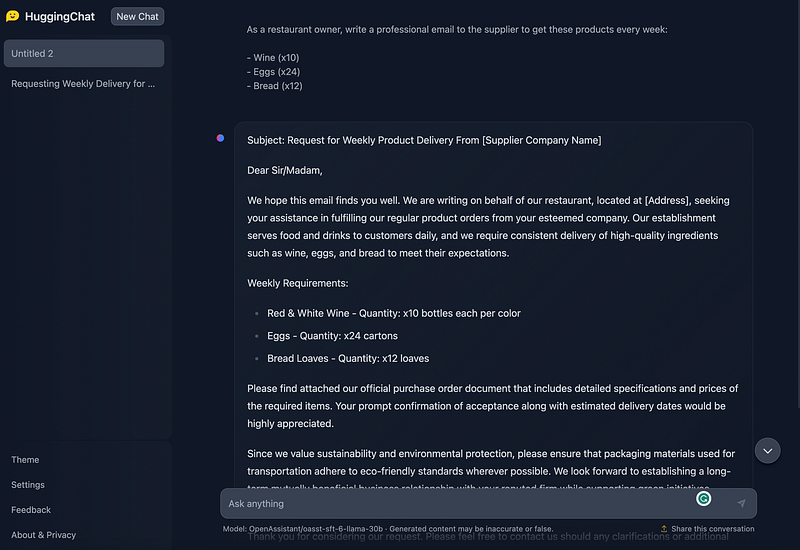
One of the most noteworthy new players in the AI field is HuggingChat. This cutting-edge tool is rapidly gaining popularity among AI enthusiasts and businesses alike.
HuggingChat is a natural language processing (NLP) tool that has been designed to compete with OpenAI’s ChatGPT, one of the most widely-used AI tools in the market.
What makes HuggingChat stand out is its 30-billion-parameter training, which is one of the largest training models available in the market. Furthermore, it is open-source, which means that developers can easily modify and customize it to suit their needs.
In terms of user interface and functionality, it is quite similar to ChatGPT. And it is capable of generating text, answering questions, and even engaging in casual conversation.
2. Microsoft Designer
Every one of us loves Canva.
Canva has been a popular design tool for over a decade, with little competition in the market. However, Microsoft has now entered the scene with its own design tool, Microsoft Designer.
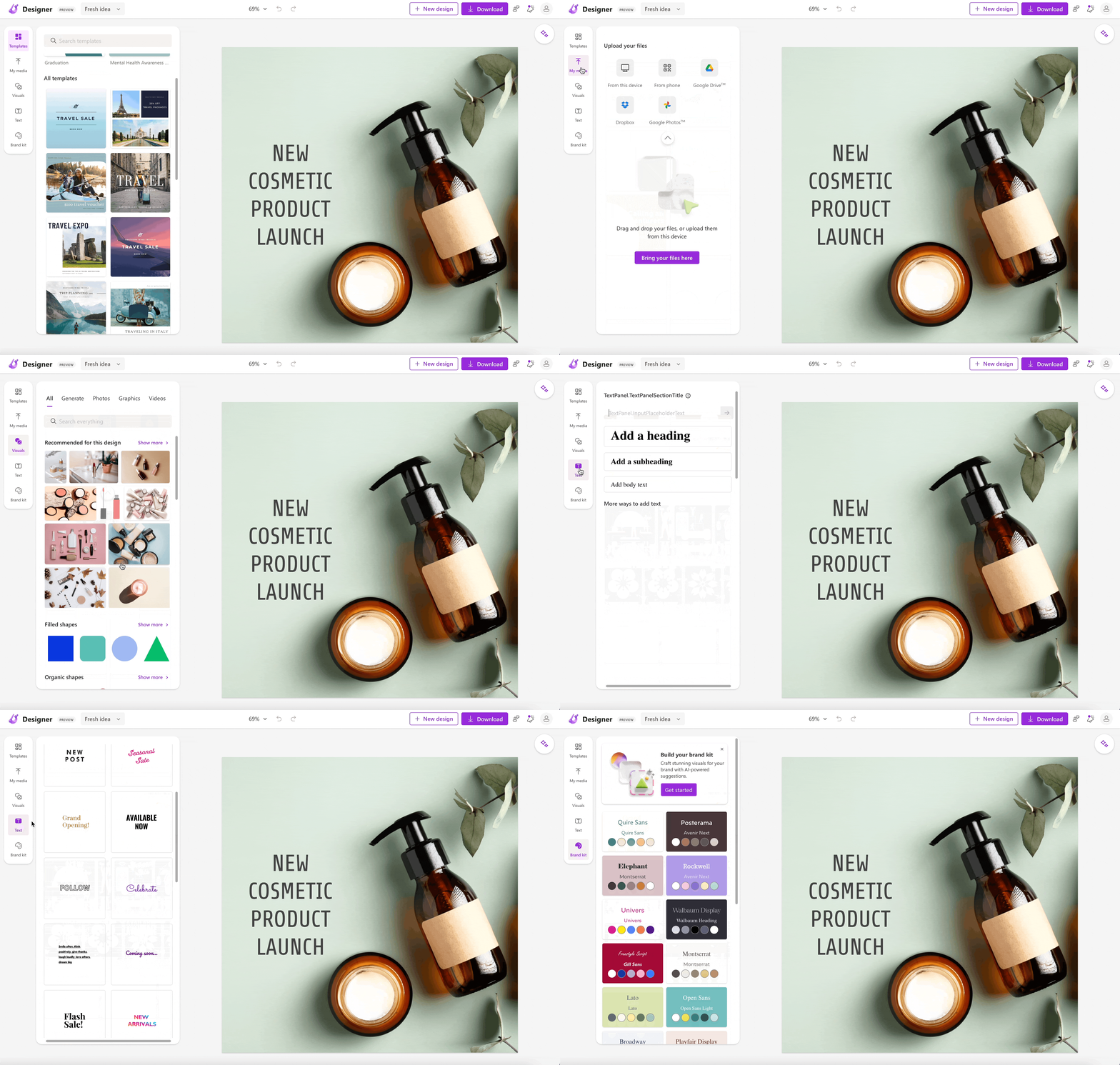
This AI-powered tool simplifies the design process for users and allows them to easily create appealing designs with simple prompts.
One of its unique features is the ability to generate excellent designs from basic prompts. Even users can quickly browse through a vast collection of sophisticated images to find the ideal solution for their needs.
But what if you want to add your own personal touch? Not to worry — Microsoft Designer allows users to upload their own images.
To learn more about this innovative design tool, be sure to check out the link provided.
3. Flowise
Currently, a Python framework is gaining popularity in the tech world for building end-to-end applications powered by large language models (LLMs).
This framework enables developers to create apps using powerful language models like GPT and integrate them with their own data.
By constructing prompts based on plain user input, developers can store conversation history and combine LLMs with other models or tools such as Google Search or Wikipedia.
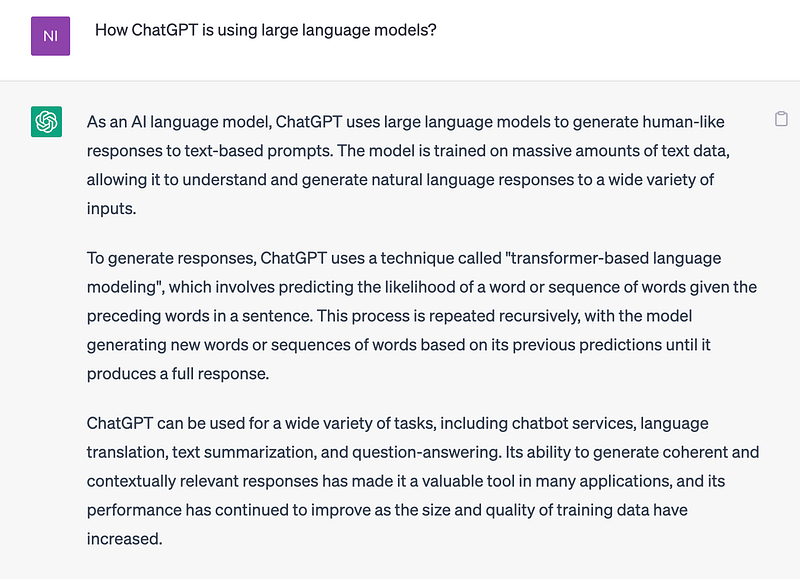
It’s worth noting that ChatGPT also utilizes LLM technology, highlighting the immense potential of these language models.
But what if you want to create LLM apps?
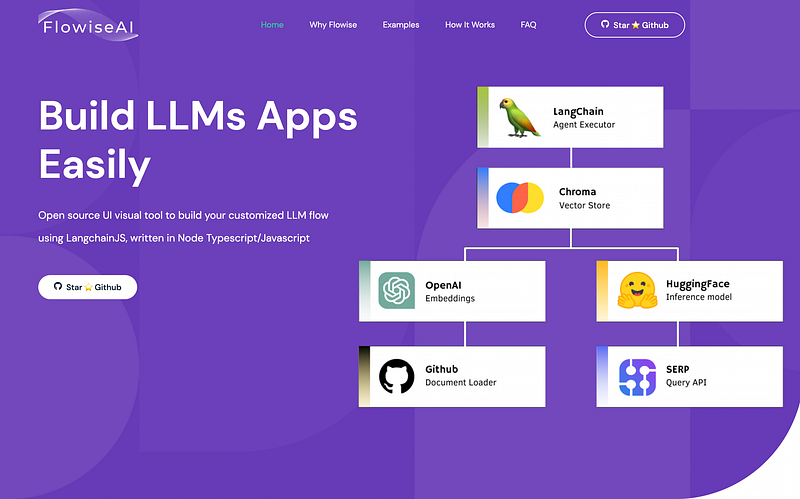
Well, if you’re interested in building an LLM app, you should check out FlowiseAI. This open-source UI visual tool allows you to build a customized LLM flow using LangchainJS.
With FlowiseAI’s drag-and-drop interface, you can design your own LLM app with ease.
4. Studio AI
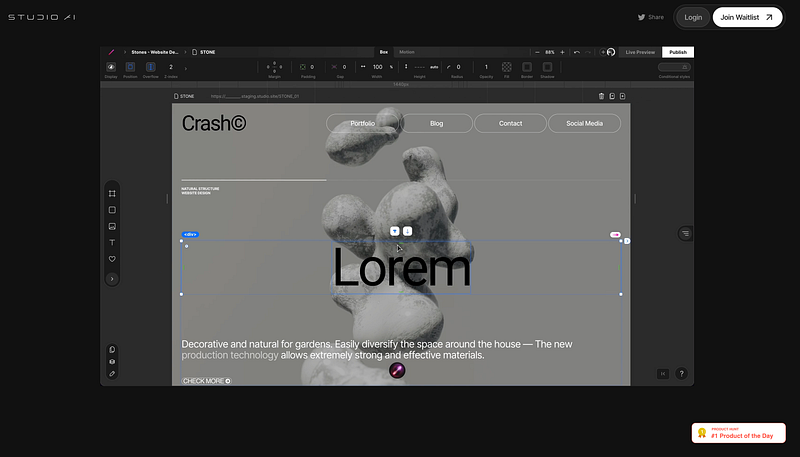
Web development has come a long way, and it is not only easier now but also more efficient thanks to tools like Webflow.
When Webflow first hit the market, it was a game-changer, providing web developers with an impressive suite of features that simplified the web development process and saved them a considerable amount of time.
Over time, other web development tools such as Locofy and Codux emerged, each with its unique features and benefits. However, with the recent advancements in AI, the web development industry is once again on the cusp of a significant transformation.
Enter Studio AI, the upcoming AI tool that promises to take web development to new heights.
What sets Studio AI apart from its peers is its drag-and-drop interface, which allows users to create responsive websites using natural language prompts.
With this tool, users can create websites in minutes by writing simple commands, including options like changing the background color, adjusting section height, and much more.
The possibilities are endless with Studio AI, making it an exciting new option for web developers and enthusiasts alike.
5. Dart
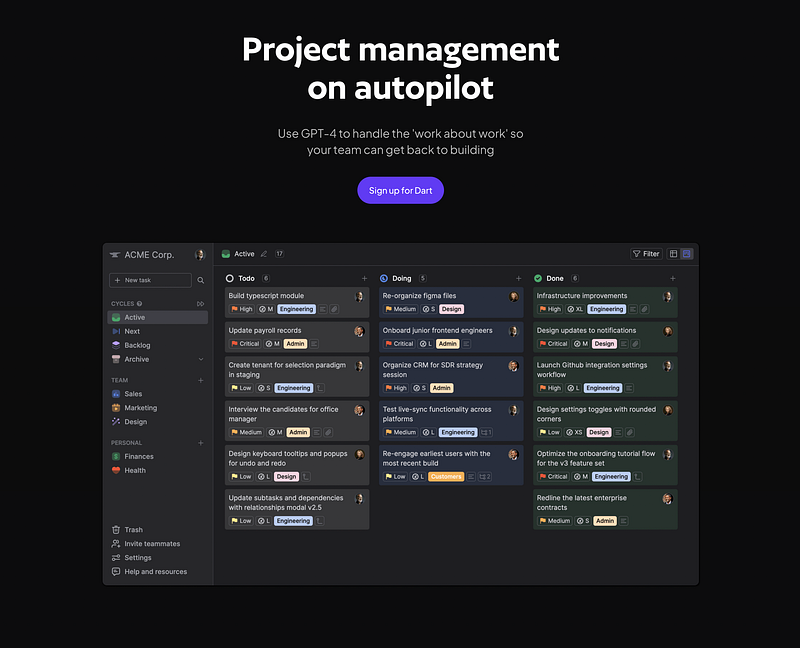
There are so many cool AI tools out there that can help you create all sorts of things, like websites, videos, animations, and more. But now there’s a new tool that’s making waves, and it’s called Dart.
What’s so great about Dart is that it’s not just a regular project management tool — it’s also powered by AI! They use this really powerful AI model called GPT-4 to help you with all sorts of project management tasks.
And get this: it’s totally free to use on your own, and you can even add up to four people to your team!
So whether you’re working on your own or with a small group of friends or colleagues, Dart is definitely worth checking out.
6. Docuask
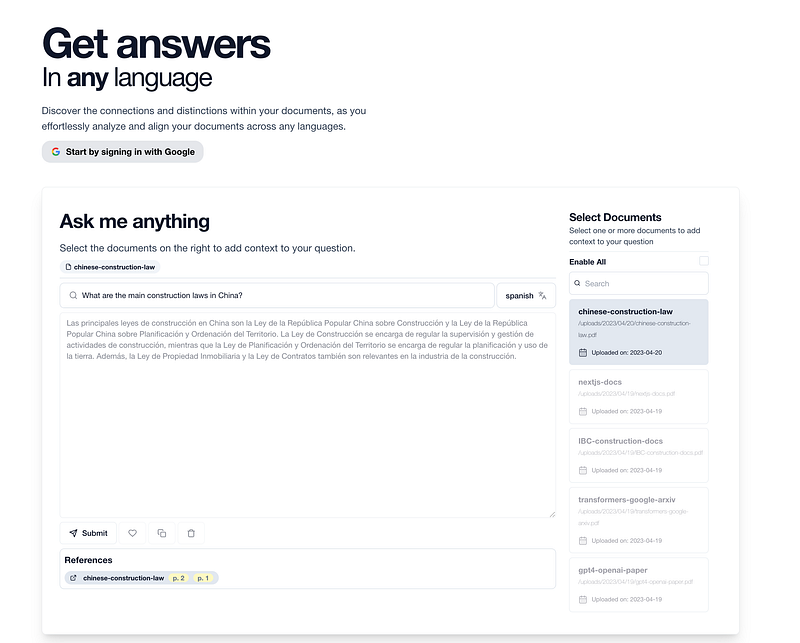
Many times, we find ourselves needing to read lengthy PDFs or documents, and while there are several AI tools available to help us find answers by uploading the document and asking a question, there’s a catch: what if the document is in a language other than English?
That’s where Docuask comes in handy.
With Docuask, you can upload multiple documents and turn them into a chatbot, asking it any question you may have, even if the document is in languages like Spanish, Hindi, Arabic, Bengali, Portuguese, Russian, Japanese, and more.
This makes Docuask a valuable tool for anyone who needs to work with documents in various languages.
7. Twelve Labs
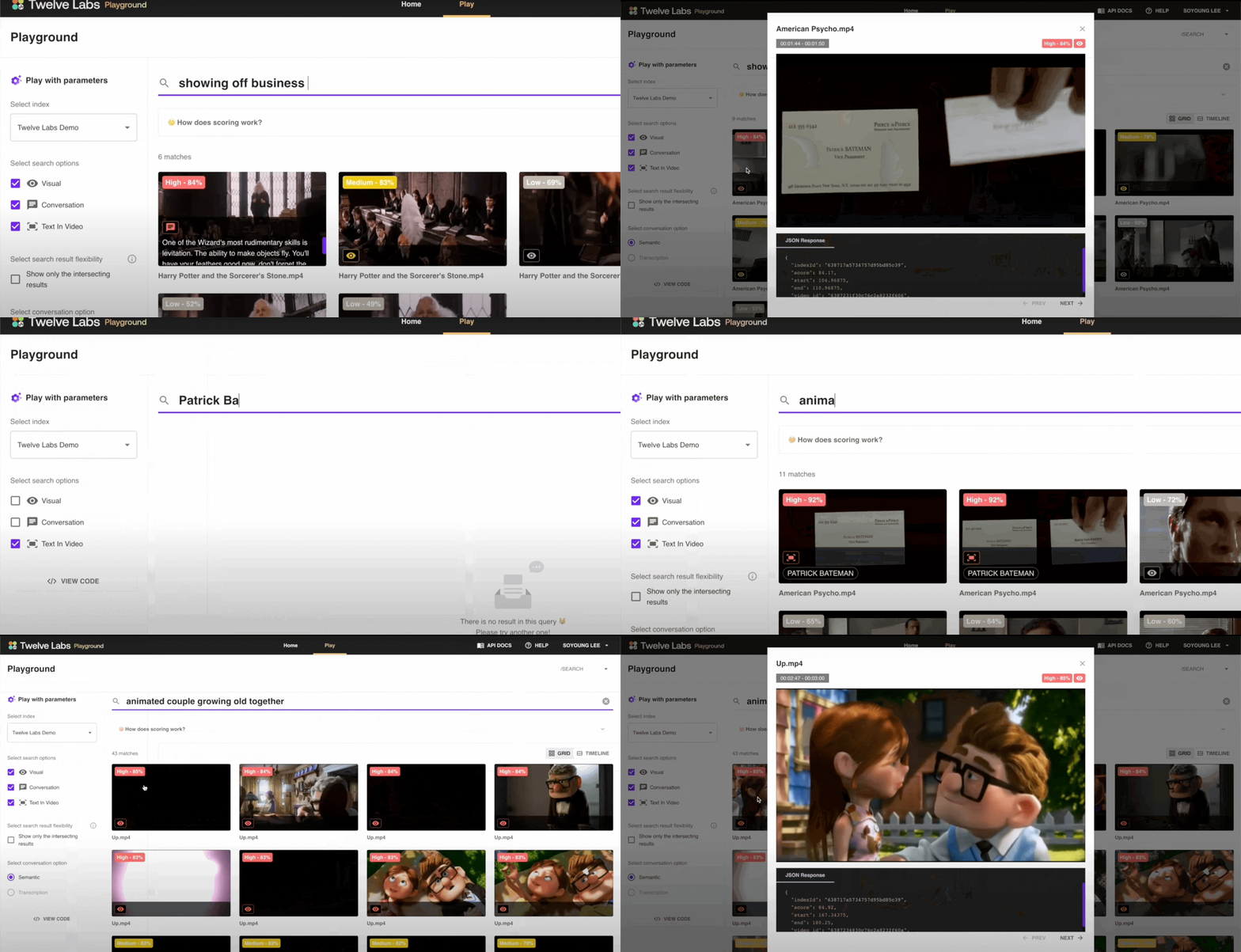
I have stumbled upon an incredible AI tool that I believe is one of the best on the internet.
It’s capable of extracting anything from videos, including action, objects, text on screen, speech, and people, with just a simple text input. Essentially, you can search for what you want and the tool will provide you with the correct video based on your prompt.
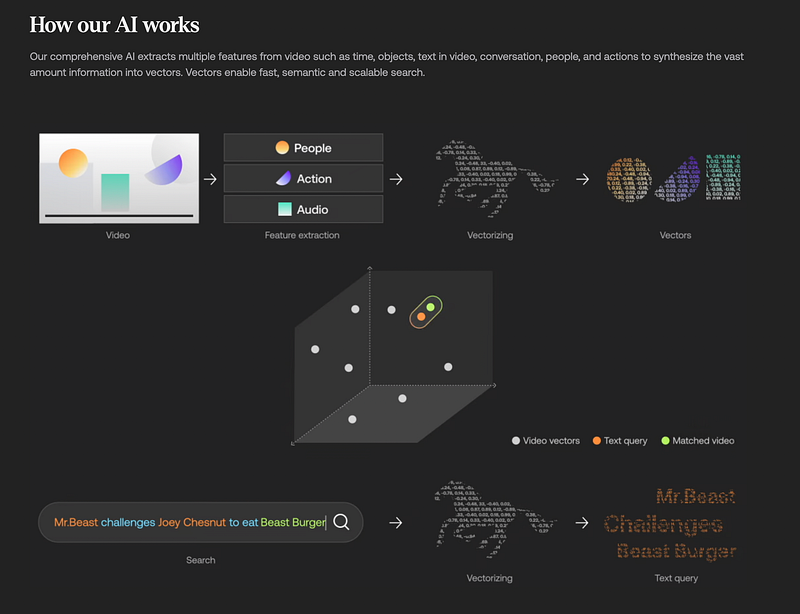
To give you an idea of how it works, the AI behind the tool analyzes the video’s visual and audio elements, uses machine learning to recognize patterns, and extracts relevant information based on the user’s input.
The potential applications for this tool are vast.
For instance, you could easily create several YouTube videos by writing prompts and merging different short videos to create a longer one.
Hope you like it.
That’s it — thanks.
Consider becoming a Medium member if you appreciate reading stories like this and want to help me as a writer. It costs $5 per month and gives you unlimited access to Medium content. I’ll get a little commission if you sign up via my link.