

Flutter — Offline First, with Flutter_Data
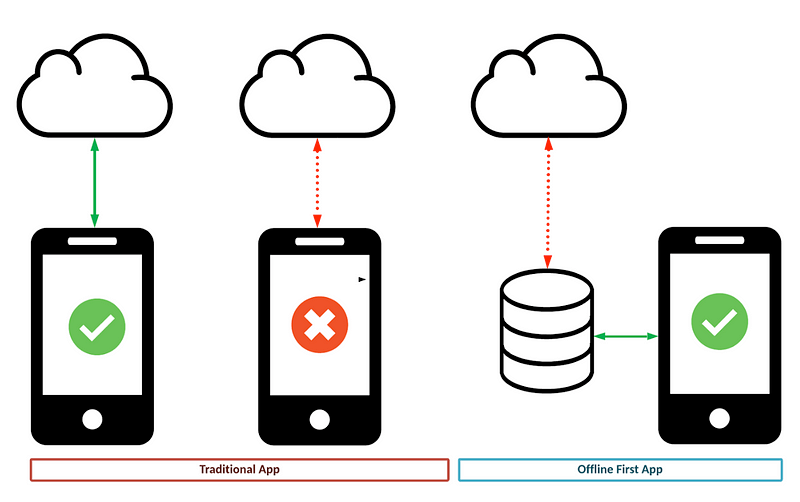
Flutter Data is a package that makes your application offline-first.
When offline, it uses Hive storage on the device, and changes are automatically synced when a connection to the API becomes available.
In this article, we are going to add and wire up the flutter_data package to retrieve recipes when the application starts.
In another article we look at how to authenticate request using MSAL
It took me a while to work out what I wanted and sketch the design:
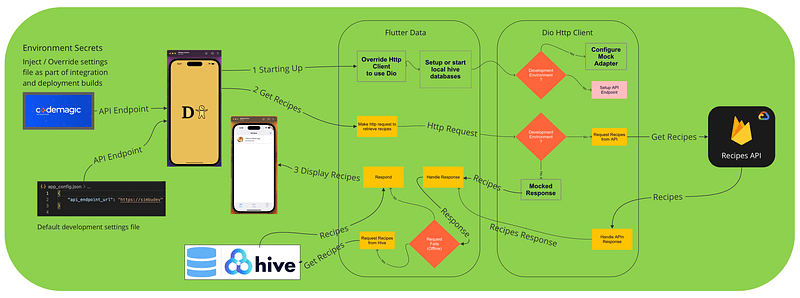
There was a lot going on, and it would be complex to get right.
I highlighted some actions that would need to be coded or configured, using bold text and used them to make a list of tasks:
- Step 1: Load environment values from app_config.json at startup.
- Step 2: Add the new packages.
- Step 3: Annotate Recipe Model.
- Step 4: Configure Flutter Data.
- Step 5: Override Http Client to use Dio.
- Step 6: Configure Mock Adapter for development and tests.
You can find the implementation details in the XP section.
There is a lot of detail in this article, my advice would be to read enough to understand what is going on and use it as a reference if you decide or need to implement it.
Please feedback if you have a better way or suggested improvements. Any help to improve what that is a key development task is welcome.
Ta Da
GlobalEnvironmentValues.instance
   .loadValues(await rootBundle.loadString("app_config.json"));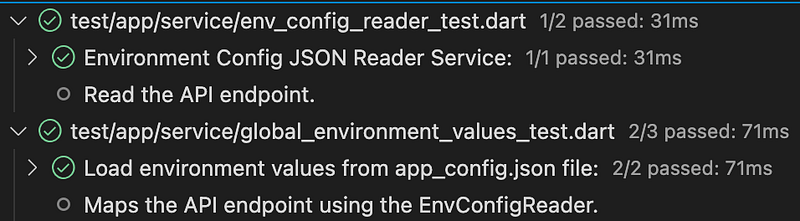
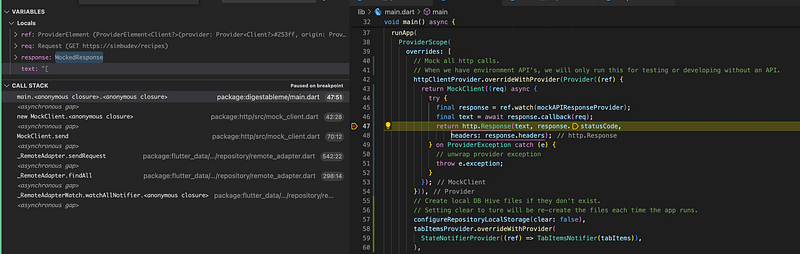
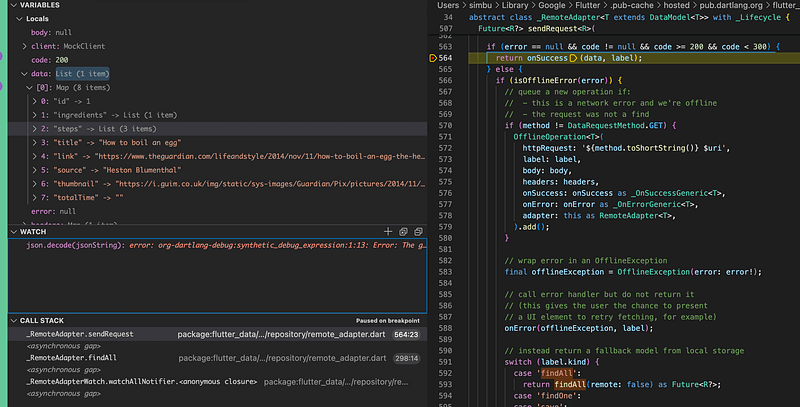
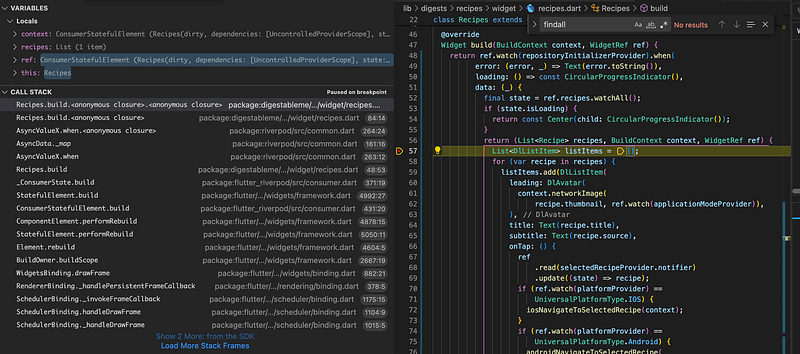
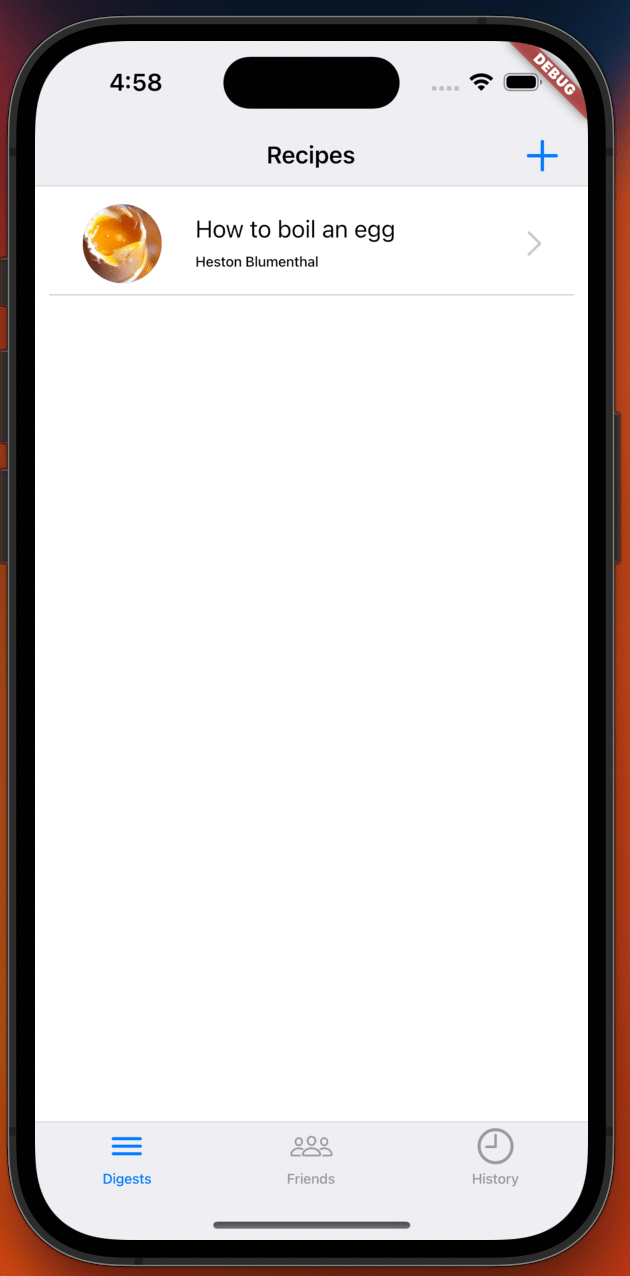
Feels like a bit of an anticlimax as we have just configured offline access but are still using mocked data for development and testing.
But this is a big step we can now support offline data for new entities, and we have a strong coding pattern in place for a key development task, to add or modify features.
Once I put authentication in place, I will come back and enable Flutter Data to use a cloud API services based on the environment, I would expect to setup a dev_online and dev_local mode and use deployment builds to configure UAT and Live versions.
XP
Implementation Details
Step 1 — Load environment values at start-up

The ‘GlobalEnvironmentValues’ service loads the app_config.json values using the ‘EnvConfigReader’:
import 'dart:convert';

// Access to enviromental values that are loaded from a config file.
// The CI/CD injects the per environment files on deployment.
class EnvConfigReader {
  late Map<String, dynamic> _config;

  EnvConfigReader(String configFileJson) {
    _config = json.decode(configFileJson) as Map<String, dynamic>;
  }

  String value(String key) {
    return _config[key];
  }
}
Step 2 — Add new packages
# Offline-first data framework with a customizable REST client and powerful model relationships.
flutter_data: ^1.4.7

# A reactive state caching and data-binding framework
# Recommend replacement for provider: that is mentioned by flutter
# https://docs.flutter.dev/development/data-and-backend/state-mgmt/options
hooks_riverpod: ^1.0.3+1

# Annotations used by code gen to create code for JSON serialization and deserialization
json_annotation: ^4.7.0

# Generate to/from JSON code for a class
json_serializable: ^6.5.4
Step 3 — Annotate Recipe Model
import 'package:flutter_data/flutter_data.dart';
import 'package:json_annotation/json_annotation.dart';
import 'package:simbucore/app/mixin/flutter_data_dev_api_server_adapter.dart';

part 'recipe.g.dart';

@JsonSerializable()
@DataRepository([FlutterDataApiServerAdapter])
class Recipe extends DataModel<Recipe> {
  @override
  final int? id;
  final String title;
  final String link;
  final String source;
  final String totalTime;
  final HasMany<Ingredient> ingredients;
  final HasMany<Step> steps;
  final String thumbnail;
Its import to add the part reference to the file that will be generated, you will see an error until your run the builder in the next step:

Relationships need to use HasMany and BelongsTo see documentation for more info.
The mixin FlutterDataApiServerAdapter sets the API base url using the environment values we now load at startup.

Step 4 — Configure Flutter_Data
Generate the recipes repository
flutter pub run build_runner buildWe needed to generate a repository before we can initialise it at startup as the code generation produces that initialisation method in the file it generates:

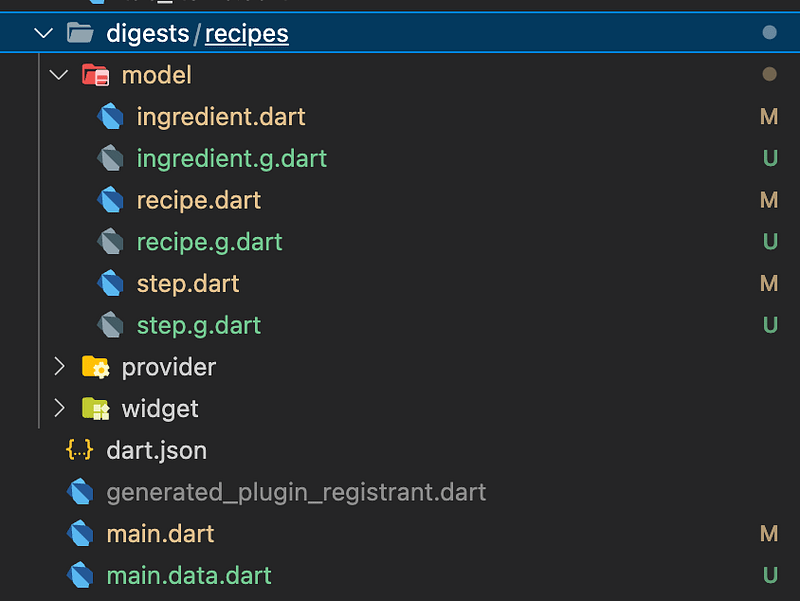
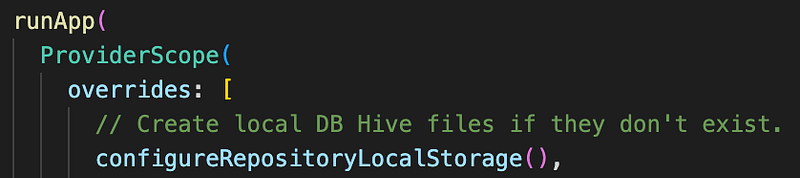
Now we can wire it up when the application starts:
Step X — Mock API Responses
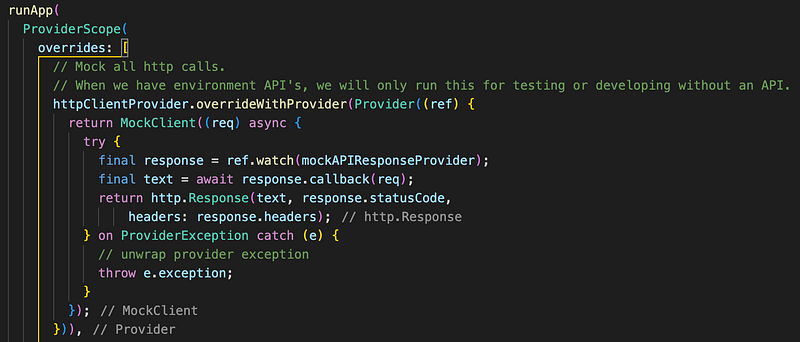
This redesigned step X — Mock API Response, now replaces the two planned steps:
- Step 5 — Override Http Client to use Dio
- Step 6 — Configure Mock Adapter
After taking a deeper dive into the Flutter Data code, it became apparent that trying to use Dio would mean working against the package, a lot of the benefit is in the code that it uses for methods like watchOne, Save, findAll.
I found what I needed by looking at how Flutter Data tested it owns code and decide on overriding the HttpClient:
There are some other benefits that Dio would have brought, but it looks like Flutter Data can easily be extend by custom adapters to handle things like authentication tokens and retries. There are some articles and code samples on the Flutter Data site.
Why I choose to use Flutter_Data
Using packages is a great way to simplify and reduce project code, making it easier to maintain.
We saw this in action when we introduced the micro application DigestablePrologue, that allowed me to remove the cross cutting code in the main project DigestableMe.
This simplified the code in DigestableMe, leaving it to focus on the application features, whilst DigestablePrologue handled all the startup actions, like layout and theme selection, and wiring up the state management package, Riverpod.
But nothing comes for free, packages restrict you, they may stagnate or they may cause breaking changes, have dependencies that tie you to older packages, have bugs or leaky abstractions.
The tipping point for me was that Flutter_Data provided a large number of features that I was looking for and was a natural fit with Riverpod:
- Use code generation to create CRUD repositories from annotated classes.
- Hive local databases.
- Offline detection.
- Reactive data binding.
- Failure and retry handling.
- Automated sync with RestAPI when online.
- Traversable relationships.
- Works with Riverpod.
- Supports JSON:API which I would like to use.
- JSON serialisation baked in.
- Option to implement immutability with Freezd.
That’s a lot of things we can abstract away and we can create a new discipline to show how to bring new entries into the application via code generation.
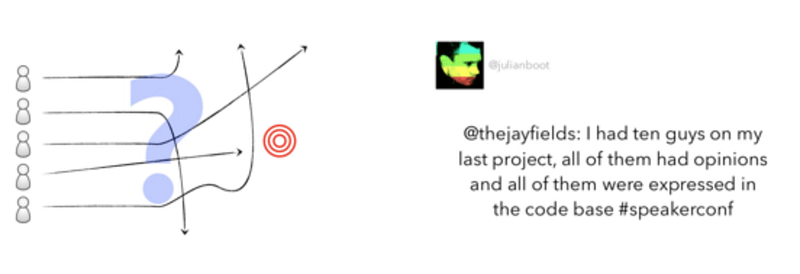
Been opinionated can be a real strength within a team, how you get to that consensus is the difficult bit, it usually involves working more closely together.
Over the years I’ve found pair programming a real help when forming a team and at the start of projects.
Per environment API’s
Add a file to the root of project app_config.json to hold the development api endpoint address, this will be overeaten by the CodeMagic build to support other environments, see their article Environments in Flutter with CodeMagic CD for details.
I then intercept this fictional endpoint to point at our mocked development data.
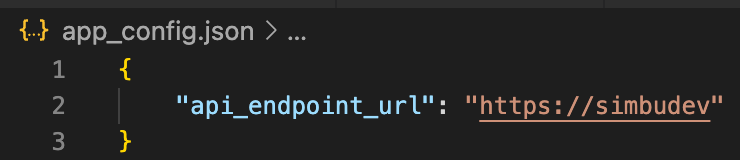
The values are accessible via a provider, that reads the values when the application runs.
Flexible Learning and Experimentation
In the previous article I added a feature to detect when the client device was offline, with the intention of using it to sync offline data.
When I introduce Flutter_Data in this article, I realised that it handled the detection and could have saved myself some time. However:
You can’t connect the dots looking forward; you can only connect them looking backward…
Steve Jobs
It just reminds me to experiment, but not be too precious about throwing work away that I’ve spend time on, when a better option presents itself.
Flutter Data — Relationships
The builder enforced that all related models in graph were annotated:

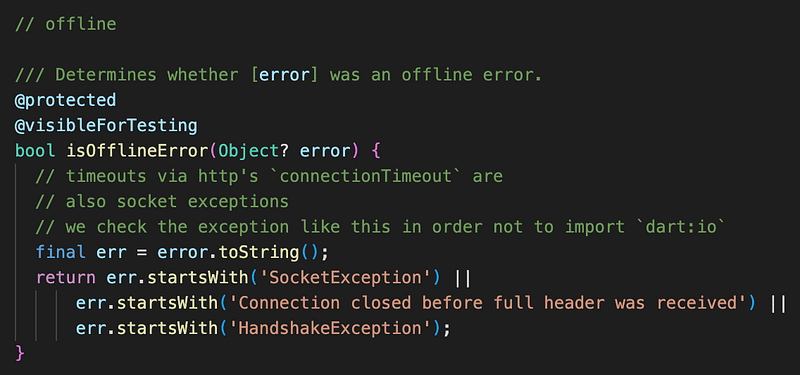
Flutter Data — IsOfflineError flag
Hive Local DB Files
Hive writes its local DB files here:
/Users/<user>/Library/Developer/CoreSimulator/Devices/060DB285-2820-411B-B5F7-76F9739DA934/data/Containers/Data/Application/A72C3081-43DD-4E03-82D0-DC49A3AF1317/Documents/flutter_dataThe base dir is obtained using the getApplicationDocumentsDirectory function in the path provider package, you can find the code in the generated main.data.dart file.
...
if (!kIsWeb) {
    baseDirFn ??= () => getApplicationDocumentsDirectory()
    .then(
      (dir) => dir.path
      );
  } else {
    baseDirFn ??= () => '';
  }
...
You can set your own base directory if you override the baseDirFn parameter in the configureRepositoryLocalStorage initialisation method.
Step into external package code
In order to find the directory path that Hive did not have permissions to write to, I had to turn on the ability to debug package code
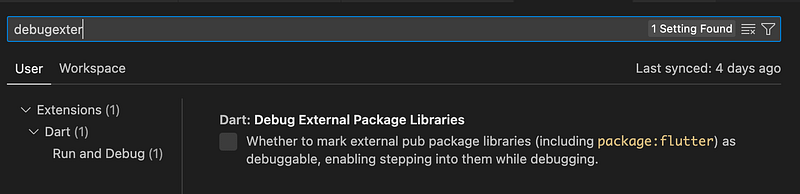
I restarted Visual Studio Code to get this working but you may only need to restart application.
BackBurner
Flutter Data Diagnostics
I would like to be able to turn on diagnostic logging that output the key actions that Flutter Data was taking like retrieve from Hive because offline and to output information around any exceptions, especially mapping from/to json.
Discipline & Scaffold
Once I have validated and used Flutter Data in action a few time I will create a new discipline around it and improve the scaffolding.
This will be a core part of most new features and worth the effort to make the process simple and code maintainable.
Latency and Chat
If we hit responsive issues we may need to look at making less calls to the API (less chatty) I suspect this would just be via a larger graph or batch calls and we will need to work out the best way that this will fit with the flutter_data package.
Packages and Dependencies
Having introduced the Flutter_Data package I attempted to upgrade Riverpod to version 2.1.1 and got this:
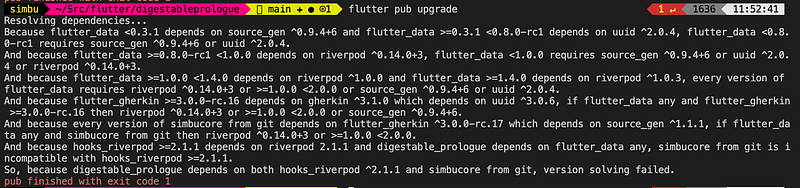
As you add more packages and micro applications packages your dependencies become harder to work with and upgrade.
This is a candidate for some extra reporting or tooling to help out as we scale.
In this case it turn out that Flutter_Data requires version 1.x of Riverpod.
I worked this out by specify some higher version numbers in pubspec.yaml for Riverpod and Flutter_Data in the simbucore package, which simplified the error message.

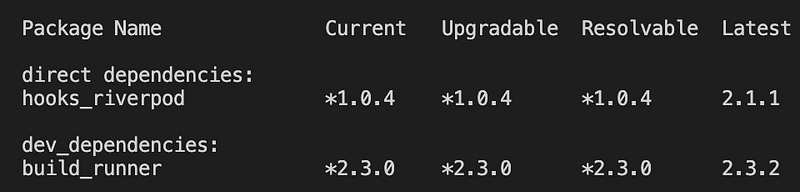
Running the command:
flutter pub outdatedShows you the version that can be resolved:
Links
- Offline first with Flutter
- Flutter Data
- Flutter Data Relationships
- Reddit discussion about Flutter_Data
- Chatty Apps
- Environments in Flutter with CodeMagic CD
- Dart- Differences between EXTENDS, IMPLEMENTS AND MIXIN
- What are mixins ?


