

Flutter — Authentication
Authentication (from Greek: αὐθεντικός authentikos, “real, genuine”, from αὐθέντης authentes, “author”)
If I trust I know who you are, then I can give you access to your personal application data.
Authentication is probably the biggest cross cutting concern that applications have to deal with.
Adding it as a feature to DigestablePrologue allows us to abstract and reuse it many times, and reduce maintenance, by having a single set of code to update.
Lets start with a high level, intentionally vague business requirement:
“The application will be able to secure access to screens and the API’s, using modern authentication”
Julia from Proposition
After an initial conversation we settle on the some high level acceptance for the requirement:
- Slide Up Login Screen.
- Authenticate with Microsoft AD or Google Firebase.
- Logout in settings.
Then we held a workshop to create the specification’s by example:
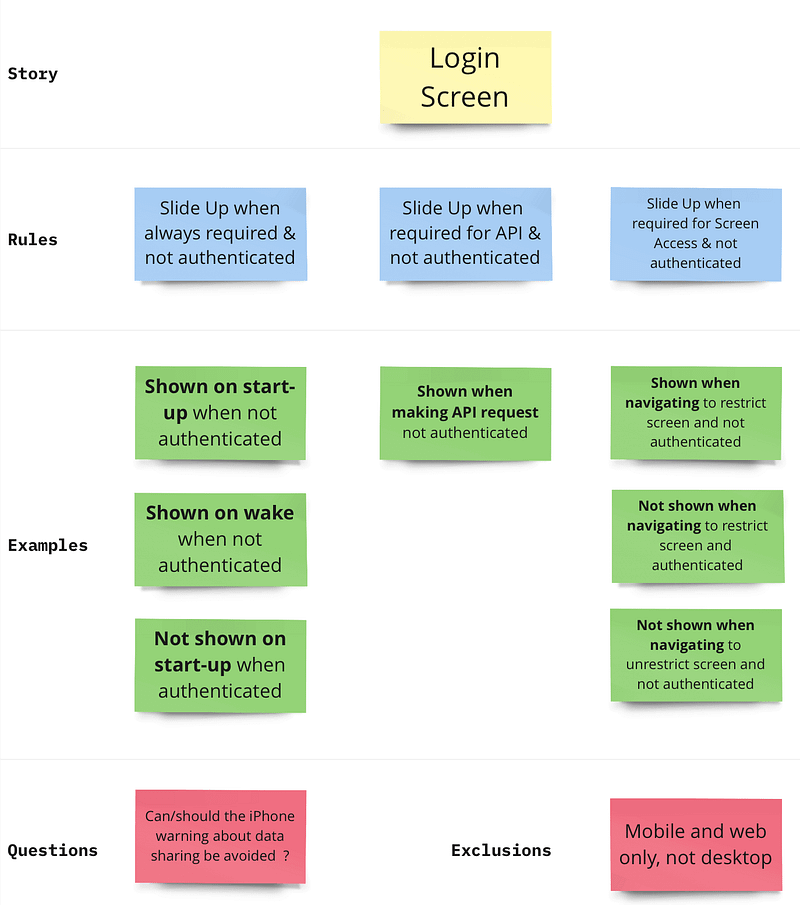
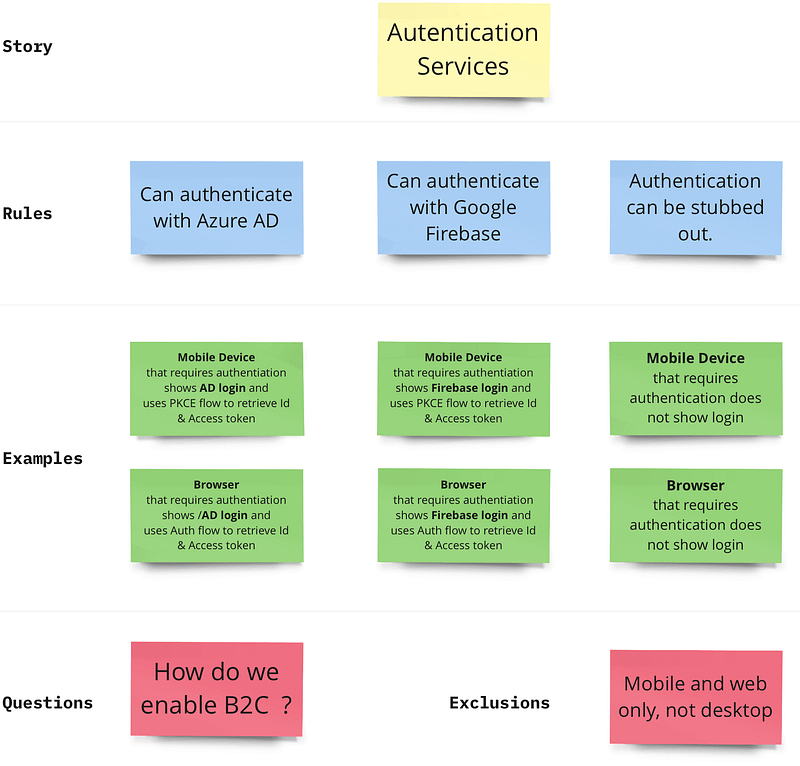
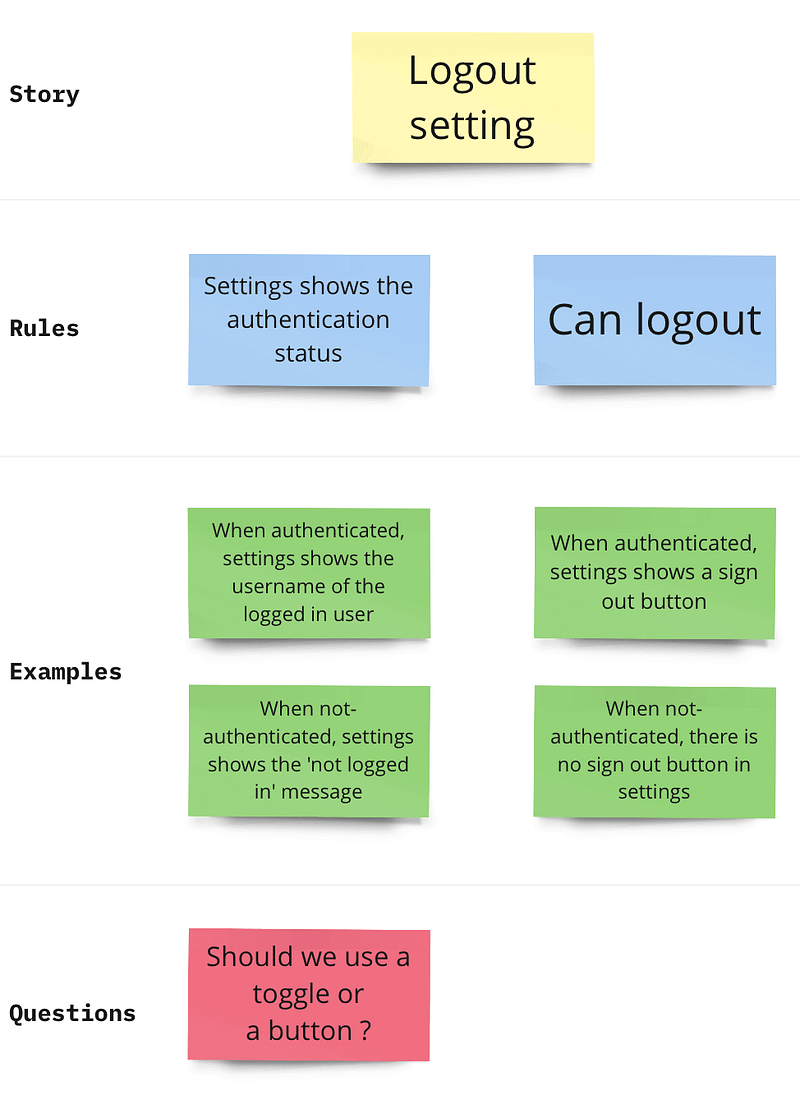
And converted them into executable specifications:
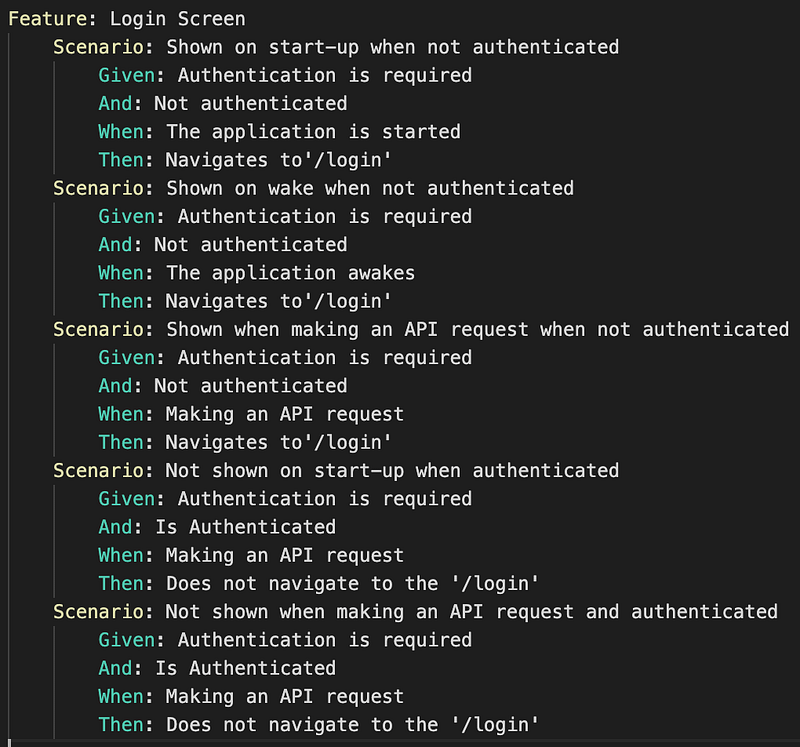
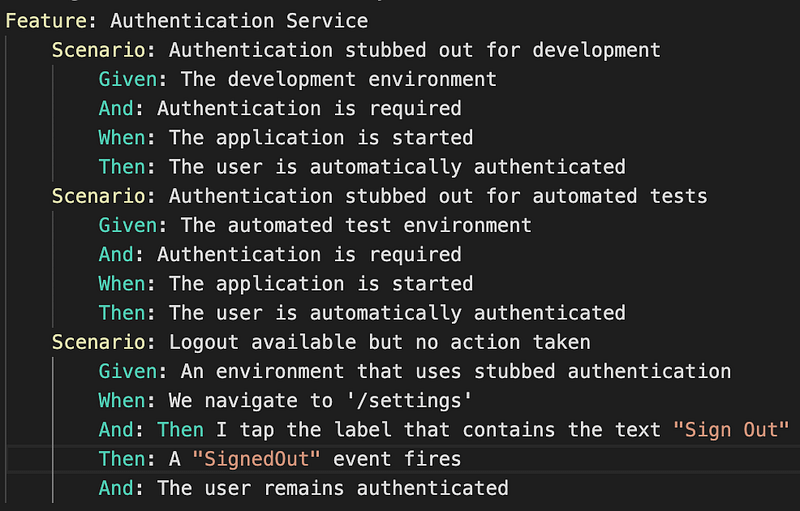
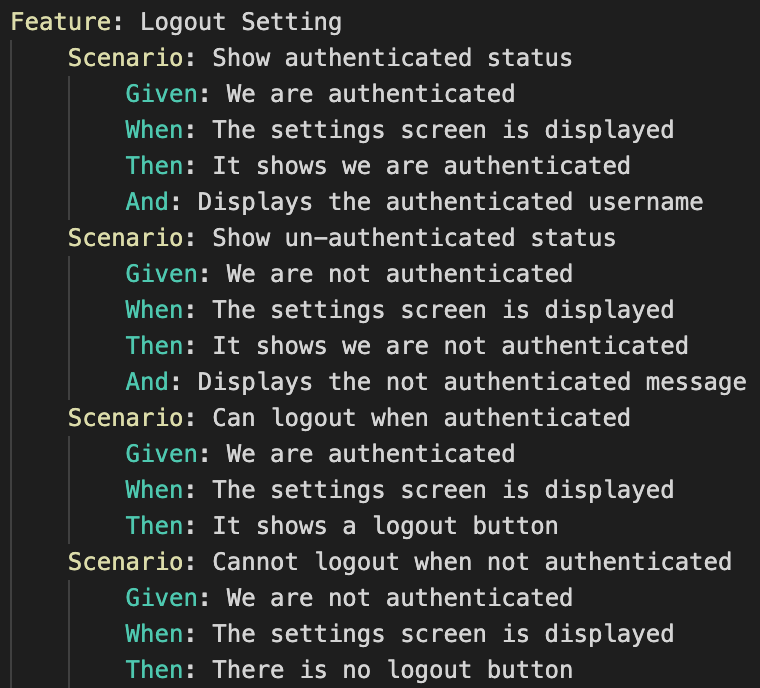
To reduce the length of this post, I’ve partially implemented the logout settings skipped implementing AD & Firebase authentication services which will be added soon.
As a result the feature tests results no longer fully reflect the initial specifications, but change of scope or direction is normal once you get into the devil in the details.
All the articles I’ve published on the subject of auth and data access will be tied together soon by a summary article, a mini series.
Ta Da
The environment is read from the app_config.json file that is loaded when the application starts and is injected by the CodeMagic integration build for live and UAT:
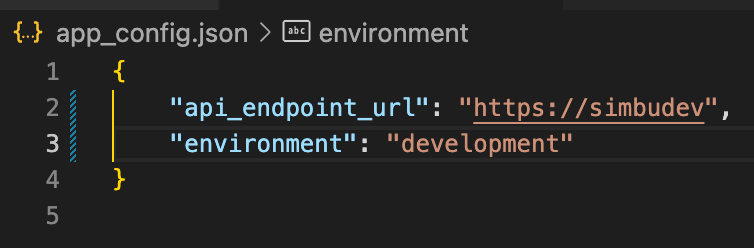
The authentication service gets selected based on the environment:
AuthenticationServiceStateNotifier selectAuthenticationServiceByEnvironment() {
  var environment = GlobalEnvironmentValues.instance.environment;

  AuthenticationService authenticationService = environment == Environments.live
      ? LiveAuthenticationService()
      : environment == Environments.uat
          ? UatAuthenticationService()
          : StubbedAuthenticationService();

  return AuthenticationServiceStateNotifier(authenticationService);
}

final authenticationServiceProvider = StateNotifierProvider<
    AuthenticationServiceStateNotifier, AuthenticationService>(
  (ref) => selectAuthenticationServiceByEnvironment(),
);
When the application starts it detects the stubbed authentication service and automatically authenticates the user:
if (ref.read(authenticationServiceProvider).typeName ==
        AuthenticationService.authenticationServiceTypeNameStubbed) {
        ref.read(authenticationProvider.notifier).setIsAuthenticated(true);
}
The settings screen was added using a great package settings_ui, it allows the user to sign out, and calls the signOut method on the authentication service:
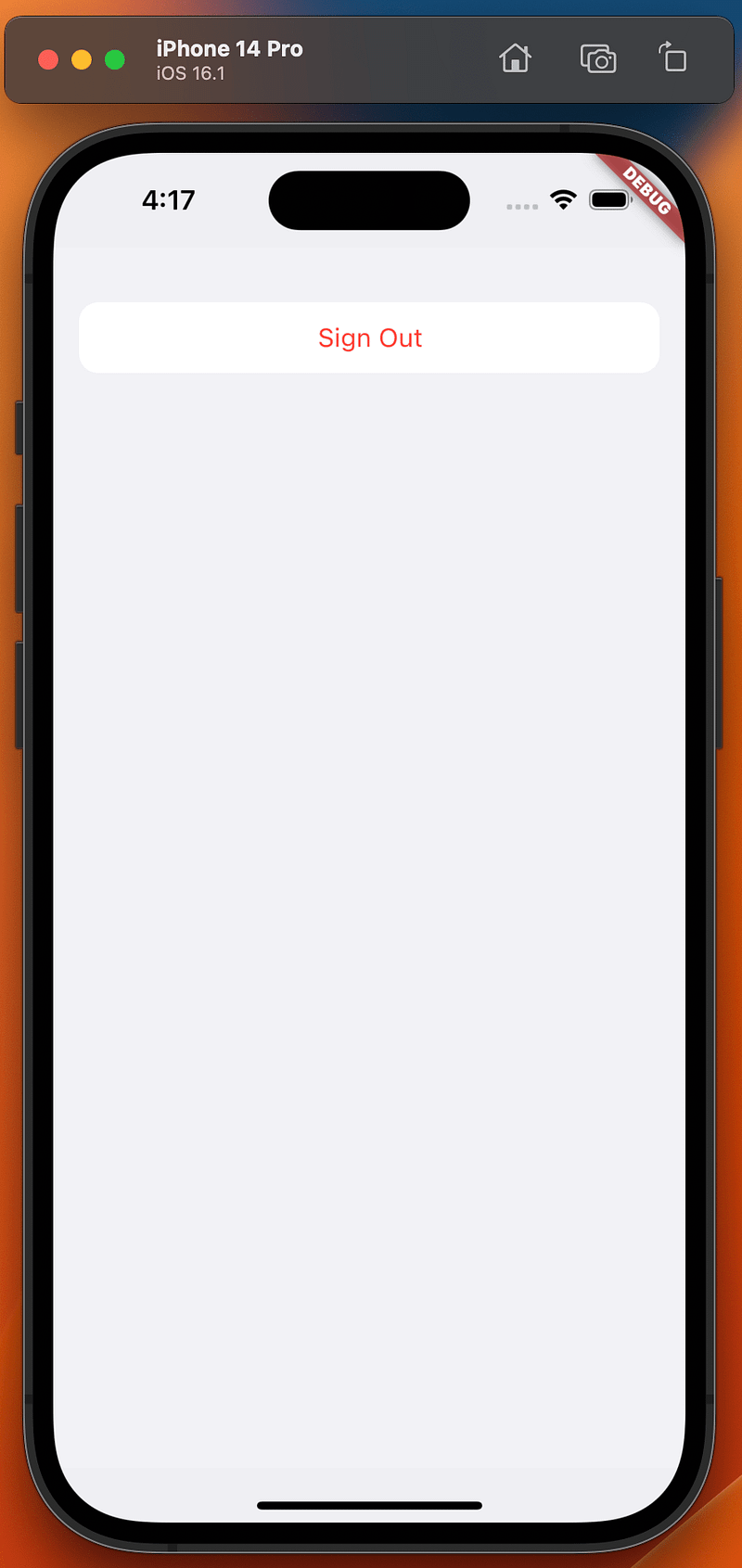
All covered by our automated feature tests:
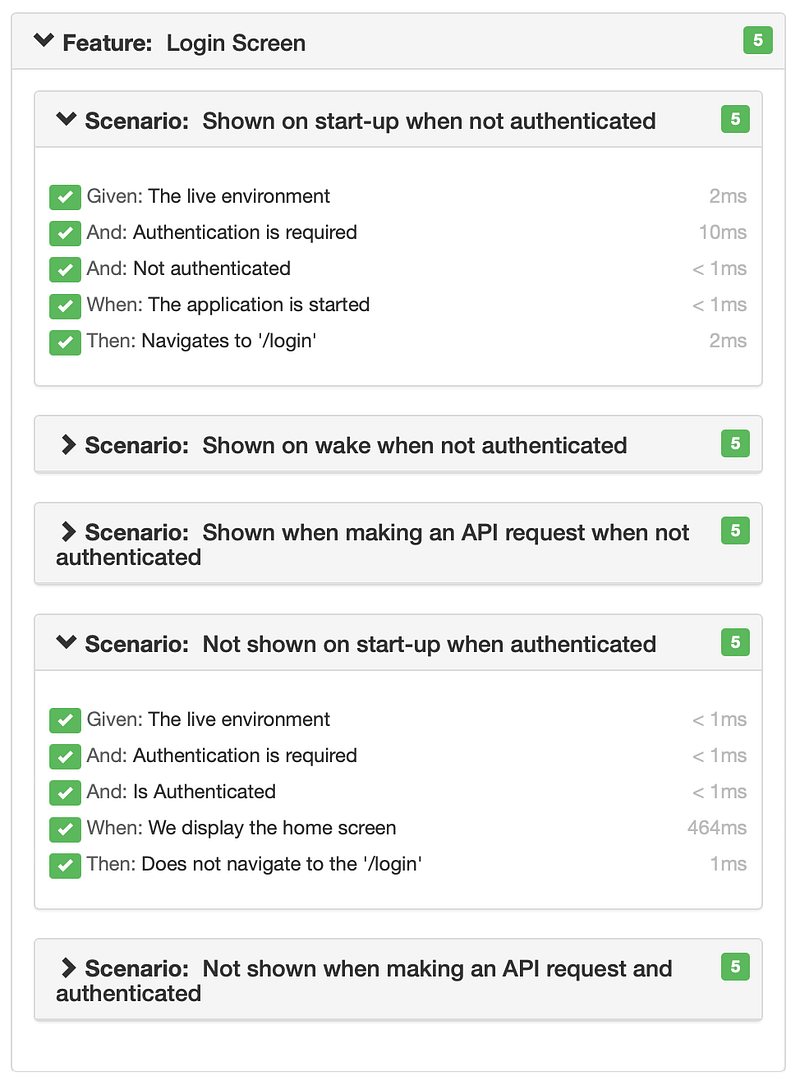
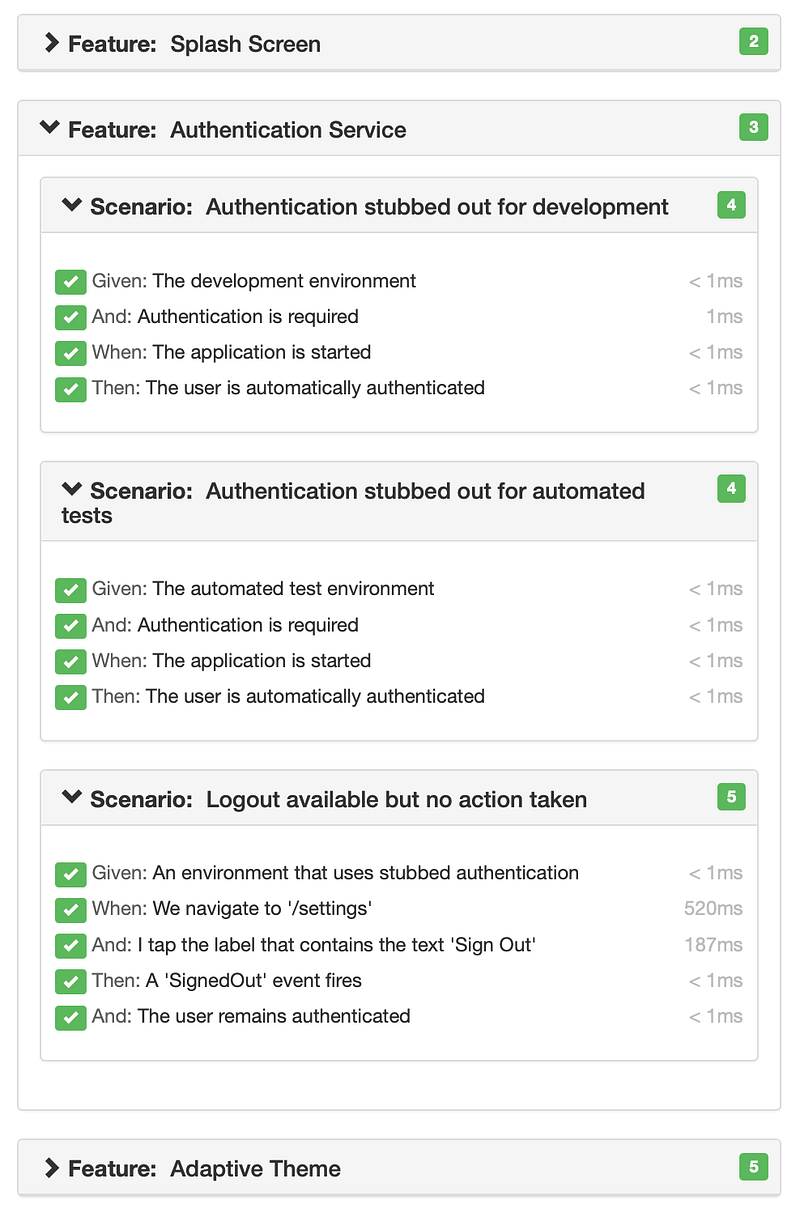
In the future post when we add the UAT and Live environments, it will route to the login screen when not authenticated and call the real authentication service to get the access tokens that will be used by Flutter Data to make secure API requests.
The login screen and the authentication services have been added to DigestablePrologue and settings screen to DigestableMe.
XP
Raise navigation events
I order to respond to navigation, I’ve add an observer to GoRouter
MaterialApp.router(
	...
    navaigationObservers: [
       NavigationEventsObserver(ref.read(eventStoreProvider))
    ],
	...
)
It raises a Navigated event on the event bus each time navigation occurs:
/// Raises Nativigated events when the GoRouter navigates.
class NavigationEventsObserver extends NavigatorObserver {
  final EventStore eventStore;
  NavigationEventsObserver(this.eventStore);


  @override
  void didPush(Route<dynamic> route, Route<dynamic>? previousRoute) {
    raiseNavigatedEvent(route.settings.name ?? "");
  }

  @override
  void didPop(Route<dynamic> route, Route<dynamic>? previousRoute) {
    raiseNavigatedEvent(route.settings.name ?? "");
  }

  @override
  void didReplace({ Route<dynamic>? newRoute, Route<dynamic>? oldRoute }) {
    raiseNavigatedEvent(newRoute?.settings.name ?? "");
  }

  void raiseNavigatedEvent(String routeName) {
    even(fn)tStore.bus.fire(Navigated(routeName));
  }
}
The tests can then use this to prove a navigation action has taken place, currently the event store just keeps the last Navigated event.
It is likely that I will extend this to add application monitoring by listening to events and logging them.
Flutter App Lifecycle
To enforce the required authentication on wake I needed to capture the application state(AppLifecycleState) with an override.
@override
  void didChangeAppLifecycleState(AppLifecycleState state) {
    ref.read(appLifecycleStateProvider.notifier)
		.setLifecycleState(state);
    ref.read(authenticationServiceProvider.notifier)
		.checkAuthenticated();
  }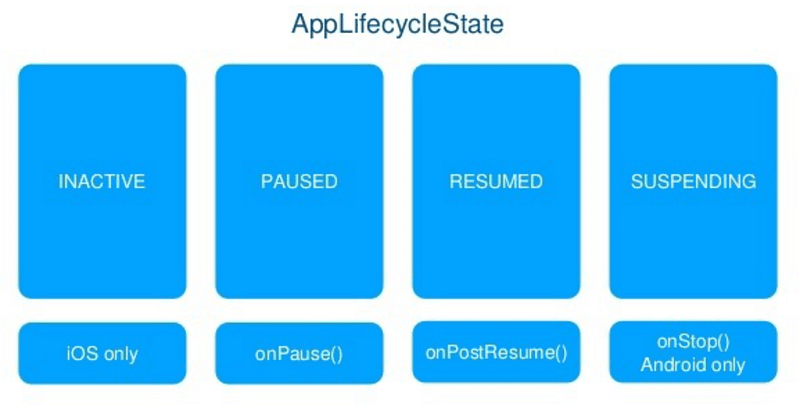
The observable lifecycle events (AppLifecycleState):
- inactive — The application is in an inactive state and is not receiving user input. This event only works on iOS, as there is no equivalent event to map to on Android
- paused — The application is not currently visible to the user, not responding to user input, and running in the background. This is equivalent to onPause() in Android
- resumed — The application is visible and responding to user input. This is equivalent to onPostResume() in Android
- suspending — The application is suspended momentarily. This is equivalent to onStop in Android; it is not triggered on iOS as there is no equivalent event to map to on iOS
Feature tests have your back
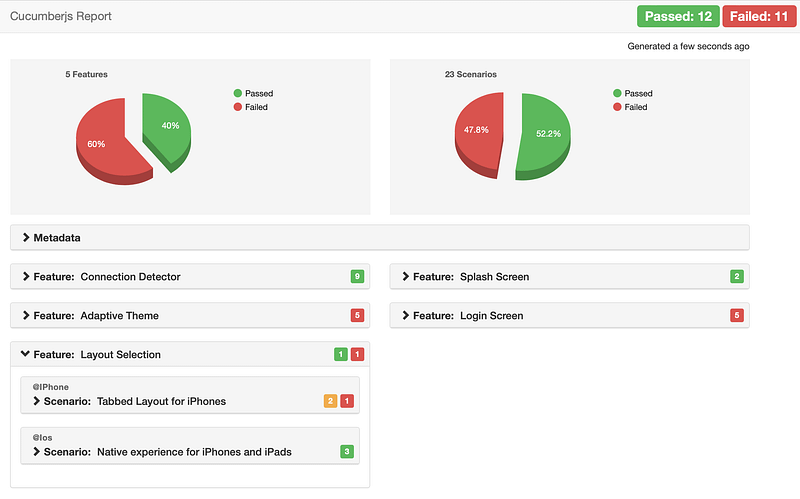
This is great, I’ve made some pretty big changes, but I know what I need to fix to avoid any regression bugs.
The contract of the tests ensure the application still does what was intended by earlier features.
Feature testing Authentication
It proved extremely tricky to get the feature tests to pass, but it is worth having them in place, to ensure authentication works as planned.
The main issue was that the environment was loaded from file before the tests steps run, which meant we had already ran the logic to check authentication and redirect to the login screen.
After several failed attempts to change the environment through code I’ve opted to have a separate suite of feature tests :

that load a different environment config file:

Its more maintenance but necessary as we are going to inject the config file on the integration and deployment builds to safe guard secret values.
Using events to work around difficult to implement, feature test steps
A few of the login feature steps are hard to test because the functionality will be implemented in the parent application DigestableMe that consumes the micro application DigestablePrologue :
When: Making an API requestThis means we cannot navigate to the screens or make API requests in DigestablePrologue.
The is a coupling problem we can solve using the event bus.
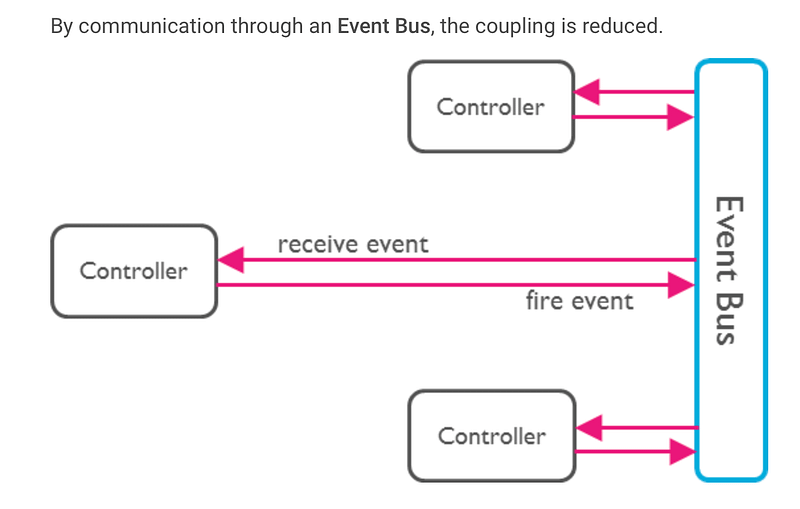
The application now just listens for events and takes the appropriate action, allowing us to just raise events in the steps, in place of the actual navigation or API calls.
When: Making an API request Event: API Request
There are other advantages to using the EventBus that we can add later on, such as logging the events raised.
Discipline — Implementing feature steps
The most tedious part of using Flutter Gherkin is creating all the step methods, I’m going to attempt to automate this using the builder to create files with skeleton steps to fill out.
In the mean time I do this manually using the highlight in visual code to normalise the required steps e.g. this:
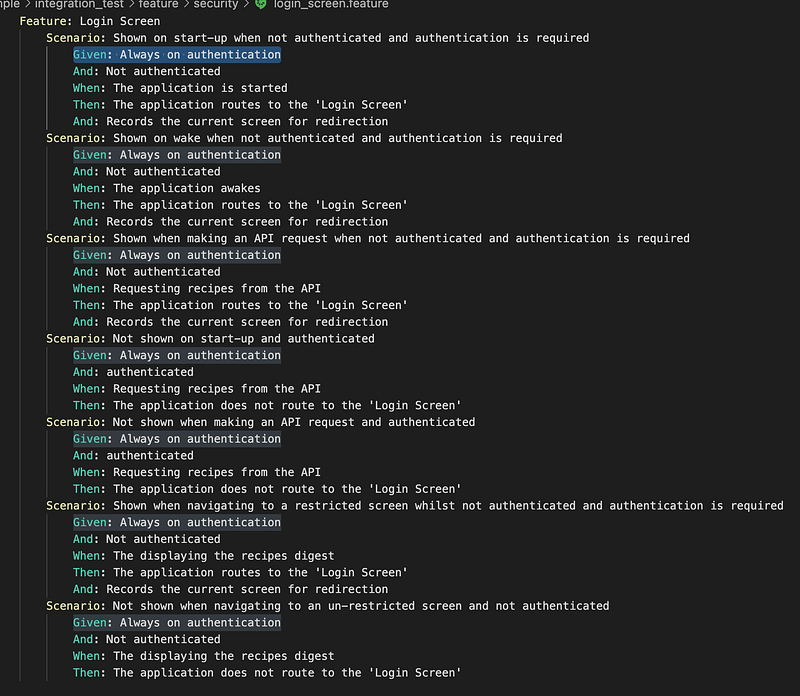
To this:
Given: Always on authentication
And: Not authenticated
And: authenticated

When: The application is started
When: The application awakes
When: Making an API request
When: Displaying a restricted screen
When: Displaying an unrestricted screen

Then: The application routes to the 'Login Screen'
And: Records the current screen for redirection
And then add the skeleton methods to the step files
BackBurner
Route Authorisation
Attributed the route with a custom property Role, then can implement based non role, everyone for now, but can be extended.
Didn’t implement restricted screen with login/id/auth as its something different, its authorisation and route guards, do when required via GoRouter redirect as guard.
Links
- Message Naming Conventions
- How to name events in Event Driven Architecture
- Dart: Interfaces
- Flutter App Lifecycle
- AppLifecycleState


