
Flutter for iOS-Adding an Item
Each year we try to make an improvement to our dinner on Christmas day, this year the focus is on better roasties.
Let’s look at how we can find and add a new roast potato recipe to our digest.
The acceptance for this requirement is to be able to:
- Search for a new recipe
- Save it to our digest:
- Title
- Author
- Thumbnail image
To get started I added a top navigation bar with an action that allows us to add a recipe.
@override
Widget build(BuildContext context) {
  return CupertinoPageScaffold(
    navigationBar: const CupertinoNavigationBar(
      heroTag: "RecipeTabHeroTag",
      transitionBetweenRoutes: false,
      middle: Text(
        "Recipies",
      ),
      trailing: Icon(CupertinoIcons.add)
    ),
    child: Container(
      color: CupertinoColors.activeGreen,
      child: recipiesList(),
    ),
  );
}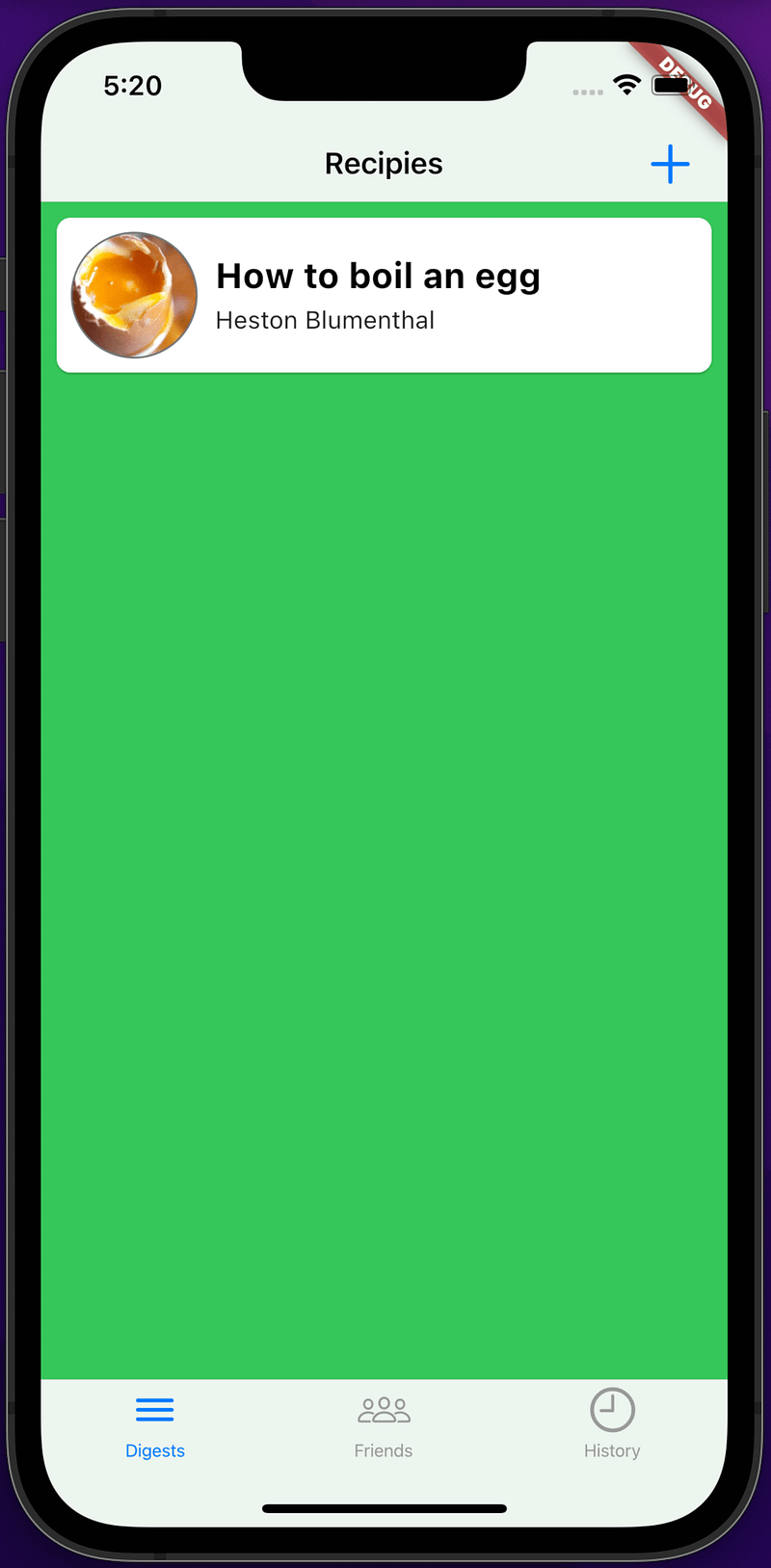
I renamed the tab back to ‘Digests’ now we have a title of ‘Recipes’ in the top navigation bar.
Now for another quick decision we are going to slide up the screen when the add button is clicked and show a search bar to allow us to find new recipes.
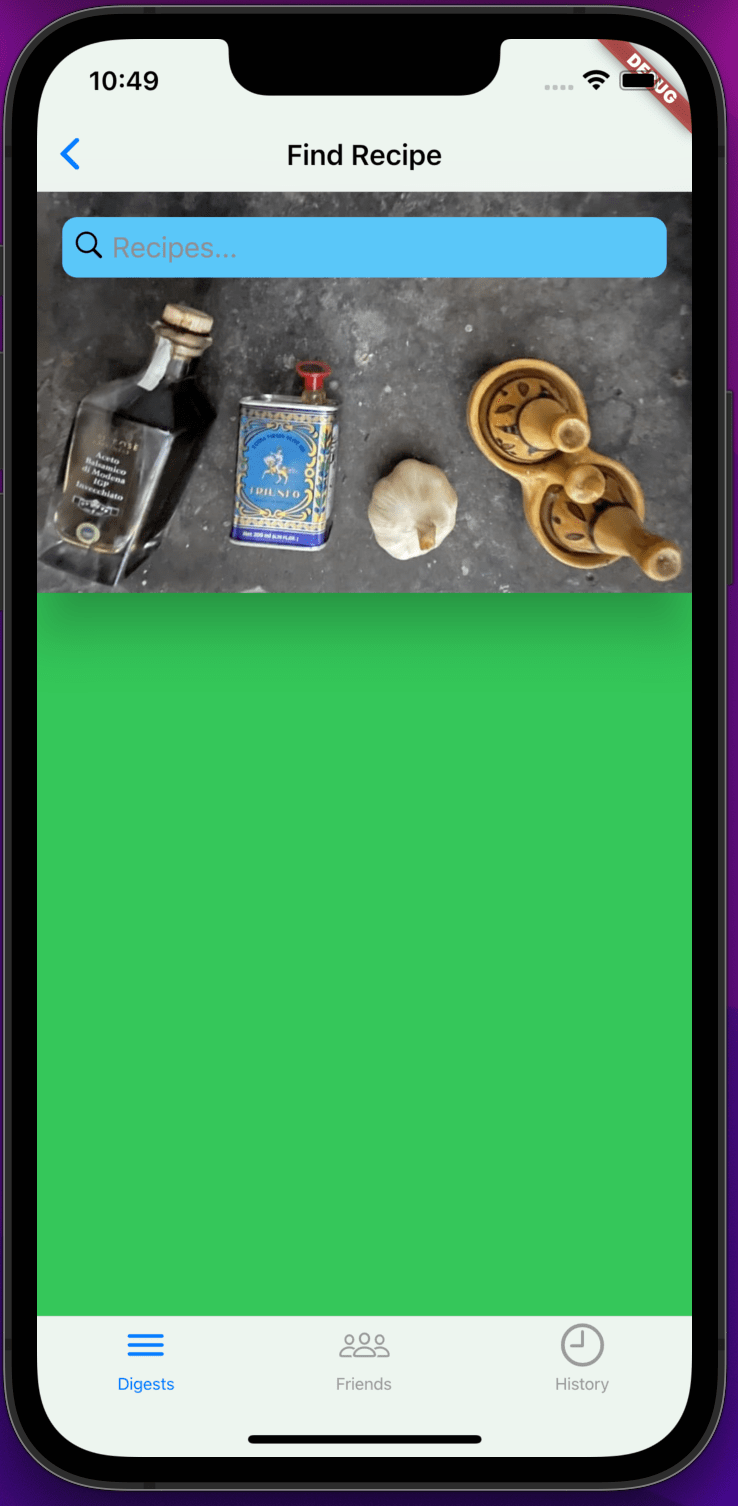
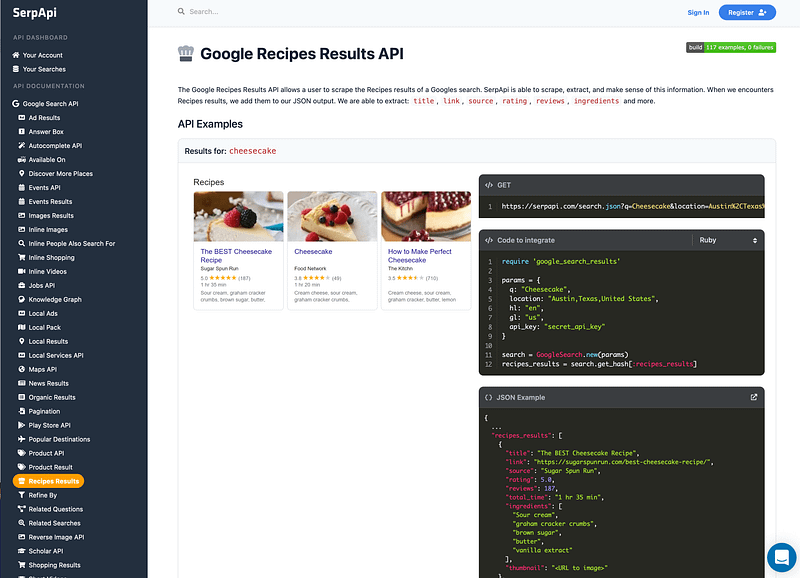
With that out the way we just need to harness Google search to find some new recipes.
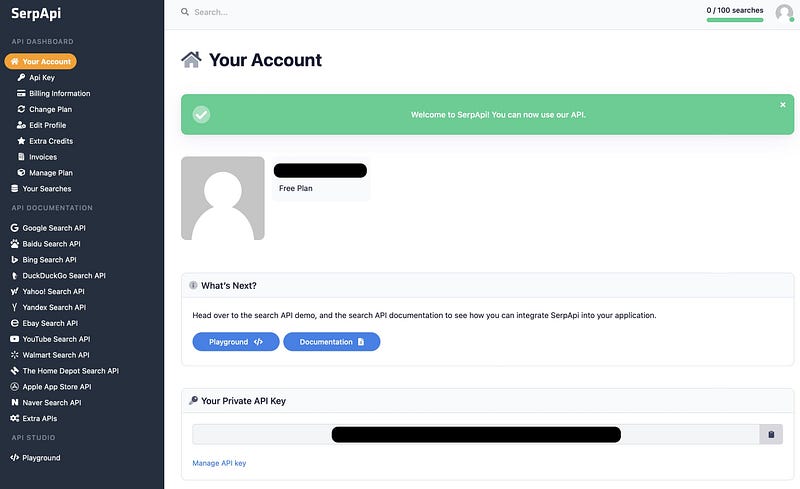
I turned to SerpAPI for this and grabbed some data from a recipe search for roast potatoes with balsamic vinegar.
https://serpapi.com/search.json?q=Roast+potatoes+with+balsamic&location=United+Kingdom&hl=en&gl=uk&google_domain=google.co.uk&api_key=secret_api_key

{
    "search_metadata": {
      "id": "61c3369cc99903747c1e643b",
      "status": "Success",
      "json_endpoint": "https://serpapi.com/searches/bdb5db8a7f4c5593/61c3369cc99903747c1e643b.json",
      "created_at": "2021-12-22 14:30:52 UTC",
      "processed_at": "2021-12-22 14:30:52 UTC",
      "google_url": "https://www.google.co.uk/search?q=Roast+potatoes+with+balsamic&oq=Roast+potatoes+with+balsamic&uule=w+CAIQICIOVW5pdGVkIEtpbmdkb20&hl=en&gl=uk&sourceid=chrome&ie=UTF-8",
      "raw_html_file": "https://serpapi.com/searches/bdb5db8a7f4c5593/61c3369cc99903747c1e643b.html",
      "total_time_taken": 1.99
    },
    "search_parameters": {
      "engine": "google",
      "q": "Roast potatoes with balsamic",
      "location_requested": "United Kingdom",
      "location_used": "United Kingdom",
      "google_domain": "google.co.uk",
      "hl": "en",
      "gl": "uk",
      "device": "desktop"
    },
    "search_information": {
      "organic_results_state": "Results for exact spelling",
      "query_displayed": "Roast potatoes with balsamic",
      "total_results": 12800000,
      "time_taken_displayed": 0.49
    },
    "recipes_results": [
      {
        "title": "Balsamic potatoes",
        "link": "https://www.jamieoliver.com/recipes/potato-recipes/balsamic-potatoes/",
        "source": "Jamie Oliver",
        "total_time": "2 hrs 20 mins",
        "ingredients":
        [
          "Balsamic vinegar",
          "maris piper potatoes",
          "red onions",
          "rocket",
          "olive oil"
        ],
        "thumbnail": "https://serpapi.com/searches/61c3369cc99903747c1e643b/images/bd928f9ef521c02bbdb2df96157011d6a02d619d06f8a6e0e62bb157f48e10e5.jpeg"
      },
      {
        "title": "Balsamic roast potatoes",
        "link": "https://www.taste.com.au/recipes/balsamic-roast-potatoes/1bcb6bd4-2efa-4f01-bc98-f2ce32eaa906",
        "source": "Taste",
        "rating": 4,
        "reviews": 2,
        "total_time": "1 hr 5 mins",
        "ingredients":
        [
          "Balsamic vinegar",
          "kipfler potatoes",
          "olive oil",
          "garlic"
        ],
        "thumbnail": "https://serpapi.com/searches/61c3369cc99903747c1e643b/images/bd928f9ef521c02bbdb2df96157011d625322c9b727d95f76706f0471bbaba31.jpeg"
      },
      {
        "title": "Balsamic roast potatoes",
        "link": "https://www.delicious.com.au/recipes/balsamic-roast-potatoes/1e2f30ad-d9b4-41bf-aa2e-16f1e2accfb7",
        "source": "Delicious",
        "rating": 5,
        "reviews": 1,
        "total_time": "1 hr 5 mins",
        "ingredients":
        [
          "Balsamic vinegar",
          "kipfler potatoes",
          "olive oil",
          "garlic"
        ],
        "thumbnail": "https://serpapi.com/searches/61c3369cc99903747c1e643b/images/bd928f9ef521c02bbdb2df96157011d6ebca3a2868589cb9feab32215a0ba5e8.jpeg"
      }
    ]
}
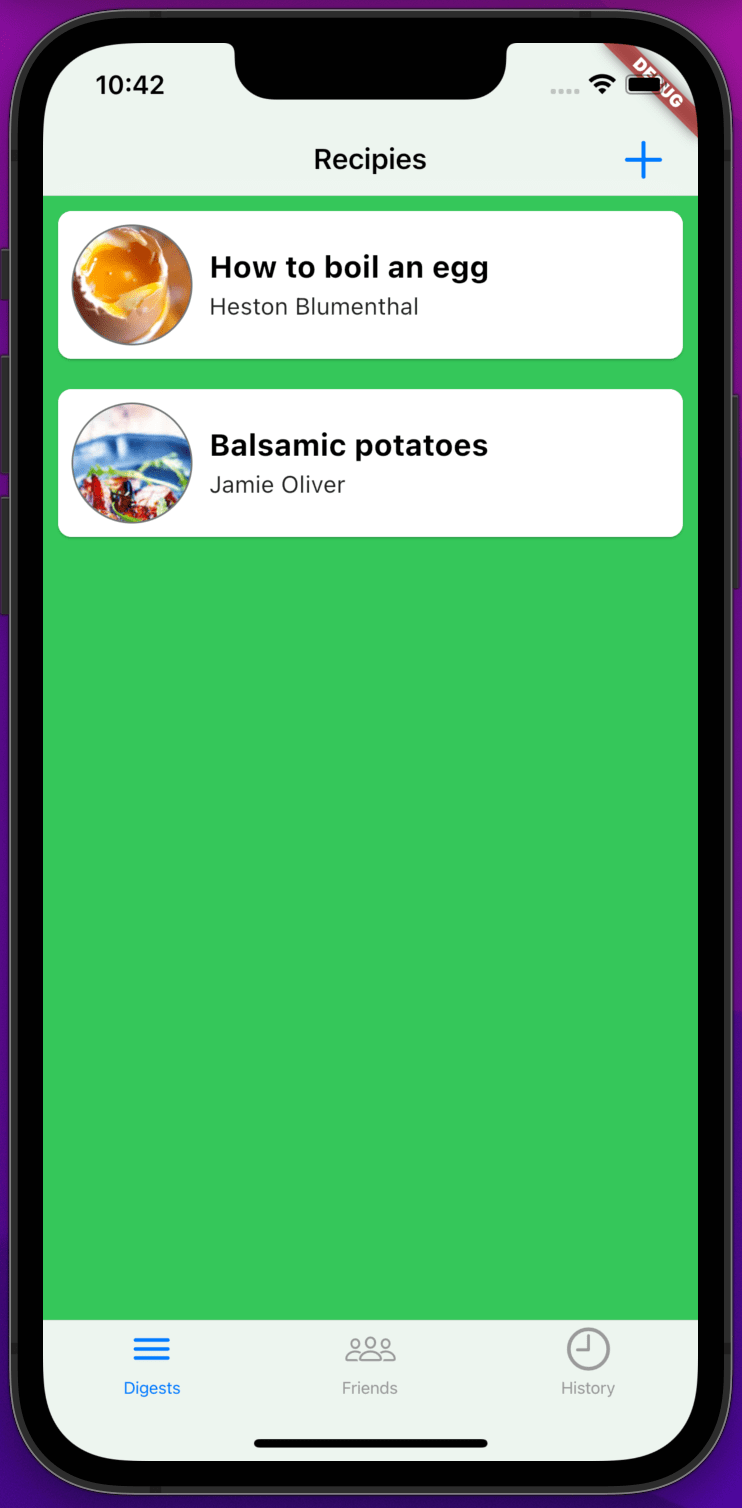
Added a list to return the results from the search.
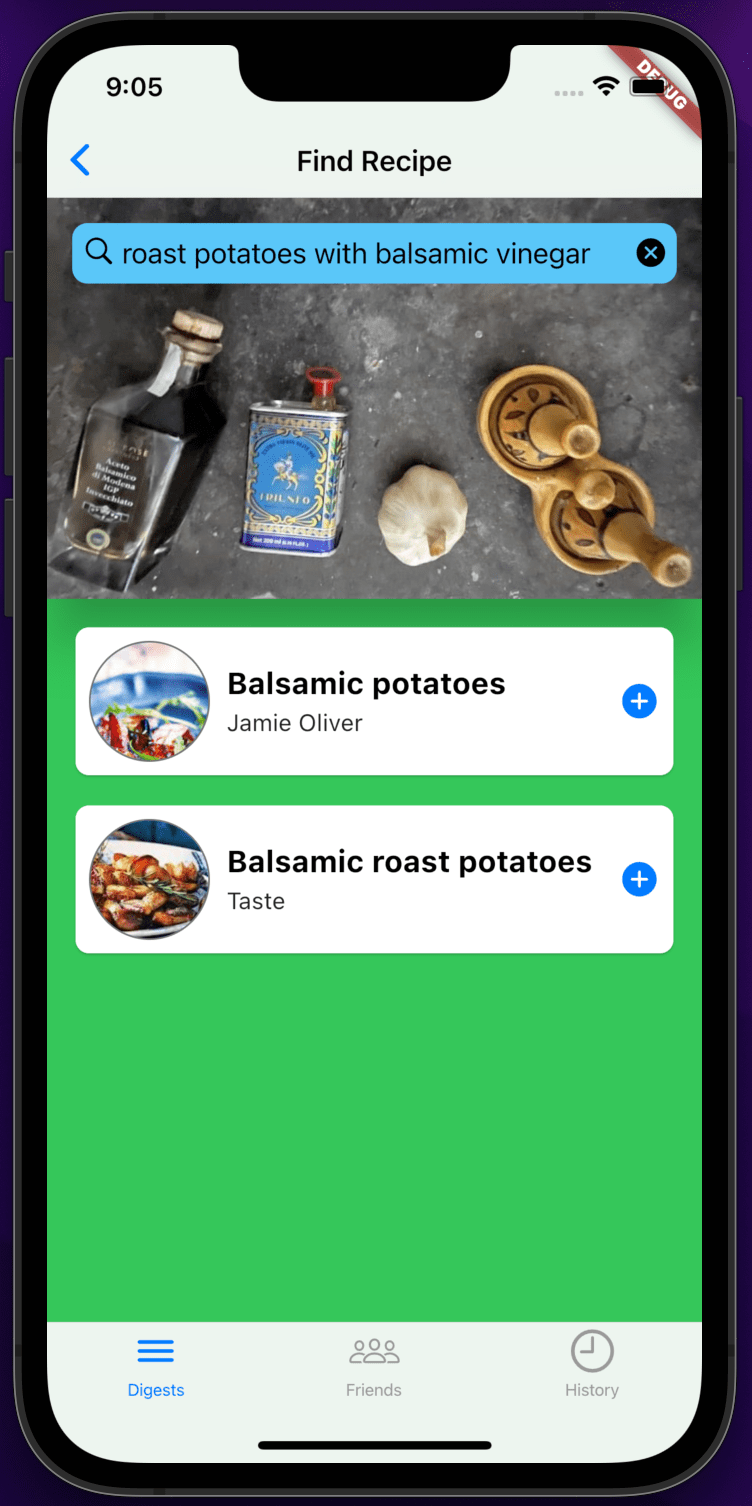
When a result is selected (onTap) we add it to our recipe digest.
Ta Da
Back Burner
Saving the digest.
For now we save the added recipe in memory, later we can persist it locally and remotely to our data stores.
iOS Only — Click tab to reset
Adding functionality to navigate back to the top level/state when tapping on the current tab item, this is a good iOS experience, a design that people expect.
Animated Search Bar
I decided to avoid implementing a more advance search bar similar to the one in Apple’s “App Store” application that has animation on focus.
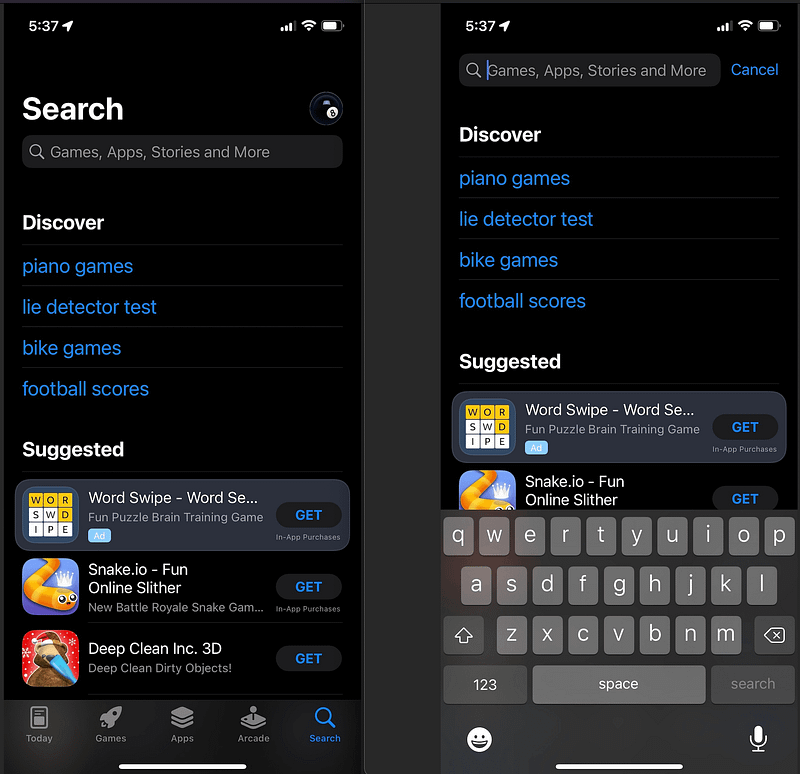
We can look at this and attempt to improve the search bar later on once the basics are in shape.
CupertinoSearchTextField
I’m getting some library level errors from Flutter asking me to report a framework bug when hitting enter on the keyboard in the search field using a iOS emulator.
For now I’ve abstracted it into a widget and intend to replace it with a custom version with more features.
I’ve also noticed that you need to enter twice on the keyboard in the emulator before the ‘OnTap’ event fires.
XP
In memory data
We need to store and maintain a list of recipes to allow us to add new recipes.
At this point are using a memory repository class to manage this and injecting it as a ChangeNotifierProvider.
ChangeNotifierProvider<MemoryRepository>(
	create: (_) => MemoryRepository(),
    lazy: false,
),
It sounds complicated but it’s just a list of recipes in memory and some methods to add and retrieve them.
List<Recipe> findAllRecipes();
Recipe addRecipe(Recipe recipe);
See the Flutter documentation for more information on state management.
When we move to a data store e.g. a DB via an API we can improve this code.
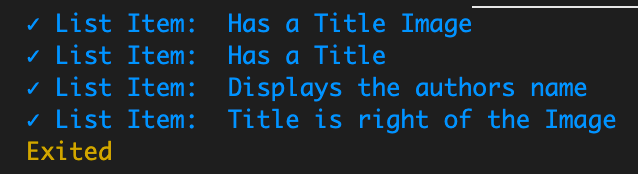
List Item Reuse
As part of displaying the search results we need to display a list again, so I abstracted the initial digest list item so we could reuse it and ensure our list items have the same look and feel across the app.

Widget recipesList() {
  final repository = Provider.of<MemoryRepository>(context);
  var recipes = repository.findAllRecipes();

  return ListView.builder(
    itemCount: recipes.length,
    itemBuilder: (context, index) {
      var listItemInfo = ListItemInfo(
        id: recipes[index].link,
        author: recipes[index].source,
        title: recipes[index].title,
        titleImage: Image.network(recipes[index].thumbnail),
        showAddIcon: false,
      );

      return ListItem(listItemInfo);
    },
  );
}
Widget recipeSearchResultsList() {
  var searchResultRecipes = _searchResults.data.length > 0
    ? Recipe.fromSerpApiResultJson(_searchResults.data)
    : <Recipe>[];

  final repository = Provider.of<MemoryRepository>(context);

  return ListView.builder(
    itemCount: searchResultRecipes.length,
    itemBuilder: (context, index) {
      var listItemInfo = ListItemInfo(
        id: searchResultRecipes[index].link,
        author: searchResultRecipes[index].source,
        title: searchResultRecipes[index].title,
        titleImage: Image.network(searchResultRecipes[index].thumbnail),
        showAddIcon: true,
        onTap: () => {
          repository.addRecipe(searchResultRecipes[index]),
          Navigator.pop(context)
        },
      );

      return ListItem(listItemInfo);
    },
  );
}
Scope Creep (Beware — YUTNI Your unlikely to need it)
For me this was the most tempting time to try and over engineer the project as it is still missing a number of key things.
I wanted to do more work on:
- data access, including batched api requests
- design much better widgets with nice animation
- add a theme and a flavour
- logging
- Automated acceptance testing.
- Improve the design for Android
- Look at how it would work as website
- bring in some state management libraries
- etc..
But experience is telling me to resist the urge to get side tracked, even some initial research on google, has slowed this post down considerably.
In the end I went back to the demo mentality of get it working, balanced with advice from Uncle Bob, that once it’s working that’s only 50%, you now need to get it right.
That equated to some more time extracting methods and tidying up.
As long as we give each class, method a single responsibility in its own file, we can easily improve them independently later on, as we move from concept to production ready.
Often the scope creep comes in when I get bored with the discipline of the task at hand as disciplines feel slow.
Links
A big thanks to M4trix Dev as his article on the iOS Tab Bar was invaluable and allowed me to quickly fix the problems I had with my first implementation.
People
“The thing is, it’s very easy to be different, but very difficult to be better.”
Jony Ive_

Sound & Vision



One more thing
“I have looked in the mirror every morning and asked myself: “If today were the last day of my life, would I want to do what I am about to do today?” And whenever the answer has been “No” for too many days in a row, I know I need to change something.”
Steve Jobs_


