
Flirting with Reminders — a look at trying to move away from Things3
Around six months ago I wrote an article questioning whether Things3 could still be considered a top-tier to-do list app.
The general gist of the piece was that, due to a lack of meaningful updates, so many of its competitors now had functionality which I would love to see within Things.
Cultured Code (the development house behind things) has clearly stated that there will be no new product in the near future meaning that us users needed to either put up or shut up.
This happened around the same time that Apple seemed to wake up and release they had Reminders which had also received very little love. That all changed with the release of iOS16, though.
Therefore I’ve been trying Reminders out for the last few months as my potential new to-do app, but (spoiler alert), I’ve ended up crawling back to Things. Here’s why:
Design
Believe it or not, I really hate to be one of those people that put design above functionality. The truth is, though, that when you’re looking at an app multiple times throughout the day, it is so much easier to work with if it looks good. And Things3 looks gorgeous.
In contrast, Reminders felt a little bloated and cluttered. This was true also for its widgets, which was a big thing for me given that I have an iPad screen on my desk all day with a series of widgets based on my upcoming tasks.
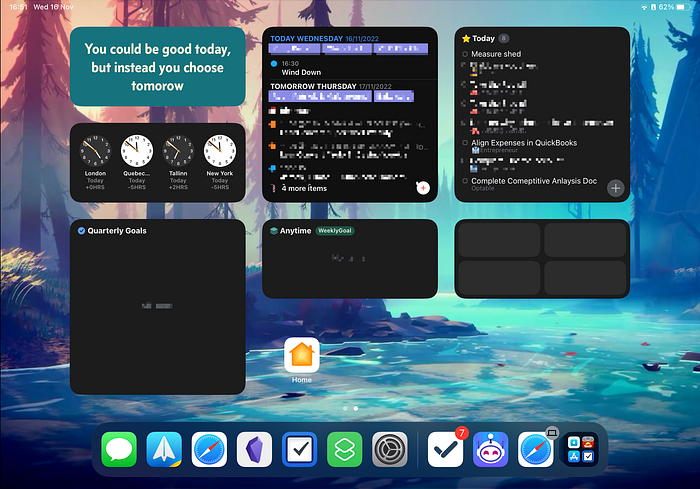
The formatting of the “Today” screen by Areas
I try to categorise my tasks by a series of life roles (such as “Husband” “Father” etc ). To do this, I need to set up multiple “Areas” in Things whereas, in Reminders, each one needs its own list.
This is not a major problem when it comes to categorising tasks, but it does differ in how those tasks are shown.
In Reminders, I have to click into each of my lists to see my tasks. In Things3, though, they are all broken down by role and summarised neatly for me in the “Today” tab
Shortcuts
I wrote in my original article that my number one wish for Things would be an open API for other platforms to plug into.
While that has still not materialised, Cultured Code has integrated Shortcuts much more deeply into its product.
I would much rather have the API. However the additional Shortcuts functionality seems like a step in the right direction and has, at least, meant that I can automate the way that I use Things3.
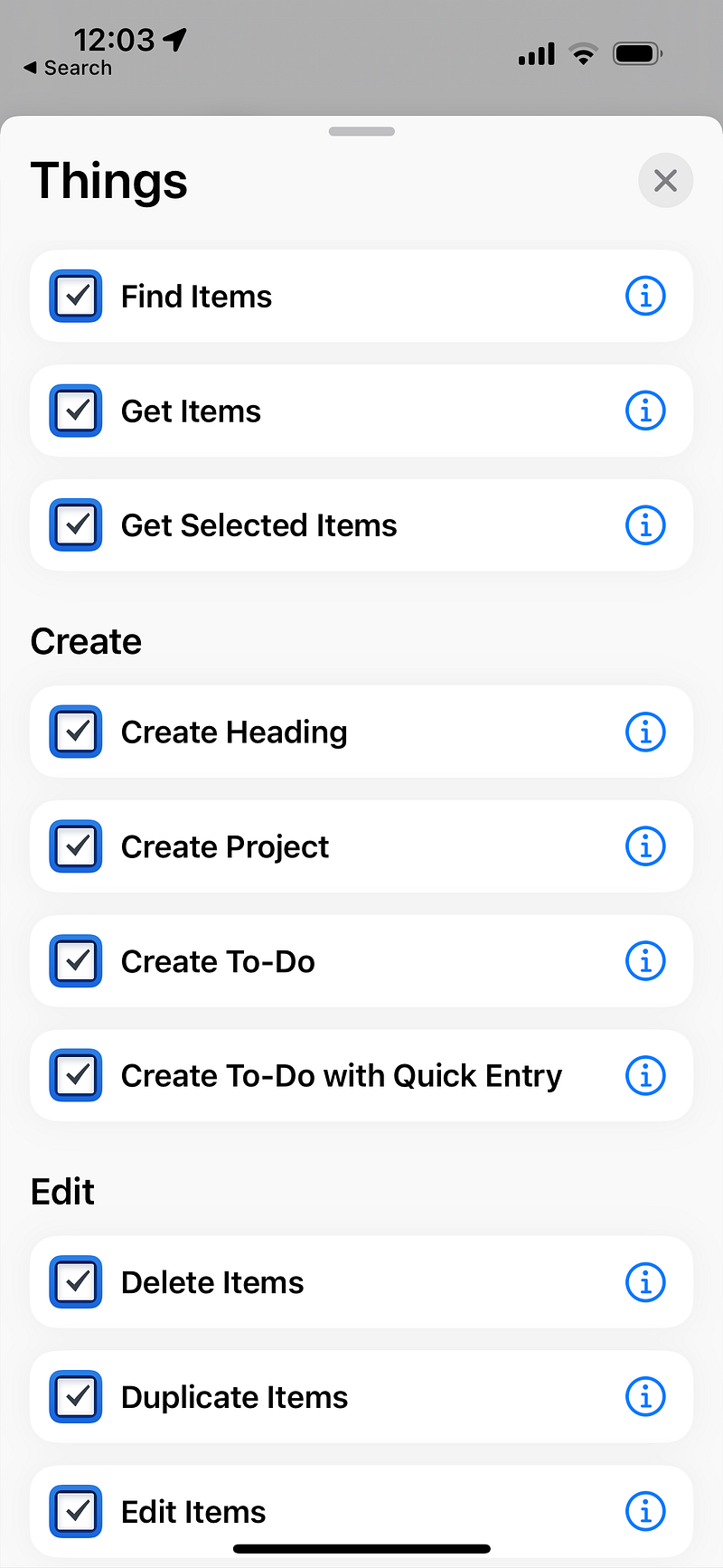
At the time of writing, Things3 has more Shortcut actions than Reminders does, including the ability to run the Things3 callback URL.
Keyboard Navigation
When you’re using an app daily for over three years (as I have been with Things), you develop muscle memory for the way that you use it.
This is precisely what has happened with Things’ keyboard navigation. I couldn’t tell you exactly what keys I’m pressing, but with a single combination, I can filter tasks based on:
- Life Role
- Tasks that I can do in a quick 5 mins that I have spare
- The tasks that I can do while mobile vs needing to be at my desk
- The people involved in the task
Filtering my tasks in Reminders was very limited and took extended my weekly planning by around twice the time.
Deadlines vs Due Dates
I’ve written about this before, but Things3 is still the only task management tool to understand that a deadline is different to a due date.
For me, a deadline is set in stone and can not be negotiated, whereas a due has slightly more wiggle room. It’s a time when I would like to get a task completed, but if it needs to be moved then it’s not the end of the world.
Reminders doesn’t differentiate between the two and will hit me with all kinds of messages if a task goes past the “Due Date” that I’ve inserted.
Things will only do that if I set a deadline for a task. Otherwise, the task will just remain on my “Today” page until I complete it or I change the Due Date.
Synching
I was really surprised that Reminders doesn’t synch between devices as well as Things does. It would occasionally get out of synch and not fix itself for an hour or two at a time.
I’ve never had this problem with Things3 which seems to synch new/completed tasks reliably and instantly.
So in conclusion …
The wish list I published in my original article still remains unchecked. None of the requests have been implemented, which is definitely frustrating.
However, I can’t deny that Things just fits in with my workflow better than Reminders.
A large part of that is probably because I’ve been using it daily for over three years. The ability for Things to synch with a particular Reminders list is also huge as it allows me to tell Siri to “Remind” me to do something as opposed to awkward phrases like “In Things, remind me to do something.”
So for the moment I’m back with my trusted Things and feeling a lot calmer about managing my tasks.
Will I continue to cast a jealous eye at features included in other task management tools? Undoubtedly.
As I said previously though, maybe I just need to accept Things for what it is: the task management tool that has reliably run my life for over three years without a problem.
One more thing …
Thank you so much for taking the time to read this. If you found this article useful, you might want to think about signing up for Medium to read a ton more content like it. It costs less than a coffee a month and by signing up here, you can support my writing at no additional cost to yourself.
If you’re already a Medium member, then feel free to hit those clapping hands. It would mean a lot to me and it also helps people with similar interests find this article. Hopefully, they’ll find it useful too!
Thanks again!


