
Is Things3 still a premium task management tool?
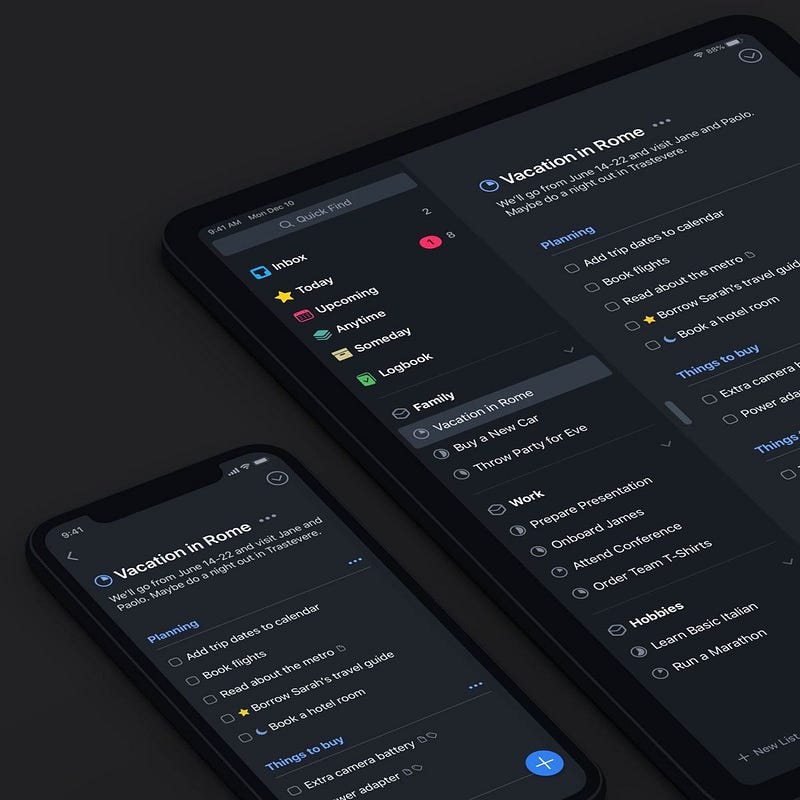
If you hang out in communities relating to Mac Apps, you’ll no doubt have come across discussions around the development of Things3.
If you’re a Things3 user, you probably saw the title of this document and rolled your eyes — Cultured Code’s laboured development of the app is not a new theme.
However, having rolled my own eyes a lot over the last year or so, I found myself listening to a podcast last night where the presenters were talking through workflows of their own task management apps.
I grew surprised at just how far behind Things3 had become when compared to its competitors. To such an extent, that I found myself wondering whether Things3 could still be called the premium task management app that it was when it launched.
As such, I started to look into how it stood up to the competition today.
Disclaimer
I love Things3. I bear it no ill will and am in fact hugely grateful to it as the app has been running my life for the past four years. It is on my phone iPad and MacBook. Every Sunday evening I use it to plan out my upcoming week and, while working, it is constantly open on my desk.
Have I occasionally flirted with other task management options? Yes, I have … but I always come back to Things as it fits into my workflow so effortlessly and, in its current state, is a joy to use.
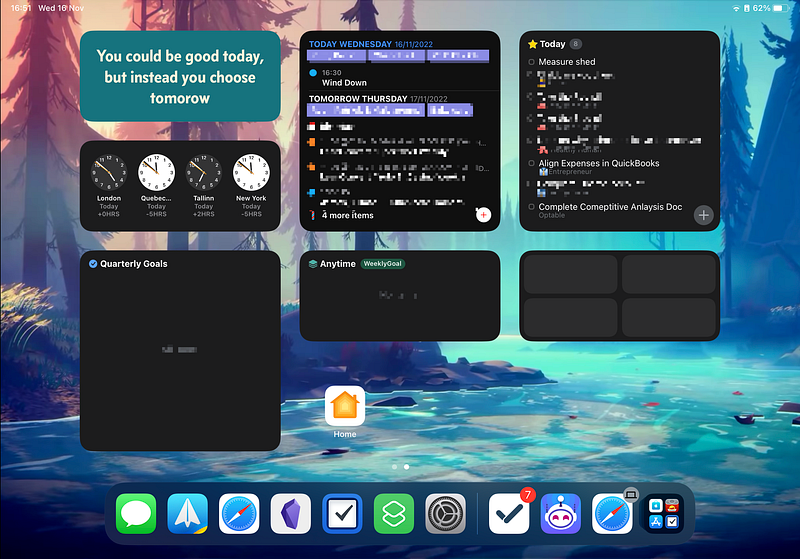
Having said that though, it’s hard not to look at some of the shiny features that are available in other task managers and see how they could augment my day-to-day workflow.
The standard response when a lot of these missing features are mentioned is that Cultured Code will include them in Things4 — the next version of the app.
Some people have suggested that this new version is just around the corner based on a couple of things:
- Things3 was launched in 2017, five years after Things2 was brought to market. We’re now five years on from Things3 being released, suggesting that the development cycle is complete.
- A tweet from Cultured Code at the end of 2021 asking for beta testers led people to believe that a new product needed testing.
However, the excitement around a new version of the app would appear to be wishful thinking.
Beta testers responding to Cultured Code’s tweet were simply asked to test Things3 across multiple devices and configurations. In addition, a representative from Cultured Code stated in an interview with PCMag less than six months ago that “the team has no plans to announce a new version and that Things 3 continues to receive full support and ongoing updates.”
As the author of that article writes, “In short: Things 3 is the app for now and there’s no plan to release Things 4.”
So, with that in mind, is it time to put up or shut up? If we want something with all of the bells and whistles that we’ve come to expect from a Task Management tool in 2022, is it time to move on to something new?
Or if we love Things3 as it is at the moment, is it time to accept it for what it is and stop expecting improvements?
I don’t know the answer to that question, but the following article explores what Things is missing and also why it remains a key part of my day-to-day task management.
The bare essentials
Five years is a long time in app development. With Things3 having been launched in 2017 (and having received relatively little love since), what are the essentials that the app is lacking when it comes to the Task Management in 2022?
Sharing
Whether we’re talking about personal use or delegating work professionally, the ability to share tasks with other people is a staple in any premium Task Management app of today. Yet, in Things3, that’s just not an option.
From a personal point of view, I have a number of tasks that my wife and I need to do around the house. That could be anything from mowing the lawn to making sure that our children do their homework on particular nights of the week.
Between you and me, I’m rubbish at doing them. Therefore, we’ve set up a shared task list which we can both work through. That task list, though, has to be in Reminders because Things3 won’t allow me to set up a shared list with my wife. As such, I’m being forced into having two different apps to hold my tasks when I would much rather have everything in a single location.
Things3 does offer a work-around to this with an integration into Reminders, which imports tasks from a single list. Unfortunately, I’m using that to improve Siri’s voice capabilities (as you’ll see below), so this isn’t an option for me.
The lack of an API
If I could have one thing for Christmas it would be for Cultured Code to develop an API.
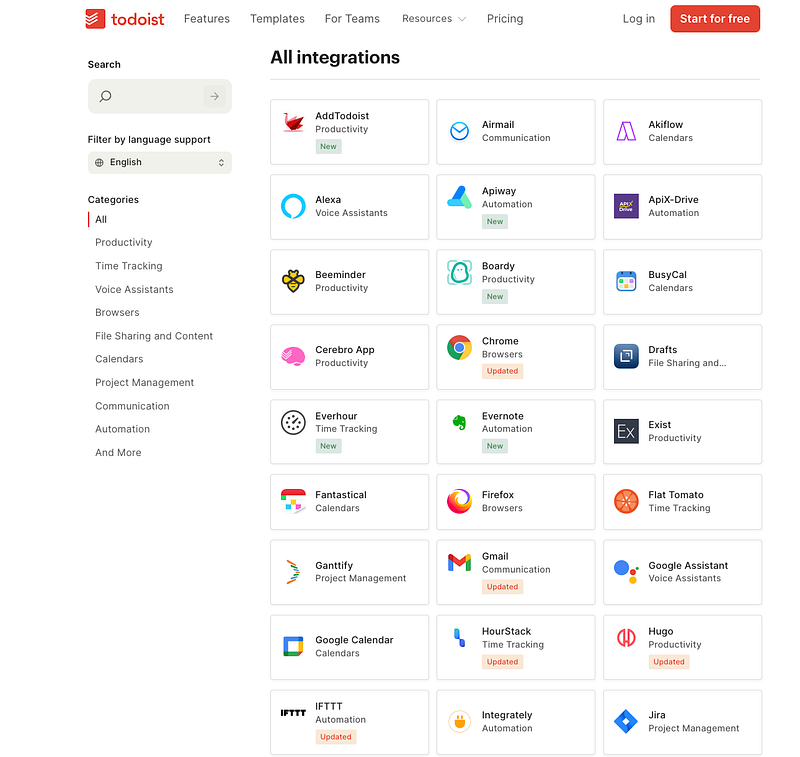
Other Premium Apps (such as Todoist and TickTick) have released APIs which allow developers to extend functionality into several third-party apps such as Slack, Toggl, Gmail and Asana. That would make my tasks so much easier to access and update tasks from apps that I’m using throughout my workday.
As things currently stand, though, I have to switch out of my current work and into Things to manually type out a new task rather than having it pushed into my inbox from the app that I’m already involved with.
Calendar Integration
This is a follow-on from the previous comment, but it has become so integral in other apps (and would be of SUCH value to me) that I believe it deserves its own point.
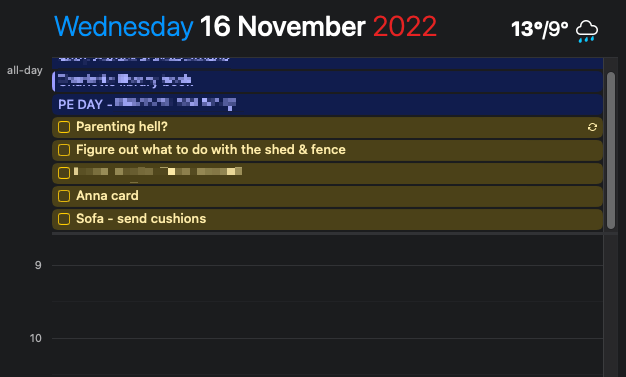
While Things3 can bring calendar data into the app, it doesn’t provide any functionality to push my tasks out of the app and into my calendar. I would love the opportunity to see tasks in my calendar so that I can time-block my day.
If I want to be able to do that, though, I’m going to need to have tasks in a different app such as Reminders, Goodtask, TickTick or Sorted3.
File uploads
It feels crazy to say that in 2022, a premium To Do list app doesn’t allow the upload of files but, here we are. While I can create tasks in Things3, I can’t upload any files that may be associated with them.
I can add a reminder to send back a completed form tomorrow, but I can’t attach the file itself to the task. Instead, I have to go through my folders or search through my emails to find what I’m looking for.
If there’s one piece of functionality that highlights the need for Things3 to be brought up to speed, this is it.
The nice to haves (which are available elsewhere)
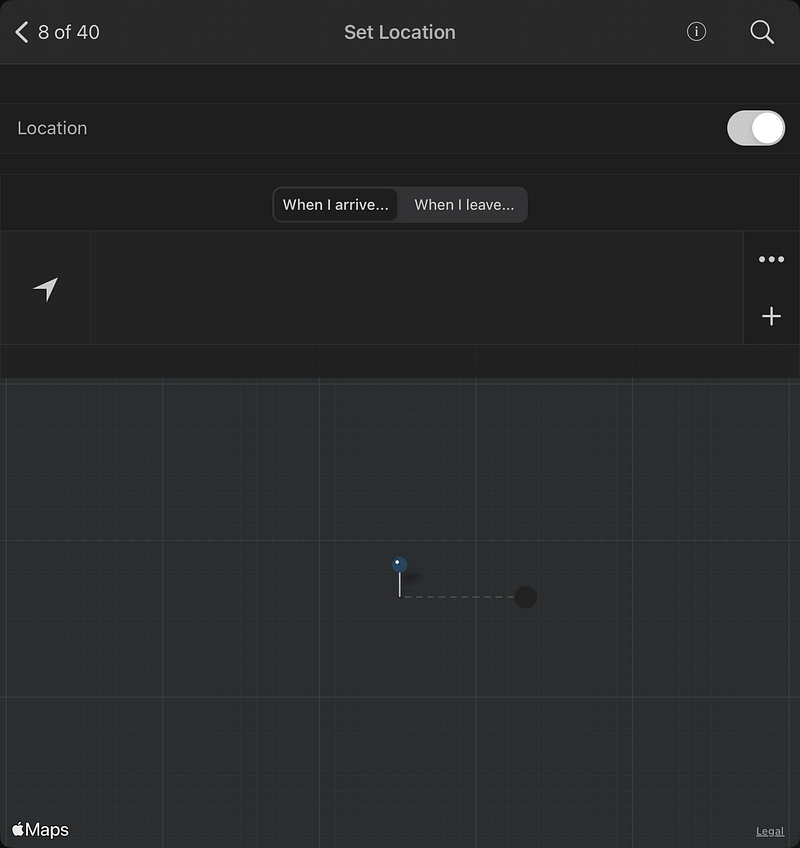
Location
I’m not a fan of location tracking unless it has a real benefit to me — and having my app remind me to do something when I arrive at a place would fall into that category.
For example, if I need to talk to the gym about my membership, it would be hugely helpful to have a notification pop up on my phone, the next time I arrive at the gym to do a workout.
Unfortunately, this function is not available within the current version of Things3 and has been ignored by developers for over a year now, suggesting that it is not a priority for them.
NLP
It was Fantastical that first turned me on to the power of Natural Language Processing (NLP): the ability to type in a phrase that feels completely natural to you and have the app translate your words into an input.
We’re now seeing NLP transition into task managers, most notably TickTick and Todoist (probably the best instance in a to-do app).
For example, typing in “Send ACME invoice out at 2 pm on the third Friday of every month” instantly places a recurring task into your app with the correct settings.
It’s so much more productive and allows complicated tasks to be recorded in a matter of seconds and without your hands leaving the keyboard.
Unfortunately, when it comes to Things3, the process is a lot more manual. Setting up a recurring task like the one above would require a task to be manually typed in and then need a series of mouse clicks through various drop-down menus to set things up correctly.
Integrations into Focus Modes
I’ve been getting big into my Focus Modes over the last year (you can read an article on how I use them here), and the arrival of iOS 16 has just served to push me further down the rabbit hole.
To be fair to them, Cultured Code was very quick to update the app to take advantage of some of iOS 16’s features, introducing Lock Screen widgets on the day that the new operating system went live.
I’d love to see them go deeper though, with the ability to filter my tasks based on the Focus Mode that I’m currently in.
- If I’m in “Work Mode” then only show me tasks from my “Work” area.
- If I’m in “Weekend Mode”, only show me tasks from my “Family” area
I should say that this probably deserves to be more on a “Wish List” rather than evidence than a suggestion that Things3 is lagging behind its competition. Currently, I’m only aware of OmniFocus which can integrate with Focus Modes in this way.
Web App
This isn’t a huge one for me, as I have Things3 open on my iPad all day while I’m working.
However, it does feel like the ability to access your tasks through a web browser is becoming more and more of a requirement — especially among people who find themselves working on different operating systems at work vs at home.
So why am I still using Things3?
Despite everything mentioned above, I’m still loathed to move on from Things3.
A large part of that is because it’s what I’ve grown used to over the last four years. I’ve forced myself to think about why that is:
Price
Things3 is not subscription based, but it doesn’t come cheap. When I signed up four years ago, I paid almost $80 to put it on my iPhone, MacBook and iPad and, having paid a premium for it, I’m massively reluctant to move on and pay for another subscription at a time when I’m trying to cull the subscriptions that I have.
The design
The look and feel of Things3 is what gets talked about most, so I won’t regurgitate what others have said. I saw the app described as “buttery” the other day which sums up things pretty well. In my opinion, it’s the most attractive To-Do app on the market and works so smoothly.
The understanding that a due date is different to a deadline
This may seem like a fairly small thing, but Things3 seems to be fairly unique in the way that it treats a “due date” compared to a “deadline”.
With most other apps, a task is overdue as soon as a due date has passed and you’ll be hammered with urgent messaging or numbers showing up on the app icon in your toolbar.
Things3 is slightly different, though. It understands that not every task that I put into my lists contains the same level of urgency.
All tasks can have a date attached to them and, when that date arrives, the task appears in my “Today” list. If I don’t manage to get the task done that day though, it’s not a problem. It simply rolls over to the next day … unless I have attached a deadline to it.
A “deadline” is much more of a priority. It’s a task that simply has to be completed on a certain day. To reflect that, Things3 marks those tasks with a red flag, pops up messaging in red and displays the number of deadline tasks on my app icon to remind me of my priorities.
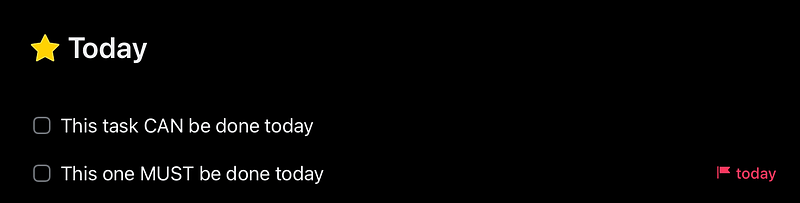
This subtle nuance aligns with my way of working really well and has become a much under-valued featured in my weekly planning.
Integration with Reminders
I mentioned above that Things3 has an integration that allows tasks with Reminders to be brought into my Inbox. While the main use-case for that would be the ability to share tasks with friends and family, I use it to make it easier to get Siri-based tasks into my inbox.
I should say here that Things3 supports Siri in the same way that the other major task managers do. You can import tasks by saying things like:
- “Add buy milk using Things.”
- “In Things, remind me to buy more bread”
The problem, though, is that those phrases aren’t very natural — especially when you compare them to the phrase that Reminders uses: “Remind me to buy some bread”
Therefore, when a task pops into my head, it’s much easier for me to:
- Tell Siri to “Remind me” to do something
- Have the task put into a specific list in Reminders (I have a list called “Things3 Sync”)
- Have Things3 pull it out of there and put it into my Inbox for categorisation at the end of the day.
Outside of GoodTasks, I don’t know other apps that have this integration and would allow me to continue using the “Remind Me” command rather than needing to use an “In [app name], remind me to do something” structure.
One more thing …
Thank you so much for taking the time to read this. If you found this article useful, you might want to think about signing up for Medium to read a ton more content like it. It costs less than a coffee a month and by signing up here, you can support my writing at no additional cost to yourself.
If you’re already a Medium member, then feel free to hit those clapping hands. It would mean a lot to me and it also helps people with similar interests find this article. Hopefully, they’ll find it useful too!


