avatarLI Sam

Free AI web copilot to create summaries, insights and extended knowledge, download it at here

10411

Abstract

lot …</p><figure id="2c23"><img src="https://cdn-images-1.readmedium.com/v2/resize:fit:800/1*qk2vhMbzJzpeY6KiP8Zxtw.jpeg"><figcaption></figcaption></figure><figure id="37cf"><img src="https://cdn-images-1.readmedium.com/v2/resize:fit:800/1*H4_hIg226NV_8hkkf89Rng.jpeg"><figcaption>After being scanned by SilverFast 9SE+, the image after simple processing is really good… The best experience is to convert the photo into black and white, you can see the details in it more concentratedly Rolleiflex T , RDP3 , SF9+ , LRv11.2 / Silver Efex Pro3</figcaption></figure><p id="208f"><a href="https://www.hamrick.com/">VueScan Scanner Software for macOS, Windows 10, and Linux (hamrick.com)</a></p><p id="38ae">VueScan is also more people will use the advanced scanning software, but the author is not really accustomed to its interface, so I did not seriously learn … but I believe that just familiar with its mode of operation, but also can come up with a good scanning effect …</p><h2 id="e957">Thinking about color temperature and color standardization?</h2><figure id="fa7c"><img src="https://cdn-images-1.readmedium.com/v2/resize:fit:800/1*NXde8RzukmhFkvKO_gbUnA.jpeg"><figcaption>On the left is the original positive film showing the expired E100vs color temperature, the morning time in the absence of color temperature filter, purple and red white balance… On the right is the normal color temperature after Lightroom’s white balance correction… Relatively speaking, I prefer the wrong purple-red tones… But in the end, I also got a normal version…</figcaption></figure><p id="693a">Today, many of our friends who shoot negatives do not use any colour temperature filters when shooting, what 81A, 82B can be said to be very strange accessories for them, even to buy a better quality colour temperature filter, may not be very easy … At the same time, now more use expired negatives to shoot, the negative may also be 4–5 years or longer, the problem of colour bias, reddish, violet, etc. is very common. After scanning, the image correction is based on the colour temperature of the original film? Or is it based on the reality of the scene? Because just as the RDP3 image color temperature is bluish, E100vs is warm, from the very beginning, the choice of negative may not be the same as the field environment color temperature. I think today’s general negative enthusiasts have not cared too much about 100% colour restoration or very fine negative style. Because if you want to be accurate, it may be more convenient and faster to shoot directly with a digital camera. I can only say that the style of photography orientation is related to the times … the author, 10 years ago, the standard of shooting negatives may not be the same as today. Today you use Cinestill 800T is for its cooler, bluer image style …</p><h1 id="a3d6">Scanning procedure:</h1><p id="e65d">The purpose of my scanning negatives is to meet the needs of backup purposes that have not been 10 years or more, mostly for viewing on 5–8K LCD… If I really print the photos, I may still Take the original film back to a familiar photoshop or a specialized photo shop for scanning and printing photos…because the processing methods for LCD viewing/printing may be different…the most important thing is to keep the original file or the original film It would be much easier to reprocess it this way…</p><p id="31d5">The author still aims to scan 120 positive films and 135 Xpan positive films. I don’t have much confidence and time to scan ordinary 36-frame 135 positive films. After scanning the 100–200 cylinder 120 positive films and Xpan photos, I will not forget it…</p><figure id="d3ad"><img src="https://cdn-images-1.readmedium.com/v2/resize:fit:800/1*j8REuT4Qk2bSG6VE-myUZQ.jpeg"><figcaption>Pre-flatten the negative in a heavy book for a day or two or more so the negative can be flattened more efficiently…</figcaption></figure><ol><li>Pre-flatten the negative in a heavy book for a day or two or more so the negative can be flattened more efficiently…</li></ol><figure id="dbcc"><img src="https://cdn-images-1.readmedium.com/v2/resize:fit:800/1*zT_eFhk-k9r_ceW8dcaS5g.jpeg"><figcaption>Wearing gloves can reduce the fingerprints and grease left on the negative, protecting it…</figcaption></figure><p id="770c">2. Put on rubber gloves, put the film on the film clip, try to put the film on the same focal plane, and remove the dust particles on the film as much as possible…</p><p id="50ed">3. Remove dust particles from the film scanners…</p><p id="4b77">4. Open the scanning software SilverFast 9SE+, open the image preview, and then select the range of the scanned negative…I will only turn on the auto sharpening and light contrast processing functions so that the scanned image retains the most detail and post-processing space…I will set the image size at 2400 DPI, 5000x7000, and use Tiff processing, which is about 100MB per image…</p><figure id="c1eb"><img src="https://cdn-images-1.readmedium.com/v2/resize:fit:800/1*XEIrQHNq8sOKppPwL_iFQQ.jpeg"><figcaption>The SilverFast interface may look complicated, but in fact, there are not many options that you really need to use. The most important thing is to set the file size, resolution, position, etc… The author will only turn on auto-sharp, a small amount of auto-contrast control, automatic image functions, etc. Other electronic dusting and minor colour correction will not be handled in the software, because under this simple thumbnail, the retouching is not very accurate, and it takes more time to turn on the zoom mode… Since Tiff is used as a medium, there is still good room for post-processing, so most of the post-processing will still be done in Lightroom. Of course, if you encounter a large backlight, you may need to turn on the multiple exposure function, which will also take more time…</figcaption></figure><figure id="4e1c"><img src="https://cdn-images-1.readmedium.com/v2/resize:fit:800/1*2KgBdyKe9sE3Om8Mu1fLQg.jpeg"><figcaption>SilverFast 9 SE interface operation when scanning SWC/M… or it will be more convenient to process each sheet</figcaption></figure><p id="b97e">5. The scanned image is imported into Lightroom, first the name is changed in a simple batch, and then the Exif is added to the scanned image with Lens, such as lens information, type of negative used, etc… for easy searching of relevant photos on a daily basis…</p><figure id="43e6"><img src="https://cdn-images-1.readmedium.com/v2/resize:fit:800/1*ys4Gk0CpBLlTCq2qZ_CuQQ.jpeg"><figcaption></figcaption></figure><figure id="91df"><img src="https://cdn-images-1.readmedium.com/v2/resize:fit:800/1*-U0xgk7ABpjYlK2fQHWzzA.jpeg"><figcaption>Use Lightroom LensTagger to add the right keywords to your photos…</figcaption></figure><p id="36f7">6. The author will change the mouse shortcut to the Lightroom Q dusting key and the W key to the white flat key…because the dusting function is the most commonly used key after you scan the negative…of course the level of dusting depends on your own requirements…</p><figure id="ae7e"><img src="https://cdn-images-1.readmedium.com/v2/resize:fit:800/1*Ljnjzl5SIXxscyPlpoGjWg.jpeg"><figcaption>Set the mouse shortcut to Q, click it to remove dust particles, you can use the mouse wheel to zoom in & out. During dust removal, you can use the Visulaze Spots at the bottom to change the screen to black and white mode, so it is easy to see where there is a small amount of dust…</figcaption></figure><p id="7d96">7.After that, the author will make correction adjustments for the image, using the relevant negative style file, may be more quickly, ha … and then adjust the light and dark, contrast, highlights, low light, etc. … If needed, may make local adjustments for the image, now Lightroom has AI mask function, you can quickly find the sky, while you can reverse the search for land, this function is very useful to correct the contrast of the sky, land, light and dark … a volume of 120 6x6 images, although there are 12, but seriously detailed photos may only be 3–4 only, the other is only a simple adjustment even …</p><figure id="dde1"><img src="https://cdn-images-1.readmedium.com/v2/resize:fit:800/1*-Kmusk4wrdlWktYuffQP6Q.jpeg"><figcaption>After LR v11 version, more AI Mask function to select the sky, very useful for general landscape retouching…</figcaption></figure><p id="0502">8. After the author will add appropriate keywords for the photos to facilitate the daily search or classification of photos … export, DNG as the base, so that you can record all the modification parameters, lens / negative exif, so that the size of the photo will be reduced by about 2/3 size, 100mb Tiff changed to dng words, about only 30–40mb left about …</p> <figure id="77bd"> <div> <div> <img class="ratio" src="http://placehold.it/16x9"> <iframe class="" src="https://cdn.embedly.com/widgets/media.html?src=https%3A%2F%2Fwww.youtube.com%2Fembed%2Fr3zKaFpK2_I%3Ffeature%3Doembed&amp;display_name=YouTube&amp;url=https%3A%2F%2Fwww.youtube.com%2Fwatch%3Fv%3Dr3zKaFpK2_I&amp;image=https%3A%2F%2Fi.ytimg.com%2Fvi%2Fr3zKaFpK2_I%2Fhqdefault.jpg&amp;key=a19fcc184b9711e1b4764040d3dc5c07&amp;type=text%2Fhtml&amp;schema=youtube" allowfullscreen="" frameborder="0" height="480" width="854"> </div> </div> </figure></iframe></div></div></figure><p id="5570">Scanning a roll of 120 6x6, 12 photos requires two separate scan times, about 30–40 minutes. Post-processing takes about 3–5 minutes per frame of negatives, including dust removal, adjusting color temperature, contrast, light and dark details, etc… The final 12 positives may take 50–60 minutes, which means that if you are serious about processing one roll 120 negatives scanning and post-processing may take 1–1.5 hours or more…scanning 135, 36 sheets will take about 2–3 times as long as scanning and post-processing…Can only say that the negative scanning is the most needed in the end It’s time, time, time, followed by money… How much love do you have for the love and persistence of negatives? There is actually no difference between film photography and digital photography, but the media is different, and the knowledge to be learned is similar and different, but it is indeed necessary to constantly pursue new photography knowledge and skills…</p><h2 id="c4e2">Conclusion: The

Options

final image quality of film scanning is actually the most important thing is what means you use to constantly optimize the process and establish your own set of regular standards to process the image, many of the details you can optimize the process by constantly optimizing the flattening of the negative, dust removal, software updates to optimize the process … photography is actually ultimately a science and art combined with aesthetics, only constantly review and optimize the scanning process to have more stable scanning quality … what cell phone photography can be comparable to digital cameras, in fact, a lot of internal image processing and stacking technology to have better image quality, is to improve the quality of technology …</h2><p id="acc0">The following photos were taken by the author more than 10 years ago and modified by SF 9 se+ and LRv11.2…</p><figure id="664d"><img src="https://cdn-images-1.readmedium.com/v2/resize:fit:800/1*wfwXVjEnwtPljlKDTtlsDg.jpeg"><figcaption></figcaption></figure><figure id="b058"><img src="https://cdn-images-1.readmedium.com/v2/resize:fit:800/1*lpaFNVTVSiDm9UZ2j510nQ.jpeg"><figcaption>GA645 + E100vs + SF9+ LRv11.1 / Taiwan 2008</figcaption></figure><figure id="8957"><img src="https://cdn-images-1.readmedium.com/v2/resize:fit:800/1*e9Uz21KmsPfrPmKFjVjBSA.jpeg"><figcaption></figcaption></figure><figure id="9cde"><img src="https://cdn-images-1.readmedium.com/v2/resize:fit:800/1*G86D32SLETstR-fyHIj4BQ.jpeg"><figcaption>GA645ZI + RDP3 + SF9+ LRv11.2 / China, 2009</figcaption></figure><figure id="10e7"><img src="https://cdn-images-1.readmedium.com/v2/resize:fit:800/1*U6pZylPgrU2xFCfCvJJWvg.jpeg"><figcaption></figcaption></figure><figure id="ca25"><img src="https://cdn-images-1.readmedium.com/v2/resize:fit:800/1*wROFNJY8YJ1YAsZTFbw5Jw.jpeg"><figcaption>Rolleicord 4a / E100vs / SF9+ / LRv11.2 /XingPing 2009</figcaption></figure><figure id="bdd3"><img src="https://cdn-images-1.readmedium.com/v2/resize:fit:800/1*7Fk32bSc-VE33TXfzXV5cg.jpeg"><figcaption></figcaption></figure><figure id="5629"><img src="https://cdn-images-1.readmedium.com/v2/resize:fit:800/1*pbW_VAOfw8StozK8YZDNfw.jpeg"><figcaption>左: Rolleiflex 2.8F , E100vs / SF9 se+ / LRv11.2 / Hong Kong 2010 右: Hass 500CM / CF120Macro / E100vs / SF9 se+ / LRv11.2 / Hong Kong 2010</figcaption></figure><figure id="61a1"><img src="https://cdn-images-1.readmedium.com/v2/resize:fit:800/1*UUkTh-QtT-NPgOAlptW3bg.jpeg"><figcaption></figcaption></figure><figure id="1987"><img src="https://cdn-images-1.readmedium.com/v2/resize:fit:800/1*noE7lqKSf7ZHEcI8Pc0iZQ.jpeg"><figcaption>Rolleiflex T / E100vs / SF9+ / LRv11.2 /XingPing 2009</figcaption></figure><figure id="8938"><img src="https://cdn-images-1.readmedium.com/v2/resize:fit:800/1*nfCxCSy6dvRvc1OndRRvcQ.jpeg"><figcaption>Rolleiflex T / E100vs / SF9+ / LRv11.2 /XingPing 2009</figcaption></figure><figure id="9909"><img src="https://cdn-images-1.readmedium.com/v2/resize:fit:800/1*brdyURXex-dsEZku8DOGdg.jpeg"><figcaption></figcaption></figure><figure id="c45f"><img src="https://cdn-images-1.readmedium.com/v2/resize:fit:800/1*1RFt02sQU8PkSCCrJIvtLQ.jpeg"><figcaption>Rolleiflex T / E100vs / SF9+ / LRv11.2 /XingPing 2009</figcaption></figure><figure id="de66"><img src="https://cdn-images-1.readmedium.com/v2/resize:fit:800/1*Op1guQqwh4FtHPJMqPGBDQ.jpeg"><figcaption></figcaption></figure><figure id="b510"><img src="https://cdn-images-1.readmedium.com/v2/resize:fit:800/1*XHp7LH1kE73nOmsd5RDRag.jpeg"><figcaption>Rolleiflex T / E100vs / SF9+ / LRv11.2 /XingPing 2009</figcaption></figure><figure id="af20"><img src="https://cdn-images-1.readmedium.com/v2/resize:fit:800/1*EmqljH8PQXZsO634RxyVng.jpeg"><figcaption>Xpan / E100vs / SF9+ / LRv11.2 / Yuen Long</figcaption></figure><figure id="86b0"><img src="https://cdn-images-1.readmedium.com/v2/resize:fit:800/1*hlp6WX7HnoAiUxwtTEjMZw.jpeg"><figcaption>Xpan / E100vs / SF9+ / LRv11.2 / Hong Kong</figcaption></figure><figure id="f374"><img src="https://cdn-images-1.readmedium.com/v2/resize:fit:800/1*b5uPLmP3oapt4S7LqQRnlA.jpeg"><figcaption>Xpan / E100vs / SF9+ / LRv11.2 / Yunam 2009</figcaption></figure><figure id="38ea"><img src="https://cdn-images-1.readmedium.com/v2/resize:fit:800/1*fMUi8lXpFT6BdWS-np__ag.jpeg"><figcaption>Xpan / E100vs / SF9+ / LRv11.2 / Silver Efex Pro3 / Yunam 2009</figcaption></figure><h2 id="cece">If you like this post, feel free to give me a clap on the back and let me know you like it too XD</h2><blockquote id="a05b"><p><a href="https://www.facebook.com/Rokkorxs-Blog-104407125169393">Rokkorx’s Blog | Facebook<i></i></a><i> <a href="https://www.instagram.com/samlee.hk/">https://www.instagram.com/samlee.hk/</a> <a href="https://www.flickr.com/photos/rokkorx">https://www.flickr.com/photos/rokkorx</a>/</i></p></blockquote><figure id="f980"><img src="https://cdn-images-1.readmedium.com/v2/resize:fit:800/1*_e_BzM4M1V87UfQBWfF_2A.jpeg"><figcaption>In July, a friend from overseas bought three cups of coffee to support the my’s work… I was really touched to see that some of my friends have taken concrete action to support me…</figcaption></figure><p id="4a31">If you want to support My work, you can buy a cup of Coffee and support me to continue writing.</p><figure id="b7a8"><img src="https://cdn-images-1.readmedium.com/v2/resize:fit:800/1*65Aqej_szpd2vRvX5CQjrA.png"><figcaption><a href="https://www.buymeacoffee.com/samleehk">https://www.buymeacoffee.com/samleehk</a></figcaption></figure><figure id="4ab3"><img src="https://cdn-images-1.readmedium.com/v2/resize:fit:800/1*b_Bz6j4blqNkTX99QbrkKA.jpeg"><figcaption>If you want to support the author’s work, you can become a paid Medium member continuously through referrals. This way I will also receive 2.27USD per month… <a href="https://samlee-hk.medium.com/membership">https://samlee-hk.medium.com/membership</a></figcaption></figure><blockquote id="b0e1"><p><a href="https://www.facebook.com/Rokkorxs-Blog-104407125169393">Rokkorx’s Blog | Facebook<i></i></a><i> <a href="https://www.flickr.com/photos/rokkorx">https://www.flickr.com/photos/rokkorx</a>/ <a href="https://www.instagram.com/samlee.hk/">https://www.instagram.com/samlee.hk/</a> <a href="https://www.instagram.com/pano.street/">https://www.instagram.com/</a></i><a href="https://www.instagram.com/pano.street/">pano.street</a></p></blockquote><h2 id="8f39">You can see all my articles at :</h2><div id="48db" class="link-block"> <a href="https://readmedium.com/rokkorxblogs-main-menu-8f419deaa8a0"> <div> <div> <h2>Rokkorxblog’s Main Menu</h2> <div><h3>Articles (constantly updated)</h3></div> <div><p>medium.com</p></div> </div> <div> <div style="background-image: url(https://miro.readmedium.com/v2/resize:fit:320/1*dB-SReFRbfmdiTyyTBT2Mw.jpeg)"></div> </div> </div> </a> </div><h2 id="a511">Other related articles by the author:</h2><div id="5144" class="link-block"> <a href="https://readmedium.com/one-month-with-fujifilm-gfx-50s-ii-50s2-pano-view-street-photography-xpan-mode-photos-break-the-e5abc2a0eb1f"> <div> <div> <h2>One Month with Fujifilm GFX 50S II 50S2 …Pano view Street Photography xPan mode photos break the…</h2> <div><h3>The article is based on Imac 27, which is best viewed on a large screen. It’s not the same as watching it on a mobile…</h3></div> <div><p>medium.com</p></div> </div> <div> <div style="background-image: url(https://miro.readmedium.com/v2/resize:fit:320/1*oPrBjibuotFHGZwx10aBLA.jpeg)"></div> </div> </div> </a> </div><div id="d088" class="link-block"> <a href="https://readmedium.com/leica-m10d-2b5b76865149"> <div> <div> <h2>Three Years with Leica M10-D。Less is More。Digital Body Analog Soul</h2> <div><h3>Enjoy the Sense of Film Camera Control and the Convenience of the Digital Post-Processing</h3></div> <div><p>medium.com</p></div> </div> <div> <div style="background-image: url(https://miro.readmedium.com/v2/resize:fit:320/1*23rnql7BLTYYOCoqe7t5-w.jpeg)"></div> </div> </div> </a> </div><div id="ba67" class="link-block"> <a href="https://readmedium.com/gr3-342832452683"> <div> <div> <h2>Whatever you want。Ricoh GR3。Two years experience</h2> <div><h3>GR3 provides more possibilities for shooting</h3></div> <div><p>medium.com</p></div> </div> <div> <div style="background-image: url(https://miro.readmedium.com/v2/resize:fit:320/1*hTtaBUeg-KcaUI2dIXyOtw.jpeg)"></div> </div> </div> </a> </div><div id="7ed2" class="link-block"> <a href="https://readmedium.com/x100v-vs-gr3-66199d245d03"> <div> <div> <h2>X100v vs GR3 Which one is right for you? Beauty on the outside vs beauty on the inside?</h2> <div><h3>I received the last gift of a used black x100v camera just before the 2020 Xmas. The X100v vs GR3 often mention on the…</h3></div> <div><p>medium.com</p></div> </div> <div> <div style="background-image: url(https://miro.readmedium.com/v2/resize:fit:320/1*WTdR9UY5Xhdxx3sGgqz3HA.jpeg)"></div> </div> </div> </a> </div><div id="97ef" class="link-block"> <a href="https://readmedium.com/fujifilm-x100v-street-camera-25a1ff27eb9f"> <div> <div> <h2>Fujifilm X100v 。Street Camera another option</h2> <div><h3>I finally had a chance to try Fujifilm X100v. My friend bought it … I can finally borrow it for a try … I feel very…</h3></div> <div><p>medium.com</p></div> </div> <div> <div style="background-image: url(https://miro.readmedium.com/v2/resize:fit:320/1*MS9zBawNk5_DLAV51wrf-g.jpeg)"></div> </div> </div> </a> </div></article></body>

Film Scanning Digitization Experience Sharing w Epson V700 + SilverFast 9 SE+
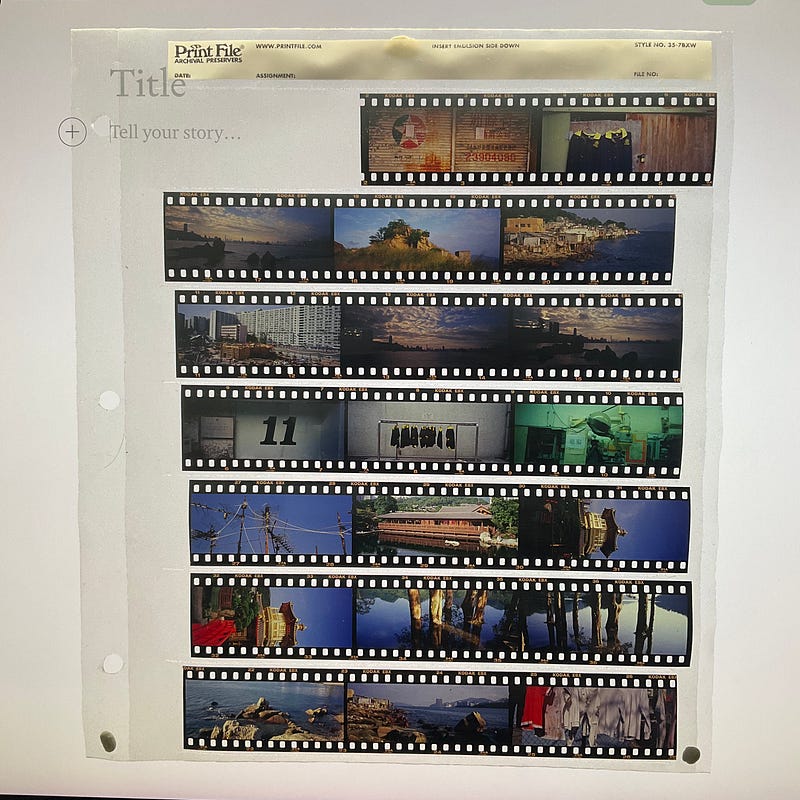
How to scan negatives at home is a must for every film photographer.…

Foreword:

In the past two months, the fifth wave of the epidemic has occurred in Hong Kong, and the number of confirmed cases has exceeded 10,000… For this reason, if possible, stay at home and reduce the time to go out… The best entertainment at home may be to stay at home. I scan old negatives at home, and most of them are positives. There are two large boxes, about 200–300 rolls of 120/135 positives, and the shooting time is about 2007–2012…

Tools commonly used for film scanning

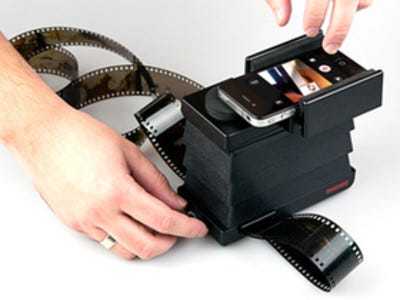
  1. Now the most accessible negative scanning tool is the lightbox + mobile APP… This is the most accessible and most easy-to-use combination, take the negative and put it on a specific film holder, then shoot on the lightbox, and convert the negative image through the mobile APP. Recording or converting into digital files… The advantage is that it is easy to use and fast. If it is shared on the Internet or forwarded to a circle of friends, it may be enough…
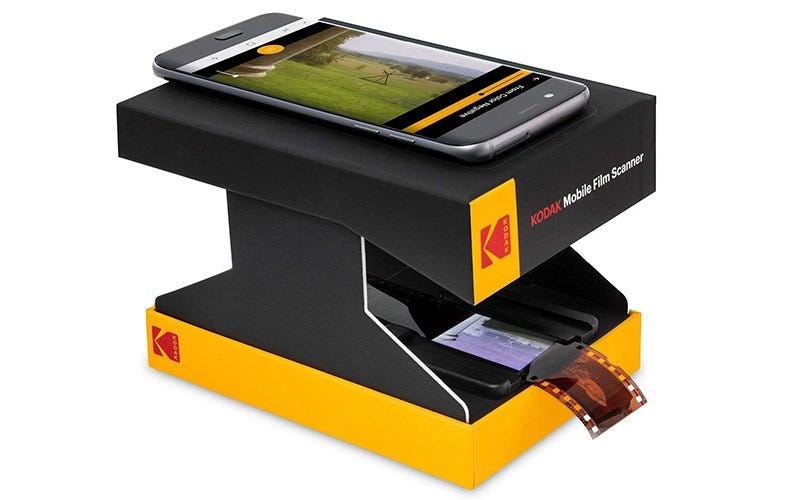
Different manufacturers have also launched simple tools to flip negatives, you may just need to use your phone to take photos, and then through a dedicated app to get a good image

2. lightbox + camera shooting + post-processing software: With the increasingly powerful digital camera shooting function, through the digital phase of the positive film, negative film and quite convenient. Suppose you are using Pentax K1 for those cameras with Pixel Shift function. In that case, you can take multiple photos grouped into one. In recent years, even the most advanced Phaseone camera has a negative duplication service to IQ3/4 duplicate the negative. You can have a 100MP/150MP RAW file, regardless of the shooting speed. Performance is also greatly improved. In addition, is the shooting of Negative film, there is now Negative Lab Pro Plug-in software that can significantly accelerate the time and effect of converting negative film files …
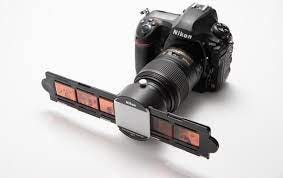
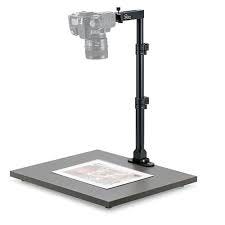
Using a digital camera to reprint negatives

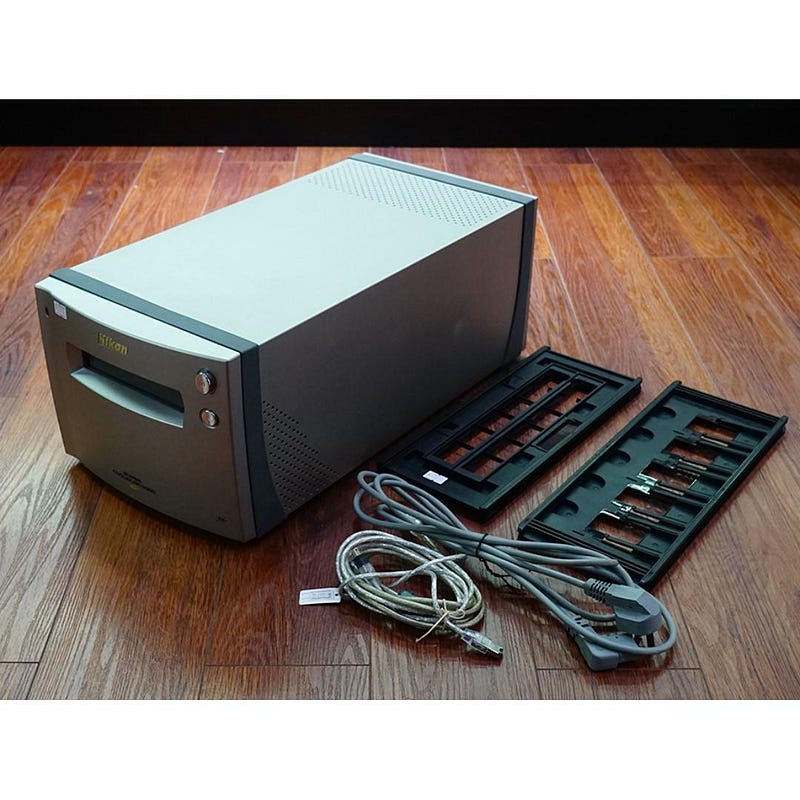
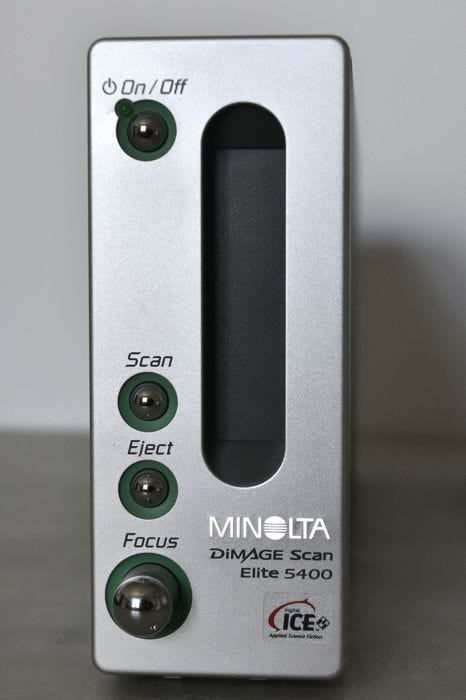
3. Professional Film Scanner

Scanner for negatives
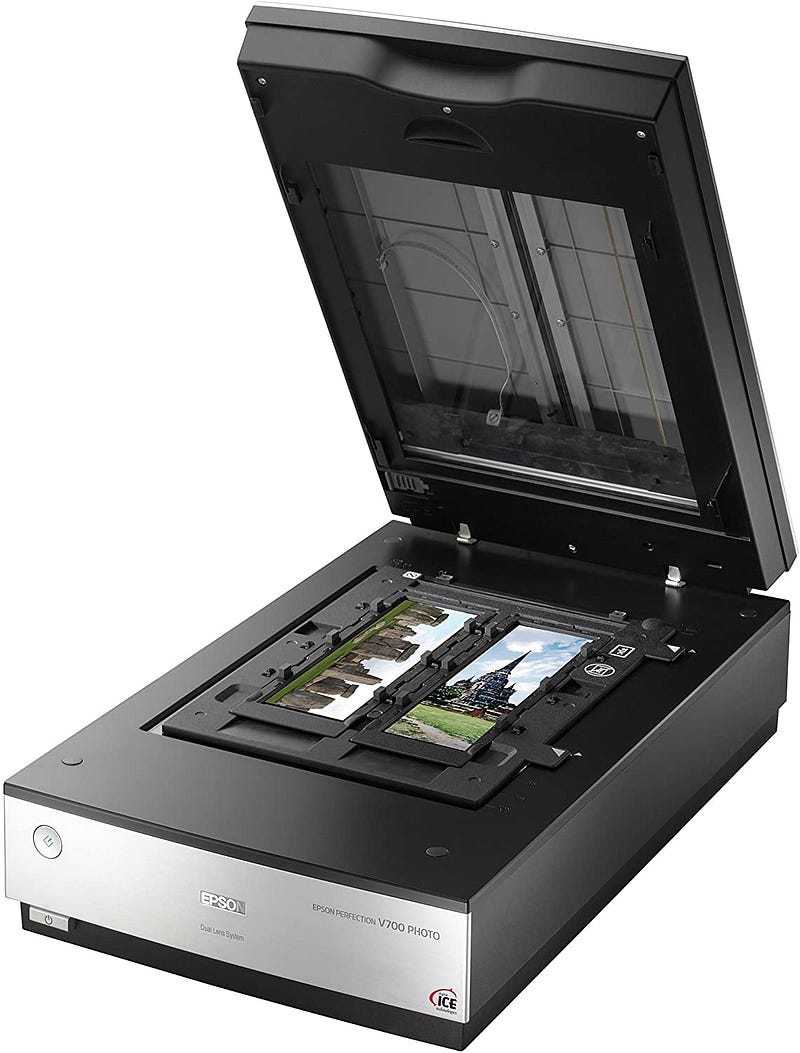
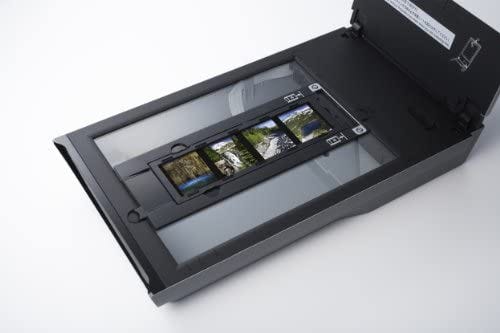
Flatbed Film Scanner

There are two major types of negative scanners: 1. those designed for scanning negatives, such as the discontinued Nikon 5000ED/9000ED, which are designed for scanning negatives only but can only scan negatives and are very expensive for photography enthusiasts and professionals.

The second type is the platform type of negative scanner. The second type of scanner is the flatbed film scanner. If a flatbed scanner is used to scan 120 negatives or larger negatives, the scanning performance can be excellent, and it can also scan documents, photos, etc., which will be more advantageous… But the results of scanning 135 positives or negatives with a flatbed scanner may not be too good, and the accuracy required for scanning 135 negatives needs to be very accurate… So the author still takes most of the 135 negatives out to the shop for scanning, saving time and having better image quality…

There is no such thing as the best, only the tool that best suits your needs at the moment… The final quality of the scanned film depends on the cost of your time and how much you require for the quality…

After all the preamble, the main purpose of today is to share the author’s experience of scanning about 20–30 rolls of 120/135 negatives at home again since February… During that time, I also purchased scanning software and film folders to improve the quality of the scanned negatives…
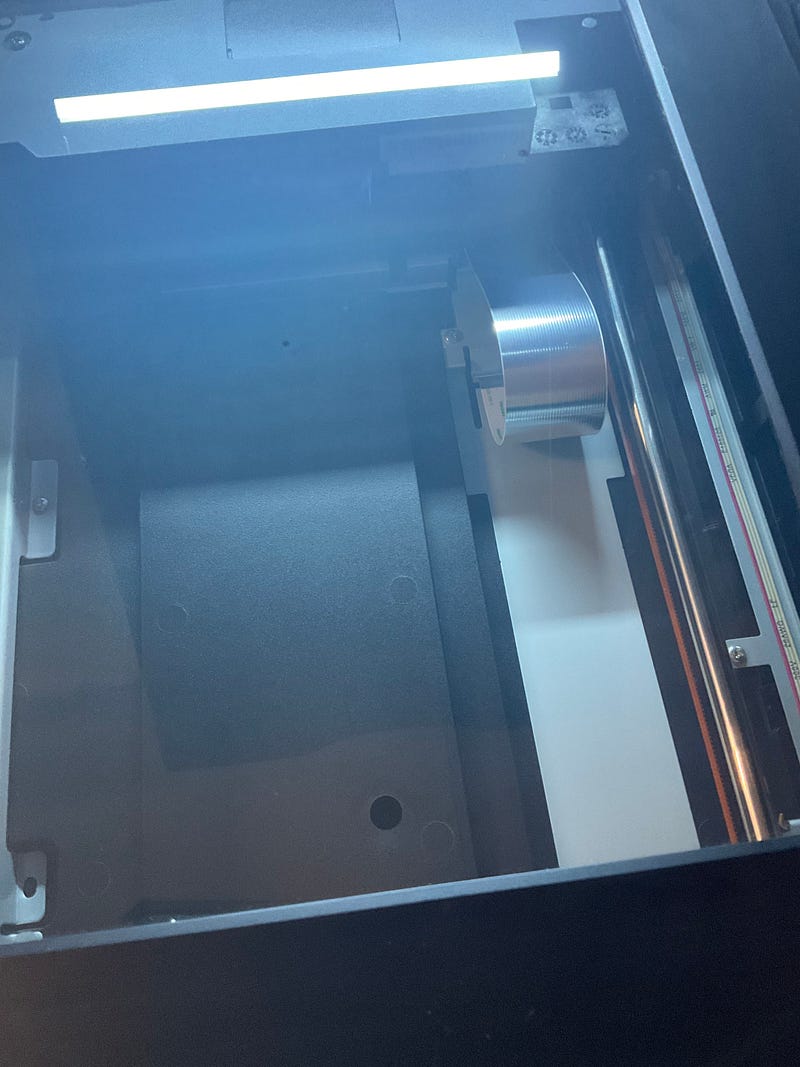
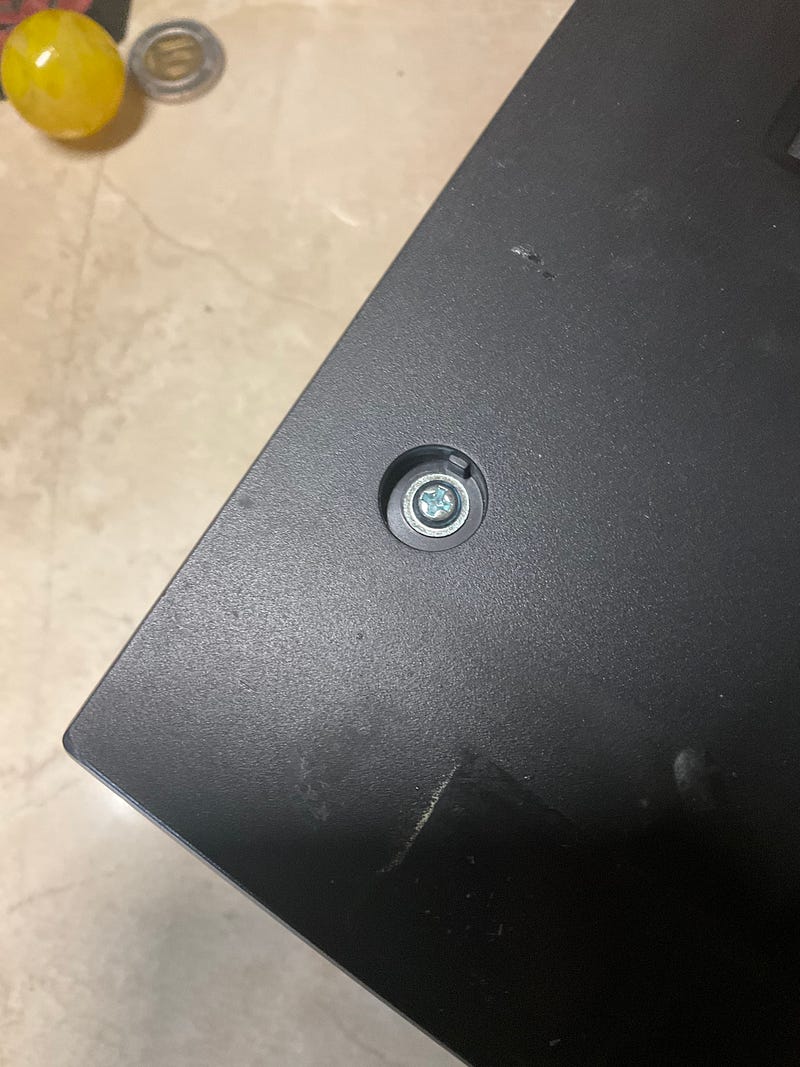
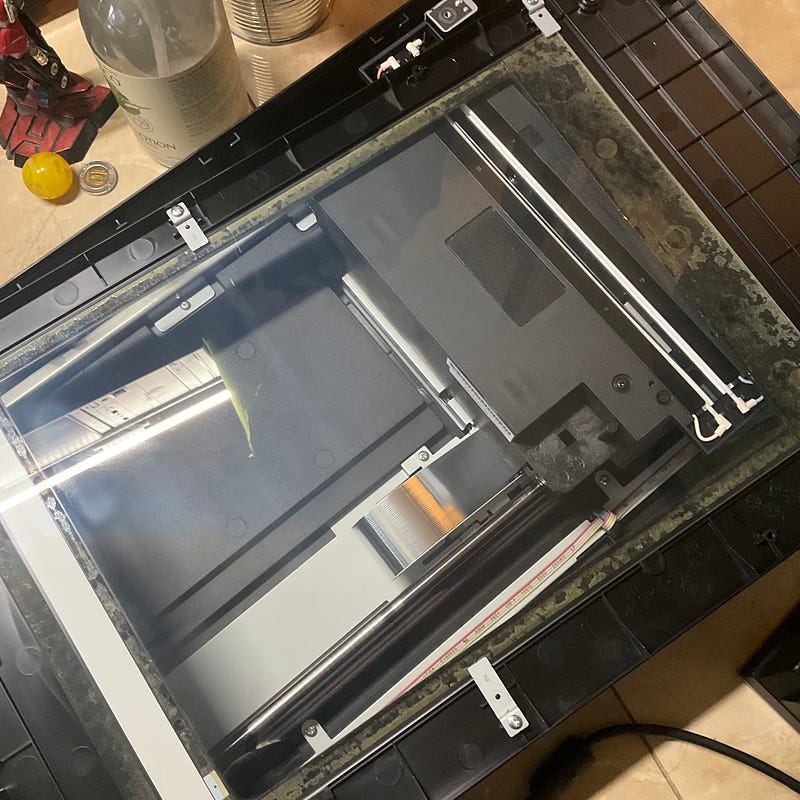
Under the light, the glass has a clear sense of fog and a bit or two of mold in it… This type of platform scanner always needs to be cleaned after a period of time… It’s okay, you can simply remove the four-port rods for a simple cleaning…

The Epson v700 is a platform type film scanner that can easily become moldy if left unused for a long time. It is a good thing that the glass can be cleaned simply by removing the four rods…

The two most important things about scanning negatives are
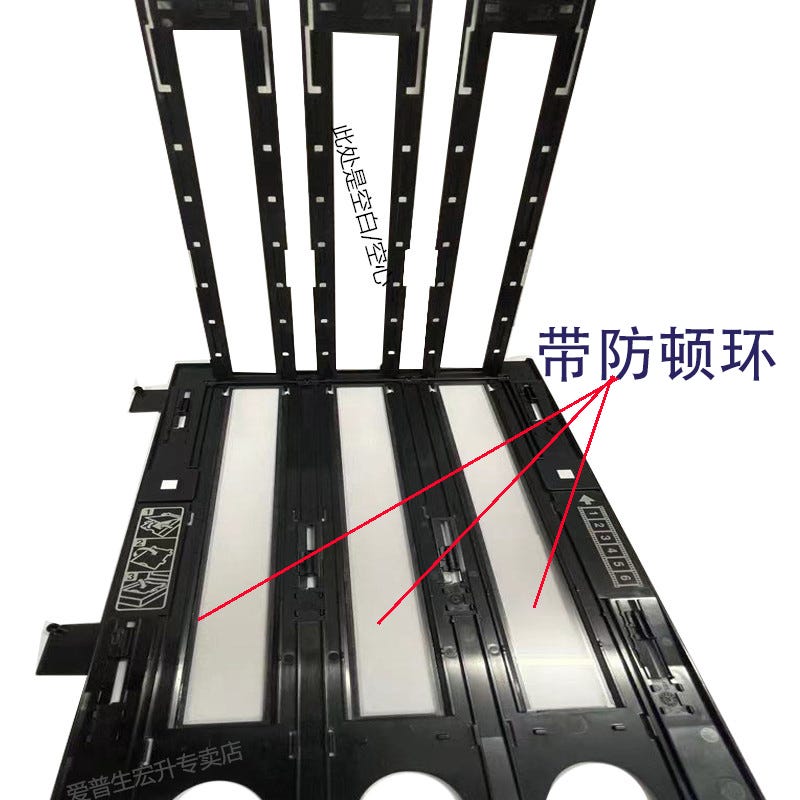
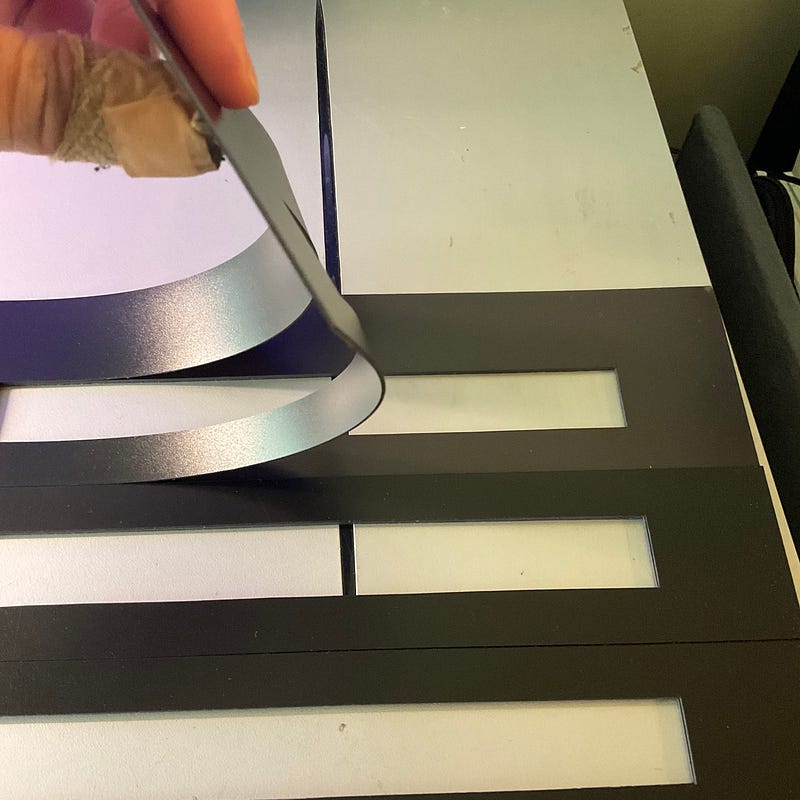
I had wanted to buy the V850 anti-stalling ring film clip, the price is only 200 rmb, and the right hand magnetic diy film clip is about… The right-handed magnetic DIY 135 film clip works better than I expected, and it clips my 135 Xpan negative well…the scanned results are ideal…
  1. Flatten the film to the best of your ability. The flatter your film is, the better the image quality you will scan or remake because the best image quality can only be obtained if the film is scanned or remade on the same focal plane …For this reason, I try to use a heavy book for one or two nights before scanning the negatives to flatten the negatives further… At the same time, the author finally bought a magnetic film clip, although this type of film holder can be DIYed The film clip is extremely simple, it can press the negative film a little more flat…
  2. Before scanning, do everything you can to remove the dust particles from the negative and the scanning platform… The author will first blow the scanner with an air pump, and the dust particles on the negative are also used… The author will not turn on the digital dust removal function on the scanning software, because there is a chance that the software will erase the details by mistake or make the color blocks inaccurate, so manual dust removal becomes extremely important… The better the dust removal is done in the early stage, the less time will be spent on dust removal in the later stage…
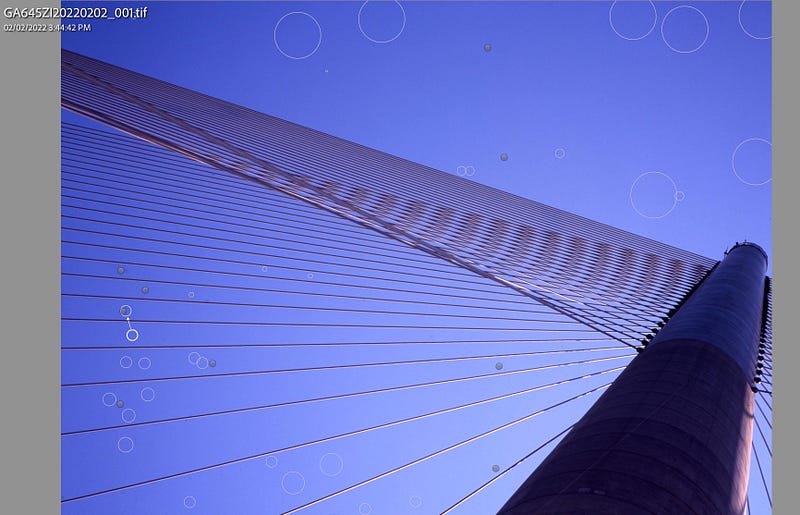
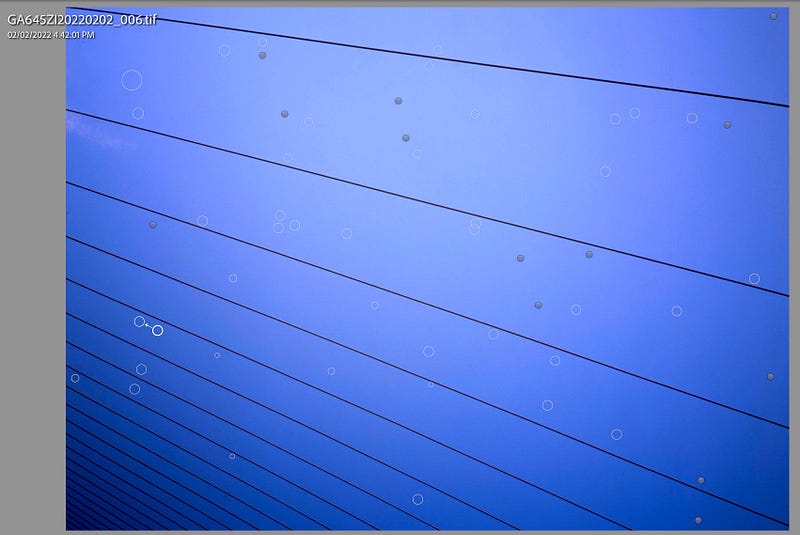
Scanning old negatives, the biggest problem may be to remove dust… Of course, you can wash the photos with soap again to remove the dust, which should remove many dust particles… But I’m still a bit lazy, so I’ll fix it slowly later… The extent to which the restoration is ideal depends on your use and persistence. General online sharing may only need to remove the large dust particles simply But if you want to zoom in for a closer look, you may need to deal with the number of dust grains several times… With a clear sky, dust particles will become extremely visible…
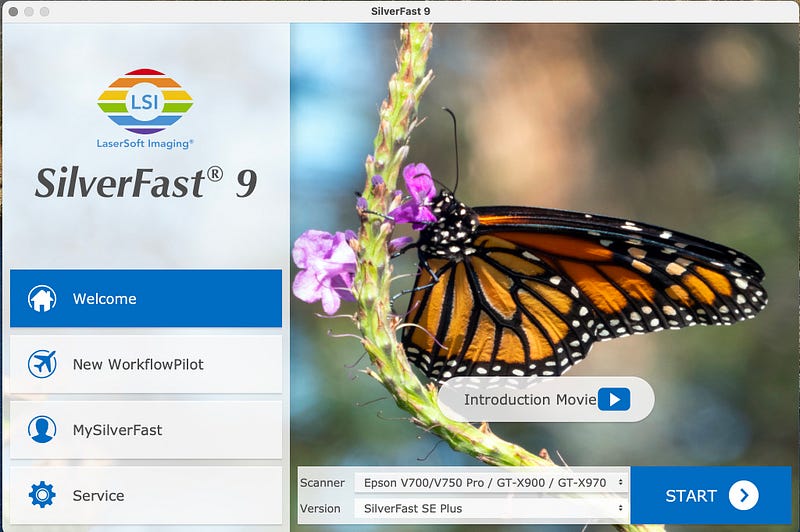
Silverfast 9 SE+ is a software that I love and hate at the same time, with an extremely impersonal interface and excellent scanning results XD

SilverFast — Scanner Software for Mac & Windows

SilverFast 9 SE+, SilverFast is scanning software that most friends who scan negatives will not be unfamiliar with. Its scanning function and picture quality are excellent, but its operation interface has not been improved over the years. Even the author has given up to adapting to the operation of SF9, it would be more convenient and faster to process the photo names in batches on Lightroom in one go… If you have used Silverfast, you will understand the author’s dissatisfaction… I can only say that only German designers can imagine such an impersonal operation interface, the real MIG it …
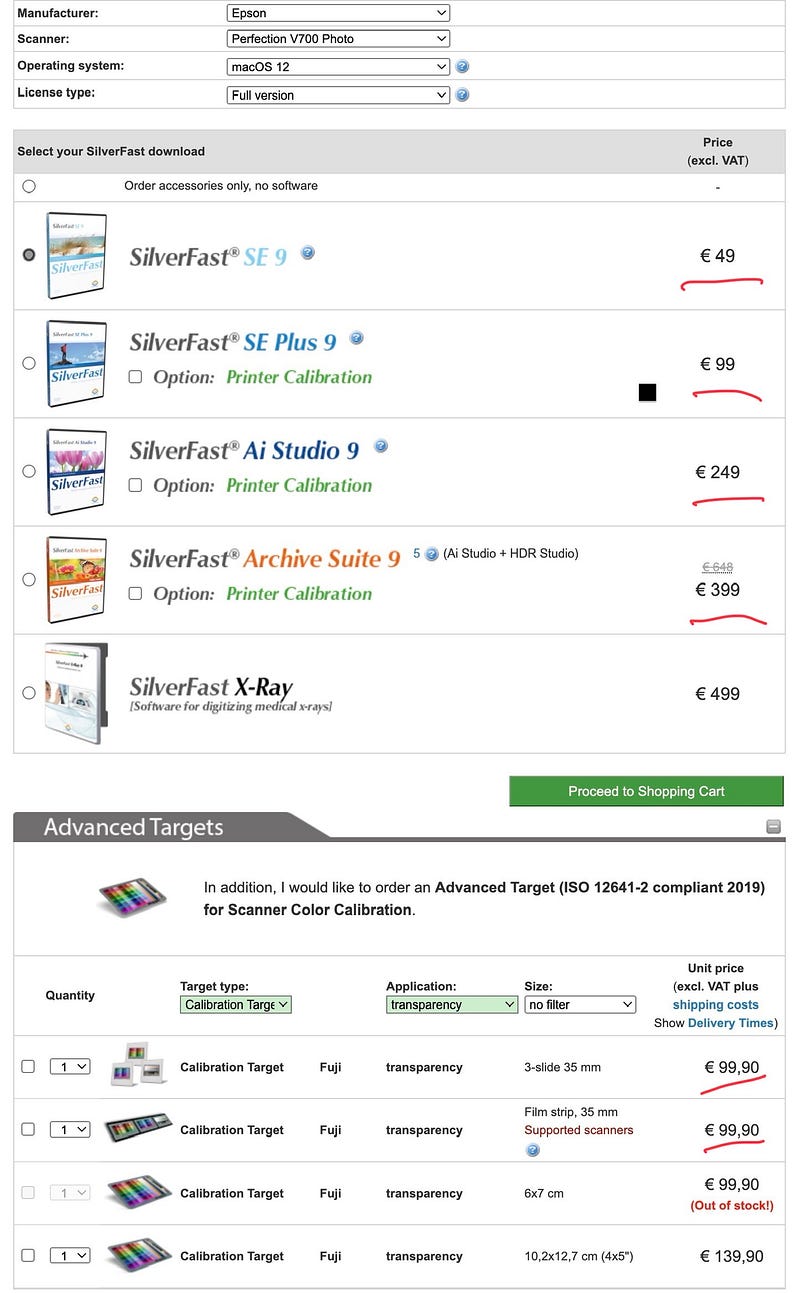
I believe that most photography enthusiasts choose the SF9 SE+ version at most. With the addition of multiple exposure functions, the price is actually not cheap… I believe other AI studio versions will be more commercially available, or if I use Hassledbald X1/X5 scanners, I will happily buy them…

SilverFast9 has different plans, I just chose the SE+ version, more than the most basic version of the multiple exposure function, the price is still acceptable, but really a bit expensive it … but after trying the effect is really better than the Epson Scan 2 on a lot …
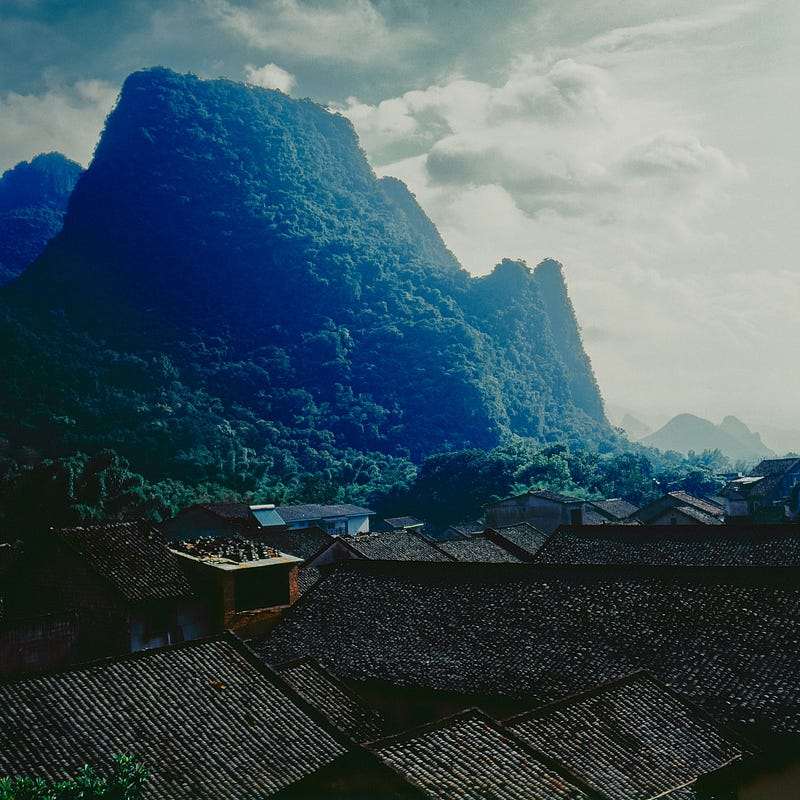
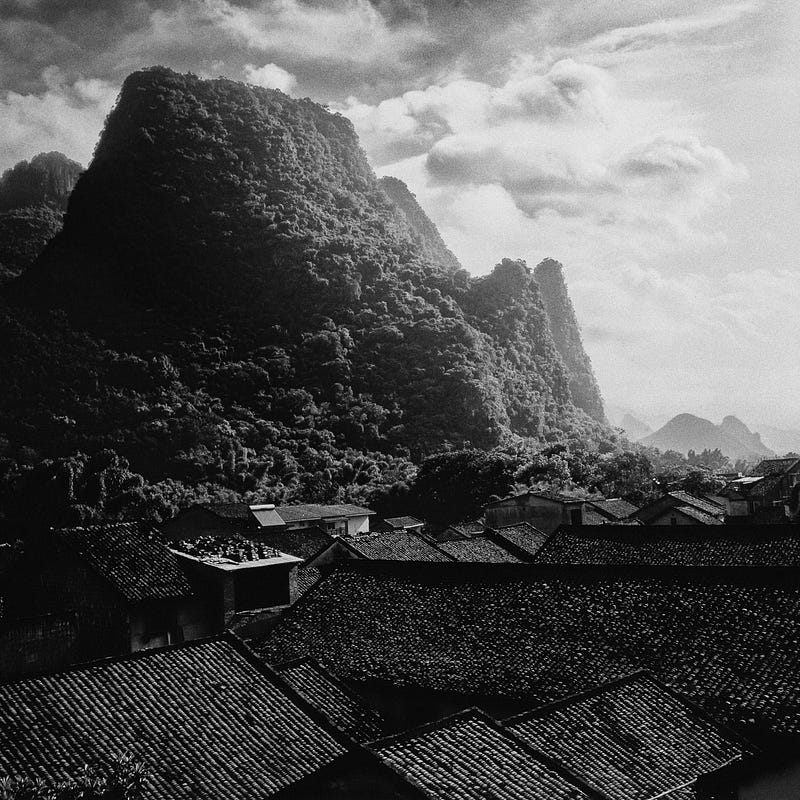
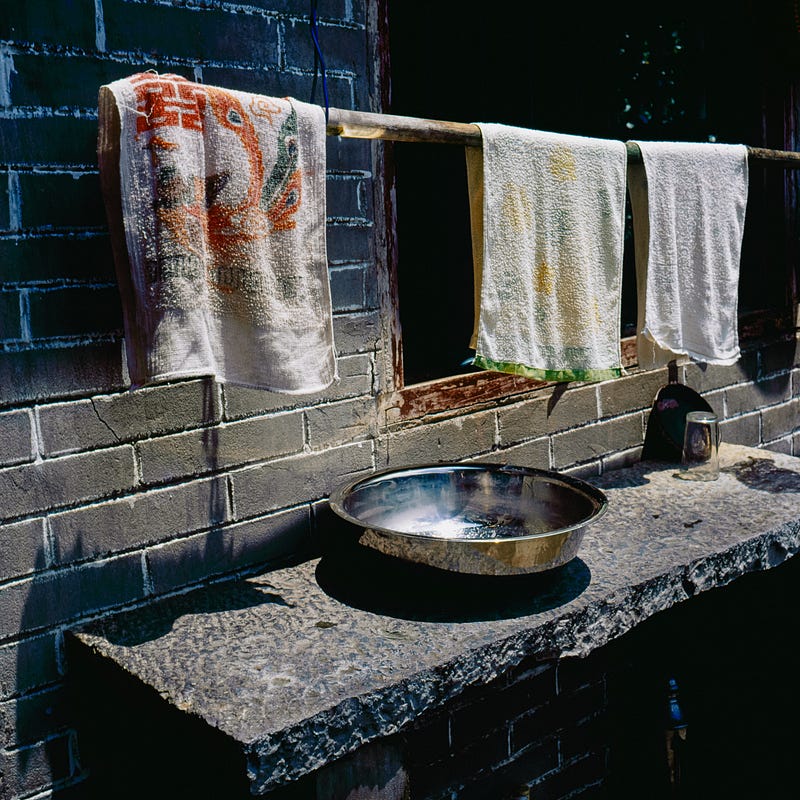
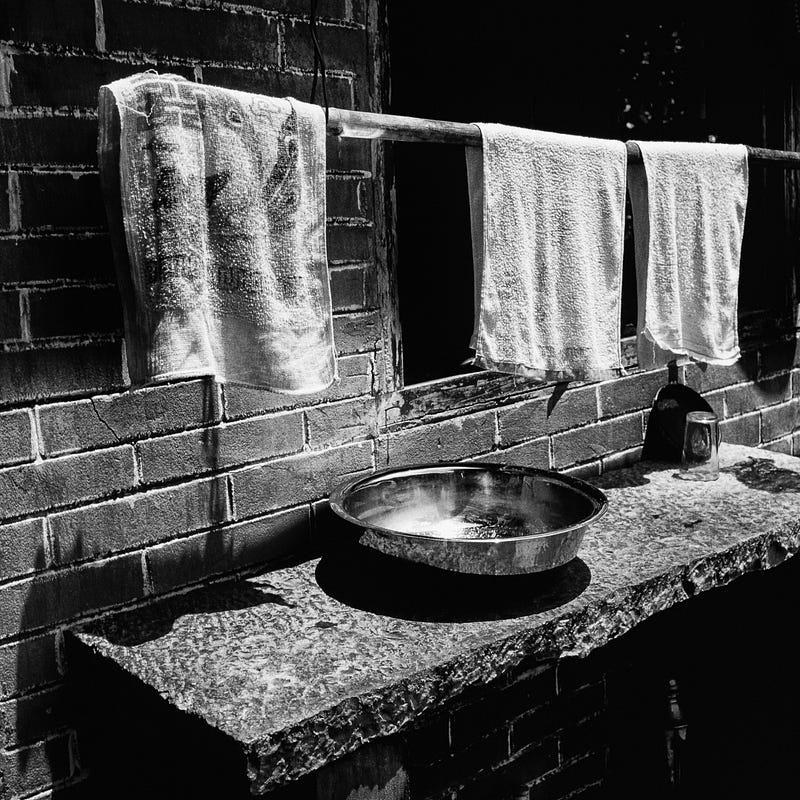
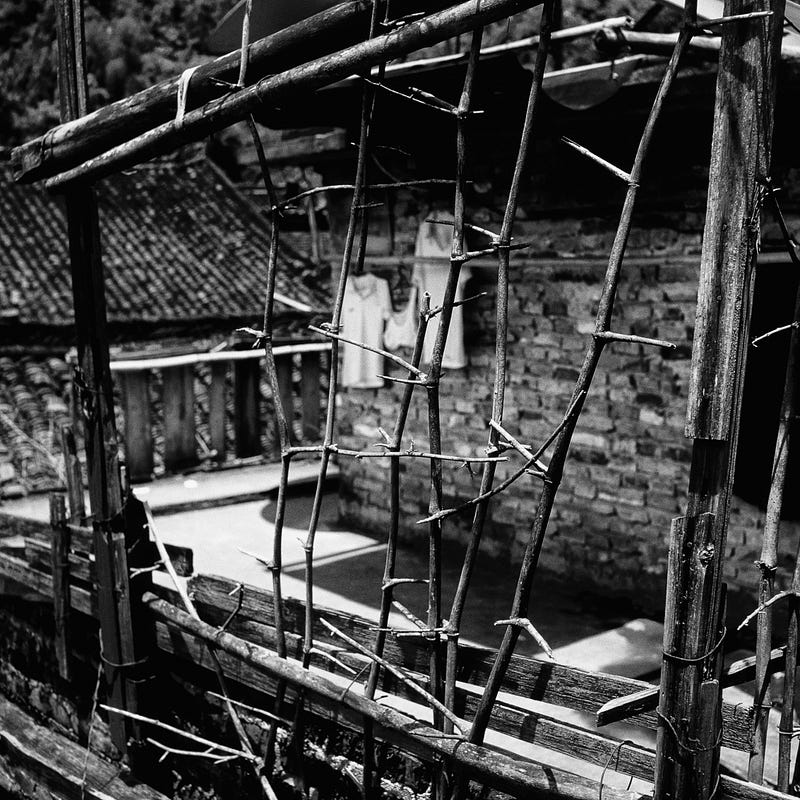
After being scanned by SilverFast 9SE+, the image after simple processing is really good… The best experience is to convert the photo into black and white, you can see the details in it more concentratedly Rolleiflex T , RDP3 , SF9+ , LRv11.2 / Silver Efex Pro3

VueScan Scanner Software for macOS, Windows 10, and Linux (hamrick.com)

VueScan is also more people will use the advanced scanning software, but the author is not really accustomed to its interface, so I did not seriously learn … but I believe that just familiar with its mode of operation, but also can come up with a good scanning effect …

Thinking about color temperature and color standardization?
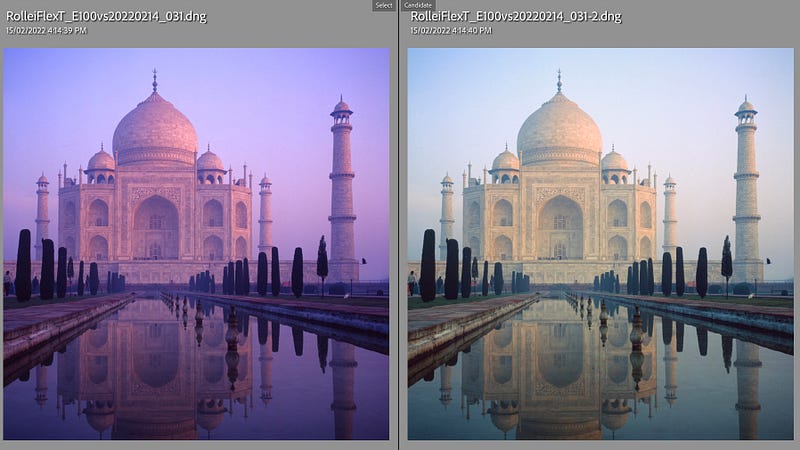
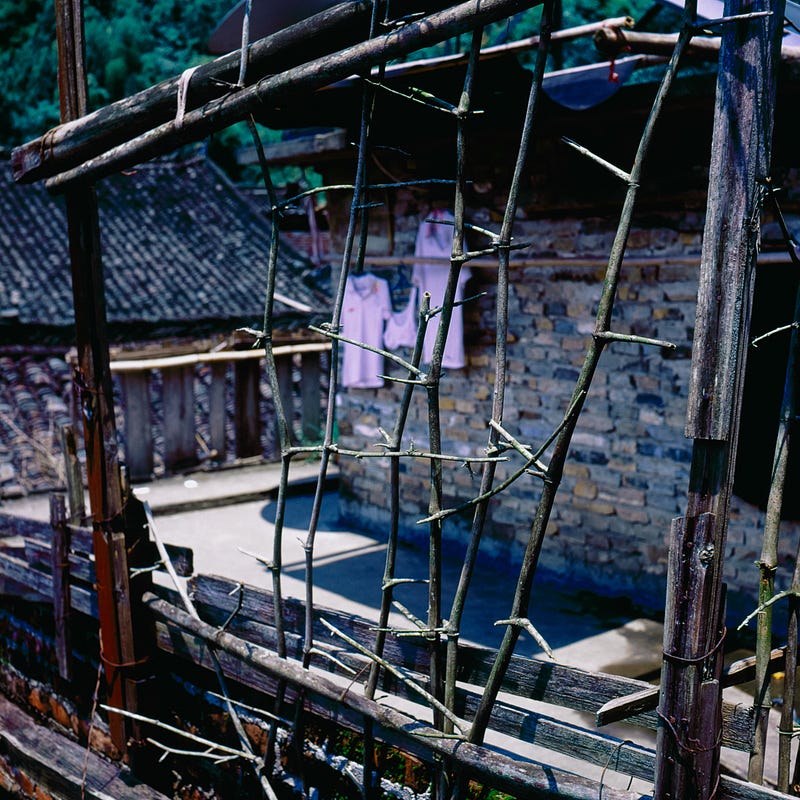
On the left is the original positive film showing the expired E100vs color temperature, the morning time in the absence of color temperature filter, purple and red white balance… On the right is the normal color temperature after Lightroom’s white balance correction… Relatively speaking, I prefer the wrong purple-red tones… But in the end, I also got a normal version…

Today, many of our friends who shoot negatives do not use any colour temperature filters when shooting, what 81A, 82B can be said to be very strange accessories for them, even to buy a better quality colour temperature filter, may not be very easy … At the same time, now more use expired negatives to shoot, the negative may also be 4–5 years or longer, the problem of colour bias, reddish, violet, etc. is very common. After scanning, the image correction is based on the colour temperature of the original film? Or is it based on the reality of the scene? Because just as the RDP3 image color temperature is bluish, E100vs is warm, from the very beginning, the choice of negative may not be the same as the field environment color temperature. I think today’s general negative enthusiasts have not cared too much about 100% colour restoration or very fine negative style. Because if you want to be accurate, it may be more convenient and faster to shoot directly with a digital camera. I can only say that the style of photography orientation is related to the times … the author, 10 years ago, the standard of shooting negatives may not be the same as today. Today you use Cinestill 800T is for its cooler, bluer image style …

Scanning procedure:

The purpose of my scanning negatives is to meet the needs of backup purposes that have not been 10 years or more, mostly for viewing on 5–8K LCD… If I really print the photos, I may still Take the original film back to a familiar photoshop or a specialized photo shop for scanning and printing photos…because the processing methods for LCD viewing/printing may be different…the most important thing is to keep the original file or the original film It would be much easier to reprocess it this way…

The author still aims to scan 120 positive films and 135 Xpan positive films. I don’t have much confidence and time to scan ordinary 36-frame 135 positive films. After scanning the 100–200 cylinder 120 positive films and Xpan photos, I will not forget it…
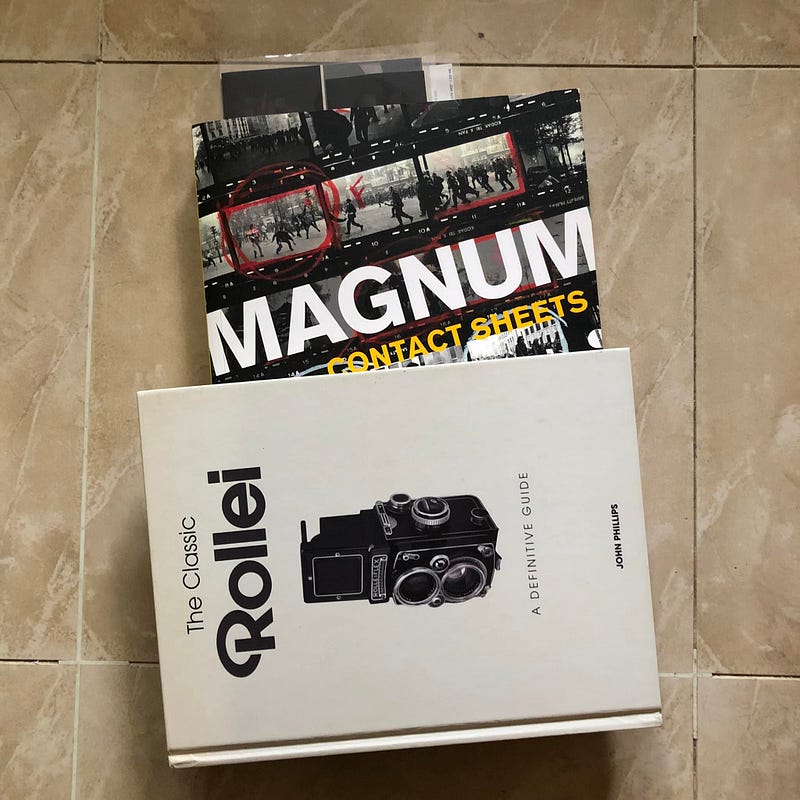
Pre-flatten the negative in a heavy book for a day or two or more so the negative can be flattened more efficiently…
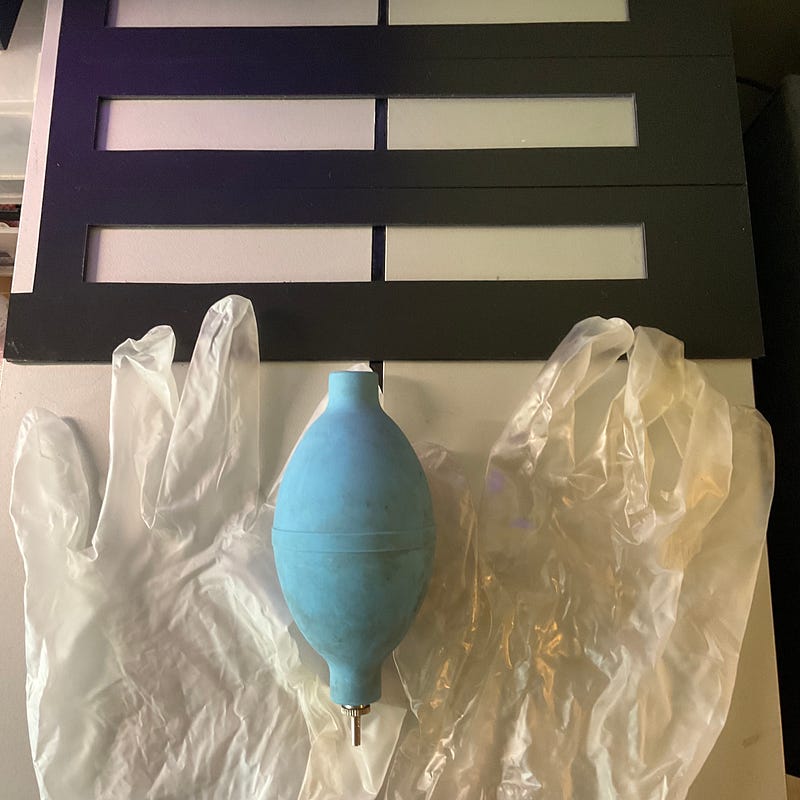
  1. Pre-flatten the negative in a heavy book for a day or two or more so the negative can be flattened more efficiently…
Wearing gloves can reduce the fingerprints and grease left on the negative, protecting it…

2. Put on rubber gloves, put the film on the film clip, try to put the film on the same focal plane, and remove the dust particles on the film as much as possible…

3. Remove dust particles from the film scanners…

4. Open the scanning software SilverFast 9SE+, open the image preview, and then select the range of the scanned negative…I will only turn on the auto sharpening and light contrast processing functions so that the scanned image retains the most detail and post-processing space…I will set the image size at 2400 DPI, 5000x7000, and use Tiff processing, which is about 100MB per image…
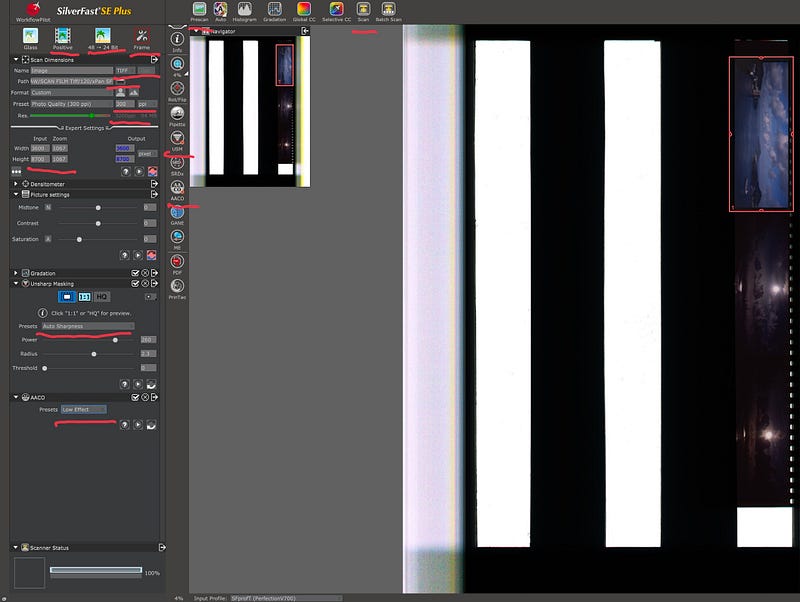
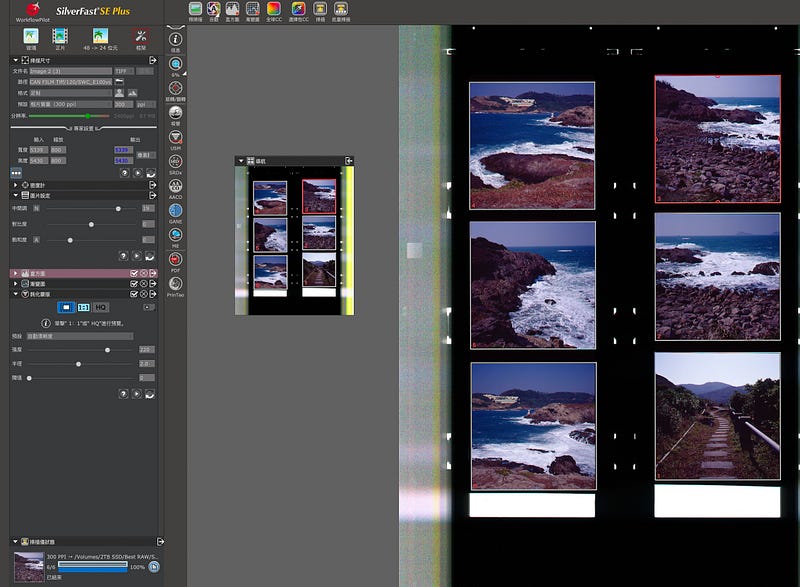
The SilverFast interface may look complicated, but in fact, there are not many options that you really need to use. The most important thing is to set the file size, resolution, position, etc… The author will only turn on auto-sharp, a small amount of auto-contrast control, automatic image functions, etc. Other electronic dusting and minor colour correction will not be handled in the software, because under this simple thumbnail, the retouching is not very accurate, and it takes more time to turn on the zoom mode… Since Tiff is used as a medium, there is still good room for post-processing, so most of the post-processing will still be done in Lightroom. Of course, if you encounter a large backlight, you may need to turn on the multiple exposure function, which will also take more time…
SilverFast 9 SE interface operation when scanning SWC/M… or it will be more convenient to process each sheet

5. The scanned image is imported into Lightroom, first the name is changed in a simple batch, and then the Exif is added to the scanned image with Lens, such as lens information, type of negative used, etc… for easy searching of relevant photos on a daily basis…
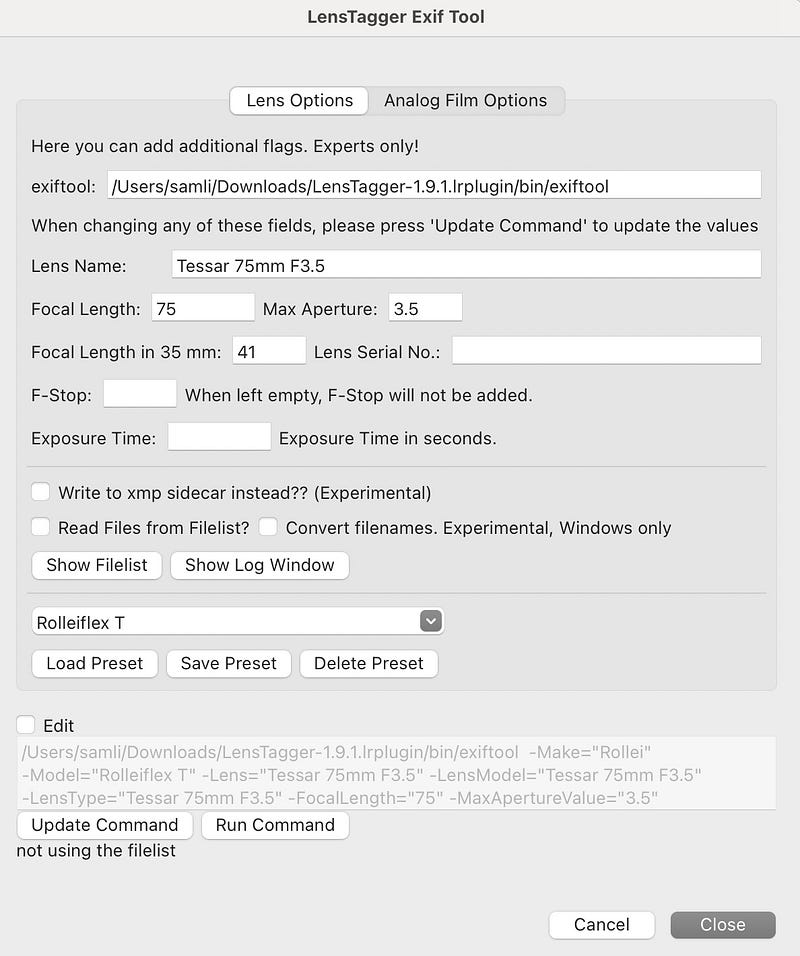
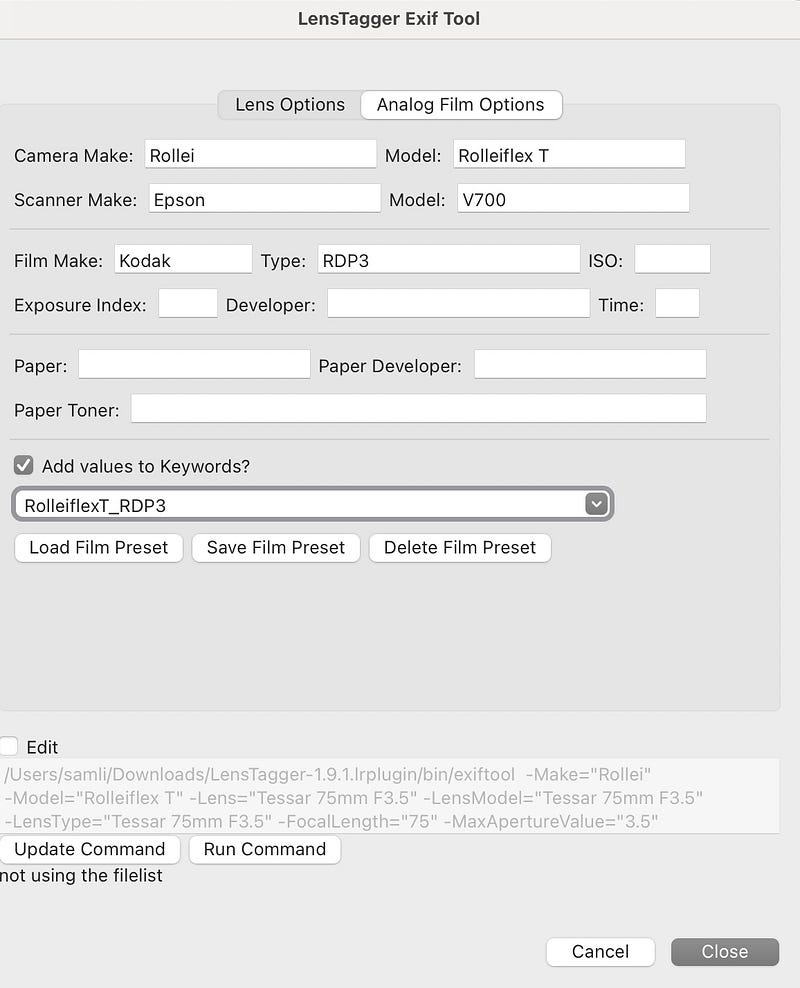
Use Lightroom LensTagger to add the right keywords to your photos…

6. The author will change the mouse shortcut to the Lightroom Q dusting key and the W key to the white flat key…because the dusting function is the most commonly used key after you scan the negative…of course the level of dusting depends on your own requirements…
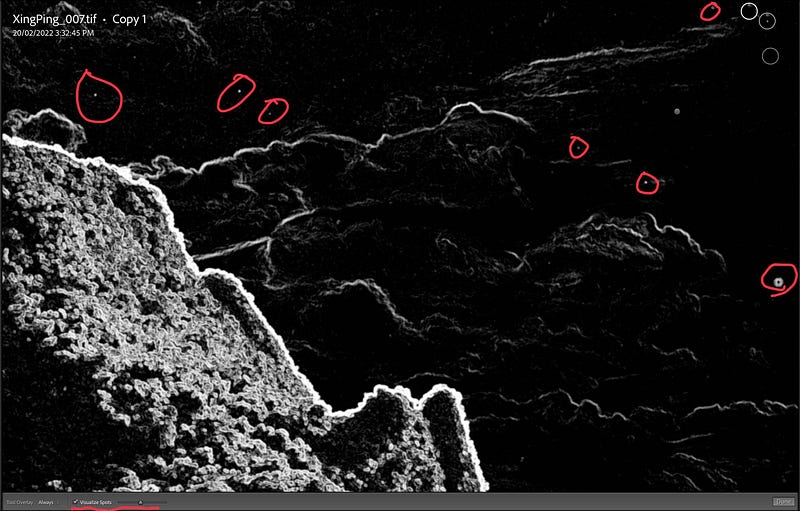
Set the mouse shortcut to Q, click it to remove dust particles, you can use the mouse wheel to zoom in & out. During dust removal, you can use the Visulaze Spots at the bottom to change the screen to black and white mode, so it is easy to see where there is a small amount of dust…

7.After that, the author will make correction adjustments for the image, using the relevant negative style file, may be more quickly, ha … and then adjust the light and dark, contrast, highlights, low light, etc. … If needed, may make local adjustments for the image, now Lightroom has AI mask function, you can quickly find the sky, while you can reverse the search for land, this function is very useful to correct the contrast of the sky, land, light and dark … a volume of 120 6x6 images, although there are 12, but seriously detailed photos may only be 3–4 only, the other is only a simple adjustment even …
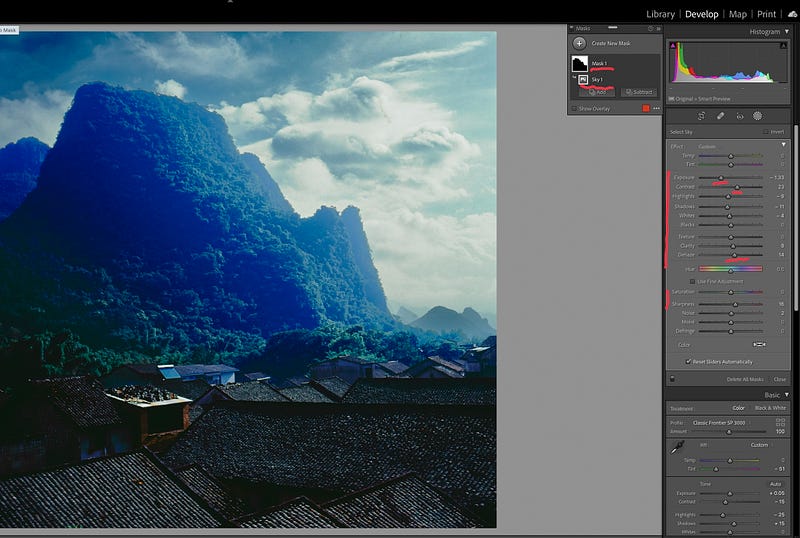
After LR v11 version, more AI Mask function to select the sky, very useful for general landscape retouching…

8. After the author will add appropriate keywords for the photos to facilitate the daily search or classification of photos … export, DNG as the base, so that you can record all the modification parameters, lens / negative exif, so that the size of the photo will be reduced by about 2/3 size, 100mb Tiff changed to dng words, about only 30–40mb left about …

Scanning a roll of 120 6x6, 12 photos requires two separate scan times, about 30–40 minutes. Post-processing takes about 3–5 minutes per frame of negatives, including dust removal, adjusting color temperature, contrast, light and dark details, etc… The final 12 positives may take 50–60 minutes, which means that if you are serious about processing one roll 120 negatives scanning and post-processing may take 1–1.5 hours or more…scanning 135, 36 sheets will take about 2–3 times as long as scanning and post-processing…Can only say that the negative scanning is the most needed in the end It’s time, time, time, followed by money… How much love do you have for the love and persistence of negatives? There is actually no difference between film photography and digital photography, but the media is different, and the knowledge to be learned is similar and different, but it is indeed necessary to constantly pursue new photography knowledge and skills…

Conclusion: The final image quality of film scanning is actually the most important thing is what means you use to constantly optimize the process and establish your own set of regular standards to process the image, many of the details you can optimize the process by constantly optimizing the flattening of the negative, dust removal, software updates to optimize the process … photography is actually ultimately a science and art combined with aesthetics, only constantly review and optimize the scanning process to have more stable scanning quality … what cell phone photography can be comparable to digital cameras, in fact, a lot of internal image processing and stacking technology to have better image quality, is to improve the quality of technology …

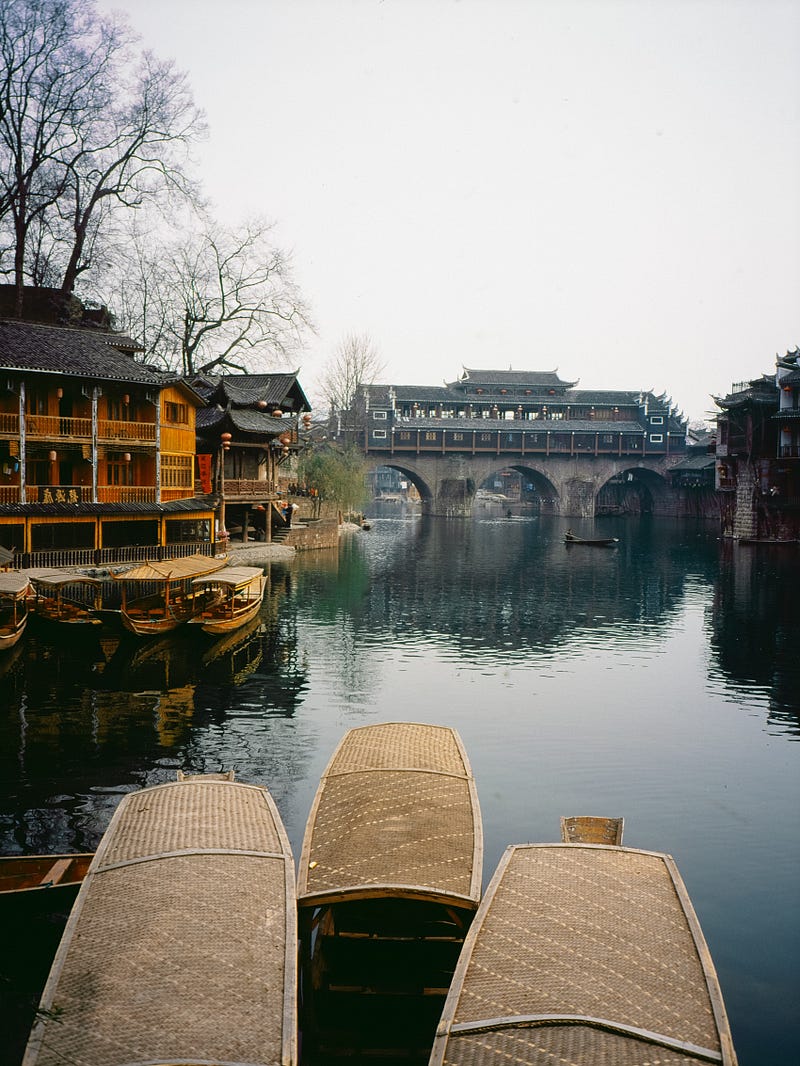
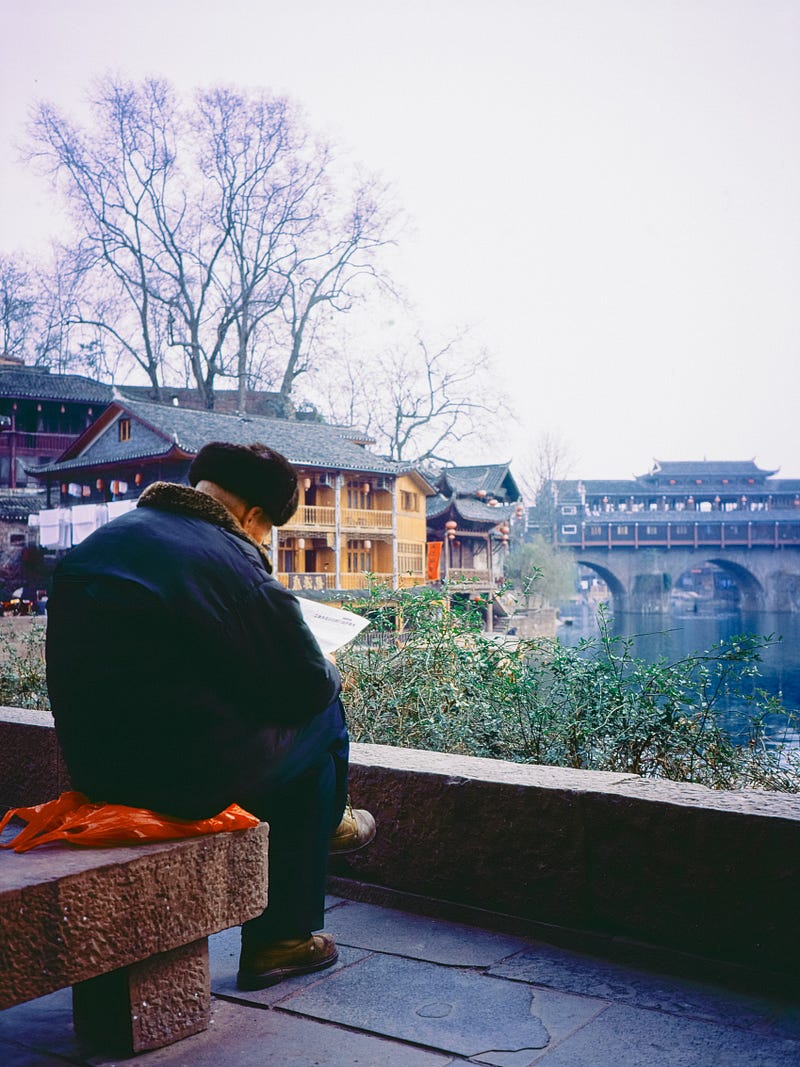
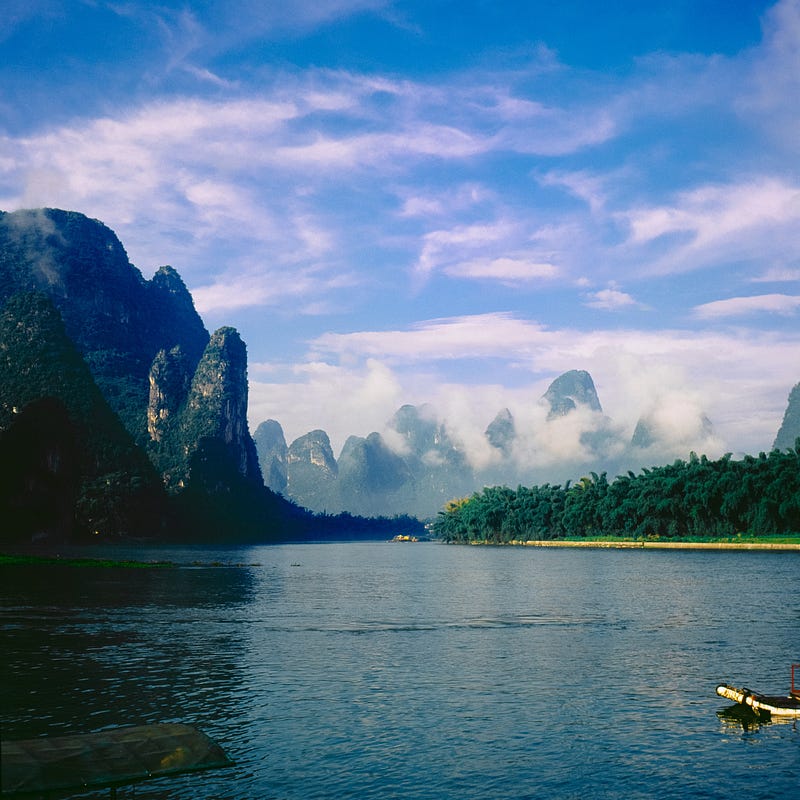
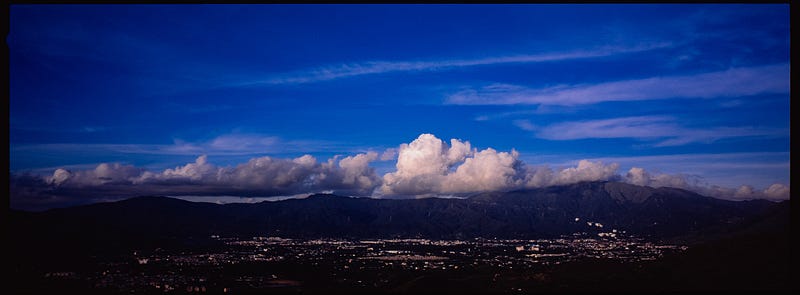
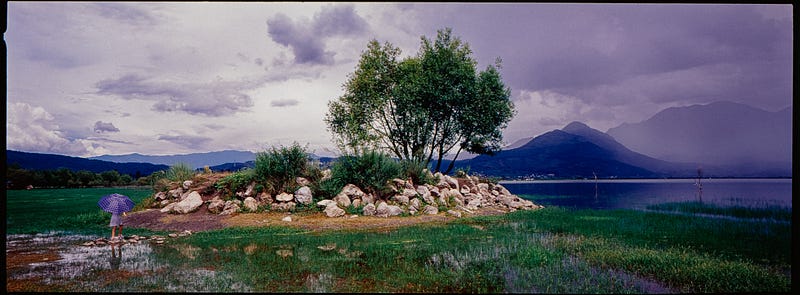
The following photos were taken by the author more than 10 years ago and modified by SF 9 se+ and LRv11.2…

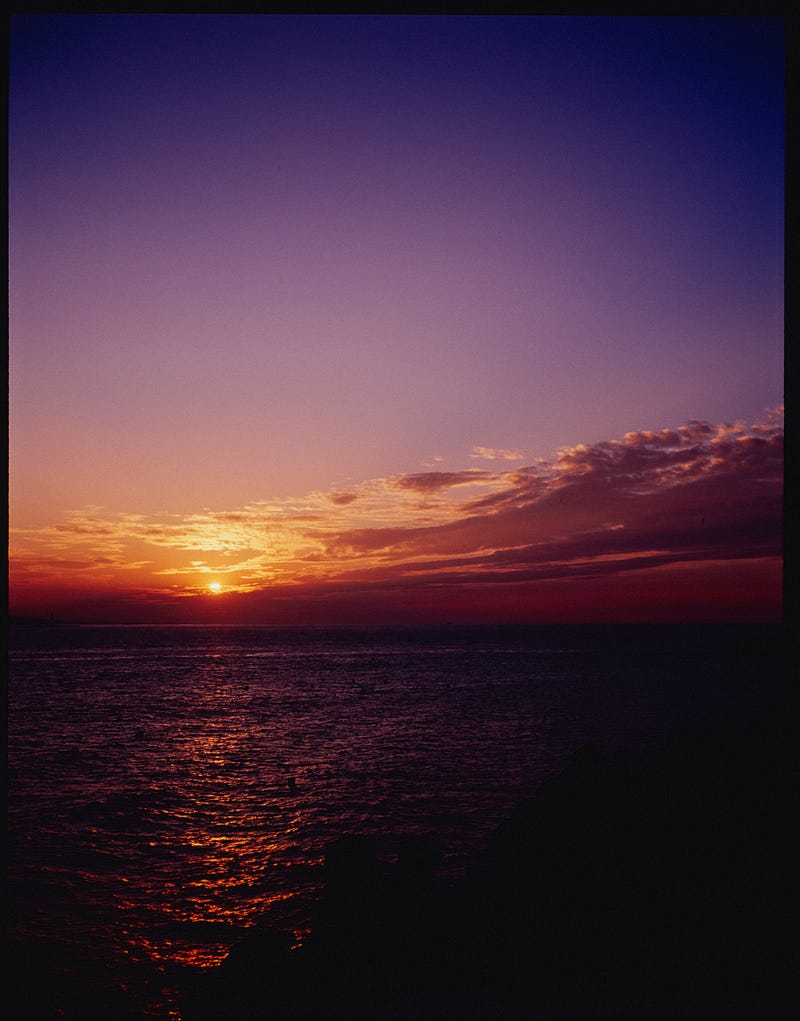
GA645 + E100vs + SF9+ LRv11.1 / Taiwan 2008
GA645ZI + RDP3 + SF9+ LRv11.2 / China, 2009
Rolleicord 4a / E100vs / SF9+ / LRv11.2 /XingPing 2009
左: Rolleiflex 2.8F , E100vs / SF9 se+ / LRv11.2 / Hong Kong 2010 右: Hass 500CM / CF120Macro / E100vs / SF9 se+ / LRv11.2 / Hong Kong 2010
Rolleiflex T / E100vs / SF9+ / LRv11.2 /XingPing 2009
Xpan / E100vs / SF9+ / LRv11.2 / Yuen Long
Xpan / E100vs / SF9+ / LRv11.2 / Hong Kong
Xpan / E100vs / SF9+ / LRv11.2 / Yunam 2009
Xpan / E100vs / SF9+ / LRv11.2 / Silver Efex Pro3 / Yunam 2009

If you like this post, feel free to give me a clap on the back and let me know you like it too XD

Rokkorx’s Blog | Facebook https://www.instagram.com/samlee.hk/ https://www.flickr.com/photos/rokkorx/

In July, a friend from overseas bought three cups of coffee to support the my’s work… I was really touched to see that some of my friends have taken concrete action to support me…

If you want to support My work, you can buy a cup of Coffee and support me to continue writing.

https://www.buymeacoffee.com/samleehk
If you want to support the author’s work, you can become a paid Medium member continuously through referrals. This way I will also receive 2.27USD per month… https://samlee-hk.medium.com/membership

Rokkorx’s Blog | Facebook https://www.flickr.com/photos/rokkorx/ https://www.instagram.com/samlee.hk/ https://www.instagram.com/pano.street

You can see all my articles at :

Other related articles by the author:

Film
Photography
Film Scanner
Travel
Pss
Recommended from ReadMedium