
Everything You Need to Know About PWAs
Progressive Web Apps — what are they and how to get started
Entering the mobile development environment is tricky. Mobile developers have to make a lot of decisions before launching their applications.
Some of these key decisions involve: What languages do I use? Which platforms do I publish on? Which devices do I have to support? Which frameworks do I use?
Mobile development can feel complicated in comparison to web development where you can launch your website by putting a single HTML file on a server.
Progressive web apps is a new technology that enables us to build applications that feel native with standard web technologies like JavaScript, HTML, and CSS. PWAs run in the browser and allow access to key native features, such as:
- Installing the app on the mobile home screen
- Accessing the app offline
- Push notifications
Building Mobile Apps With Web Technologies Isn’t That New
Progressive web apps allow you to update the application without implicit user permission (really cool feature). Just like the web, you code a new feature, push the code to the server, and voila, the user has access to the feature.
Browser Support
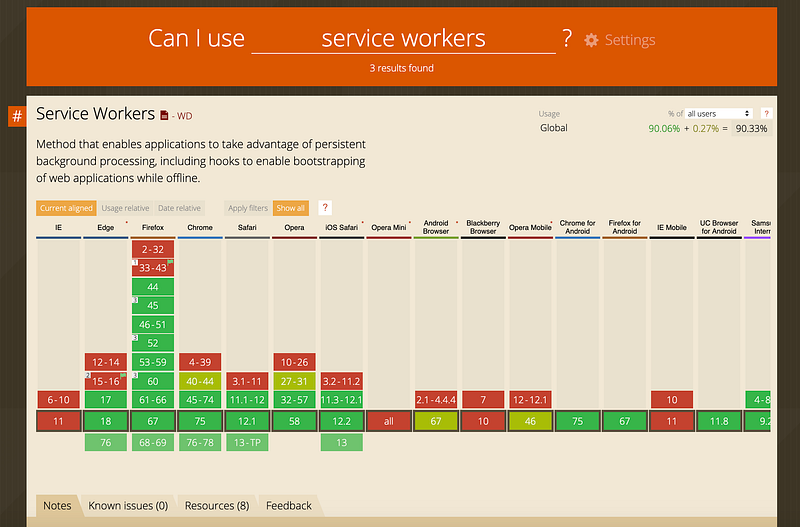
Most modern browser support service workers, which are at the core of every progressive web app, only run over HTTPS for security reasons.
To build PWAs locally, you need a web server to serve your files or bundle. For example, https://localhost:3000—I ’m using Live Server on Visual Studio Code for demo purposes.
Getting Started
Every PWA requires a manifest.json file. The web app manifest is a simple JSON file that tells the browser about your web application and how it should behave when installed on the user’s mobile device or desktop.
Place this manifest in the public or build folder in your project.
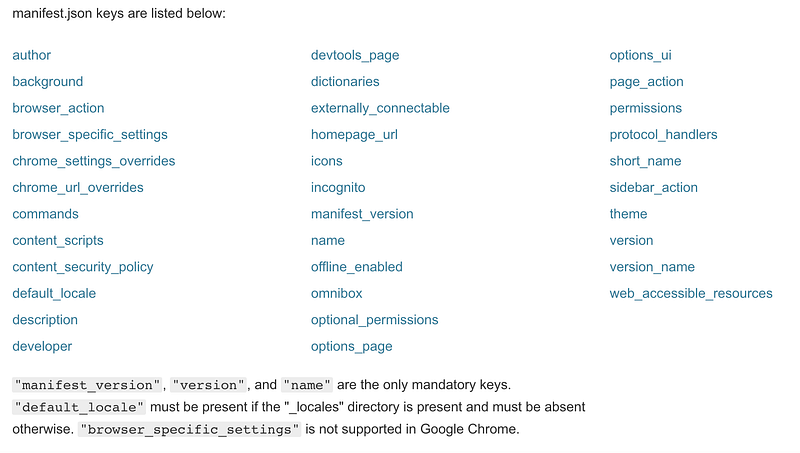
Tell the browser about your manifest
When you have created the manifest, add a link tag to all the pages in your web app:
<link rel="manifest" href="/manifest.json">Launch the project with a web server and open the application tab.
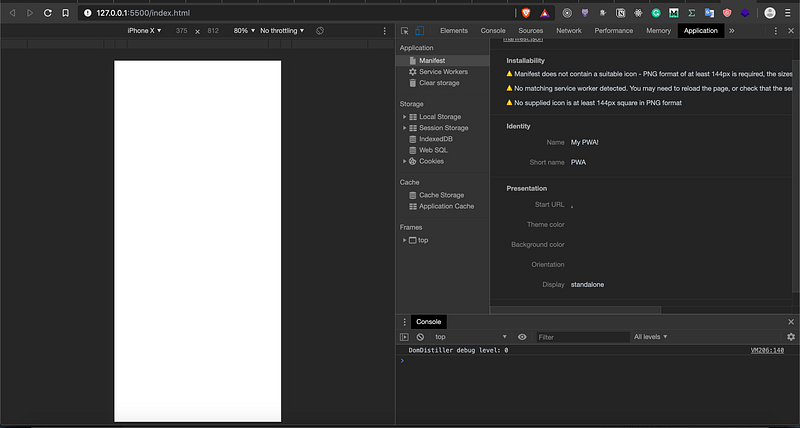
You should see all the manifest.json properties appear on the Application -> Manifest tab.
Creating a Service Worker
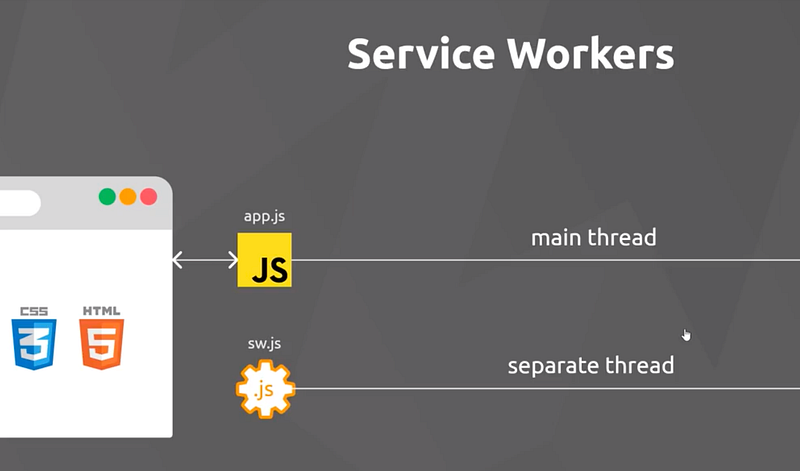
What’s interesting about service workers is that they run on a separate thread. This means service workers don’t have access to the DOM.
What’s the point of a service worker if it can’t access the DOM? The reason is quite simple — service workers run in the background. Imagine uploading a large 30-minute video and while the video is uploading the browser completely freezes. Would that be a good user experience?
Of course not. That’s why we have background services for image video processing, listening real-time for data requests, push messages, etc.
To install a service worker for your site, you need to register it
We check if the serviceWorker object exists on the navigator object. If it does, on page load register our service-worker.js file.
If you run the app, open the Application -> Service Worker tab, and you should see the service worker running.
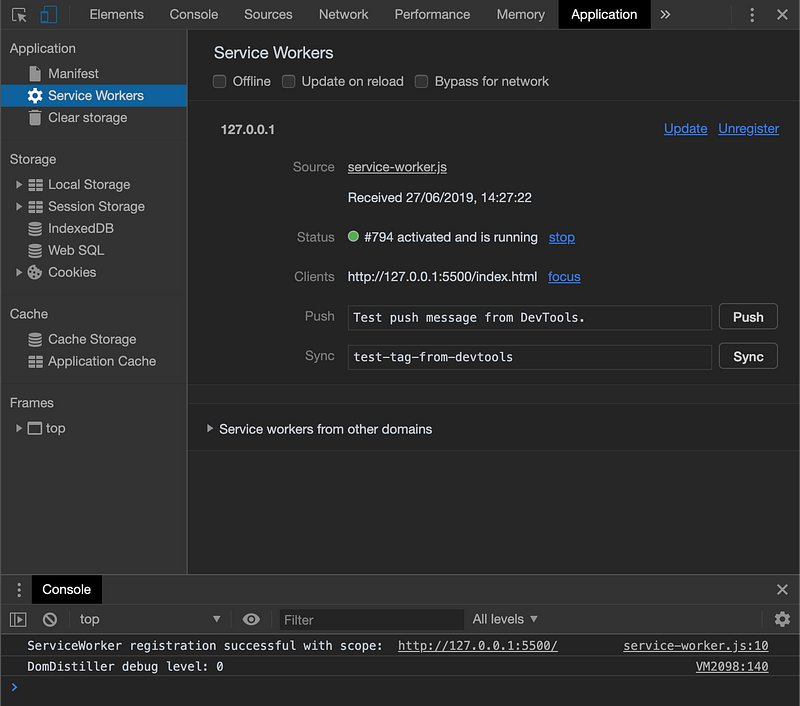
To make sure it’s the current service worker and not a cached one, click on the Source.
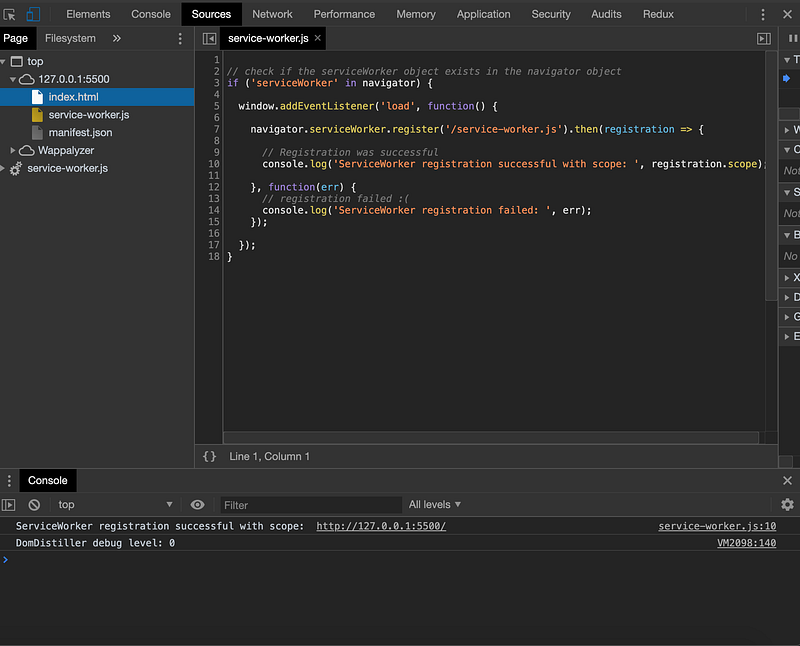
Yup, it’s the one.
The Service Worker Life Cycle
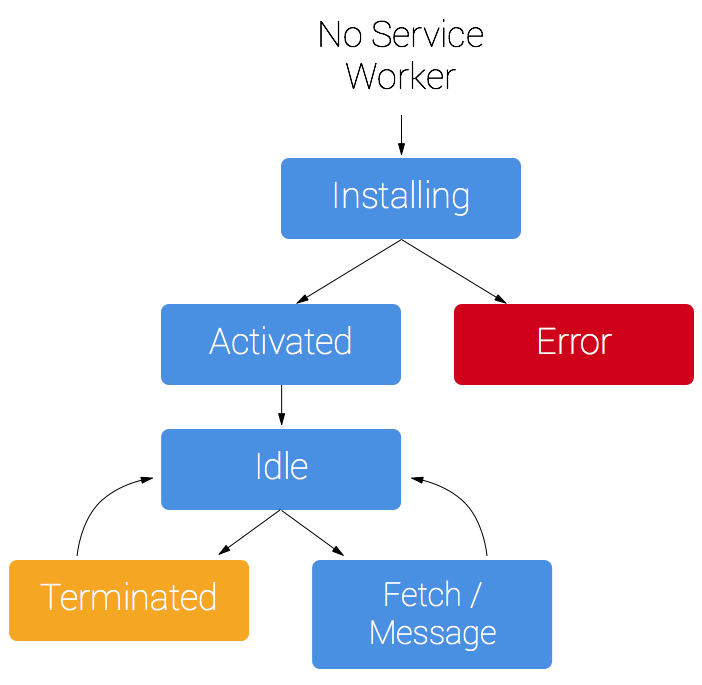
Service workers are based on the promise syntax that means they are asynchronous by default. If promises are new to you, check out this post.
In a nutshell, the life cycle for service workers is to make offline support possible, allow new service workers to register without disrupting the currently registered one, and ensure there’s only one version of your site running at once.
Offline Support
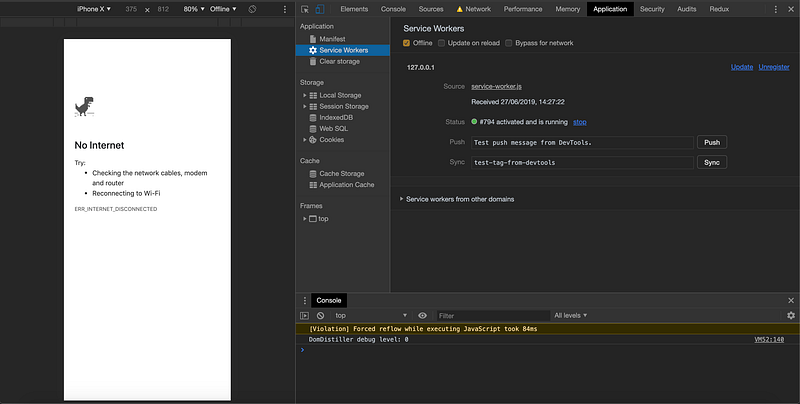
Offline support works if you cache all the assets, files in the Browser Cache object, and before installing the service worker, you load the assets from the cache.
Notice the self keyword. Remember, we don’t have access to the DOMwindow object, so we use the self key to reference to the currently installed service worker.
We pass the name of our cached content with the list of our paths to the assets.
Unregister and register the new service worker. The content should be cached safely now.
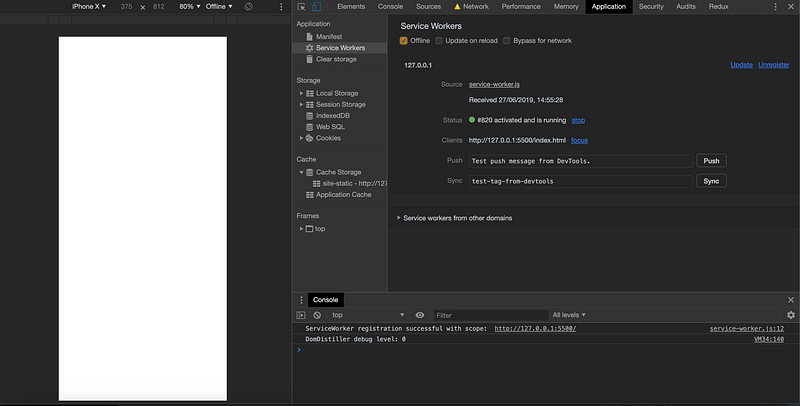
Don’t worry if the screen is white blank, that’s because we didn’t add any content to the HTML.
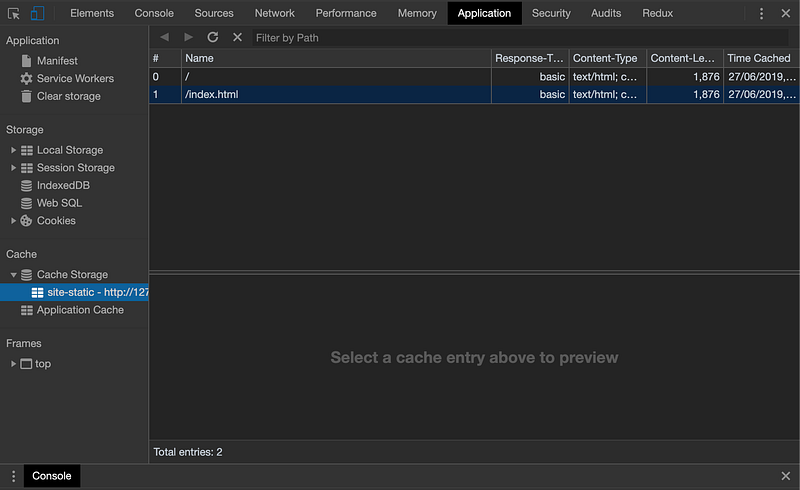
Notice all the resources we listed in the array appear at the cache. Pretty cool!
Getting Cached Assets
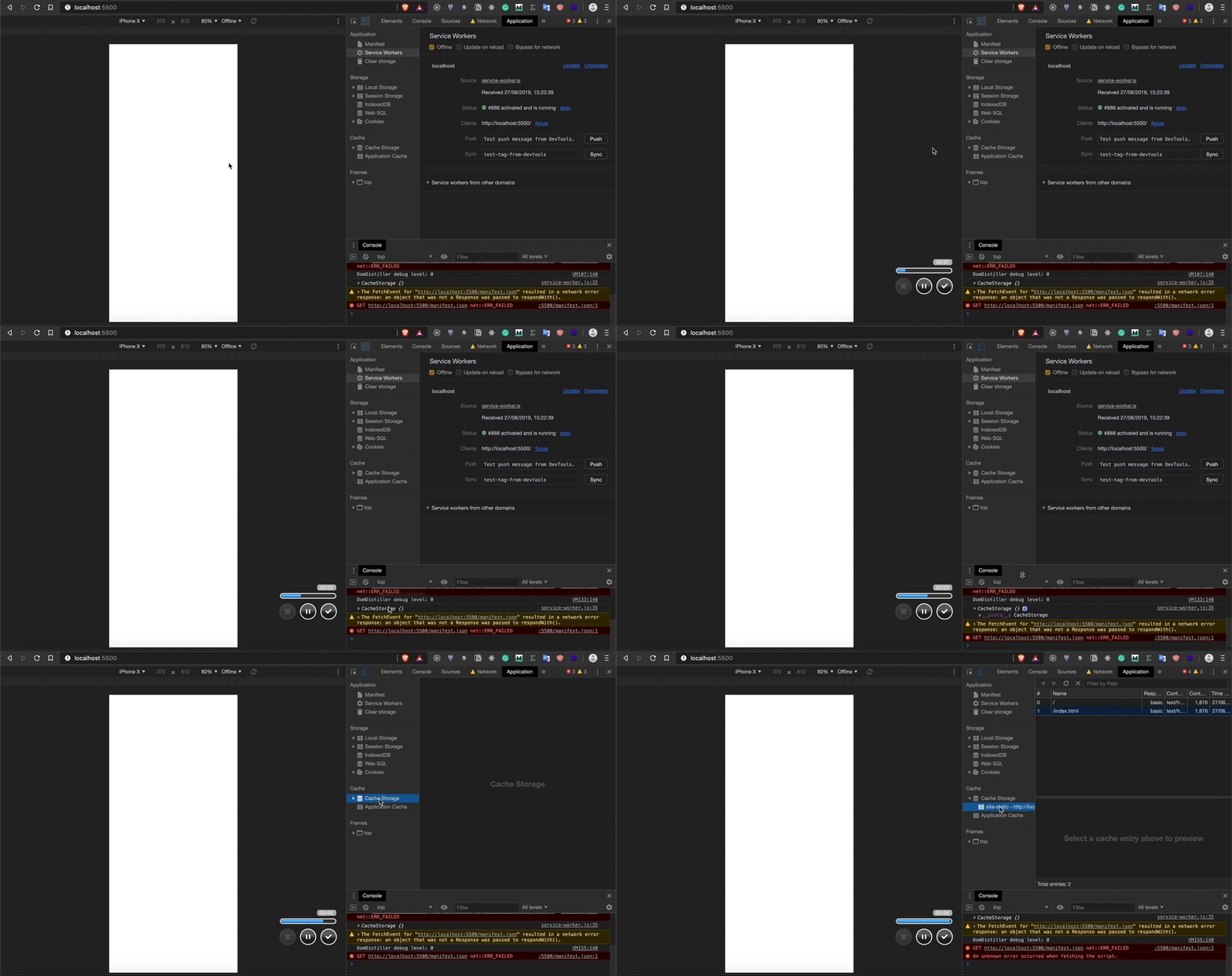
The fetch event uses the browser default for non-GET requests. For GET requests it tries to return a match in the cache and falls back to the network.
Where to Go From Here?
Check out the next chapter where I talk about Push Notifications on the web.
I highly recommend reading the Mozilla and Google documentation about progressive web apps, they’re full of useful information.
If you’re interested in the source code, you can find it here.