
Enhancing Product Search with Semantic Similarity using Word Embeddings
In my previous story, I explained how to use the word embedding model to create effective and captivating product recommendations. The idea is to utilize OpenAI’s Embedding Model to convert the product description into high-dimensional vectors that capture both the semantic and syntactic meaning. This will enable us to calculate the semantic similarity between each product using the cosine similarity formula. Such an approach is useful in most modern recommendation systems and can be applied to various industries or sectors.
In this story, I will share with you to create a semantic product search system using a similar method. However, we will need to perform word embedding for user input and calculate the semantic similarity between products in real-time.
To make the demonstration more interesting and easier to understand, I used Bing Chat to help generate 50 items’ names that can be found in the grocery store. And use Streamlit to make a simple web user interface to perform a semantic search for the products.
As usual, we need to install and import the necessary libraries, such as OpenAI, Pandas for interacting with the dataframe, and Numpy for numeric vector operations. And I will use the latest Embedding Model from Azure OpenAI Service (AOAI) for this demonstration which is text-embedding-ada-002 and equivalence with OpenAI. Also, please note that this model is only available in East US and South Central US regions for now.
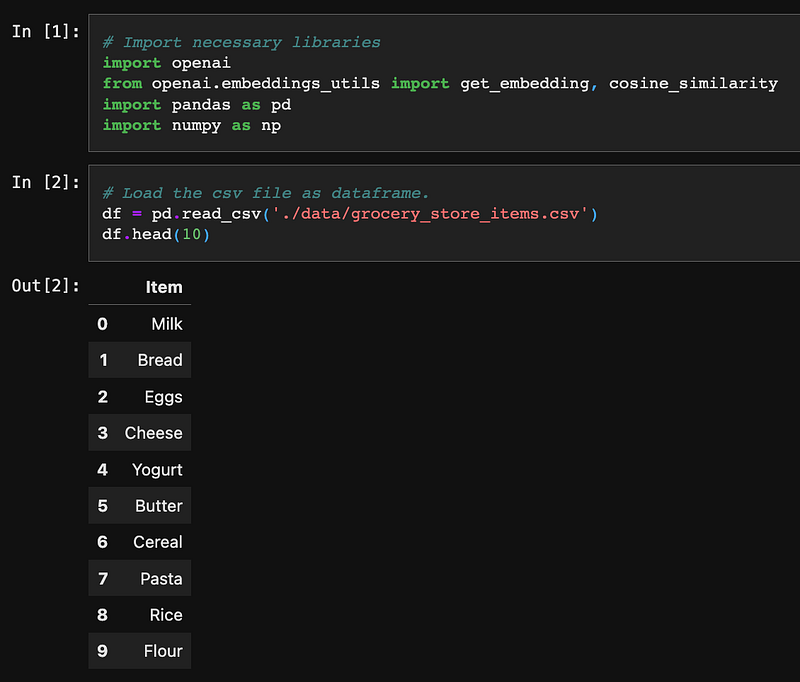
The game plan is we need to perform vectorization by the AOAI Embedding Model for the list of item names. And save the embedding result for later real-time similarity calculation purposes.
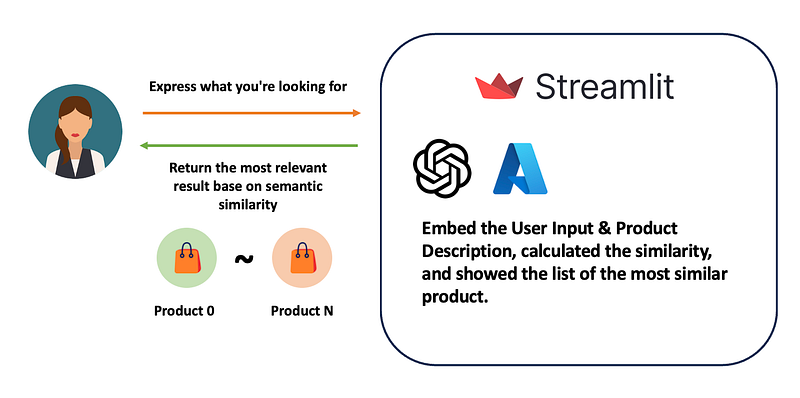
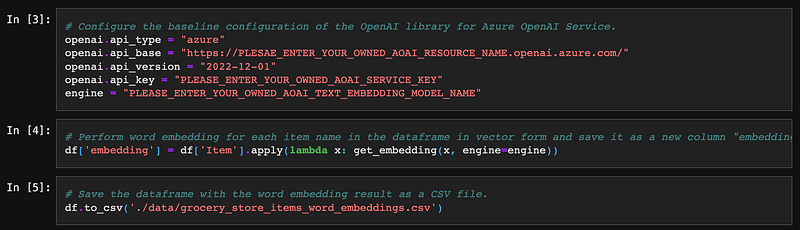
We need to define the baseline configuration to make the OpenAI library interact with AOAI’s Embedding Model, such as API type, endpoint, etc. By calling the get_embedding function from the OpenAI library, we can easily pass the text string to the model and get the corresponding vectors. The library also comes with a cosine_similarity function to calculate the similarity. We can save the embedding result for later use, such as CSV. It is unnecessary to perform embedding every time unless we have a new product newly added.
We have finished the first part of the program and can now move on to building the second part. This next step involves calculating the semantic similarity between the user’s input and the list of products.
First, we need to reload the product name’s embedding result CSV back into the Pandas dataframe.

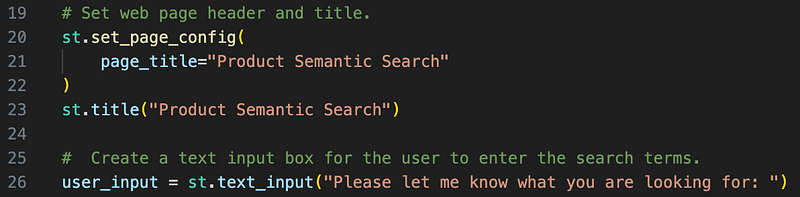
By importing the Streamlit library, we can easily build web user interfaces. Let’s create a simple page header, title, and text input box for users to input what they want to search.
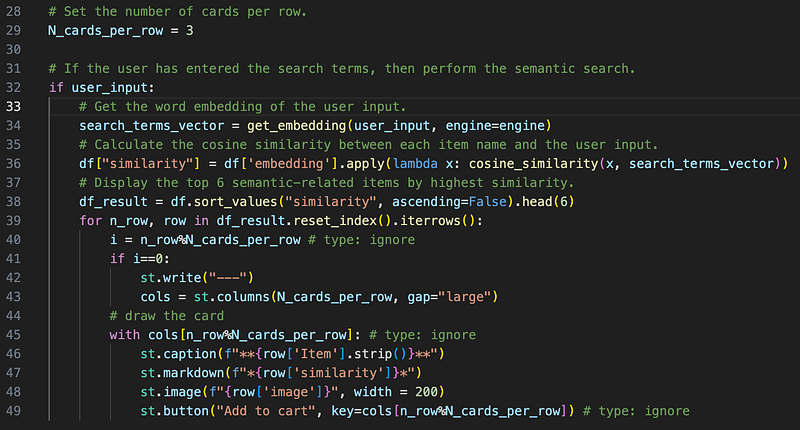
It’s the time for the main function. We will pass the user input to AOAI’s Embedding Model and obtain the result live. Then use the cosine_similarity function to calculate the similarity between the user input and the list of product names. And lastly, order and slot the top 6 similar products and show them as cards for better illustration.
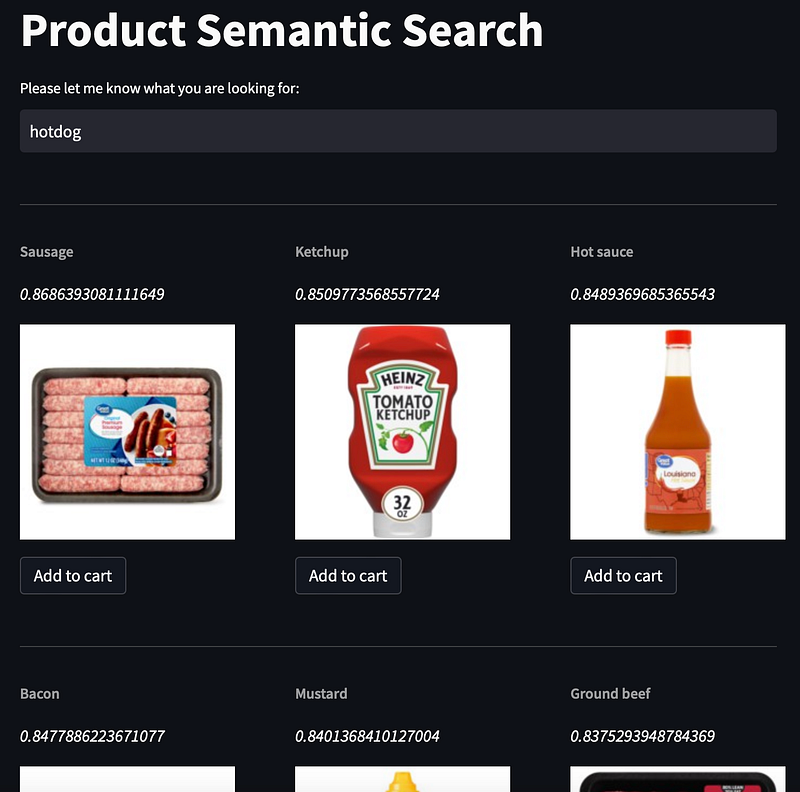
And finally, we can run the program and test run. We can try to search for the product without exactly hitting any keyword. It’s because the word embedding model can capture the semantic and syntactic meaning of the user input and the product name. Such as searching for hotdogs, it’s smart enough to understand what kind of ingredients/products are from the full list of products and give out the most similar result.
Thank you for reading this article. I hope you got more ideas on Word Embedding Model and leverage it to build semantic product search. This demo only shows using the name of the product to calculate the product similarity. And definitely, we can leverage different aspects, such as the product’s description, customer feedback, etc.
But wait a minute. It’s not a good idea to use CSV as a database for production searching systems. I will share with you to use proper vector databases, such as Chroma, Pinecone, MongoDB, etc., to facilitate the vector search in the next story. Please stay tuned.
Reference:
- Full set of sample code repos on my GitHub (easonlai/product_semantic_search_streamlit)
- Semantic Search by Azure OpenAI Embedding model (text-embedding-ada-002)
- Using Word Embedding Model to Generate Relevant and Engaging Product Recommendations
- Streamlit - A faster way to build and share data apps
- Embedding Models from Azure OpenAI Service
- Embeddings — OpenAI API
- What is Azure Cosmos DB
- Explain about Cosine Similarity


