avatarChristie C.

Free AI web copilot to create summaries, insights and extended knowledge, download it at here

3082

Abstract

size:fit:800/1*sXkKueaeIsoD-76X5afcIw.png"><figcaption></figcaption></figure><p id="00a5">Here are the images generated with the suggested prompts.</p><figure id="89e8"><img src="https://cdn-images-1.readmedium.com/v2/resize:fit:800/1*9jcC4xW_KY_iCWgZvBDRHw.png"><figcaption></figcaption></figure><figure id="5029"><img src="https://cdn-images-1.readmedium.com/v2/resize:fit:800/1*LOVVFk_Q7JGGBECqVg9iHQ.png"><figcaption></figcaption></figure><figure id="12a4"><img src="https://cdn-images-1.readmedium.com/v2/resize:fit:800/1*xNp4t1UcDF3eJyXX9DIrZQ.png"><figcaption></figcaption></figure><figure id="e6c4"><img src="https://cdn-images-1.readmedium.com/v2/resize:fit:800/1*Q2l3XWNKs1x5fBWNGJR0Og.png"><figcaption>Four images generated with the improved prompts of /better command</figcaption></figure><p id="05c5">It turns a simple prompt “A cute dog at the campfire, illustration” into the following:</p><blockquote id="a017"><p>A charming puppy sitting by a crackling campfire::4 surrounded by flickering flames and glowing embers::5 The puppy has adorable floppy ears and a wagging tail::3 Its fur is soft and fluffy, with a mix of warm colors::2 The campsite is nestled in a dense forest, with towering trees and a starry night sky above::4 The atmosphere is cozy and peaceful, with the sound of crickets chirping in the background::5 Digital illustration with a focus on capturing the cuteness of the puppy and the warmth of the campfire::3 Use vibrant colors for the fire and soft textures for the fur::4</p></blockquote><figure id="9874"><img src="https://cdn-images-1.readmedium.com/v2/resize:fit:800/1*UdIW_Dvc45Qx9cL5rwXUdA.jpeg"><figcaption>Images differece after /better command</figcaption></figure><p id="8871">The new command definitely helps to improve the prompt in a way that incorporates additional intricacies, enriching the overall ambiance and artistic essence of the image.</p><p id="a09f">Presenting another example utilizing Niji Mode.</p><figure id="30d7"><img src="https://cdn-images-1.readmedium.com/v2/resize:fit:800/1*n5N-tL3hRERBULicTSnHXQ.png"><figcaption>A cute dog at the campfire Niji Style</figcaption></figure><h2 id="e47c">📌Some More Things to Note</h2><ol><li>This command is ideal for short and simple prompts.</li><li>For better outcomes, avoid incorporating Midjourney commands in your prompt (No — ar 3:2–5.2, etc…).</li><li>Occasionally, the results may be uninteresting or short. If you are not satisfied with the result, feel free to give it another attempt.</li></ol><h1 id="8931">Extra: Add Tracejourney Bot to Your Own Server</h1><p id="14b5">Another great news brought to us by the team! Tracejourney is fully verified and you can add it to your own server to keep your work private and organized now!</p><ol><li>Locate “Tracjourney Bot”, right click and select “ Profile”</li></ol><figure id="ebc4"><img src="https://cdn-images-1.readmedium.com/v2/resize:fit:800/1*9N28V49zIWY0OzZEHz3z-g.png"><figcaption>Locate Tracjourney Bot, right click and select “ Profile”</figcaption></figure><p id="02c6">2. Select “ Add to Server” 3. Pick

Options

your server 4. Continue and Authorize</p><figure id="afbc"><img src="https://cdn-images-1.readmedium.com/v2/resize:fit:800/1*0vDujJaSQPZDml4zIfAh_w.png"><figcaption>Adding Tracejourney bot to your server</figcaption></figure><p id="9708">If you do not have your own server, learn how to <a href="https://readmedium.com/midjourney-tips-to-group-and-organize-your-artwork-cb95f5375330">set up one here</a>.</p><p id="091f">Once you’ve added Tracejounry Bot to your server, the Tracejourney option box will appear below as usual when you upscale an image.</p><figure id="874e"><img src="https://cdn-images-1.readmedium.com/v2/resize:fit:800/1*44yyTx8db0uDzNoWUUsu5Q.png"><figcaption>Tracejourney Bot</figcaption></figure><p id="09c9">As you can see, you can also vectorize, upscale, remove background and more with Tracejourney Bot. Learn more about <a href="https://readmedium.com/you-can-vectorize-and-outpaint-midjourney-images-directly-in-discord-now-d540b1a427b6">other features here</a>.</p><h1 id="e21b">Final Thoughts</h1><p id="69f8">While the <a href="https://readmedium.com/midjourney-v5-2-is-out-with-mind-blowing-features-fd91115319c1"><b>latest /shorten command</b> in Midjourney V5.2</a> efficiently reduces unnecessary words, the <b>/better command</b> amplifies the artistic essence of your image.</p><p id="2515">In my opinion, the /better command excels in enhancing creativity when it comes to artistic posters, illustrations, and presentations.</p><p id="b2a9">It’s recommended to utilize both commands in your creative process for optimal outcomes and enhanced creativity. This may involve some trial and experimentation. Enjoy the journey of exploration and creation!</p><figure id="084a"><img src="https://cdn-images-1.readmedium.com/v2/resize:fit:800/1*GvtZDH-PTZ9CbrxRmeNALw.png"><figcaption></figcaption></figure><p id="5990">I hope you enjoy today’s content!</p><p id="64fa">Join me and thousands of other great writers on Medium. <a href="https://medium.com/@inchristiely/membership">Read unlimited content</a> and earn money with your writing. Start today!💫</p><div id="0c55" class="link-block"> <a href="https://medium.com/@inchristiely/membership"> <div> <div> <h2>Join Medium with my referral link — Christie C.</h2> <div><h3>Read every story from Christie C. (and thousands of other writers on Medium). Your membership fee directly supports…</h3></div> <div><p>medium.com</p></div> </div> <div> <div style="background-image: url(https://miro.readmedium.com/v2/resize:fit:320/0*fGUfnFlaRPYR9mu7)"></div> </div> </div> </a> </div><blockquote id="f8a3"><p>I share tips, tricks and insights on AI tools for the design and creativity industries, focusing particularly on Midjourney. If you found this article valuable, make sure to:</p></blockquote><p id="ed85">🎨 Follow me 💌 <a href="https://medium.com/@inchristiely/subscribe">Subscribe</a> to stay updated!</p></article></body>

Enhance Your Midjourney Prompts with the Latest “/better” command

Produce better prompts that transform into breathtaking visuals

Ever wondered how skilled Midjourney users create remarkable and intricate prompts? Now you can achieve the same results in seconds.

Tracejourney can now help to produce better prompts that effortlessly transform into breathtaking visuals. In my previous post, I discussed how you can utilize Tracejourney to vectorize and outpaint your images.

Tracejourney just unveiled a new command for writing better prompts. Let’s get started!
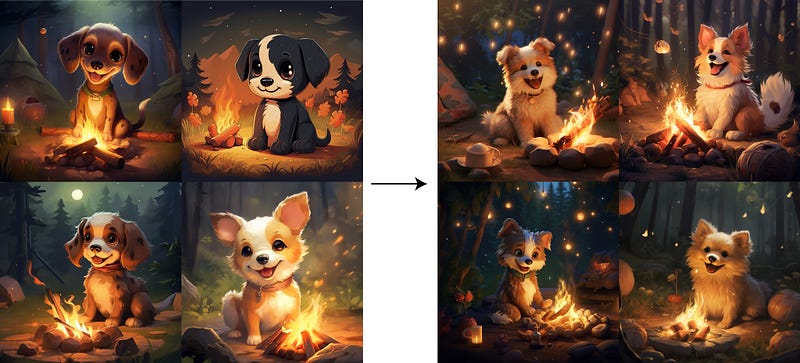
Images differece after /better command

What is Tracejourney?

Tracejourney is a bot specifically designed to make adjustments, convert and vectorize your images. It functions seamlessly within Discord, ensuring convenient access to its features without the need to navigate away from the platform.

If you are new to Tracejourney, learn more here.

/Better Command — How does it work?

1. Join Tracejourney Discord

If you are new to Tracejourney, click here to access the Tracejourney bot on Discord.

2. Command/better

Pick a channel and utilize the command /better and input your desired prompt. Choose whether or not to use weights.

Here is an example:

/better prompt “A cute dog at the campfire, illustration” + Use weights

3. Four Variations

You will then obtain four enhanced variations in return which you can work with.
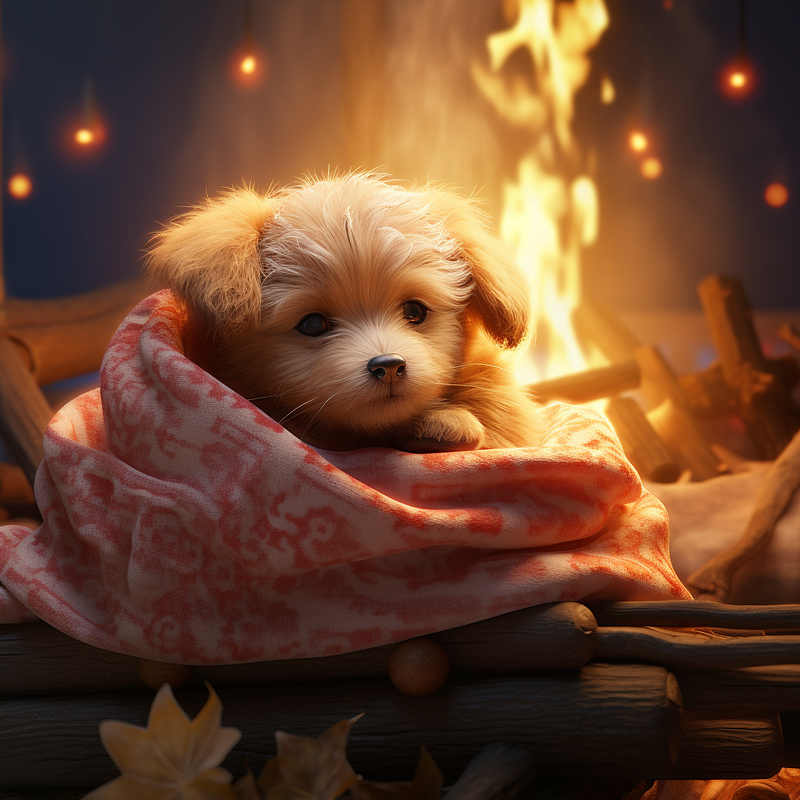
Here are the images generated with the suggested prompts.
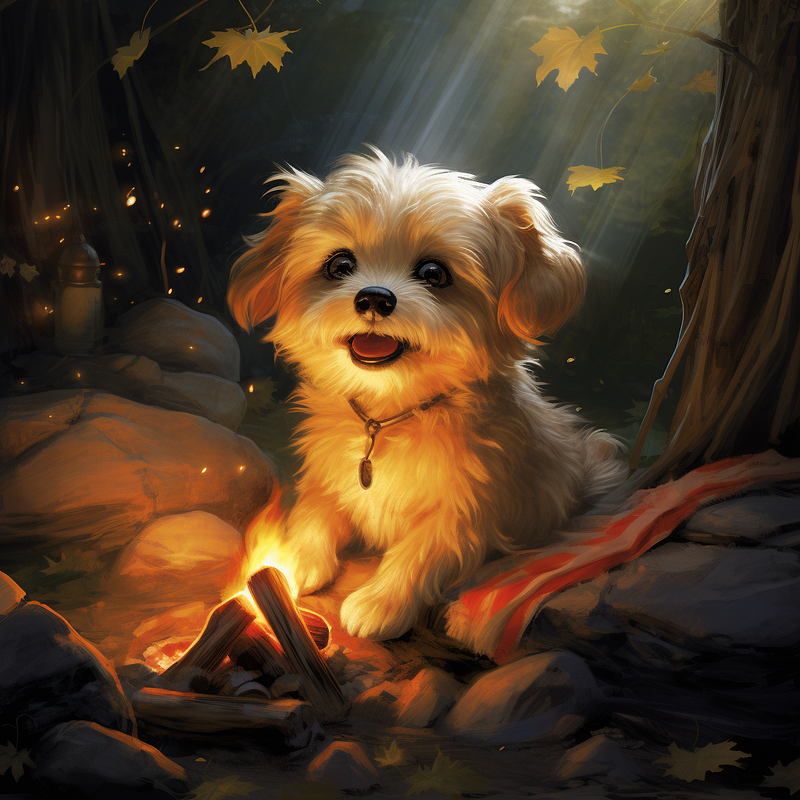
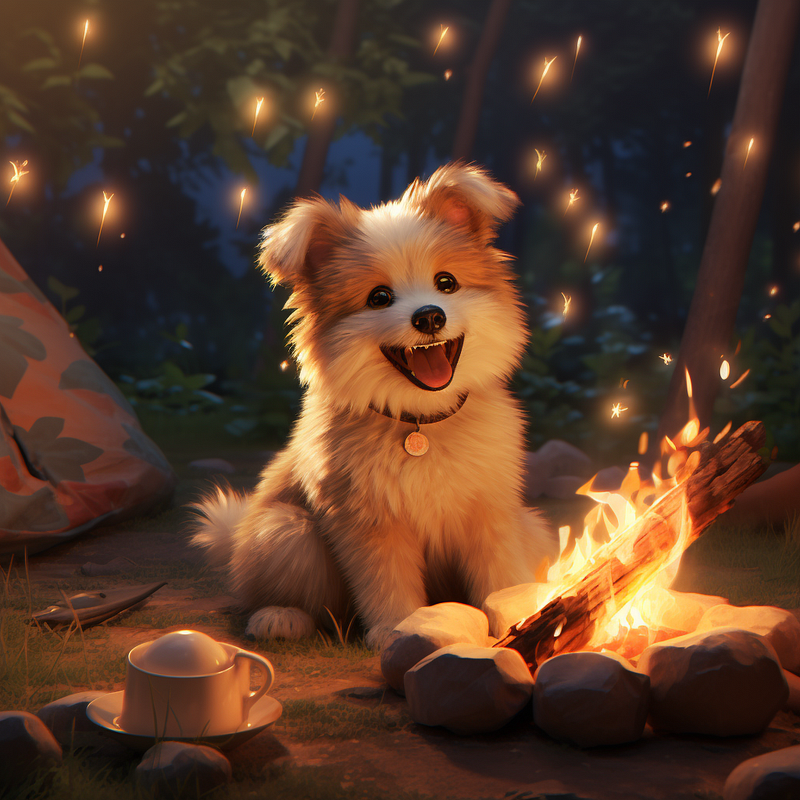
Four images generated with the improved prompts of /better command

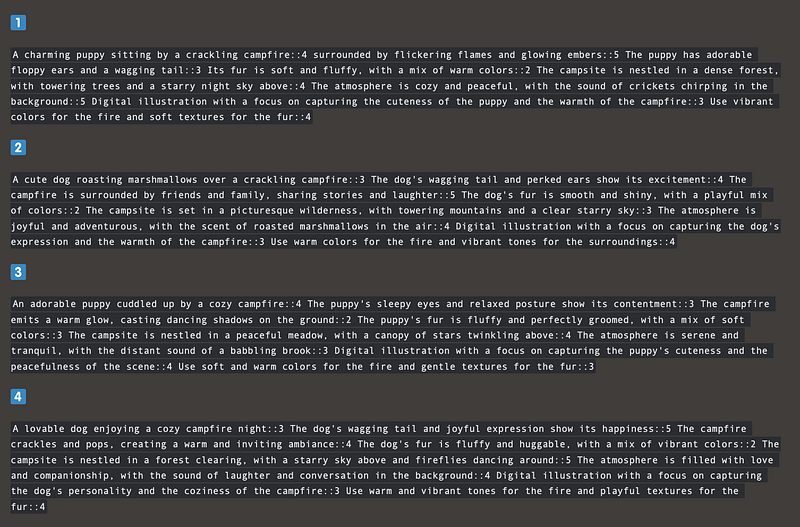
It turns a simple prompt “A cute dog at the campfire, illustration” into the following:

A charming puppy sitting by a crackling campfire::4 surrounded by flickering flames and glowing embers::5 The puppy has adorable floppy ears and a wagging tail::3 Its fur is soft and fluffy, with a mix of warm colors::2 The campsite is nestled in a dense forest, with towering trees and a starry night sky above::4 The atmosphere is cozy and peaceful, with the sound of crickets chirping in the background::5 Digital illustration with a focus on capturing the cuteness of the puppy and the warmth of the campfire::3 Use vibrant colors for the fire and soft textures for the fur::4

Images differece after /better command

The new command definitely helps to improve the prompt in a way that incorporates additional intricacies, enriching the overall ambiance and artistic essence of the image.

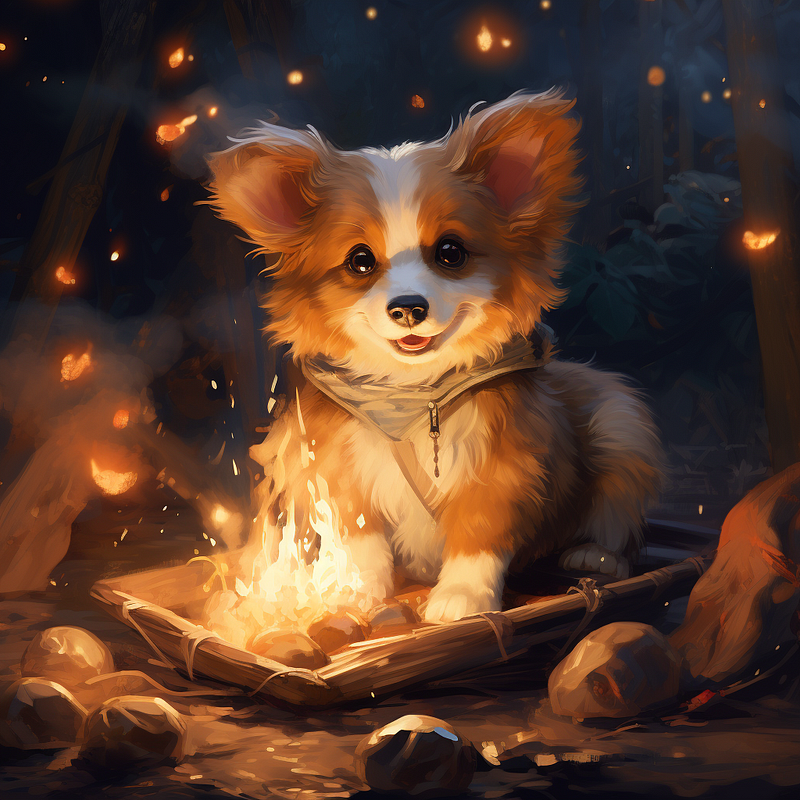
Presenting another example utilizing Niji Mode.
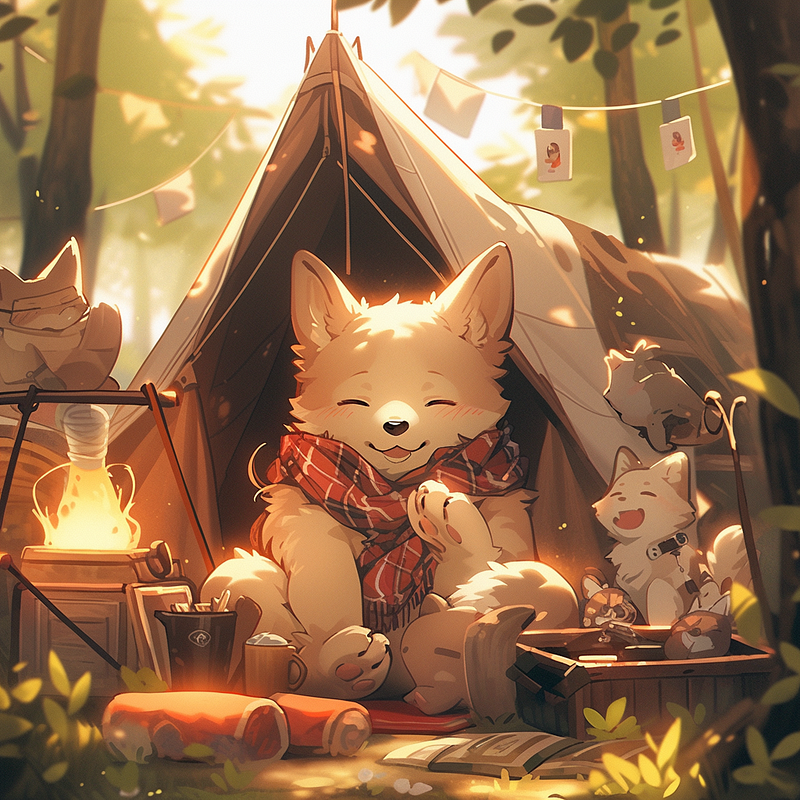
A cute dog at the campfire Niji Style

📌Some More Things to Note

  1. This command is ideal for short and simple prompts.
  2. For better outcomes, avoid incorporating Midjourney commands in your prompt (No — ar 3:2–5.2, etc…).
  3. Occasionally, the results may be uninteresting or short. If you are not satisfied with the result, feel free to give it another attempt.

Extra: Add Tracejourney Bot to Your Own Server

Another great news brought to us by the team! Tracejourney is fully verified and you can add it to your own server to keep your work private and organized now!

  1. Locate “Tracjourney Bot”, right click and select “ Profile”
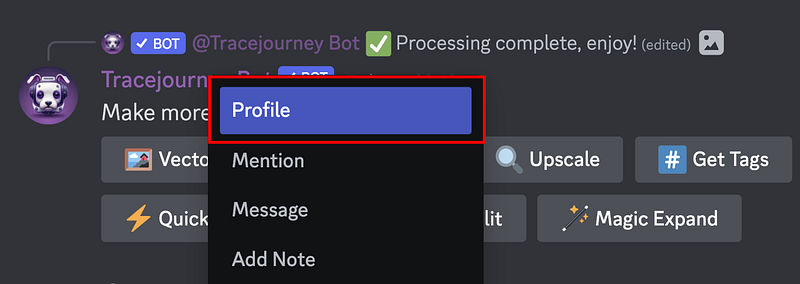
Locate Tracjourney Bot, right click and select “ Profile”

2. Select “ Add to Server” 3. Pick your server 4. Continue and Authorize
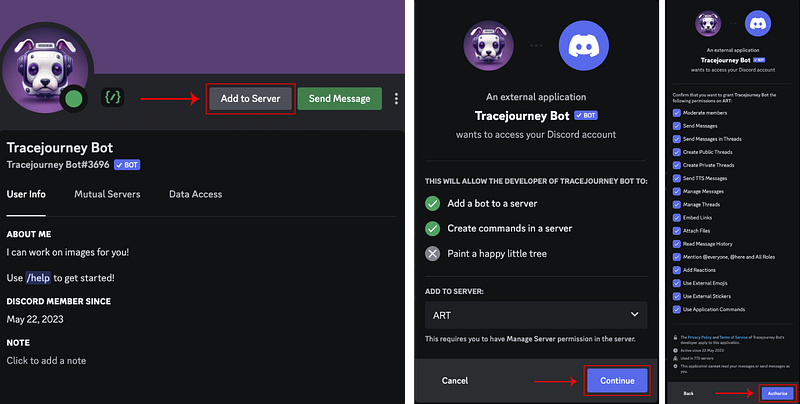
Adding Tracejourney bot to your server

If you do not have your own server, learn how to set up one here.

Once you’ve added Tracejounry Bot to your server, the Tracejourney option box will appear below as usual when you upscale an image.
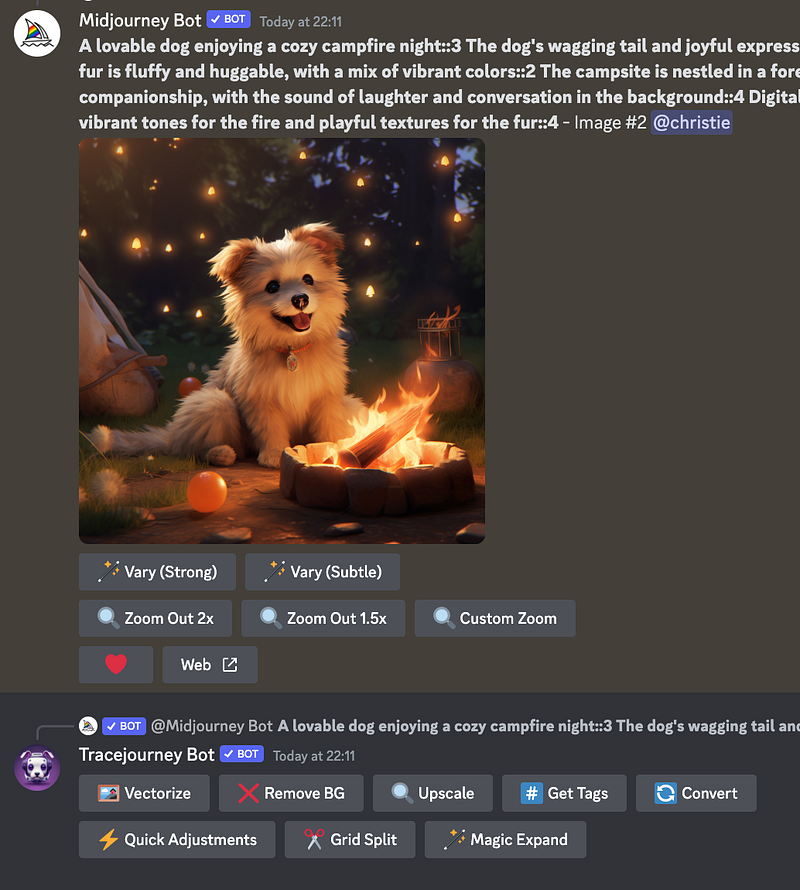
Tracejourney Bot

As you can see, you can also vectorize, upscale, remove background and more with Tracejourney Bot. Learn more about other features here.

Final Thoughts

While the latest /shorten command in Midjourney V5.2 efficiently reduces unnecessary words, the /better command amplifies the artistic essence of your image.

In my opinion, the /better command excels in enhancing creativity when it comes to artistic posters, illustrations, and presentations.

It’s recommended to utilize both commands in your creative process for optimal outcomes and enhanced creativity. This may involve some trial and experimentation. Enjoy the journey of exploration and creation!
I hope you enjoy today’s content!

Join me and thousands of other great writers on Medium. Read unlimited content and earn money with your writing. Start today!💫

I share tips, tricks and insights on AI tools for the design and creativity industries, focusing particularly on Midjourney. If you found this article valuable, make sure to:

🎨 Follow me 💌 Subscribe to stay updated!

Midjourney
Artificial Intelligence
Creativity
Design
Art
Recommended from ReadMedium