avatarTobias Hedtke

Free AI web copilot to create summaries, insights and extended knowledge, download it at here

2781

Abstract

re, the iPad mini is superior to every iPhone on the market. I get my iPad mini out whenever I need to take a quick note because inspiration or ideas can come at any time and anywhere. In my case mostly when I‘m outside of my working environment. I.e., in situations where I‘m not at my desk. There have been plenty of situations where I lost good ideas in lack of pen and paper or any other option to take a note. And the advantage of the iPad over physical pen and paper is that my notes sync to all my devices and there is no way to lose my notes and ideas.</p><p id="9d94">The pencil is further useful to edit the cover image of a blog post in Lightroom or any other similar app.</p><p id="a68b">Ok, these are all great features that are not necessarily arguments for the iPad mini as a blogging device. But the next one is.</p><div id="80c0" class="link-block"> <a href="https://medium.com/@tobias.hedtke/my-thoughts-and-learnings-from-working-an-entire-week-from-the-ipad-pro-121cb72cec81"> <div> <div> <h2>My thoughts and learnings from working an entire week from the iPad Pro</h2> <div><h3>It is incredible what the iPad Pro is capable of to date, but there is quite some room for improvement. But it can be…</h3></div> <div><p>medium.com</p></div> </div> <div> <div style="background-image: url(https://miro.readmedium.com/v2/resize:fit:320/1*5EC8qsoF4JpqGVYerHOchA.jpeg)"></div> </div> </div> </a> </div><p id="53f1"><b>The ideal dimensions for two-finger typing</b></p><p id="8380">Another superior feature of the iPad mini is again its size which provides the perfect dimensions for typing texts when held in portrait position. The keyboard is sufficiently large to comfortably type with high accuracy and speed without covering a large portion of the screen. And if you do not have a bulky case like me it is not very fatiguing to the hands due to the light weight of the iPad mini. So this gives me the possibility to not only write down my idea in a few bullet points but to write a whole paragraph of an article (or even the whole article) whenever I get inspiration — without the need for an external keyboard.</p><p id="6fd6">But there is another feature to come.</p><div id="e24f" class="link-block"> <a href="https://medium.com/@tobias.hedtke/ditching-the-mac-for-the-ipad-pro-day-2-7-the-ipad-has-turned-into-a-desktop-device-a369269b4749"> <div> <div> <h2>Ditching the Mac for the iPad Pro: Day 2/7 — The iPad has turned into a desktop device.</h2> <div><h3>The second update post on my one-week challenge were I try t

Options

o work exclusively from the iPad Pro.</h3></div> <div><p>medium.com</p></div> </div> <div> <div style="background-image: url(https://miro.readmedium.com/v2/resize:fit:320/1*sAFM9u2u5pODXvXUdDp3Sg.jpeg)"></div> </div> </div> </a> </div><p id="2a46"><b>Autocomplete under iPadOS 17</b></p><p id="25cd">Recently, I decided to install the public beta version of iPadOS 17 on my iPad mini 6. With the iPad mini, I cannot take advantage of the improvements of Stage Manager but another feature that I honestly did not attribute any importance is the autocomplete feature. This is a time safer. I‘ve tried Apple Notes and Ulysses so far and it works with both. The iPad tries to predict the word you want to write and gives you a suggestion. And by just tapping the space bar you can accept this prediction. Admittedly, there is room for improvement since it only completes the word you are typing so far. The prediction of word groups would add more use to this feature if we are still in beta. So hopefully this will be implemented in the final iPadOS 17 release.</p><div id="3919" class="link-block"> <a href="https://medium.com/@tobias.hedtke/ive-learned-from-experience-that-a-single-apple-device-is-useless-82a3c18d5a69"> <div> <div> <h2>I’ve learned from experience that a single Apple device is useless</h2> <div><h3>If you dip your toe into the Apple ocean aiming for productivity work, then there is no alternative other than to swim…</h3></div> <div><p>medium.com</p></div> </div> <div> <div style="background-image: url(https://miro.readmedium.com/v2/resize:fit:320/0*KdQR57HCgVsfHBlh)"></div> </div> </div> </a> </div><p id="4aa6"><b>My final verdict</b></p><p id="6b30">Yes, the iPad mini can be a blogging device. You do not need to carry an external keyboard with you, just the sleek and tiny iPad mini. Admittedly, I would not write a 1000+ word article on the iPad mini but for a short article like this, the iPad mini is perfect. And the best — you can do it from everywhere at any time.</p><p id="3fea"><i>This article was entirely written and published on the iPad mini without the use of an external keyboard. I wrote this article in 3 different locations that I have been throughout the day. But tell me your experiences and opinions in the comment section below. Do you think the iPad mini is a blogging device or would you not even think about this scenario?</i></p><p id="a3d4"><i>Thank you for taking the time to read this article!</i></p><p id="af92"><i>Tobias</i></p></article></body>

Enhance Your Blogging Experience with the iPad Mini: A Review

Writing everything at any time from everywhere
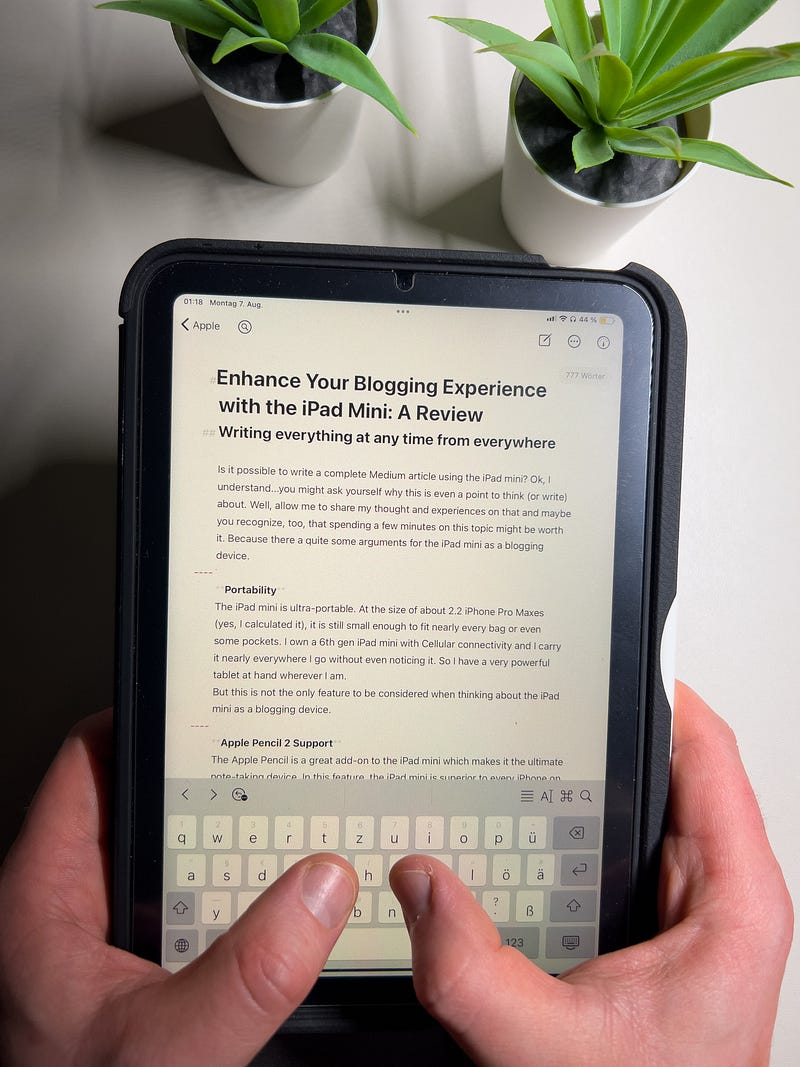
Image courtesy of the author.

Is it possible to write a complete Medium article using the iPad mini? Ok, I understand…you might ask yourself why this is even a point to think (or write) about. Well, allow me to share my thoughts and experiences on that and maybe you recognize, too, that spending a few minutes on this topic might be worth it. Because there a quite some arguments for the iPad mini as a blogging device.

Portability

The iPad mini is ultra-portable. At the size of about 2.2 iPhone Pro Maxes (yes, I calculated it), it is still small enough to fit nearly every bag or even some pockets. I own a 6th gen iPad mini with Cellular connectivity and I carry it nearly everywhere I go without even noticing it. So I have a very powerful tablet at hand wherever I am.

But this is not the only feature to be considered when thinking about the iPad mini as a blogging device.

Apple Pencil 2 Support

The Apple Pencil is a great add-on to the iPad mini which makes it the ultimate note-taking device. In this feature, the iPad mini is superior to every iPhone on the market. I get my iPad mini out whenever I need to take a quick note because inspiration or ideas can come at any time and anywhere. In my case mostly when I‘m outside of my working environment. I.e., in situations where I‘m not at my desk. There have been plenty of situations where I lost good ideas in lack of pen and paper or any other option to take a note. And the advantage of the iPad over physical pen and paper is that my notes sync to all my devices and there is no way to lose my notes and ideas.

The pencil is further useful to edit the cover image of a blog post in Lightroom or any other similar app.

Ok, these are all great features that are not necessarily arguments for the iPad mini as a blogging device. But the next one is.

The ideal dimensions for two-finger typing

Another superior feature of the iPad mini is again its size which provides the perfect dimensions for typing texts when held in portrait position. The keyboard is sufficiently large to comfortably type with high accuracy and speed without covering a large portion of the screen. And if you do not have a bulky case like me it is not very fatiguing to the hands due to the light weight of the iPad mini. So this gives me the possibility to not only write down my idea in a few bullet points but to write a whole paragraph of an article (or even the whole article) whenever I get inspiration — without the need for an external keyboard.

But there is another feature to come.

Autocomplete under iPadOS 17

Recently, I decided to install the public beta version of iPadOS 17 on my iPad mini 6. With the iPad mini, I cannot take advantage of the improvements of Stage Manager but another feature that I honestly did not attribute any importance is the autocomplete feature. This is a time safer. I‘ve tried Apple Notes and Ulysses so far and it works with both. The iPad tries to predict the word you want to write and gives you a suggestion. And by just tapping the space bar you can accept this prediction. Admittedly, there is room for improvement since it only completes the word you are typing so far. The prediction of word groups would add more use to this feature if we are still in beta. So hopefully this will be implemented in the final iPadOS 17 release.

My final verdict

Yes, the iPad mini can be a blogging device. You do not need to carry an external keyboard with you, just the sleek and tiny iPad mini. Admittedly, I would not write a 1000+ word article on the iPad mini but for a short article like this, the iPad mini is perfect. And the best — you can do it from everywhere at any time.

This article was entirely written and published on the iPad mini without the use of an external keyboard. I wrote this article in 3 different locations that I have been throughout the day. But tell me your experiences and opinions in the comment section below. Do you think the iPad mini is a blogging device or would you not even think about this scenario?

Thank you for taking the time to read this article!

Tobias

iPad
Blog
Medium
Apple
Writing
Recommended from ReadMedium