Embed YouTube Video in Obsidian

Obsidian is a powerful knowledge base on top of a local folder of plain text Markdown files.
I have been using obsidian for several months as a personal knowledge base, research, and writing tool.
The key benefits that I have found to date are,
- Automatic internal linking (wikilinks)
- Powerful search
- Plugin support
- Storage using plain text files
Embedding YouTube Video
Obsidian supports embedded HTML in notes which allows for HTML code to be embedded and rendered in a note. This allows for features link embedding a YouTube video (amongst other content) directly into a note.
This is extremely useful as the referenced material is directly available and can be viewed without leaving the Obsidian application.
The process of obtaining the HTML code to embed from YouTube is extremely simple,
- Click on the ‘Share’ link
- Click on the ‘Embed’ image
- Press a ‘Copy’ link on the popup
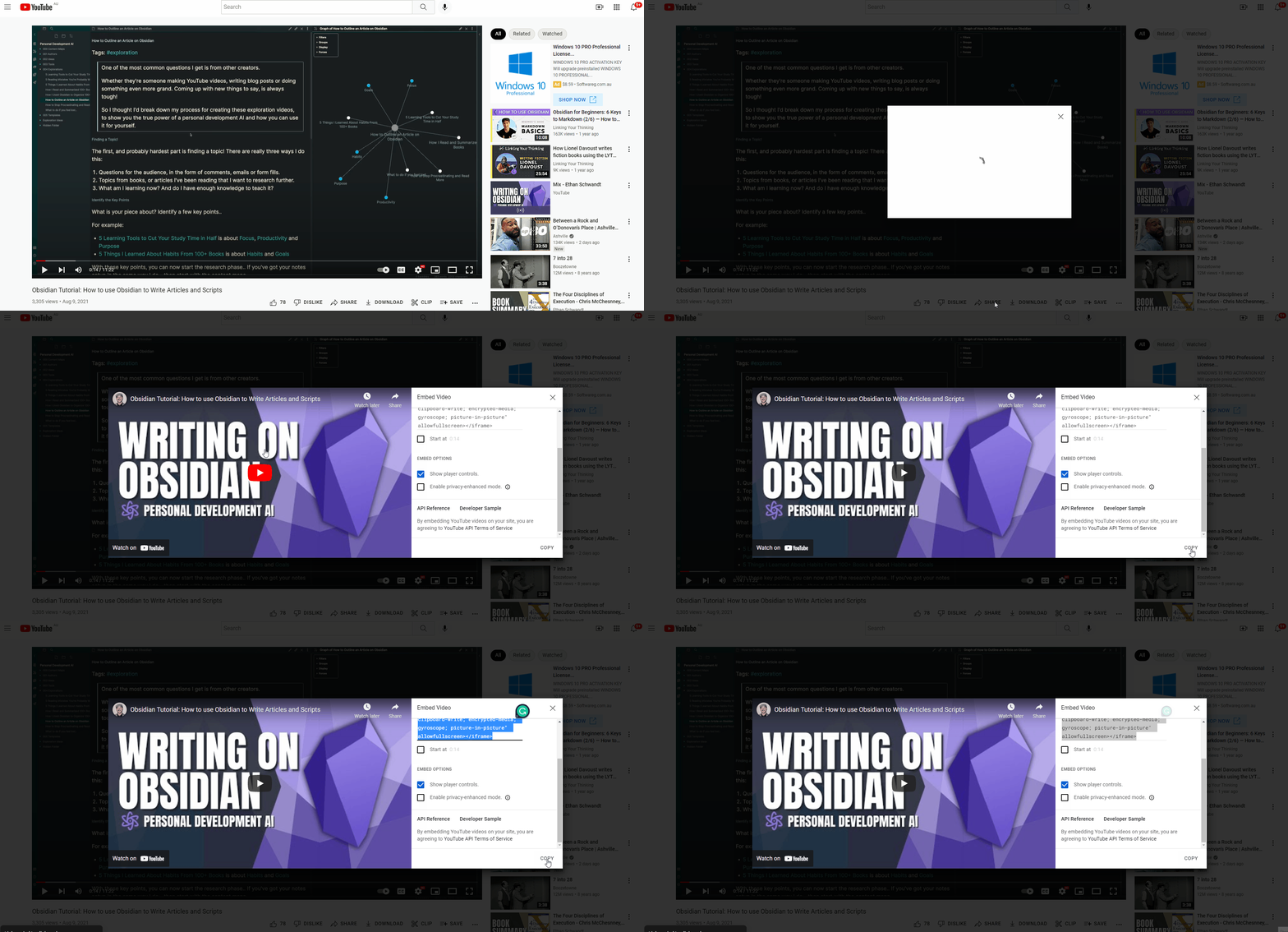
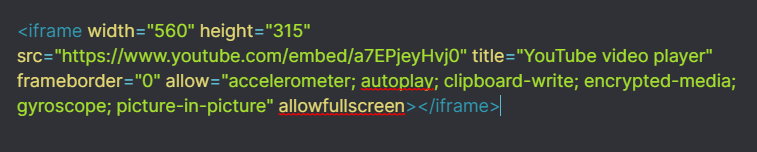
The HTML code to embed will now be copied to the system clipboard. Simply paste this into a note,
This will be rendered as follows,
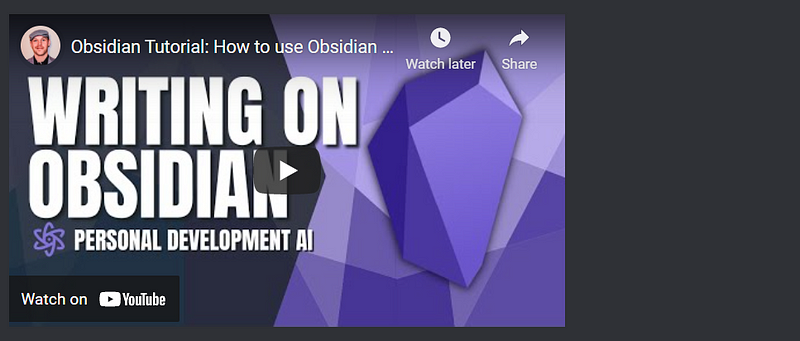
The clip can now be viewed in Obsidian or you can use a link to navigate to the YouTube site.
Responsive Embedding
The only problem with the default behavior is that the full-screen width is not utilised for the embedding clip on many devices.
We will use an Obsidian customisation feature which is CSS Snippets. This allows for customised CSS to be specified which changes the rendering of text in the notes (in this case the rendering of our embedded YouTube clips).
To clear a CSS Snippet,
- Click on the gear icon in Obsidian
- Select Appearance
- Click on the folder icon for CSS Snippets

This will open the CSS Snippets folder. Create a .CSS file and include the following text,
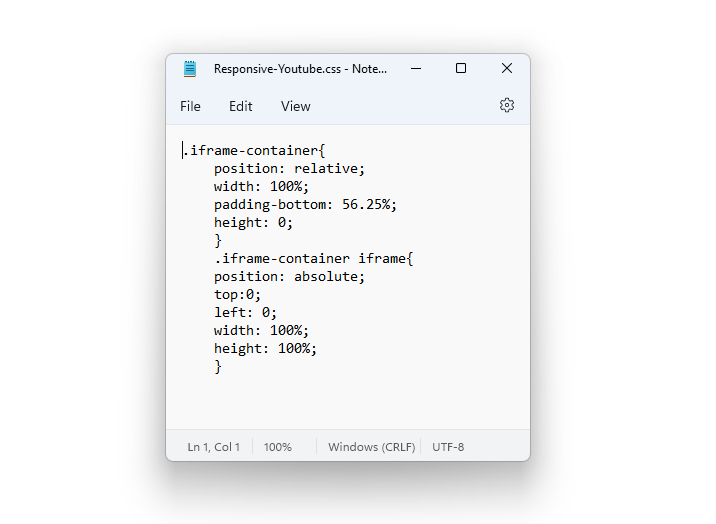
To use this new CSS, wrap the previous HTML in a new DIV element,

The result is an embedded YouTube clip that is responsive so it will use the available width of the display.

Conclusion
Obsidian is an extremely powerful tool to organise information and writing. Being able to embed web content makes it extremely versatile.
Read Further
Thanks for reading, hope you enjoyed this article.
I am planning to use Obsidian more in the future for writing blog posts as well as long-form writing. Let me know in the comments if you would be interested in reading about Obsidian setup to support writing and research.
My other writing related to Obsidian includes,
- Using Obsidian to Track Writing Projects
- Email Notes to Obsidian
- Obsidian Markdown to Medium Converter
To explore further,
- Subscribe to email notifications
- Click on the ‘follow’ button at the top of the article
- Feel free to join my network on LinkedIn (remember to mention that you have read the article)
To support medium authors, consider a subscription.
Remember to click on the subscribe and follow button,