
Discover the Perfect Avatar Generator: Free, Easy-to-Use, and Amazing!
Elevate Your Personalization Game with this Fantastic Free Avatar Generator
Introduction
When it comes to enhancing user personalization in applications, avatars play a crucial role in adding a touch of brilliance to the user interface. That’s why I’m excited to introduce you to a game-changing tool called DiceBear.
DiceBear is an incredible avatar generator that has impressed me with its simplicity and effectiveness in creating avatars that truly reflect your unique identity. Even if you have no graphic design experience, DiceBear empowers you to effortlessly design captivating avatars that leave a lasting impression.
What’s even better is that DiceBear offers a wide range of avatar styles, with over 25 options to choose from, and the best part is that they are completely free. One of my personal favorites is the popular “Avataaars”.
I’ve used it in my Web Chat application. 😃
Playing around
Getting started with DiceBear is a breeze. Let’s dive into the DiceBear API and see it in action. Simply open your browser and enter the following URL:
https://api.dicebear.com/6.x/avataaars/svg
This will generate an image like the one below:
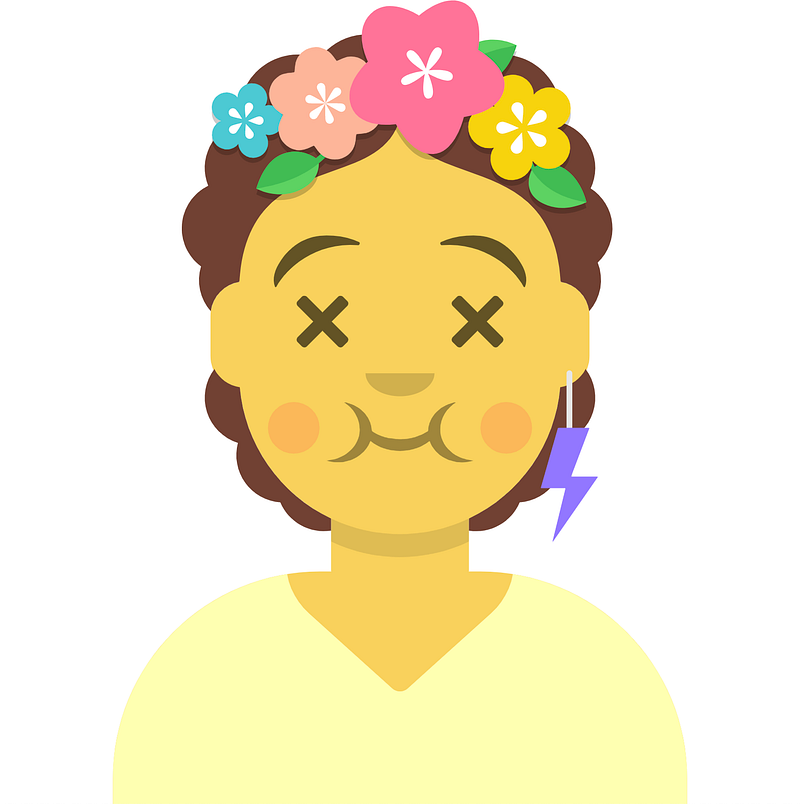
However, the real fun begins when you start customizing your avatars using the “seed” parameter. Let’s try using “Luna” as the seed:
https://api.dicebear.com/6.x/avataaars/svg?seed=Luna
The result will be:

Why don’t you go ahead and try your name?
But, there’s more! DiceBear provides additional customization options, allowing you to flip, rotate, scale, change the background color, and more. Let’s take our customization to the next level by combining the “Luna” seed with a flip and a gray background color:
https://api.dicebear.com/6.x/avataaars/svg?seed=Luna&flip=true&backgroundColor=eeeeee
Now we have an updated avatar that reflects our desired changes:

But let’s not stop there! DiceBear lets you go even further by modifying the hair, mouth, clothing, and so on. For instance, let’s create an avatar with black power and dark hair, a smiling face, and a gray hoodie:
The result is an avatar that perfectly matches our envisioned characteristics:

While I can’t provide you with the exact code here, rest assured that the DiceBear documentation is your comprehensive guide. It offers detailed information on the available options and syntax to help you customize your avatar to your heart’s content.
Conclusion
DiceBear has truly transformed the way I approach avatar customization. Its versatility and user-friendly nature make it an indispensable tool for anyone seeking visually appealing and unique avatars. Don’t miss out on the opportunity to give it a try and unlock a world of endless possibilities for personalizing your applications. Your users will thank you for it!
Support and Engagement
If you enjoyed this article and would like to show your support, please consider taking the following actions:
- 👏 Engage by clapping, highlighting, and replying to my story. I’ll be happy to answer any of your questions;
- 🌐 Share my story on Social Media;
- 🔔 Follow me on: Medium | LinkedIn | Twitter;
- ✉️ Subscribe to my newsletter, so you don’t miss out on my latest posts.


