
Building a Web Chat with Social Login using Spring Boot: Introduction
Step-by-Step Guide to Build a Web Chat Application with Social Login using Spring Boot
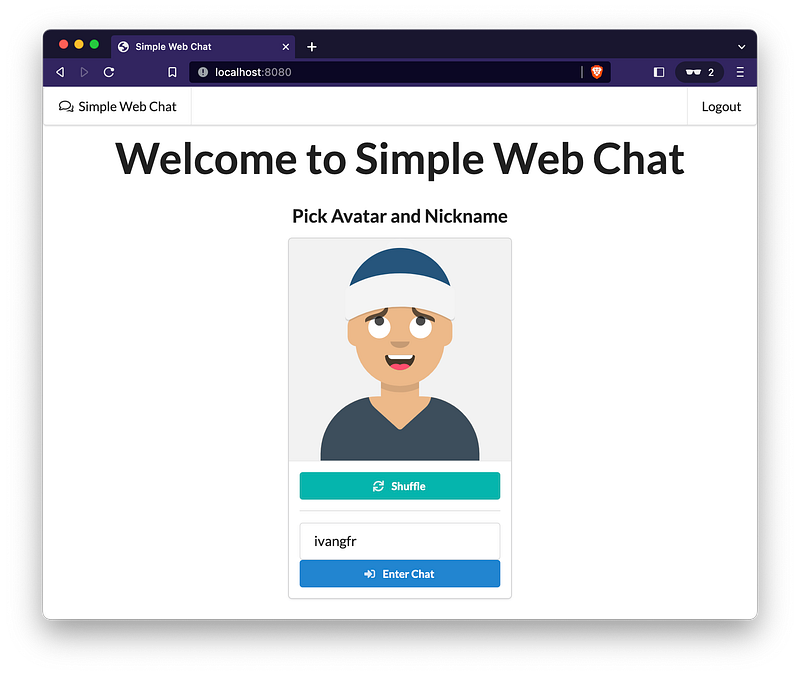
Welcome to our series of articles, where we guide you step-by-step in implementing a Web Chat with Social Login using Spring Boot.
This tutorial covers both the backend and frontend aspects of the Web Chat application, while enabling user authentication through popular platforms like GitHub and Google. By the end of this series, you’ll have a fully functional Web Chat application that provides a seamless sign-in experience for your users. Let’s dive in and create an engaging chat platform together!
Here’s a glimpse of what we’ll be building together!
Cool, isn’t it? 😃
To ensure a comprehensive and digestible learning experience, we have divided our content into sections. Each section will delve into specific aspects of the Web Chat implementation, allowing for an in-depth understanding of each component. By organizing the information in this manner, we aim to provide you with a complete comprehension of the entire process without overwhelming you with a single lengthy article.
Here’s a brief description of each section:
Overview and Project Setup
In this section, we will provide an overview of the Web Chat application we are going to develop and guide you through the process of setting up the Spring Boot project. We will cover the essential dependencies and project structure required for our application.
Backend Implementation
Here, our focus will be on the backend development of the Web Chat application. We will delve into topics like WebSocket configuration, WebSocket message payload, and application controllers.
Frontend Implementation
In this section, we’ll shift our focus to the frontend development of the Web Chat application. We’ll explore building the user interface, integrating with WebSocket for real-time communication, and handling user interactions.
Adding Security
Security is crucial for any application, and in this section, we’ll dive into securing our Web Chat application by cover topics such as Web Security Configuration.
Enabling GitHub as Identity Provider
Building upon the previous section, we’ll explore how to enable authentication using GitHub as a social identity provider, ensuring only authorized users can access the chat.
Enabling Google as Identity Provider
In this section, we’ll extend the authentication capabilities of our Web Chat application by enabling Google as another social identity provider. We’ll cover the necessary configurations and integration steps.
That’s it
We hope you will enjoy this series and find inspiration to develop your very own captivating Web Chat application.
Support and Engagement
If you enjoyed this article and would like to show your support, please consider taking the following actions:
- 👏 Engage by clapping, highlighting, and replying to my story. I’ll be happy to answer any of your questions;
- 🌐 Share my story on Social Media;
- 🔔 Follow me on: Medium | LinkedIn | Twitter;
- ✉️ Subscribe to my newsletter, so you don’t miss out on my latest posts.


