avatarMELOGRAPHICS

Free AI web copilot to create summaries, insights and extended knowledge, download it at here

2579

Abstract

upload one from your device.</p><h2 id="a1e6">2. Edit and personalize</h2><p id="1d7c">Use the built-in editing tools to crop, rotate, and resize the image according to your preferences.</p><h2 id="aece">3. Add elements</h2><p id="ec64">Enhance your image by overlaying text, drawings, emoji, and stickers. Get creative and make your images truly unique!</p><h2 id="73b0">4. Share and enjoy</h2><p id="6224">Once you’re satisfied with your creation, share it with your server members and enjoy the enhanced visual experience.</p><h1 id="a6f4">Benefits of Nitro Remix</h1><h2 id="9e8d">Enhanced Creativity</h2><p id="c3a0">Nitro Remix empowers Discord users to take their image editing skills to the next level without even leaving the app. With a wide range of customization options at their disposal, users can let their creativity run wild and create visually stunning images that reflect their server’s theme or mood.</p><h2 id="bc13">Personalized Server Experience</h2><p id="bc7d">By utilizing Nitro Remix, users can tailor their server’s visual elements to make it stand out from the crowd. Whether it’s adding custom stickers, branding, or unique artwork, Nitro Remix enables users to create a server that truly represents their community.</p><h2 id="ec55">Engaging Visual Communication</h2><p id="d318">Images play a vital role in communication, and Nitro Remix takes it a step further. By adding text, drawings, and other elements to images, users can convey messages, announcements, and emotions more effectively, fostering a more engaging and interactive server environment.</p> <figure id="5dca"> <div> <div> <img class="ratio" src="http://placehold.it/16x9"> <iframe class="" src="https://cdn.embedly.com/widgets/media.html?src=https%3A%2F%2Fgiphy.com%2Fembed%2FIHOyhVjNTnvdX2pJWr%2Ftwitter%2Fiframe&amp;display_name=Giphy&amp;url=https%3A%2F%2Fmedia.giphy.com%2Fmedia%2FIHOyhVjNTnvdX2pJWr%2Fgiphy.gif&amp;image=https%3A%2F%2Fi.giphy.com%2Fmedia%2FIHOyhVjNTnvdX2pJWr%2F200.gif&amp;key=a19fcc184b9711e1b4764040d3dc5c07&amp;type=text%2Fhtml&amp;schema=giphy" allowfullscreen="" frameborder="0" height="145" width="435"> </div> </div> </figure></iframe></div></div></figure><h1 id="70f9">Final Thoughts</h1><p id="8dfd">As a Discord user myself, I find Nitro Remix to be an incredibly exciting addition to the platform. It opens up a world of creative possibilities, allowing users to express themselves and add a personal touch to their servers. The intuitive editing

Options

tools and the range of customizable options make Nitro Remix accessible to both seasoned designers and newcomers alike.</p><p id="b326">Nitro Remix is a game-changer for Discord users who want to enhance their server’s experience. With its ability to personalize images and unlock creativity, Nitro Remix offers a unique advantage within the Discord ecosystem.</p><p id="eb7f" type="7">Are you excited to try this new feature? Share your thoughts in the comments below!</p><h1 id="fbc3">Continue Reading</h1><div id="a9a8" class="link-block"> <a href="https://readmedium.com/a-creators-guide-to-discord-monetization-bfe484c7c3d2"> <div> <div> <h2>A Creator’s Guide to Discord Monetization</h2> <div><h3>Empowering Creators and Building Communities with Discord Server Subscriptions</h3></div> <div><p>medium.com</p></div> </div> <div> <div style="background-image: url(https://miro.readmedium.com/v2/resize:fit:320/1*5atPkqE_wr4gUry29eDq_w.png)"></div> </div> </div> </a> </div><div id="4274" class="link-block"> <a href="https://readmedium.com/discord-server-and-profile-graphics-guide-7dd45ffd851c"> <div> <div> <h2>How to Design & Upload Discord Server and Profile Graphics</h2> <div><h3>An easy-to-follow guide to level up your look on Discord</h3></div> <div><p>medium.com</p></div> </div> <div> <div style="background-image: url(https://miro.readmedium.com/v2/resize:fit:320/1*L79j6r8qQ-7jJSLfA9ODVw.png)"></div> </div> </div> </a> </div><div id="114f" class="link-block"> <a href="https://shop.melo.graphics/pages/creative"> <div> <div> <h2>Creative Services & Toolkit - #MadeByMELO Artist Shop | MELOGRAPHICS</h2> <div><h3>Join the #MeloCrew and explore epic, authentic, and custom designs, creative services, graphics, and more in the…</h3></div> <div><p>shop.melo.graphics</p></div> </div> <div> <div style="background-image: url(https://miro.readmedium.com/v2/resize:fit:320/0*Sy87c5T0uR05kG29)"></div> </div> </div> </a> </div><p id="14a0">Source: <a href="https://discord.com/blog/meme-up-some-fun-with-remix">Discord</a></p></article></body>

Discord Remix makes on-the-fly collaboration easy

New Discord Remix feature in beta now for Nitro Users on iOS & Android
Discord Remix Beta Feature Release by MELOGRAPHICS | #MadeByMELO on Medium

In the ever-evolving world of online communication and community building, Discord has established itself as a popular platform for gamers, creatives, and communities alike. One of Discord’s latest features, Nitro Remix, is making waves among its users. In this article, we will delve into the details of Nitro Remix, exploring what it is, how it works, and the benefits it brings to Discord users.

What is Nitro Remix?

Discord Remix is an innovative in-app image editing feature that allows users to enhance and personalize their images directly within the channel/message. With Remix, you can unleash your creativity and elevate your server experience by adding text, drawings, emoji, stickers, and more to existing images — all inside the app.
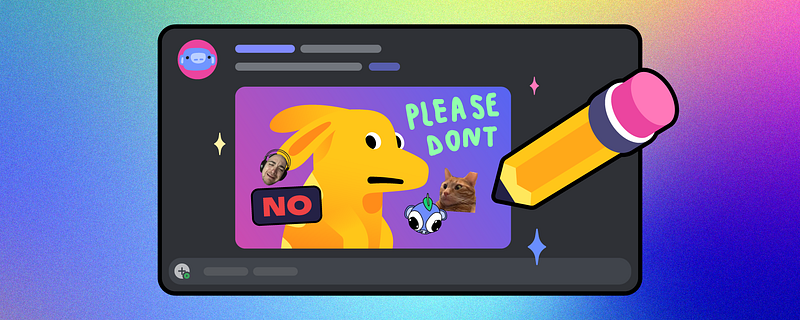
Source: Discord

To use Discord Remix while it’s in beta, you’ll need a Discord Nitro subscription. Once you have Nitro, make sure you’re using the latest version of the Discord app and follow these simple steps to make the most of this feature in various channels (media channels, group messages, direct messages, and text channels).

How to Use Discord Remix

Discord Remix is currently in beta with early access for Nitro members.
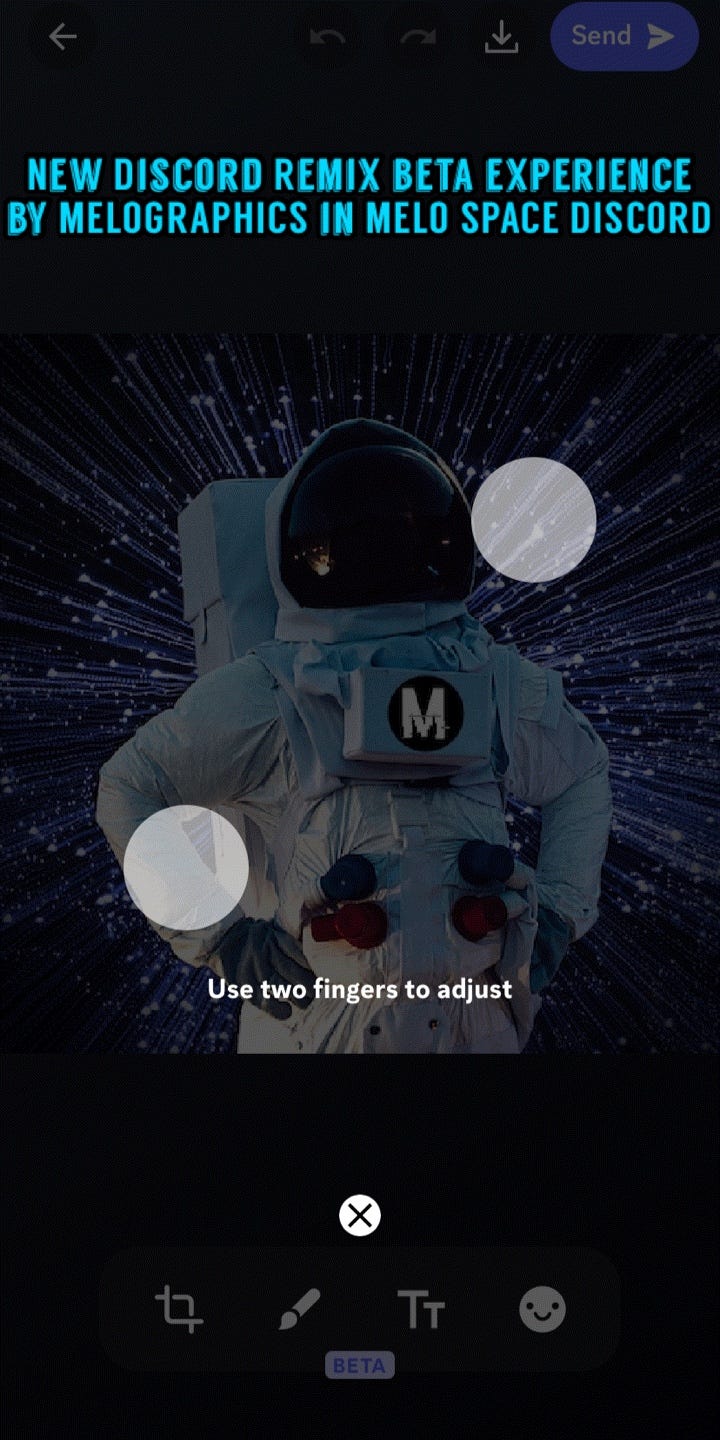
Screenshots by MELOGRAPHICS inside MELO SPACE Discord

1. Select an image

Choose an image from your server or upload one from your device.

2. Edit and personalize

Use the built-in editing tools to crop, rotate, and resize the image according to your preferences.

3. Add elements

Enhance your image by overlaying text, drawings, emoji, and stickers. Get creative and make your images truly unique!

4. Share and enjoy

Once you’re satisfied with your creation, share it with your server members and enjoy the enhanced visual experience.

Benefits of Nitro Remix

Enhanced Creativity

Nitro Remix empowers Discord users to take their image editing skills to the next level without even leaving the app. With a wide range of customization options at their disposal, users can let their creativity run wild and create visually stunning images that reflect their server’s theme or mood.

Personalized Server Experience

By utilizing Nitro Remix, users can tailor their server’s visual elements to make it stand out from the crowd. Whether it’s adding custom stickers, branding, or unique artwork, Nitro Remix enables users to create a server that truly represents their community.

Engaging Visual Communication

Images play a vital role in communication, and Nitro Remix takes it a step further. By adding text, drawings, and other elements to images, users can convey messages, announcements, and emotions more effectively, fostering a more engaging and interactive server environment.

Final Thoughts

As a Discord user myself, I find Nitro Remix to be an incredibly exciting addition to the platform. It opens up a world of creative possibilities, allowing users to express themselves and add a personal touch to their servers. The intuitive editing tools and the range of customizable options make Nitro Remix accessible to both seasoned designers and newcomers alike.

Nitro Remix is a game-changer for Discord users who want to enhance their server’s experience. With its ability to personalize images and unlock creativity, Nitro Remix offers a unique advantage within the Discord ecosystem.

Are you excited to try this new feature? Share your thoughts in the comments below!

Continue Reading

Source: Discord

Discord
Content Creation
Online Community
Make Money Online
Technology News
Recommended from ReadMedium