
Dev Tips: Searching GitHub Like a Pro
You’ve heard the saying before: don’t re-invent the wheel. In plain terms, if something already exists and has been proven to work, then it’s kind of a waste of time to go through the entire process of creating it on your own.

In programming, I really couldn’t emphasize this point more. Now, there’s a time and place for coding things on your own: maybe it’s for school projects where you will learn from the process, or maybe it’s a software engineering job interview where you can’t just simply say, “Well, I would just use C++’s append() method for this.”
However, in most cases, you’re going to want a solid reference — it’s not always the case where you’ll just copy and paste, but in my full-time software engineering experience, it’s so helpful to at least have something to go off of when writing my code.
That’s where GitHub steps in: it literally has millions of lines of code — many of it relevant to the use case you’re trying to program — available at your fingertips. Searching through it to help you complete your daily tasks may seem painfully obvious when you’re reading this; maybe you’re wondering why I’m sharing this, but I honestly don’t see enough developers doing it. In fact, I see many proudly proclaim their Google-Fu and their Stack Overflow savviness, but often they can’t find everything they need and neglect the power of GitHub Search.
How to search on GitHub the pro’s way
First of all, you’re going to want to be signed in on GitHub in order to be able to search for all public repositories’ code.
Next, just search what you want in the input on the top left of the toolbar (given the rapid rate of UI changes these days across the internet, this could change one day):

Let’s say I want to figure out how to use AWS DynamoDB’s ScanInput , but I can’t figure out how to get an example going just from the documentation alone or I just want to see other ways people are using it. So, I type “ScanInput” into the search box.
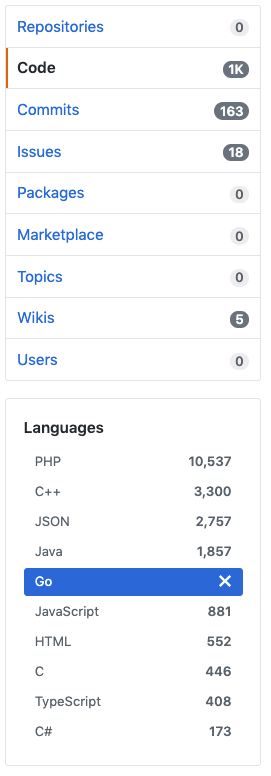
I then select Code because I want to see actual snippets of code that pertain to ScanInput , and since I am programming in Go, I select Go. This part is crucial because PHP code won’t really help me that much.
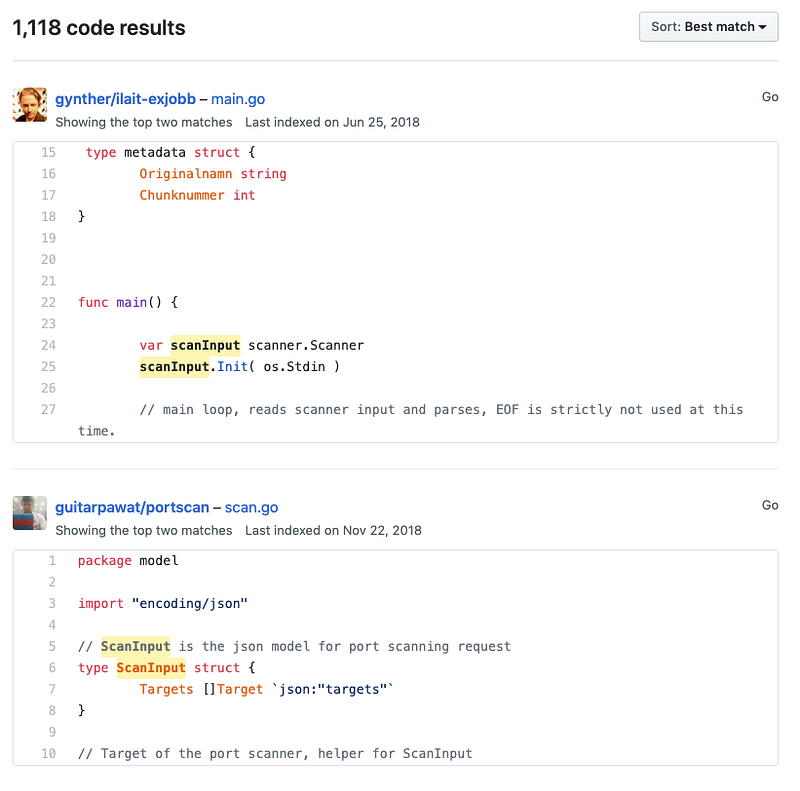
When you get your results, don’t assume every result is relevant to you; this is where your own knowledge has to come in. I see that the first results immediately are not really relevant to AWS DynamoDB, so I eventually keep scrolling and find some relevant results.
Utilize a different sort
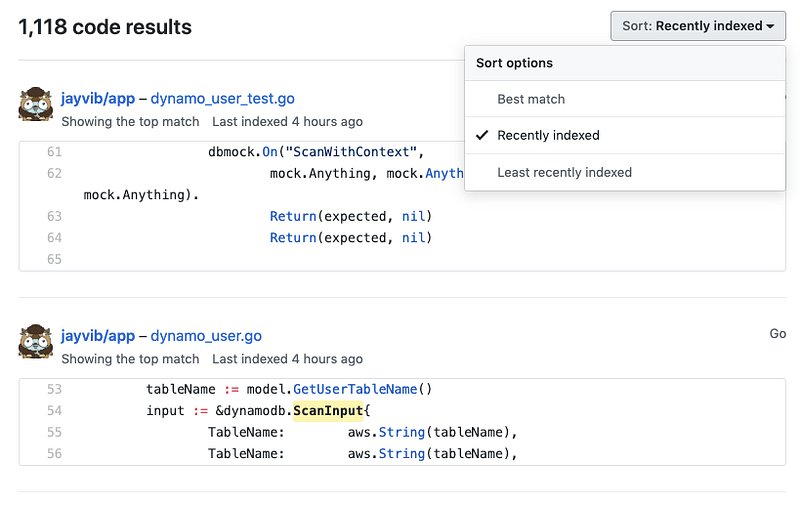
In the screenshot above, you’ll notice that the results are sorting by “Best match”. I’m not sure what GitHub’s algorithm is for this, but it’s 100% worth trying different sorts if you’re having much luck. I really love the “Recently indexed” sort because it essentially shows the newest relevant code that people have pushed. I’ve just found that you’re more likely to get results that more closely align with your code’s versions, schemas, etc.
Searching for languages that don’t show up in the sidebar
Let me show the sidebar that came up when we searched for ScanInput again to show you a potential issue you may come across:
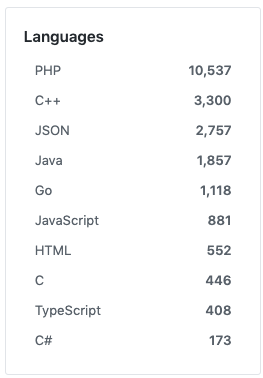
More likely than not, the language you want will be in this sidebar. However, there have been times where my language hasn’t been here. I used to think it’s just a limitation of GitHub, but then I realized a workaround: query parameters in the URL.

When I selected Go, the query parameter l=Go was added to the URL. If I wanted some Python results, therefore, I could just pop in Python where Go was. Once I do that, Python results appear! Note that you can also do this with GitHub’s advanced search feature, which I will go over next.
Advanced search
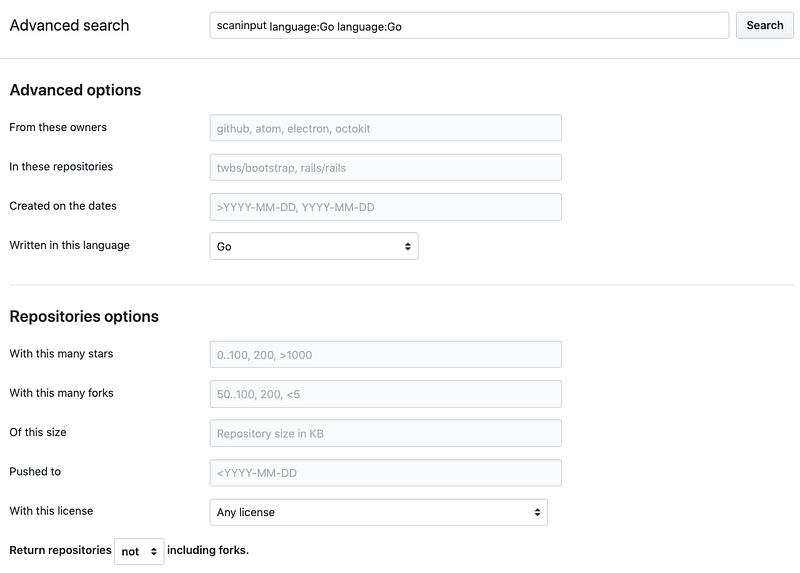
If you click on “Advanced Search” underneath the Languages sidebar, you have some more power behind your search. I’ve found certain filters in here to be quite useful; I like to query based on file extension types, for instance.
Special search filters cheat sheet
You can leverage the special filters GitHub offers in the search box itself instead of using the visual interface. Under the “Languages” toolbar, you’ll see a cheat sheet available:
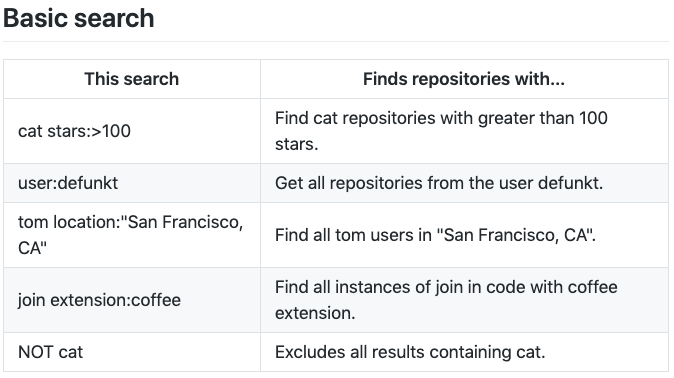
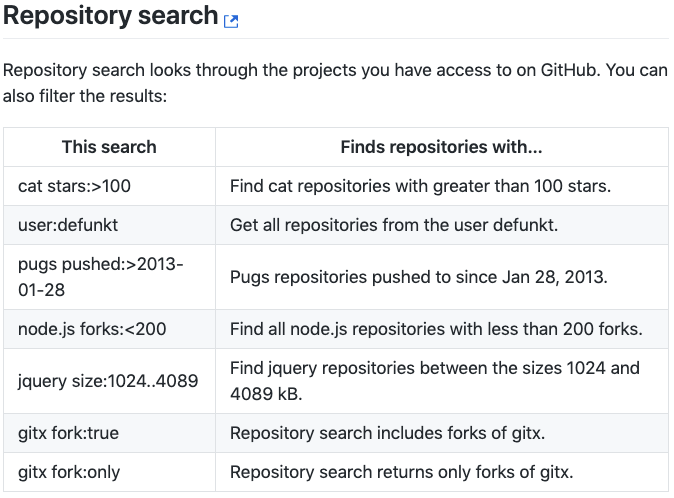
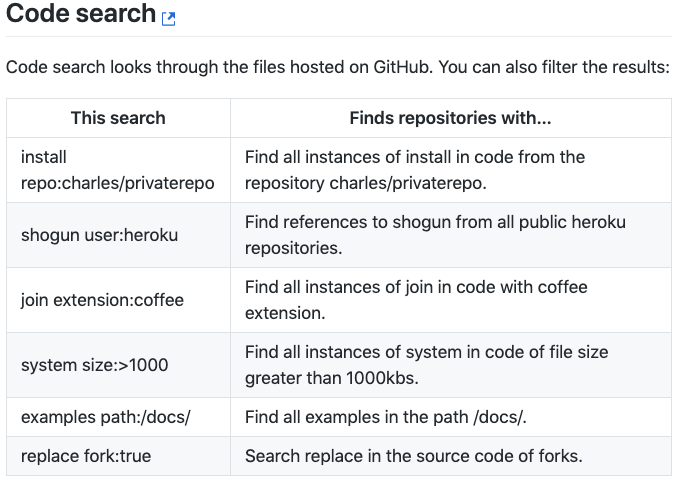
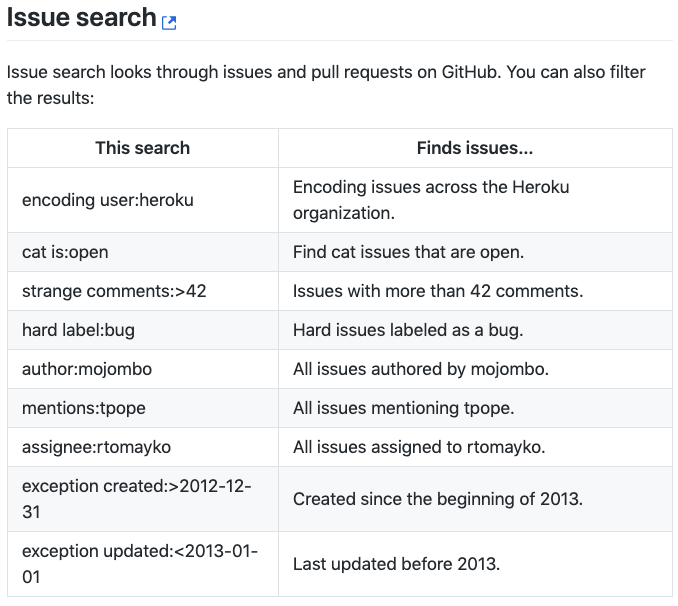
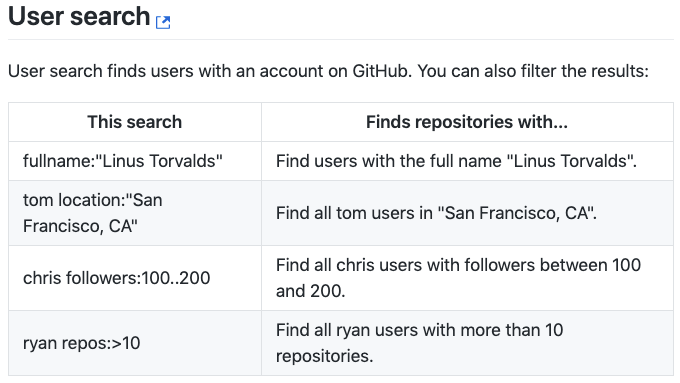
For another reference on this special search syntax, check out the GitHub Help documentation.
And there you have it! GitHub’s search functionality has given me awesome real-world examples countless times as a software engineer; it can be one of your most valuable tools too.
If you have any more search tips, please leave them below in the comments!


