
Detect Defects in a Data Pipeline Early with Validation and Notifications
Build a Robust Data Pipeline in Python with Deepchecks and Prefect
Motivation
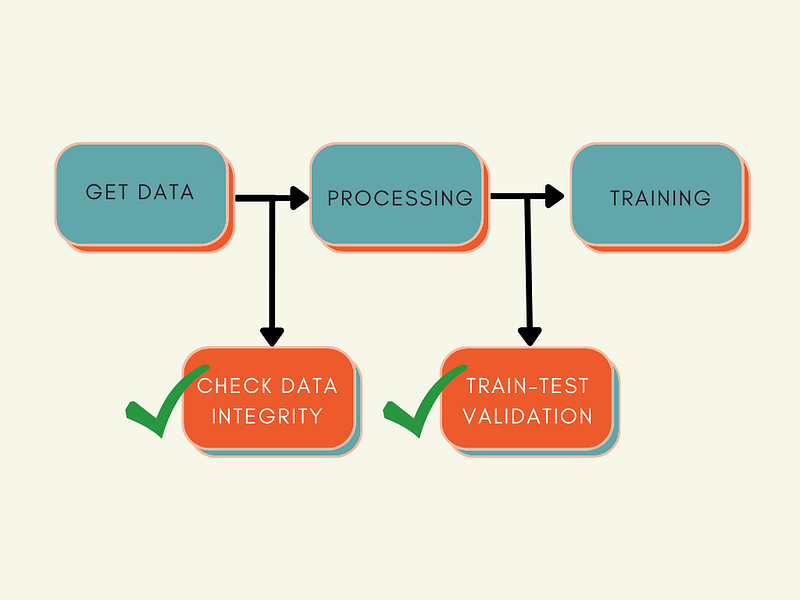
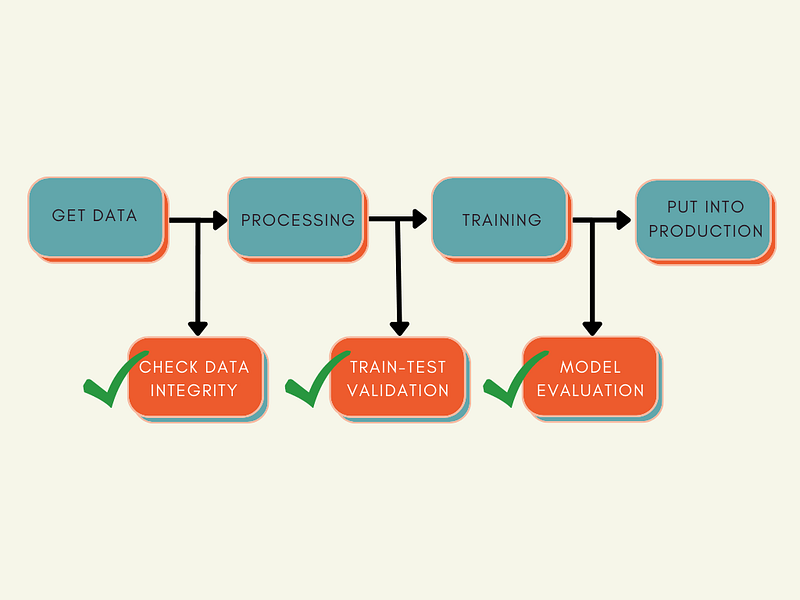
A data science project includes primary components such as getting data, processing data, training an ML model, then putting it into production.
It is important to validate each component’s outputs to ensure each component works properly before feeding its outputs to the next component in the workflow.
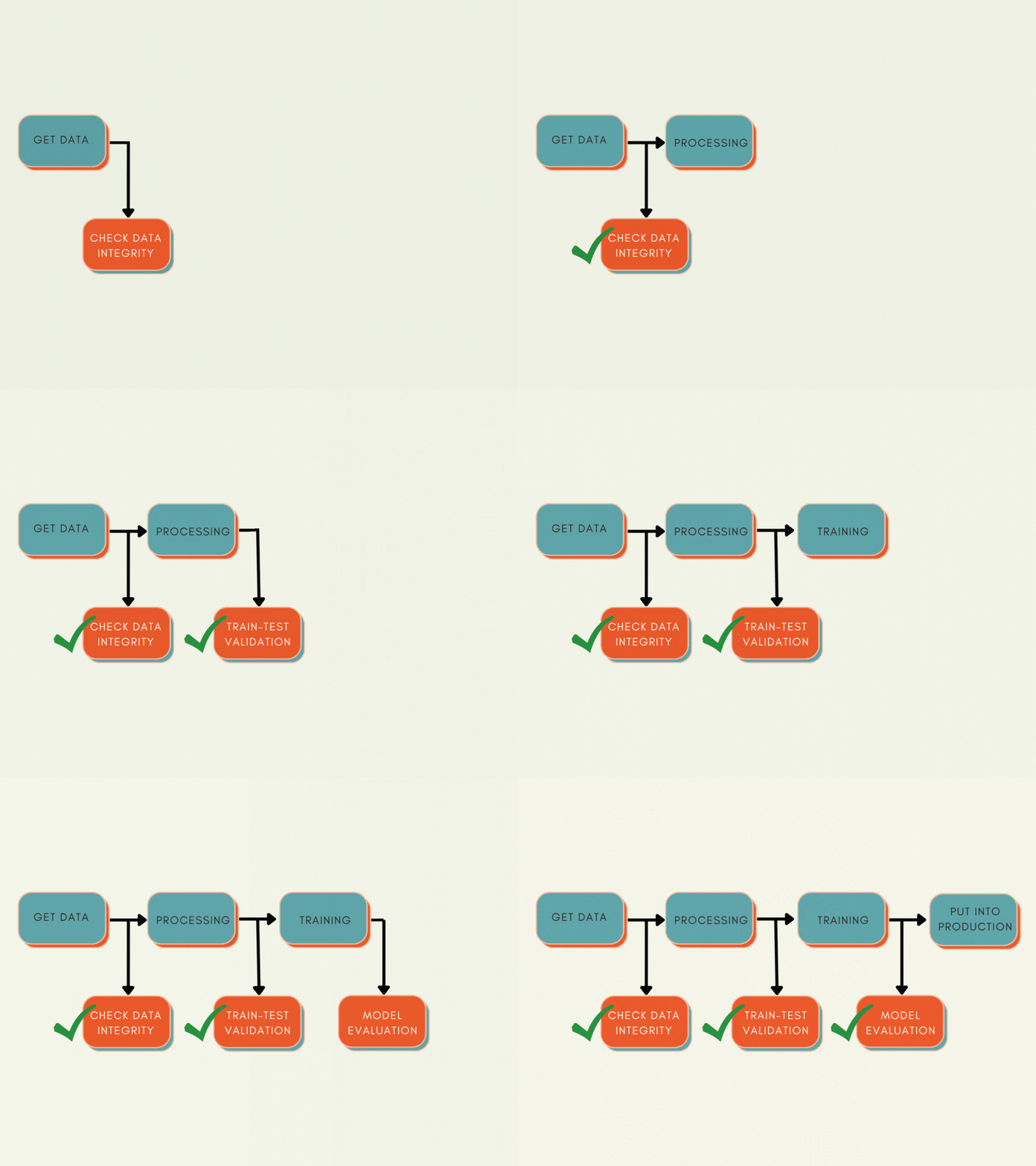
In this article, you will learn how to:
- Use Deepchecks to validate components in the research phase of your data science pipeline
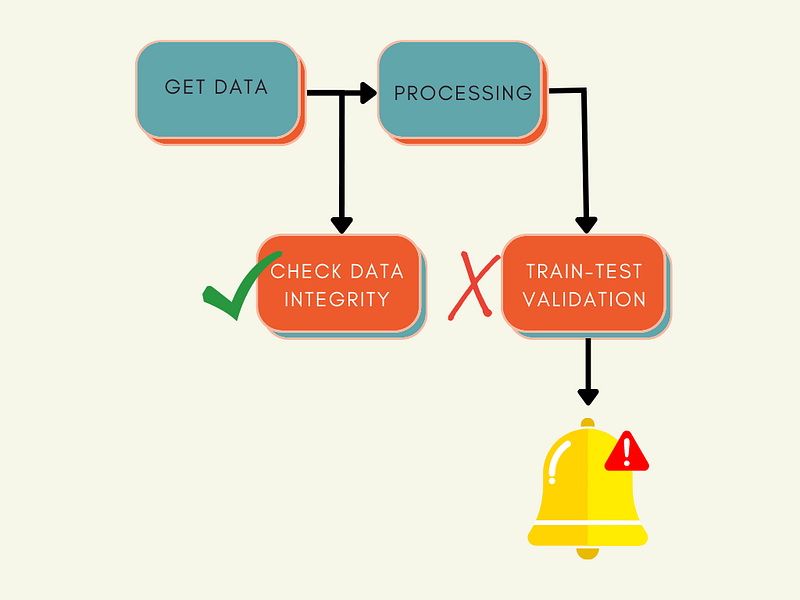
- Use Prefect to send notifications when a validation failed
Set Up
Deepchecks is a Python library for testing and for validating your machine learning models and data.
To install Deepchecks, type:
pip install deepchecksPrefect is a Python library that monitors, coordinates, and orchestrates dataflows between and across your applications.
To install Prefect, type:
pip install -U prefectThe version of Prefect will be used in this article is 2.0.2:
pip install prefect==2.0.2Create Validation Suites
Data Integrity Suite
A data integrity suite allows you to validate your data before splitting it or using it for processing.
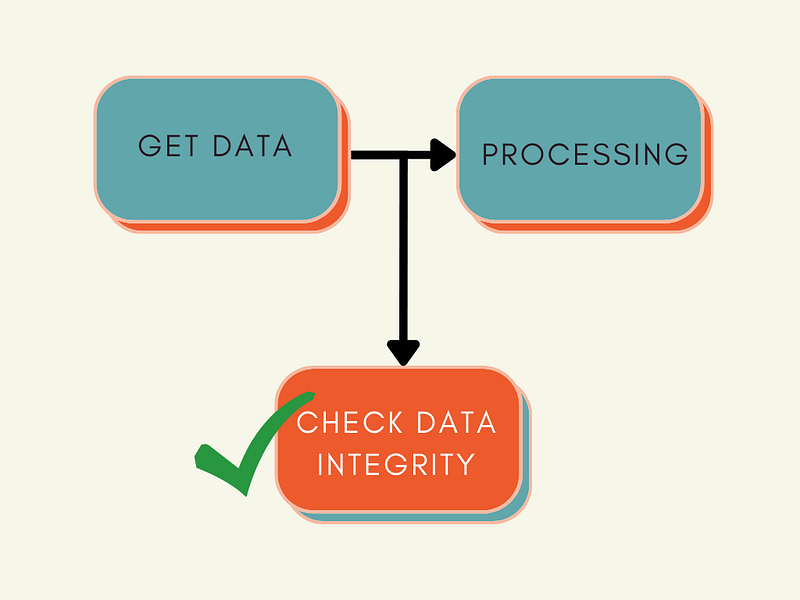
There are two steps to creating a validation suite with Deepchecks:
- Define a Dataset object, that holds the relevant metadata about the dataset
- Run a Deepchecks suite. To run a data integrity suite, use
data_integrity.
To check if the entire suite passed, use result.passed()
The code above will raise an error if the suite didn’t pass.
Now that we’re familiar with the basic syntax, let’s create a file called check_data_integrity that loads the configuration and data, then run the Deepcheck suite.
Running this file will create an HTML report in your local directory. You should see a report similar to the following GIF.
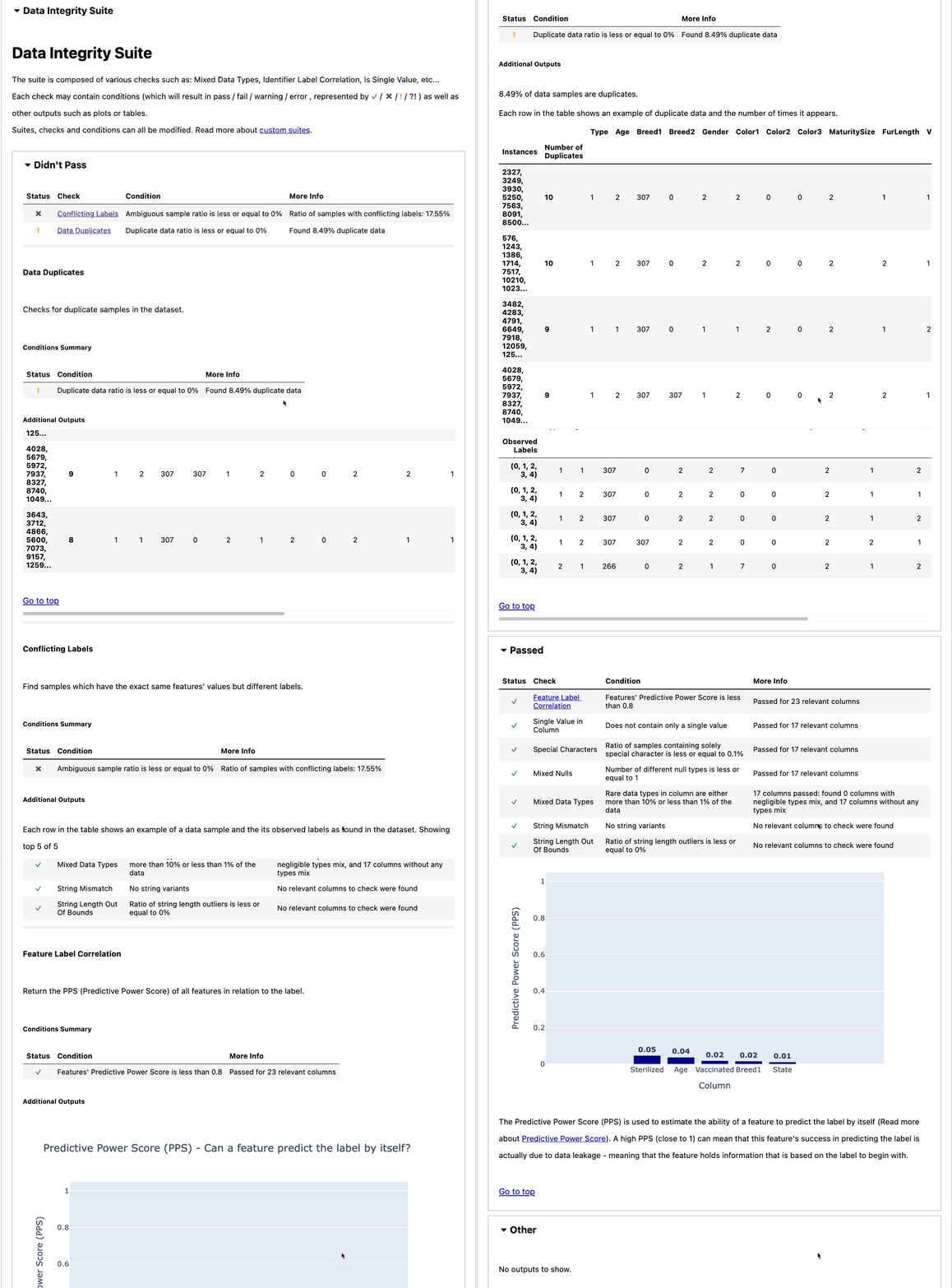
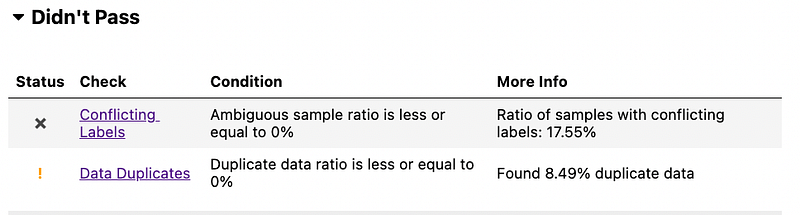
From the report, we can see that there are conflicting labels and data duplicates in the dataset.
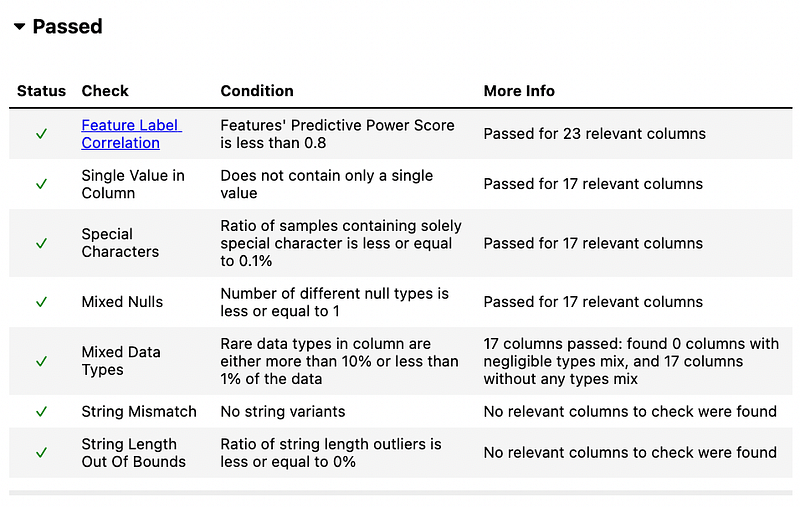
However, the data passed the rest of the checks for data integrity.
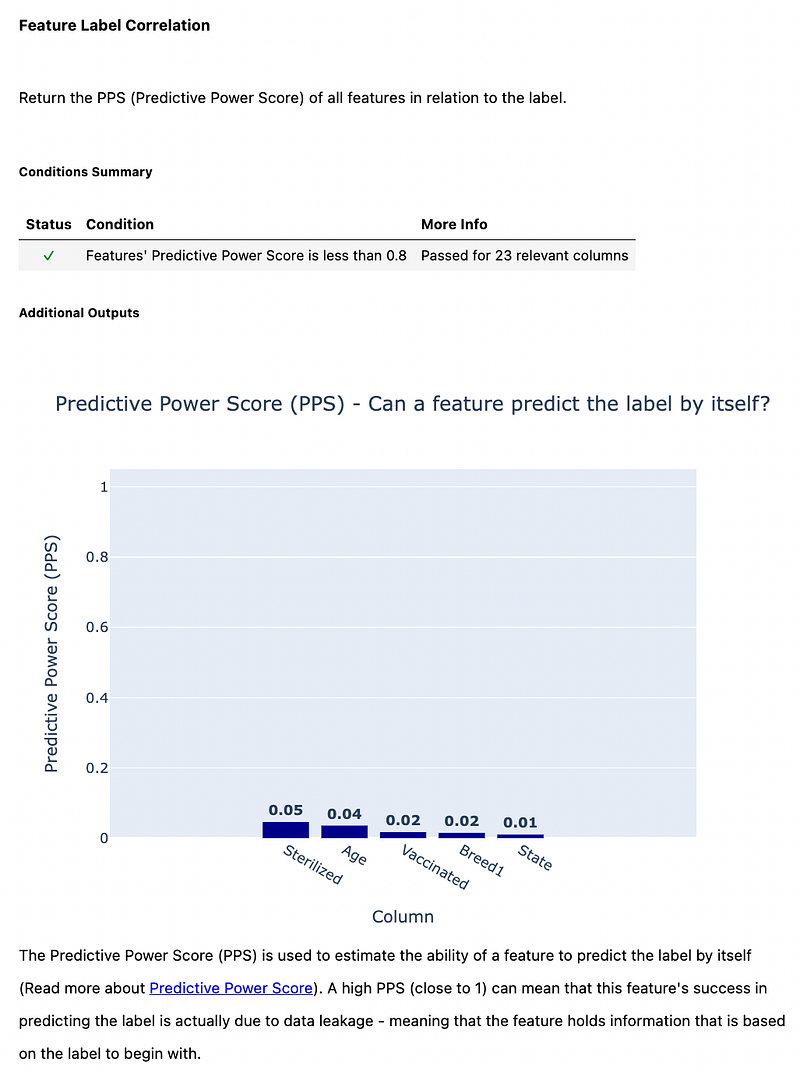
The report also shows the details of each of these checks. The image below shows the detail of the feature label correlation check.
Train Test Validation Suite
A train test validation suit is useful when you want to validate two data subsets such as train and test sets.
The code below shows functions to:
- Initialize dataset objects with train and test sets
- Create a train test validation suite
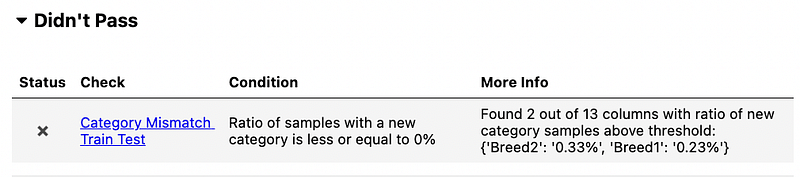
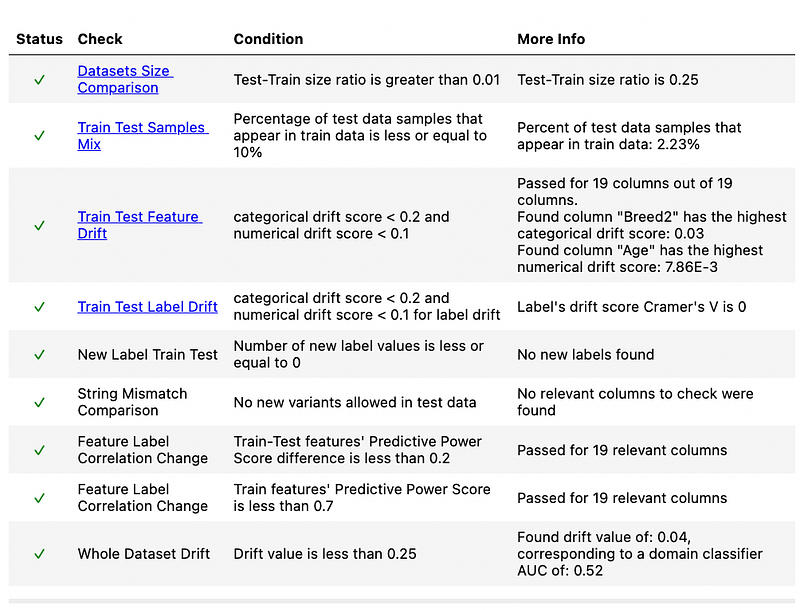
Running the code above will generate another report. Below is the summary of the report.
Model Evaluation Suite
A model evaluation suite is useful after training a model or before deploying a model.
To create a model evaluation suite, use the model_evaluation method.
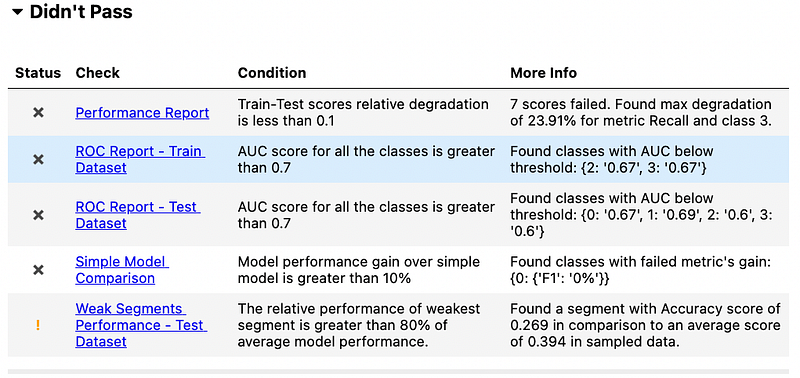
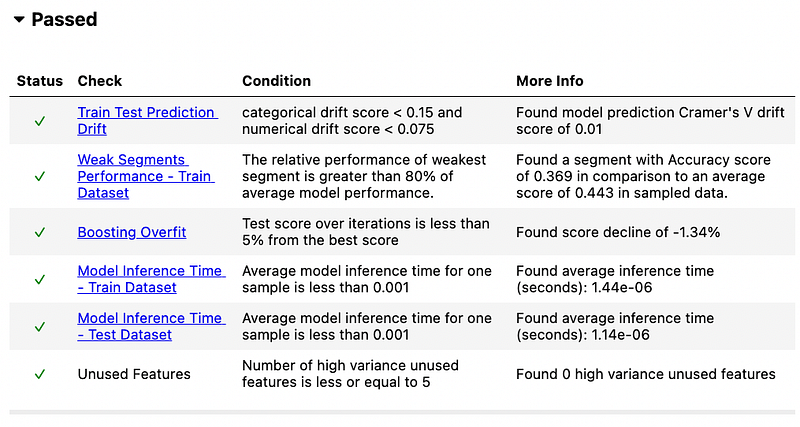
Running the code will create a report. Below is the summary of my report for the model evaluation suite.
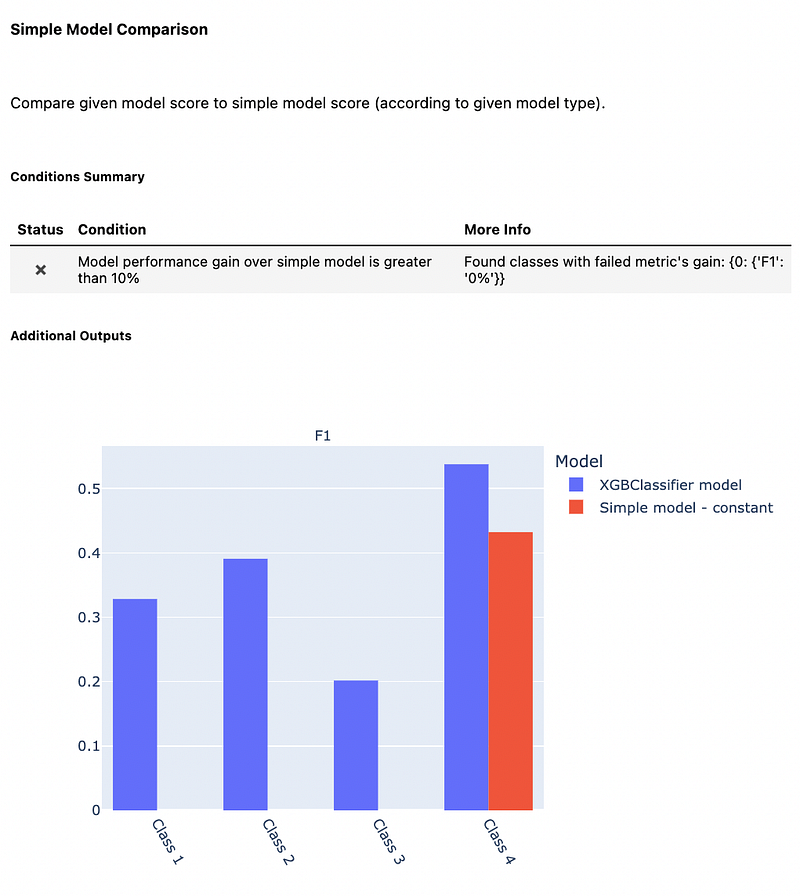
Here is the graph showing the result of a simple model comparison.
Send Notifications When a Validation Suite Fails
Ideally, when a validation suite fails, we want to:
- Stop executing the next component in the pipeline
- Send a notification to the team in charge of the pipeline
- Fix the code and run the pipeline again
At a high level, to create send notifications when our code reaches a certain state, we will:
- Turn a Python function into Prefect flow
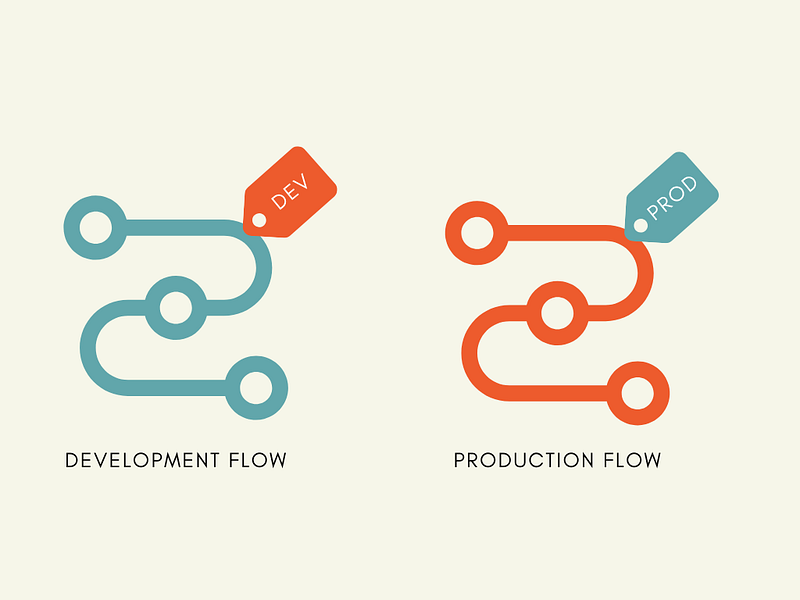
- Attach a tag to that flow (.i.e,
dev)
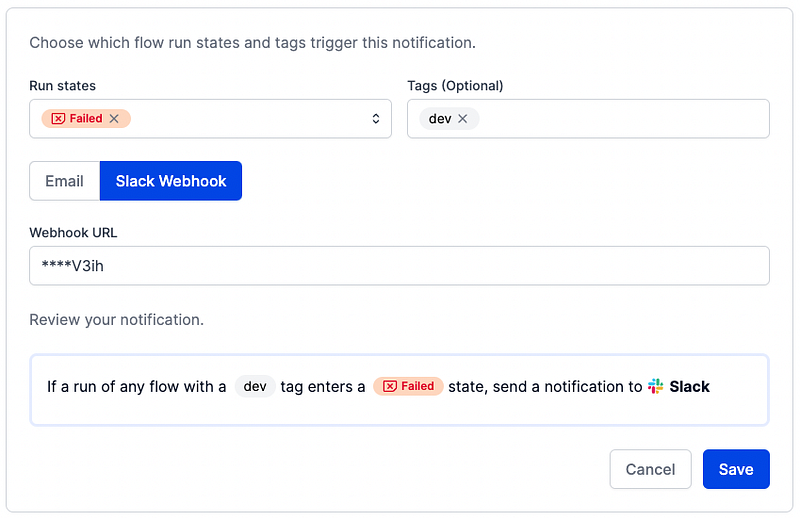
- Create rules for sending notifications. Specifically, we will set the rule so that if a run of any flow with a specific tag (.i.e,
dev) enters a failed state, Prefect will send a notification to Slack.
Create a Prefect Flow
To learn how to create a Prefect flow, let’s start with the code to run a data integrity suite:
The function check_data_integrity includes the functions to create a data integrity suite.
To turn this function into a Prefect flow, simply add the decorator flow to the function.
Add the flow decorator to other main functions for the research phase in the pipeline such as process data, train model, create a train test suite, and create a model evaluation suite.
Put all of these flows together under the development flow. This will turn them into subflows.
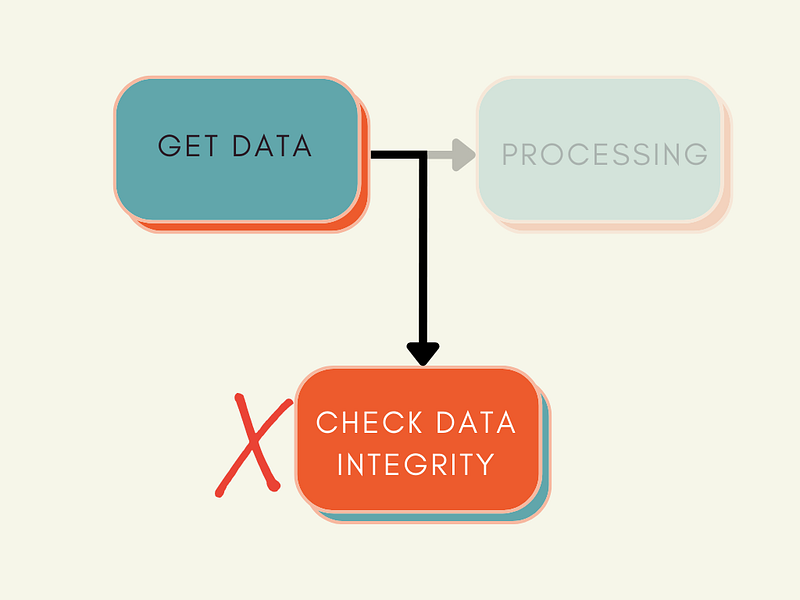
Subflows inside a flow are executed in order. If a subflow failed, the next subflow will not be executed. For example, if the subflow check_data_integrity failed, the subflow prepare_for_training will not run.
View this article for the rest of the setup to send Slack notifications with Prefect:
After setting up the notifications, you should receive a message in your Slack channel when a flow fails:

Conclusion
Congratulations! You have just learned how to set up a workflow to validate the outputs of each component in a pipeline and send notifications when a validation failed.
Feel free to play and fork the source code of this article here:
I like to write about basic data science concepts and play with different data science tools. You could connect with me on LinkedIn and Twitter.
Star this repo if you want to check out the codes for all of the articles I have written. Follow me on Medium to stay informed with my latest data science articles like these:


