
Deploying the Initial Admin User With Limited Permissions
ACM.375 Scripts to deploy the rootadmin (orgroot) user with restrictions covered in last few posts
~~~~~~~~~~~~~~~~~~~~~~~~~~~~~~~~~~~~~~~~~~~~~~~~~~~~~~~~~~~
⚙️ Part of my series on Automating Cybersecurity Metrics. The Code.
🔒 Related Stories: AWS Security | IAM | AWS Organizations
💻 Free Content on Jobs in Cybersecurity | ✉️ Sign up for the Email List
~~~~~~~~~~~~~~~~~~~~~~~~~~~~~~~~~~~~~~~~~~~~~~~~~~~~~~~~~~~
In the last post I considered the users, groups, roles, and policies we want to create as a whole in our initial architecture.
I had already started down this path earlier but never finished it. Now I want to get it done, along with a new deployment mechanism and directory structure.
In this post, I am basically going to deploy the OrgRoot user again but named rootadmin to align with our new naming convention — reasons provided in prior posts.
AWS Console Shell
Because we don’t want to grant developer credentials to the root user we’ll use the AWS shell to create this initial user and policy.
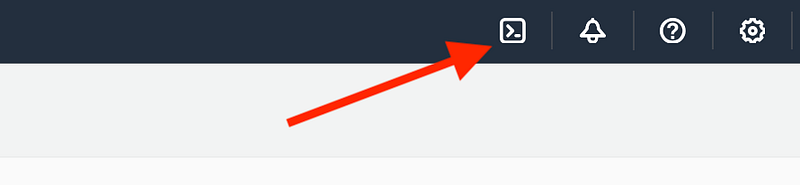
After that I’ll likely eventually lock that shell down so it is not accessible. A user can achieve the same functionality on an AWS EC2 instance.
I will use the same approach as before, copying and pasting the existing scripts into the shell and running them.
New Directory Structure
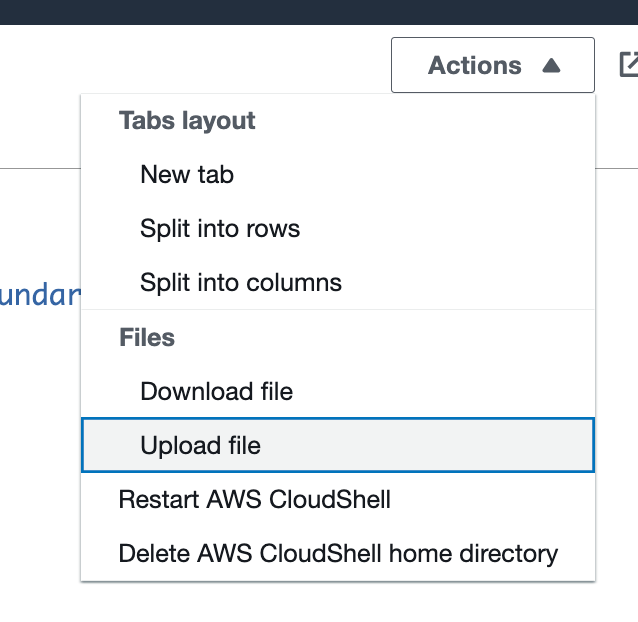
The first thing I do is copy over the user template into my new directory structure and naming convention as I create each resource, though in this case, I’m going to simply copy the files up to my root directory in CloudShell to create the resources to keep it simple.
Powerful rootadmin user
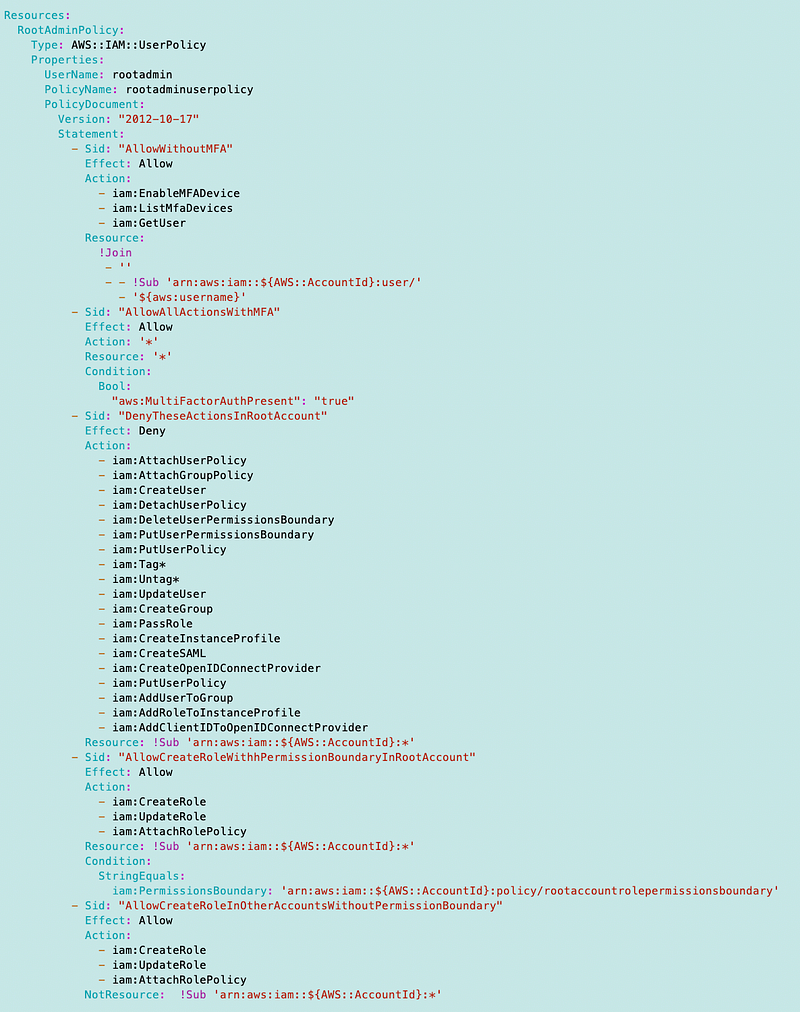
The rootadmin user is a break glass account in case of emergency and can do pretty much anything with the following restrictions:
- All actions require MFA
- Deny creating new users or groups in the root account.
- Require a permission boundary on any new roles that disallows unwanted actions.
Permission Boundary Restrictions
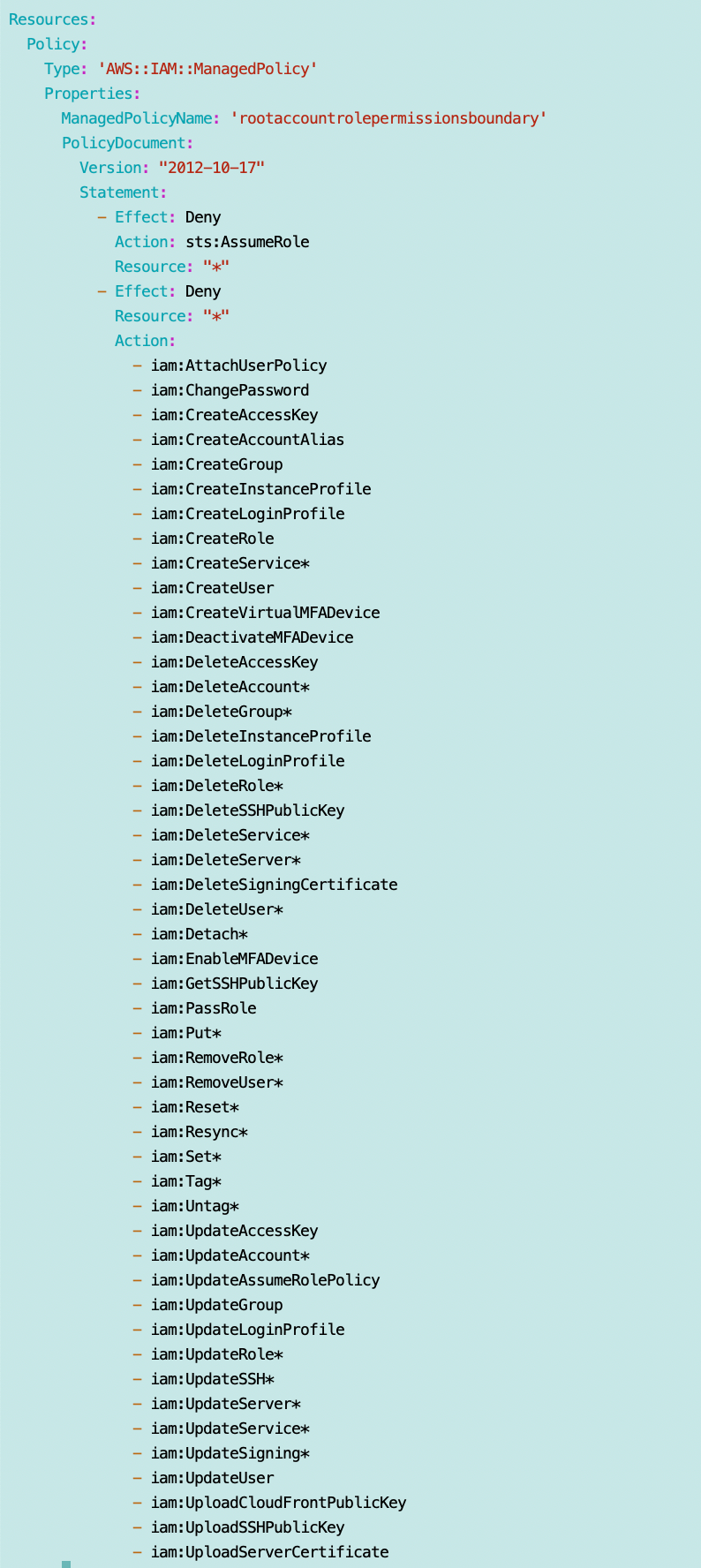
For now, any roles in the account will be disallowed from using any non-readonly user or group actions, STS assume role, and IAM PassRole. I may think of other restrictions later.
User policy template
I copy the existing user template over to this new location in my directory structure.
/resources/iam/user/user.yaml
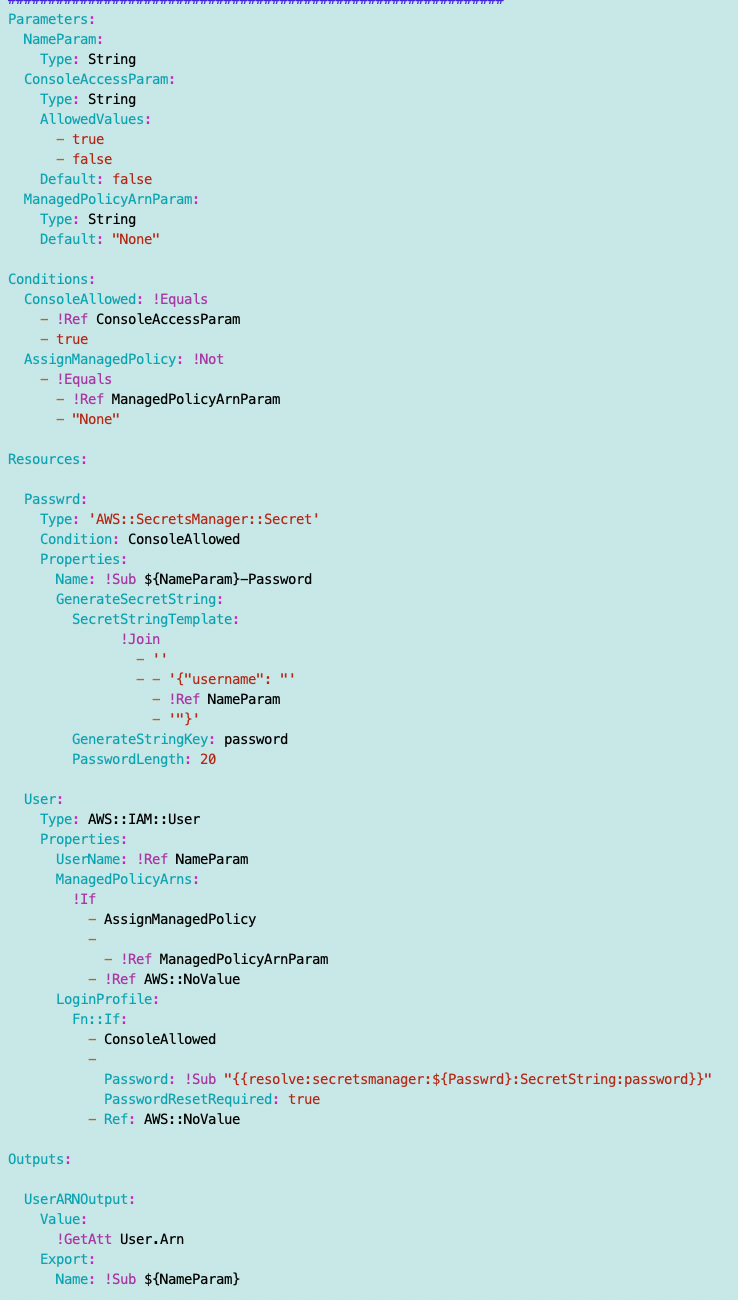
I upload that file to the root of my AWS shell and name it user.yaml.
I also create a deployment script. Note that I am not passing in a policy ARN because I am going to create a user policy. There should only be one rootadmin and one policy associated with the rootadmin user.
/deploy/root/deploy_rootadmin.sh

I can copy the user template and the deployment script over to CloudShell and I can create the new user:
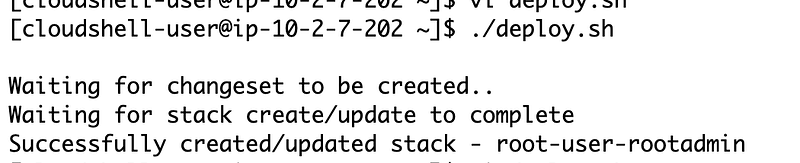
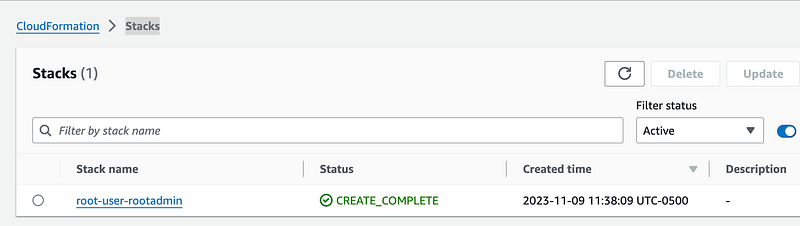
The user is created, but with no policy or permissions at this point.
Permissions Boundary template
I want to disallow certain actions when a role gets created in the root account. See the policy below for what I am initially restricting. I may need to change this later if I determine the roles need any of these actions.
I’m going to put the permission boundary in this file:
/resources/iam/managedpolicy/rootaccountrolepermissionsboundary.yaml
I add another line to my deployment script:

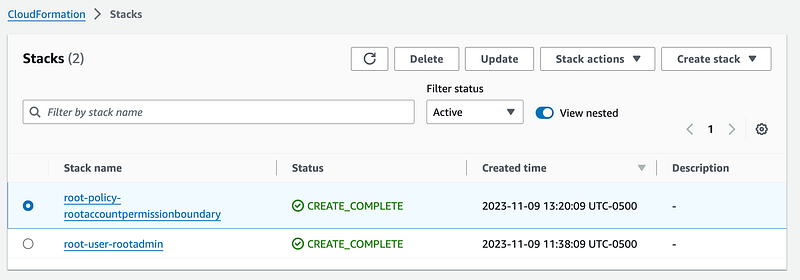
With that command I can successfully deploy the permissions boundary policy.
User policy template
I put the root policy template in this location in my new directory structure.
/resources/iam/userpolicy/rootadminuserpolicy.yaml
Here’s my template. The SIDs explain what I’m trying to do in each statement. I’m borrowing some of the things I wrote about in prior posts related to restricting actions in policies, but this user needs some different permissions.
I add another line to my deployment script:

That deploys my policy and assigns it to the rootadmin user.
Will it work? Consider that and we’ll take this one step further in the next post.
Follow for updates.
Teri Radichel | © 2nd Sight Lab 2023
About Teri Radichel:
~~~~~~~~~~~~~~~~~~~~
⭐️ Author: Cybersecurity Books
⭐️ Presentations: Presentations by Teri Radichel
⭐️ Recognition: SANS Award, AWS Security Hero, IANS Faculty
⭐️ Certifications: SANS ~ GSE 240
⭐️ Education: BA Business, Master of Software Engineering, Master of Infosec
⭐️ Company: Penetration Tests, Assessments, Phone Consulting ~ 2nd Sight Lab
Need Help With Cybersecurity, Cloud, or Application Security?
~~~~~~~~~~~~~~~~~~~~~~~~~~~~~~~~~~~~~~~~~~~~~~~~~~~~~~~~~~~~~
🔒 Request a penetration test or security assessment
🔒 Schedule a consulting call
🔒 Cybersecurity Speaker for PresentationFollow for more stories like this:
~~~~~~~~~~~~~~~~~~~~~~~~~~~~~~~~~~~~~~~~~~~~~~~~~~~~~~~~~~~~~
❤️ Sign Up my Medium Email List
❤️ Twitter: @teriradichel
❤️ LinkedIn: https://www.linkedin.com/in/teriradichel
❤️ Mastodon: @teriradichel@infosec.exchange
❤️ Facebook: 2nd Sight Lab
❤️ YouTube: @2ndsightlab


%22%3E)