
Deploying Multiple Resources By Combining Micro-Templates Scripts
ACM.406 Deploying multiple resources in one MFA-initiated AWS CLI Session in a container ~ or just one of them 😊
~~~~~~~~~~~~~~~~~~~~~~~~~~~~~~~~~~~~~~~~~~~~~~~~~~~~~~~~~~~
⚙️ Check out my series on Automating Cybersecurity Metrics. The Code.
🔒 Related Stories: Application Security | Secure Code | AWS Security
💻 Free Content on Jobs in Cybersecurity | ✉️ Sign up for the Email List
~~~~~~~~~~~~~~~~~~~~~~~~~~~~~~~~~~~~~~~~~~~~~~~~~~~~~~~~~~~
In the last post I deployed a user and role to use to deploy our AWS Organizations OUs and Accounts using the container I’ve been building out that requires MFA to run AWS deployments jobs.
If you’ve been following along you know I’ve been using the concept of what I call “micro-templates” and I explained some of the benefits of writing our CloudFormation code that way here:
Each job I run in my container initiates a new session and requires MFA. So you might be thinking “Holy Sessions, Batman!” I don’t want to instantiate a session for every single resource I deploy if I’m trying to deploy a number of resources at the same time.
And you would be right.
And here’s why micro-templates are still a benefit and very flexible.
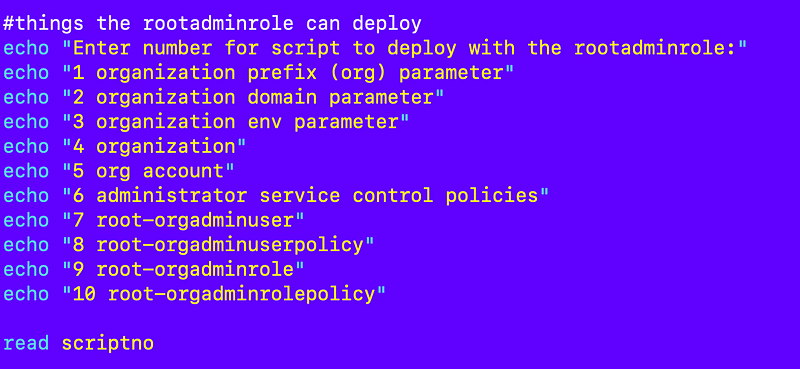
Here are the scripts I’ve implemented so far in my new framework that can be deployed by the rootadminrole (less some I’ve moved over to the root-orgadminrole now.)
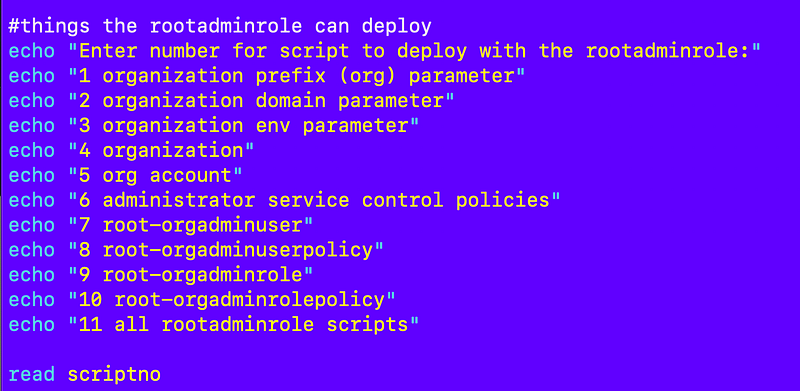
I’m going to add one more to that list — number 11: All rootadmin scripts
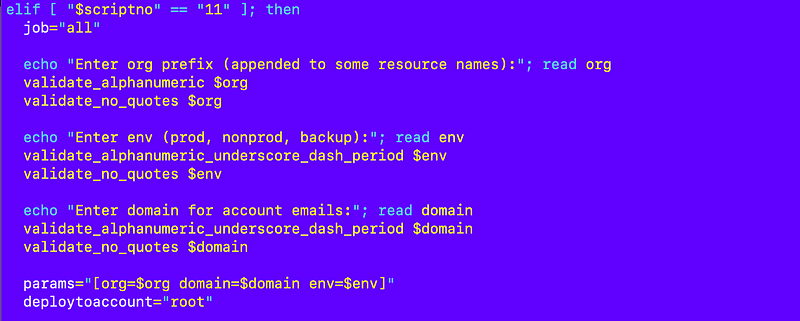
Down below in this script I determine what number the user selected and call the corresponding script. In the case of #11 I’m going to call:
/deploy/rootadminrole/all.sh
I set the necessary parameters (and need some revisions to my parameter parsing code to make this work) and then call the script.
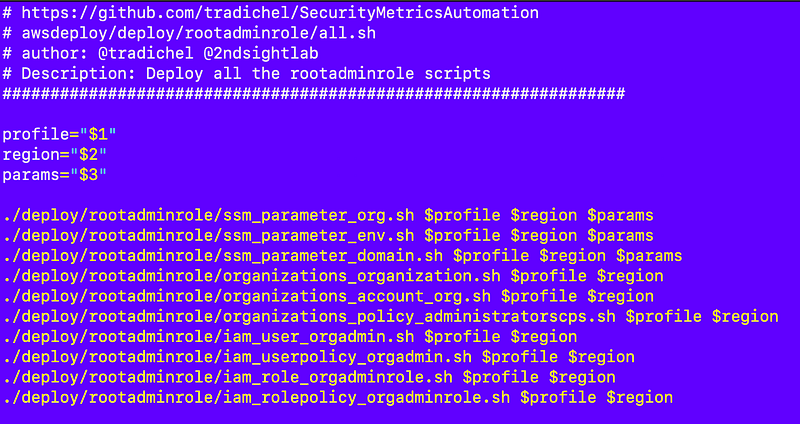
Over in my deployment file, I simply call all the scripts.
I run that script and I only have to enter MFA once to obtain a session and deploy all those resources at the same time.
When I do that I can validate things are still working in all my scripts and fix any errors as needed. This also happens to be much simpler than trying to manage all the test scripts in my POC version of this code base. Much nicer this way.
One thing I do need to add is the variable that specifies in which account the resource should be deployed.
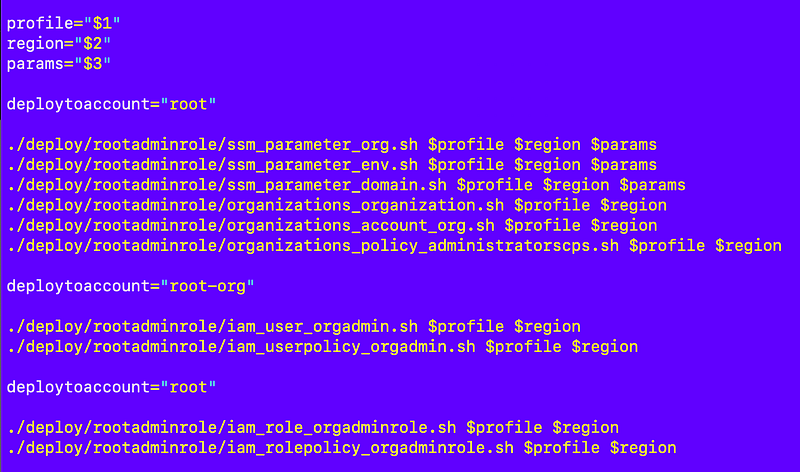
The beauty of this solution is that if I need to deploy a single resource I can.
I’m not stuck redeploying the whole stack and waiting for CloudFormation if I need to tweak one thing for one resource in my stack.
🩷 CloudFormation Micro-templates 🩷
And that was probably one of the simplest posts I’ve written in a long time thanks to modular code design.
But wait! There’s more! We can make our code even more efficient as I’ll explain hopefully in the next post, for those who feel the need for speed (well, as fast as we can go with CloudFormation anyway.)
Follow for updates.
Teri Radichel | © 2nd Sight Lab 2023
About Teri Radichel:
~~~~~~~~~~~~~~~~~~~~
⭐️ Author: Cybersecurity Books
⭐️ Presentations: Presentations by Teri Radichel
⭐️ Recognition: SANS Award, AWS Security Hero, IANS Faculty
⭐️ Certifications: SANS ~ GSE 240
⭐️ Education: BA Business, Master of Software Engineering, Master of Infosec
⭐️ Company: Penetration Tests, Assessments, Phone Consulting ~ 2nd Sight Lab
Need Help With Cybersecurity, Cloud, or Application Security?
~~~~~~~~~~~~~~~~~~~~~~~~~~~~~~~~~~~~~~~~~~~~~~~~~~~~~~~~~~~~~
🔒 Request a penetration test or security assessment
🔒 Schedule a consulting call
🔒 Cybersecurity Speaker for PresentationFollow for more stories like this:
~~~~~~~~~~~~~~~~~~~~~~~~~~~~~~~~~~~~~~~~~~~~~~~~~~~~~~~~~~~~~
❤️ Sign Up my Medium Email List
❤️ Twitter: @teriradichel
❤️ LinkedIn: https://www.linkedin.com/in/teriradichel
❤️ Mastodon: @teriradichel@infosec.exchange
❤️ Facebook: 2nd Sight Lab
❤️ YouTube: @2ndsightlab