
Darkroom: The First App To Install On macOS Big Sur
The Cheap Lightroom Alternative
Disclaimer: I am not affiliated by Darkroom or sponsored by any sorts.
If you have used Darkroom on iOS Before then you probably have an idea of what I am talking about.
I stumbled upon Darkroom when I was navigating the iOS Appstore looking for a photo editing App that is 1) Capable and 2) Doesn't require a monthly subscription. After going through installing and deleting many of them, I stumbled on Darkroom.
The application on iOS was straight forward as any other photo-editing application; import a photo, then start using the sliders left and right as you adjust the colour to your taste. Having tried other iOS Photo editing apps, I would say I didn’t find any unique feature that wasn’t in any other app, aside from the fact that it just works! and it doesn’t need to a monthly subscription! You can just purchase it once and it will now work across iOS and macOS!
The macOS App:
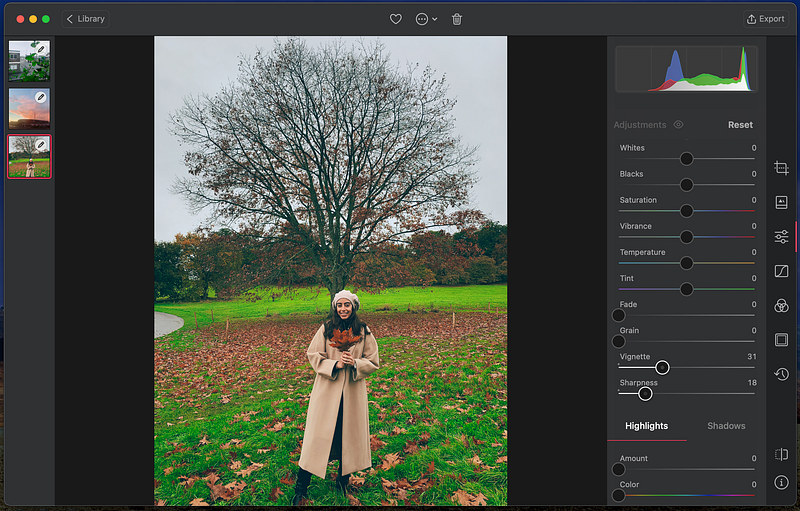
As you can see, it is fairly simple UI, you start by adding photos to your library, which can sync across devices and you start moving along the sliders as you would do with Lightroom for example.
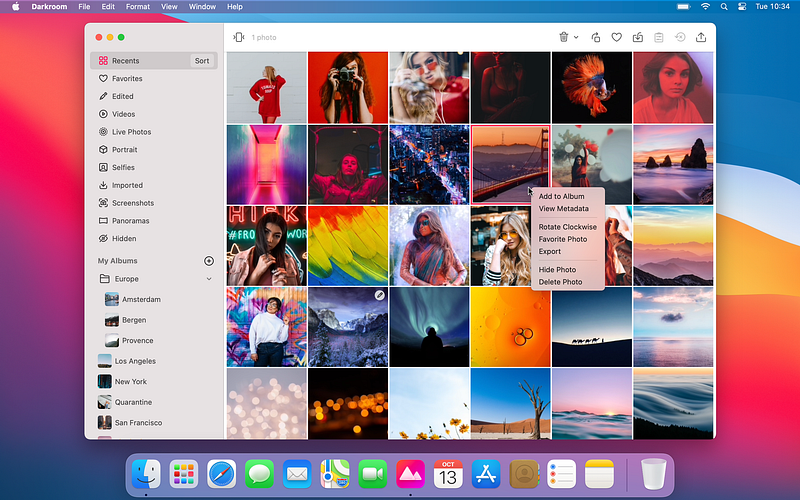
What I did love about it, is the how the library layout was made making it easy to drag and drop photos to arrange your albums, it felt more or less like a native macOS app. I think it more or less reflects what Majd Taby’s ( Darkroom CEO) wrote in his article:
Respect the platform: The Mac is the platform with a rich heritage, and we pay our due respect. The best apps offer nuanced mouse and keyboard support, have deep drag and drop integration, and provide access to the Finder. The Mac is a platform of flexibility and depth.
Streamline the edit and management experience: Importing photos takes time and effort and creates a duplicate library on your Mac. Worse, you may have to pay twice for storage. Our deep iCloud Photo Library integration means that from launch, all your photos are instantly available. iCloud support is deeply integrated at all levels of the app, and you can favorite, hide, delete, and export without creating a shadow library.
Be familiar: Designing mobile interfaces for the past 12 years has taught us that if you can’t find or use a feature it’s worthless. Pro-grade tools have often lagged behind consumer tools in design and usability, but we believe that’s a false tradeoff. The best app should be familiar, recognizable and friendly. We have made pro-grade photo editing as fast and easy as browsing photos, and our Apple Design Award recognizes that achievement.
The iOS App:
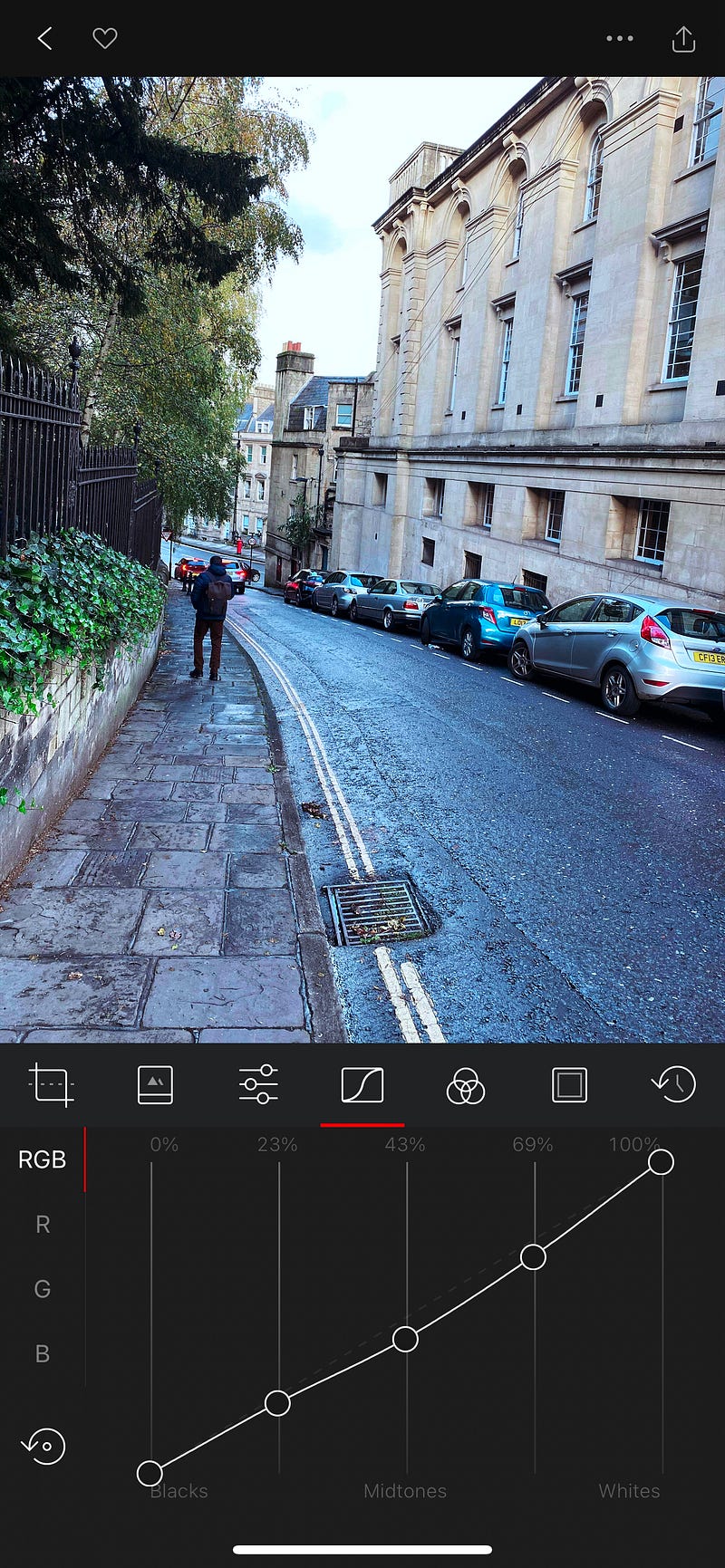
Again, fairly straight forward, and it contains basically all the desktop functionality as you would expect it. The iPad obviously makes your layout similar to the desktop while the iPhone one can make you feel cramped, But that’s understandable given the screen size difference.
So Why I Am Writing About It?
One main reason, is that it is one of the few clean well-polished photo-editing application that you can still have all its functionalities with a one-time purchase. Being one of many who can’t justify forking out $10 every month for Lightroom just for the sake of editing 4–5 photos every month, I found this app the best of both worlds, having more functionality than your stock iOS Photos app, while not having for out a piece of your salary every month. I still miss some of the brushes and gradients from Lightroom, which I hope will be added in the future!