
TASK MANAGEMENT
Daily Done: part 2 —The Daily Review
Discover the joy of striking through tasks
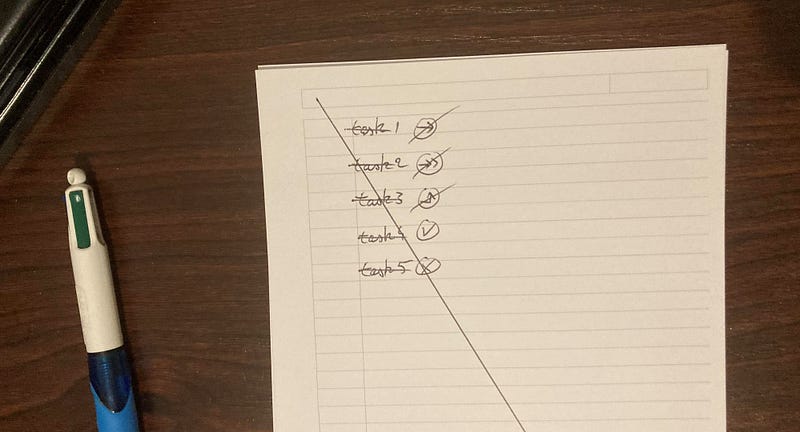
Yesterday, I introduced you to Daily Done, a simple paper-based productivity system that I created. I’ve been using it since 2015, so it’s time-tested and I find it doesn’t get overloaded with useless tasks easily, like many other systems.
The core principle is to add a new sheet of paper to your organizer each morning and make a brand new task list for the day. Today, we will see how to do the daily review of tasks.
Here’s how it works.
Processing tasks from the day before
So each day, you will take a new sheet of paper, and create a new task list. But what are you going to write on this task list?
Usually, you will inspire yourself from the task list of the day before. That is, we are going to process the previous list. Some tasks will be copied in the new sheet of paper, others won’t.
To process this task list, I use 5 simple symbols:
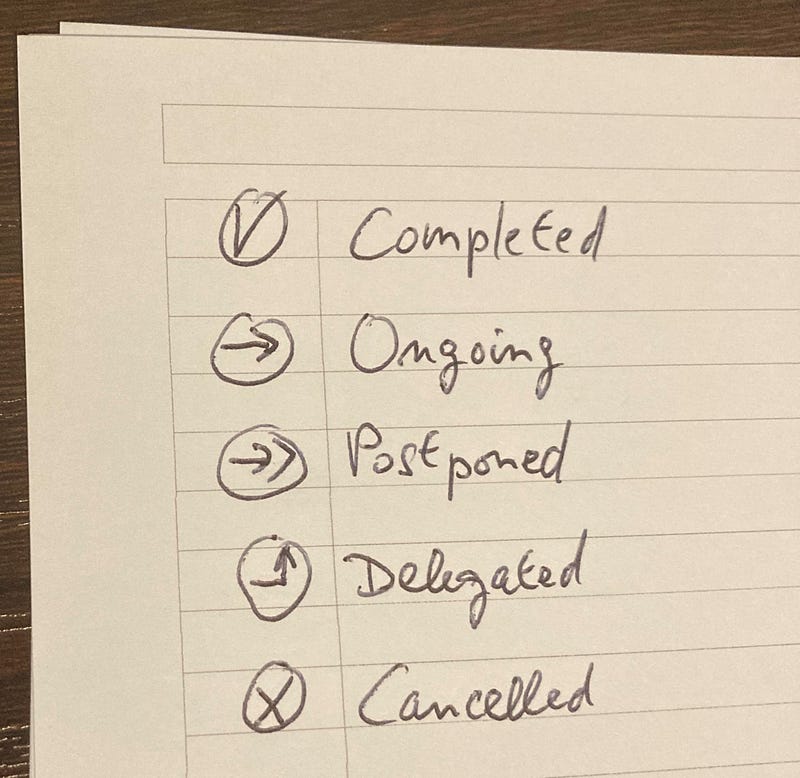
As you can see, there are 5 possibilities:
- Completed: congrats! You finished the task, so it does not need to be copied for today, just leave it here.
- Ongoing: this is a task that you did not finish the day before, or perhaps did not even start, so you copy it for the present day.
- Postponed: this is a task you don’t want to complete today, so you want to put it somewhere else on your productivity system, like a calendar, or a project task list.
- Delegated: you have assigned the task to someone else, so you just need to add in your calendar one or more check-ins to make sure the person completes the task properly.
- Cancelled: you don’t feel that this task is worth doing anymore.
The game is simple: assign a symbol to each of the previous day’s tasks.
Striking through symbols to signal completion
As you have probably noticed, some of these symbols come with a small assignment:
- Ongoing tasks must be copied in the current task list.
- Postponed tasks must be copied in a future day, into another part of your organization system: probably a calendar or a project task list.
- Delegated tasks must have reminders so that you check in with the person doing it.
To keep track of which tasks you have properly processed, you can do a little strike-through over these symbols, like so:
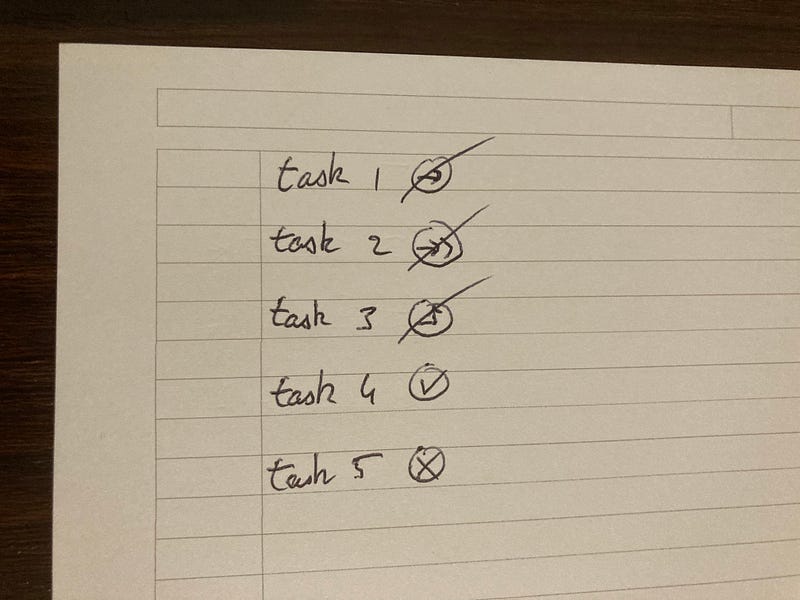
For tasks that don’t come with any further action — that is: the “completed” and “cancelled” symbols — we don’t need to have a strike-through.
Now let’s see another visual cue to signal to your brain that these tasks have been processed and can be forgotten.
Striking through each task to signal completion
Do you know the Zeigarnik effect? This psychological effect basically tells you that unfinished tasks create open loops in your mind. Which makes you keep thinking about them as long as they are not finished.
This is a subtle effect. Many times, you are barely aware of it. But it can impair your focus on present tasks.
To prevent tasks from the previous day to create open loops in your mind, you can strike through them all, like so:
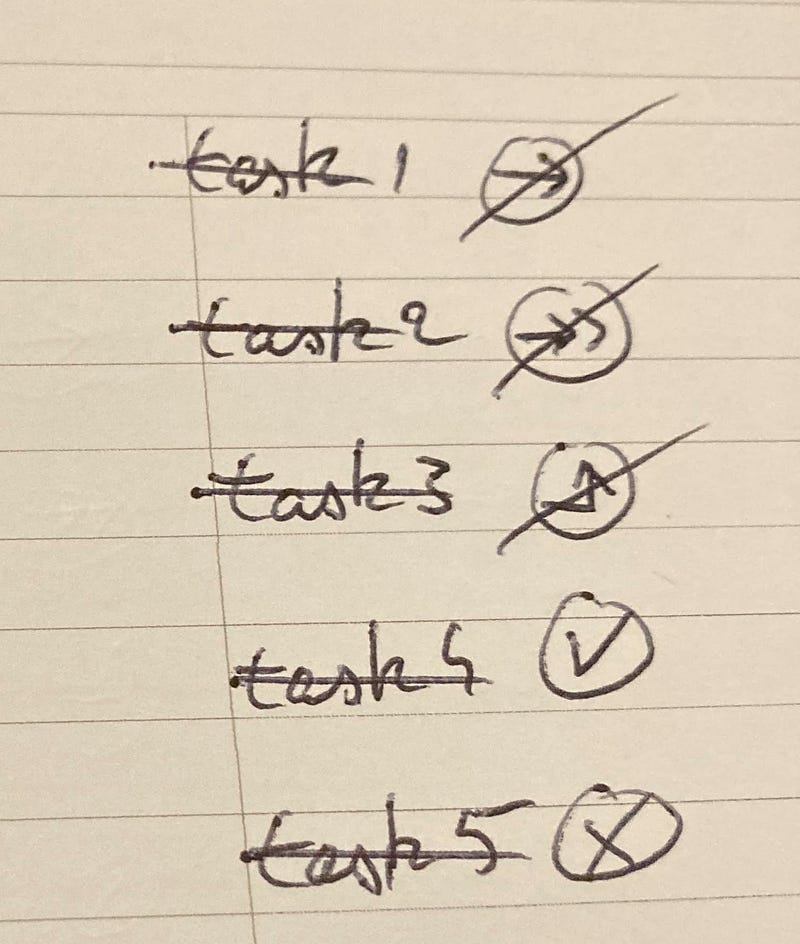
That way, your brain knows you can forget them since they have been processed. And it gives you a little joy while doing it!
Striking through across the whole page
By now, you must see how I’m in love with striking through. So let’s add another one for the road…
When you have completely finished the daily review, you can strike through the whole page like so:
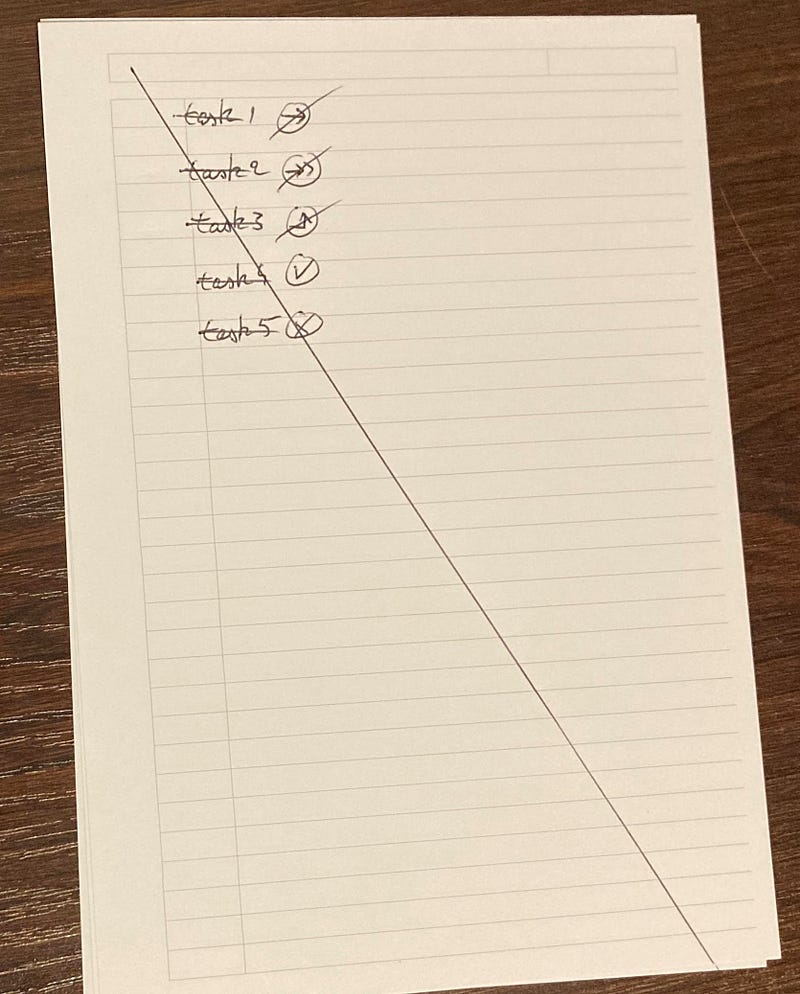
This signals the end of the daily review. All this striking through will provide a strong visual cue that you have done your daily review.
We have now covered the basics of the daily review. On the next article, I will explain you a simple prioritizing technique for your daily tasks.
In 1st february 2022, I’ve embarked on a 100 days writing challenge. This is post number 15.


