
Create Modern Quiz With React JS?
Learn a modern Quiz app demo here
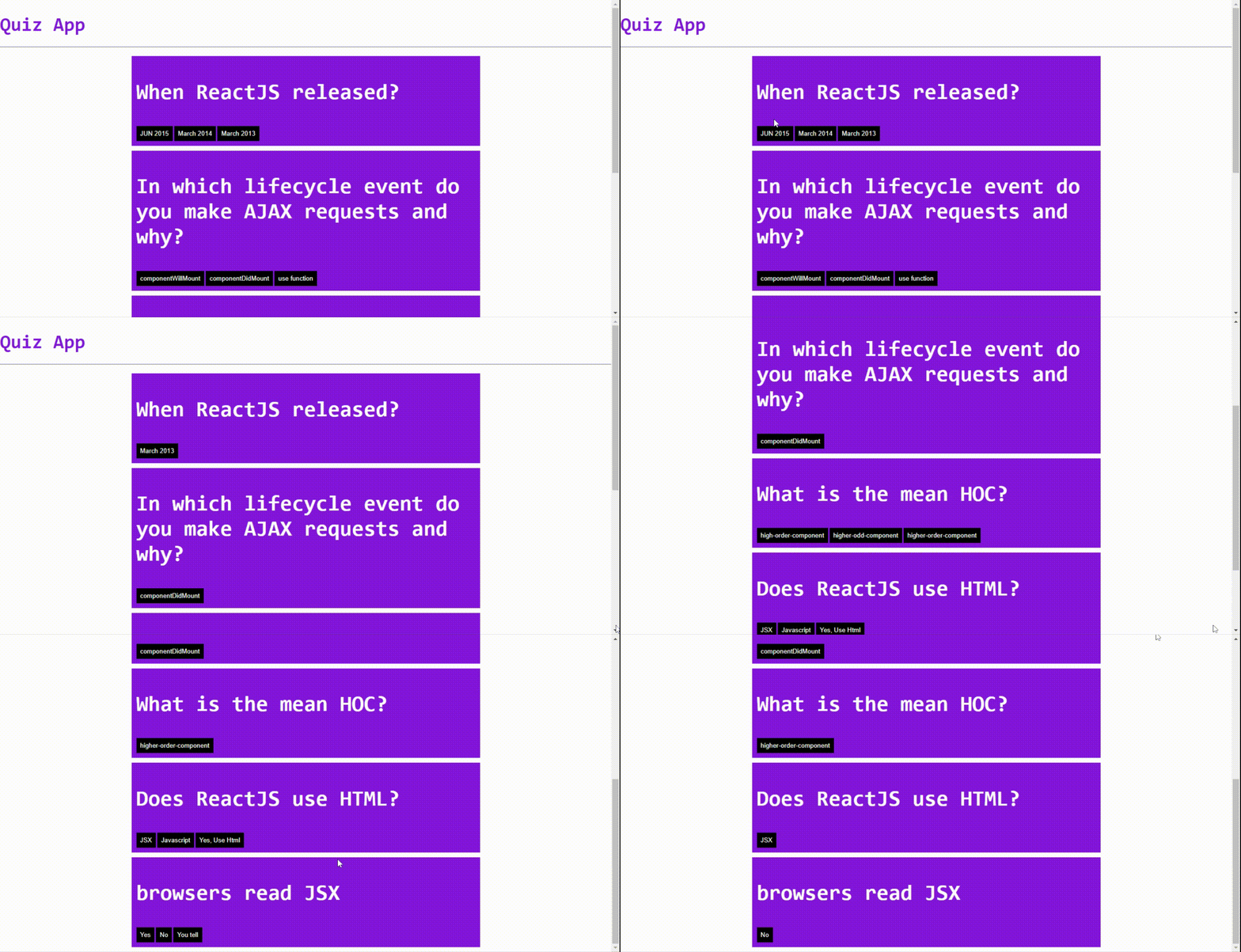
Hey, Welcome to react series My Name, Rajdeep Singh.
In series, we learn to reactjs, but we create a small react project—the Project Name quiz-app.
download code on GitHub: react-quiz-app
Demo Here: click here
Watch The Demo on code sandbox And Download Code
Let’s start:
Requirement:
- Basic React
- Code Editor or IDE
- Smiley Face
Learn Basic of Reactjs
Step:
- Create React App
- Learn Folder Str.
- Index.js File
- Demo Data
- Components
Create React App:
First, Create New React Project on your laptop use This command:
npx create-react-app quiz-app
cd quiz-app
npm start
Learn Folder Str.
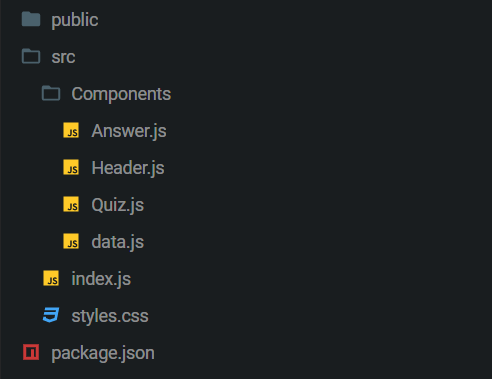
In the Src folder
Components folder 3 components file And a Data file
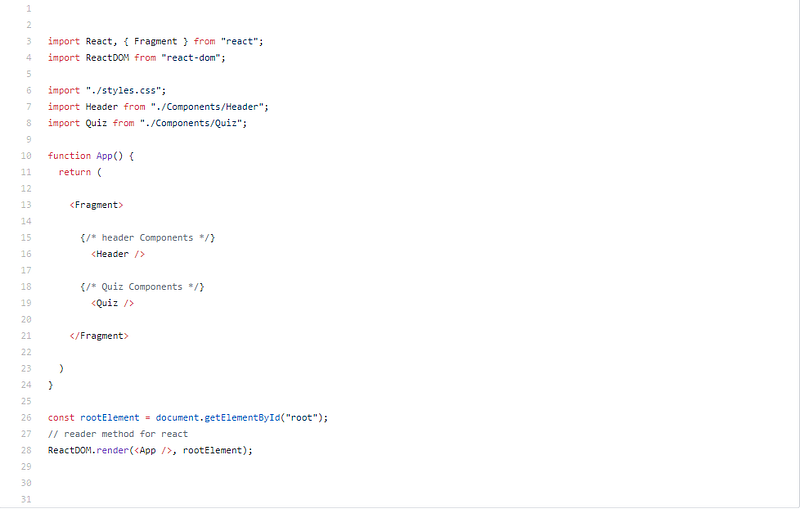
Index.js File
Index.js main file in the file str. we add CSS file and import component file on index.js
We import the Header and Quiz component to this place.
The Most Important is to create a render Method here.
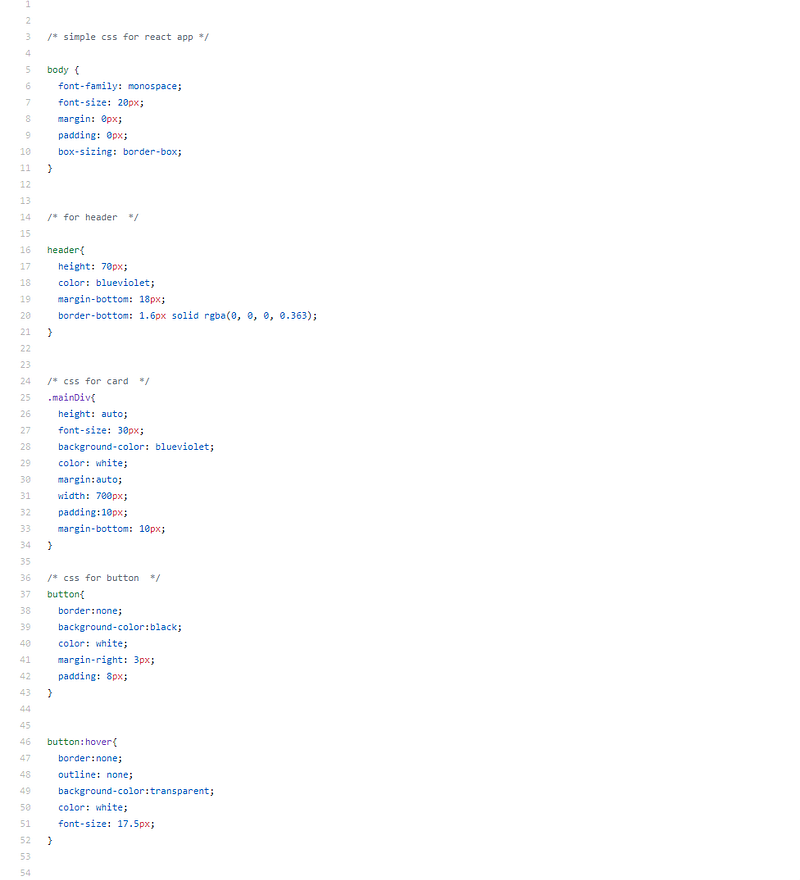
Style For Quiz:
All Styles for the body, header, MainDiv as card, And a button. Create on this file
Demo Data:
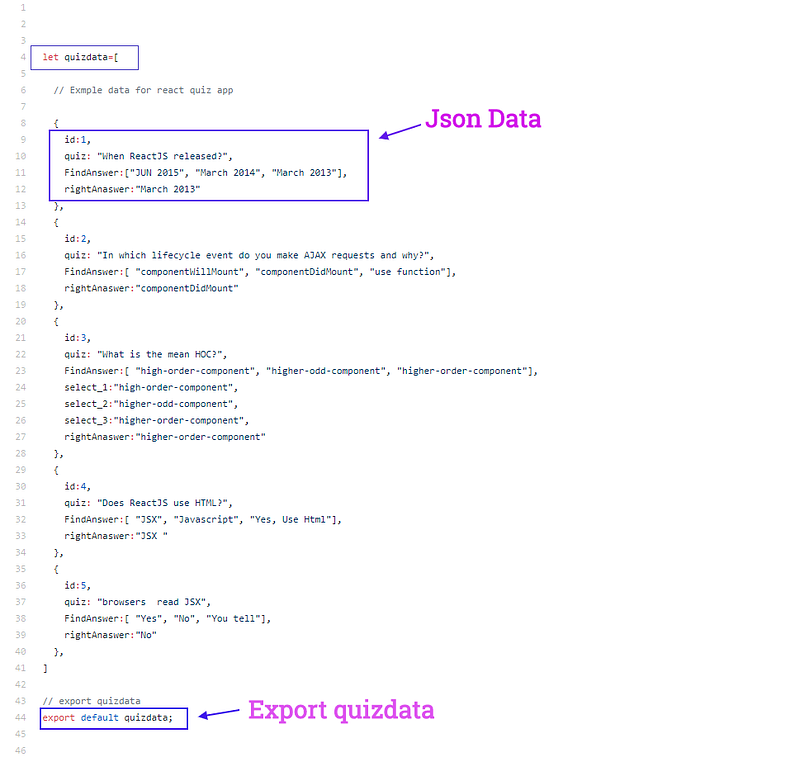
In the data.js file, I create a variable Name Quizdata. We assign data from of array in the Quizdata variable.
Each index, we create an object. in the object, we add an id, Quiz, FindAnswer, and rightanswers
In FindAnswer We add the array with three values
Components
Header:
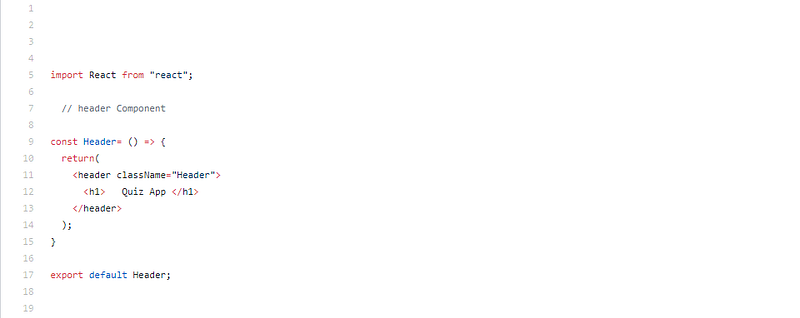
Header component we return a simple h1 tag for the app title
Quiz:
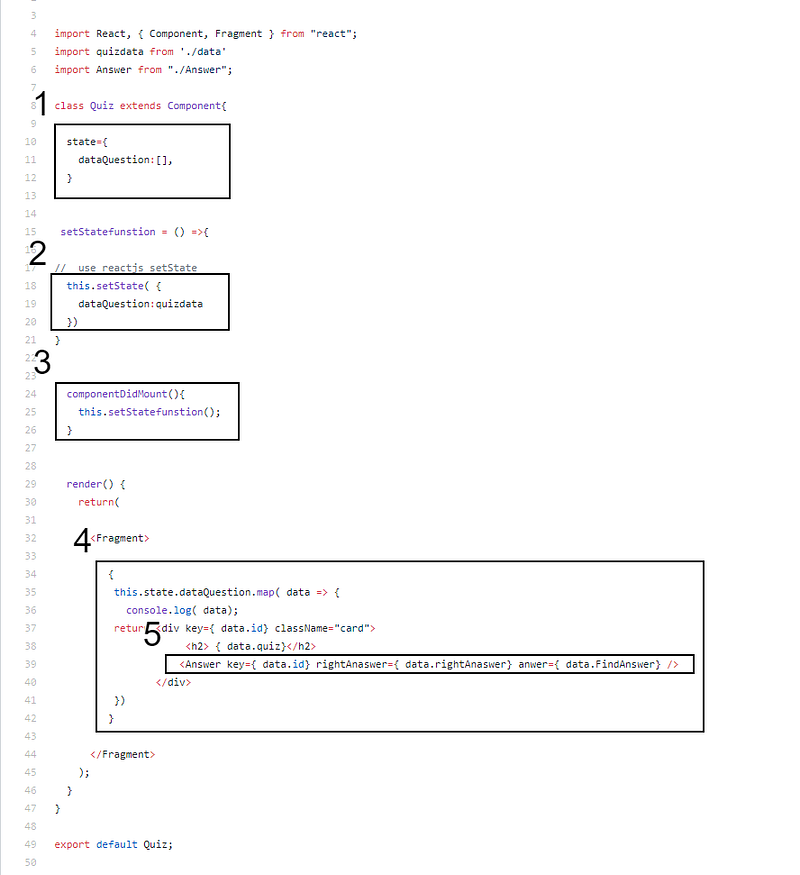
Quiz components work with 5 step
1 step:
Create the state. In-State we create an object. in this object, we create a dataQuestion variable with an array
2 step
We create a function. function name setStateFunstion in this function use react setState method And set data form data.js
3 step
ComponentDidMount simple we call setStateFunstion
4 step
In this step, we use a map() Function. Map () function work with a JavaScript array. In this array map() get data and then we return h2 and Answer component.
Answer Components access data help props we provide here
Answer:
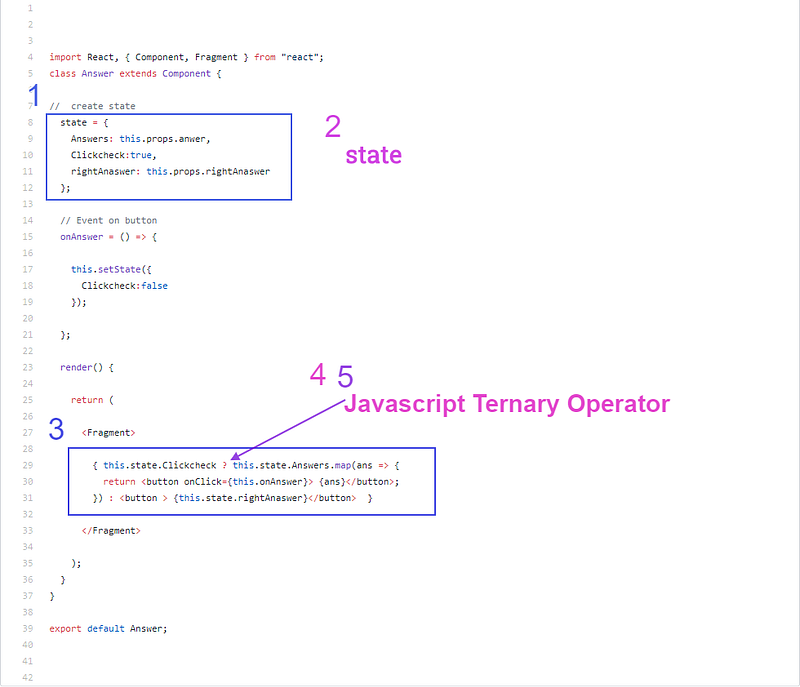
Two-step:
use two-step we learn Answer.js
1 step:
Create a state with 3 parameters first Answer, second clickCheck, and third rightAnaswer.
2 step
We use javascript ternary operator, map function, and event function to clickCheck true to get value to return a button. In this button, we call an Event function.
When some buddy clicks on the button, this button function call The setState method set false on clickCheck.
Then the ternary operator runs false code to get answer data so simple.
Conclusion
I hope you read my article Build your own quiz app
Any suggestions and issues. plz tell me to. Feel free
Read More


