
Create K8S CRDs via AWS Cross Accounts events
And register your EC2 instance in your Prometheus cluster

Note: This is the second article of my tutorial on how to monitor your EC2 instance with a Prometheus based stack.
Following my first article (https://readmedium.com/monitor-your-ec2-instances-with-prometheus-exporters-1a886f11d7f7), we are going to dig on this second piece how we can use the events generated by our AutoScalingGroups to trigger some action that will directly create/update/delete some Kubernetes Custom Resources Definition.
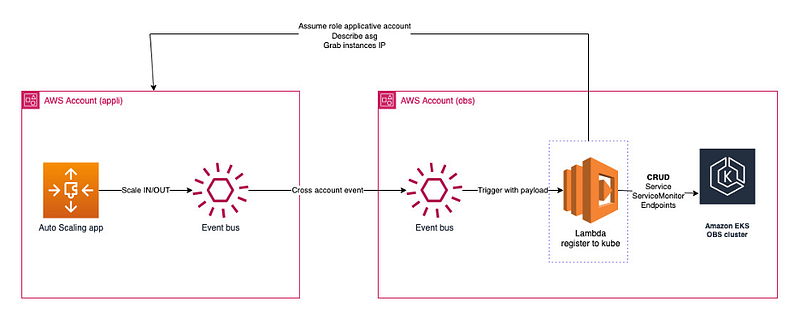
As you can see above, we are using two separate AWS accounts to host our stacks:
- First account is the one that host our old-fashioned app (I.E running on EC2 instances).
- Second account host the EKS cluster, on which is running the Observability stack (Prometheus / Grafana / Alerta…)
The cornerstone of this architecture is AWS EventBridge, that is used to catch ASG events, and forward them to our second account.
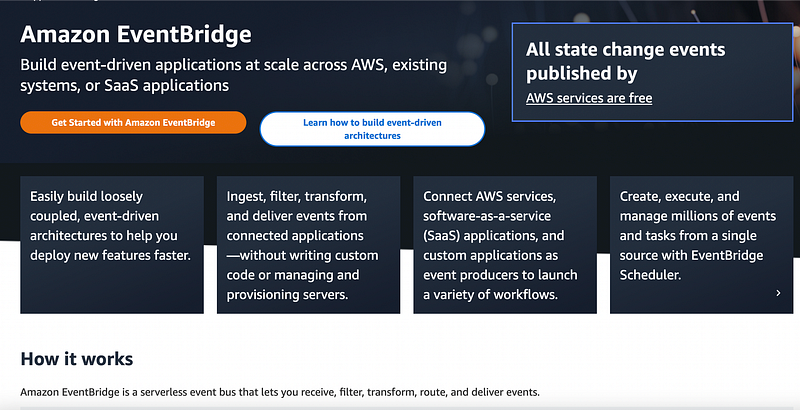
AWS describes EventBridge as it follows (https://aws.amazon.com/eventbridge):
We will focus first on the applicative account, and on how we can configure EventBridge (EB) to forward only the events we want.
EB allows you to configure rules in an event bus. Each account comes which a default event bus (which you can play with).
A rule is nothing more than a filter that will catch a source event based on an event pattern, and forward to a target.
Our usage is specific: we want to catch each scale in / out done by our ASG. I highly suggest creating two separate rules which are going to be easier to monitor / troubleshot.
First, let’s catch all the instance launch successful. I’m highlighting successful in bold because it really matter. This mean that our Lifecycle hook has been successfully completed. Below is a json document that you can use as event pattern (scale out).
 {
  "detail-type": ["EC2 Instance Launch Successful"],
  "source": ["aws.autoscaling"],
  "detail": {
    "AutoScalingGroupName": ["MyASG"]
  }
}
And here is the scale out rule (note that we catch either a terminate instance successful, or unsuccessful):
 {
  "detail-type": ["EC2 Instance Terminate Successful", "EC2 Instance Terminate Unsuccessful"],
  "source": ["aws.autoscaling"],
  "detail": {
    "AutoScalingGroupName": ["MyASG"]
  }
}
And our two rules will forward to the same target, which is an event bus in our second account.
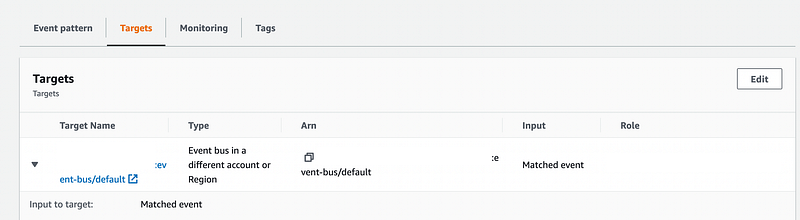
So, to summarize what’s needed on the account A:
- An event bus (you can use the default one)
- One rule per action (scale in / out)
- An IAM role allowed to forward events.
Let’s move to the account B. The setup will receive events from the account A - and forward them to our lambda function. We also want to restrict who can send events to that account (I.E only our IAM role from account A).
Below is a policy example that you can use at bus level. Note that the action as to be events:PutEvents. This is because the event is coming from EventBrige, and not from AutoScaling like we might think. ASG is the source on account A, not on the B.
 {
  "Version": "2012-10-17",
  "Statement": [{
    "Sid": "AccountAAccess",
    "Effect": "Allow",
    "Principal": {
      "AWS": "arn:aws:iam::1234567890:role/my-role"
    },
    "Action": "events:PutEvents",
    "Resource": "arn:aws:events:my-region:1234567899:event-bus/default"
  }]
}
Let’s move to the rule itself. We want to catch only the ASG event that are received — let’s check the terraform code:
 module "eventbridge" {
  source = "terraform-aws-modules/eventbridge/aws"

  create_bus = false

  rules = {
    lambda-register-to-kube-trigger = {
      description   = "Allow event bridge to be called by event bridge from other accounts"
      event_pattern = jsonencode(
        {
          "source": ["aws.autoscaling"],
          "detail-type": ["EC2 Instance Launch Successful", "EC2 Instance Terminate Successful", "EC2 Instance Terminate Unsuccessful"]
        }
      )
      enabled       = true
    }
  }

  targets = {
    lambda-register-to-kube-trigger = [
      {
        name            = "trigger-lambda"
        arn             = aws_lambda_function.register_to_obs.arn
      }
    ]
  }
}
This code will create a new rule into the default event bus (create_bus = false) that will catch the auto scaling events, and forward them to our lambda function register_to_obs.
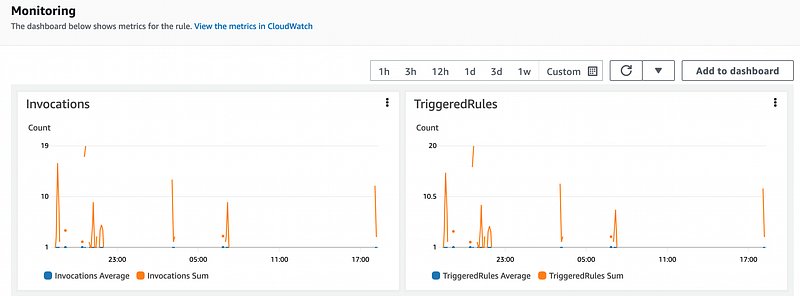
Once you’ve everything setup, you’re now ready to play with your ASG, and see if your Lambda is invoked. All rules have their own monitoring panel within the console, so you’ll be able to follow your messages across your components.
The next article will be all about Lambda and the code we’ll use to create custom resources in Kubernetes (spoiler, Python and Kubernetes module will be involved).
Hope you enjoy this little series, and I will see you in the last article!
More content at PlainEnglish.io. Sign up for our free weekly newsletter. Follow us on Twitter, LinkedIn, YouTube, and Discord. Interested in Growth Hacking? Check out Circuit.