
Create Functions to Deploy a SecureString SSM Parameter
ACM.224 Creating a SecureString Parameter with the AWS CLI
Part of my series on Automating Cybersecurity Metrics. The Code.
Free Content on Jobs in Cybersecurity | Sign up for the Email List
The last post covered why you may or may not need AWS Traffic Mirroring. There could be better places to start implementing security controls.
One of those is to create common, secure CloudFormation templates as I’ve been showing you throughout this series. However, sometimes you cannot create a CloudFormation template to get the most secure option.
No SecureString support for SSM Parameters in CloudFormation
At the time of this writing, AWS CloudFormation does not support creation of an SSM Parameter of type SecureString. That means you cannot create an encrypted SSM Parameter with CloudFormation. For that reason I’m going to create a function that can create an encrypted parameter with the AWS CLI.
AWS CLI for AWS SSM SecureString Parameters
I’m going to use the aws ssm put-parameter command. I want to ensure that parameters are always encrypted so I’m going to require a KMS key-id.
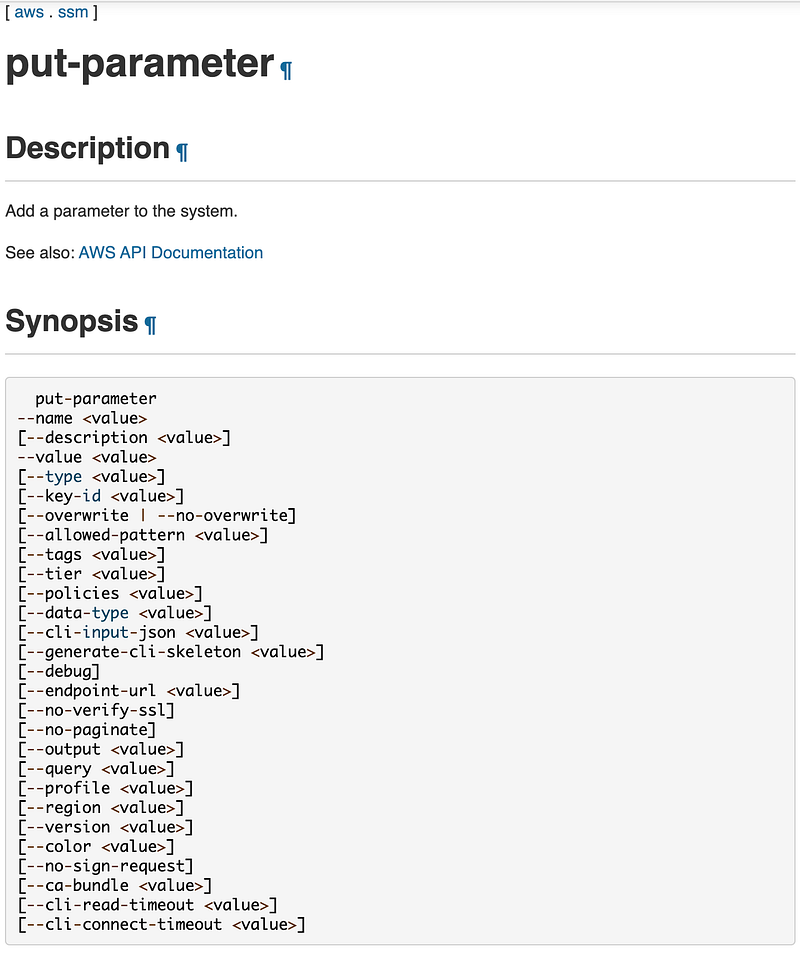
Cost for different tiers of AWS SSM Parameters
Note that if you choose the Standard Tier, the parameter is created directly with the KMS key you choose. If you choose the Advanced Tier, the parameter is encrypted with envelope encryption, where you KMS key encrypts a separate key for each parameter. Standard parameters are free whereas advanced parameters cost money. Here’s the cost difference at the time of this writing in the aws partition:
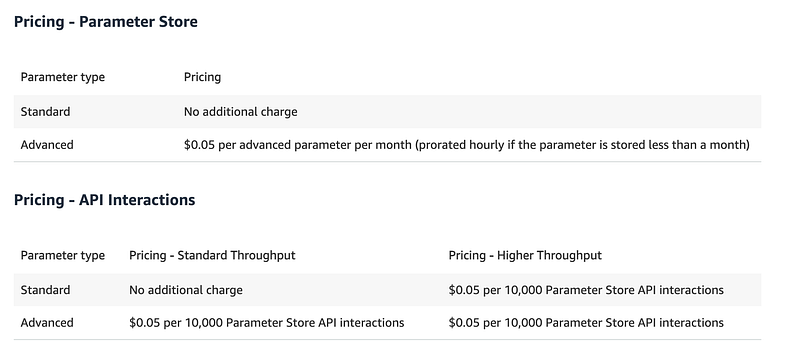
Cost something — $.05 in some regions, for example.
You can consider your options and create the type of parameter that makes sense for your security needs and budget. What is the value of the data you are protecting? What might the fines and impact to the business be in the event of a compromise?
Creating a reusable function for AWS SSM SecureString Parameters
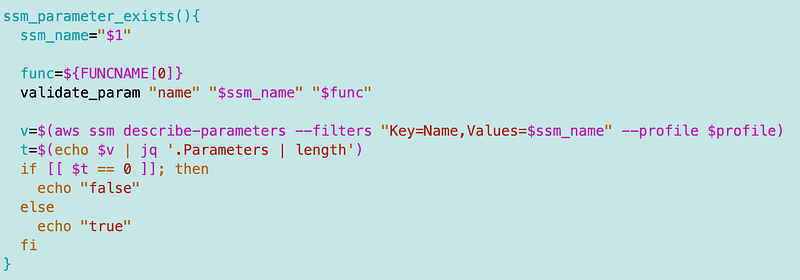
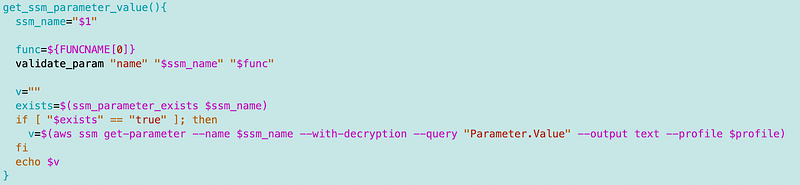
In my case I created the following function for creation of AWS Parameters so I can create them in a consistent manner.
First I created a function to check if a parameter exists:
A function to get the SSM Parameter value:
And a function to set the SSM Parameter value:
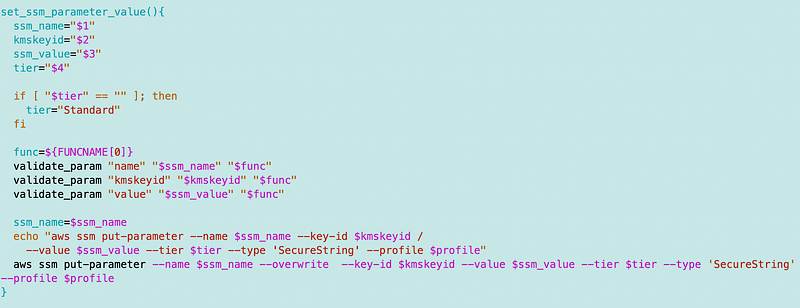
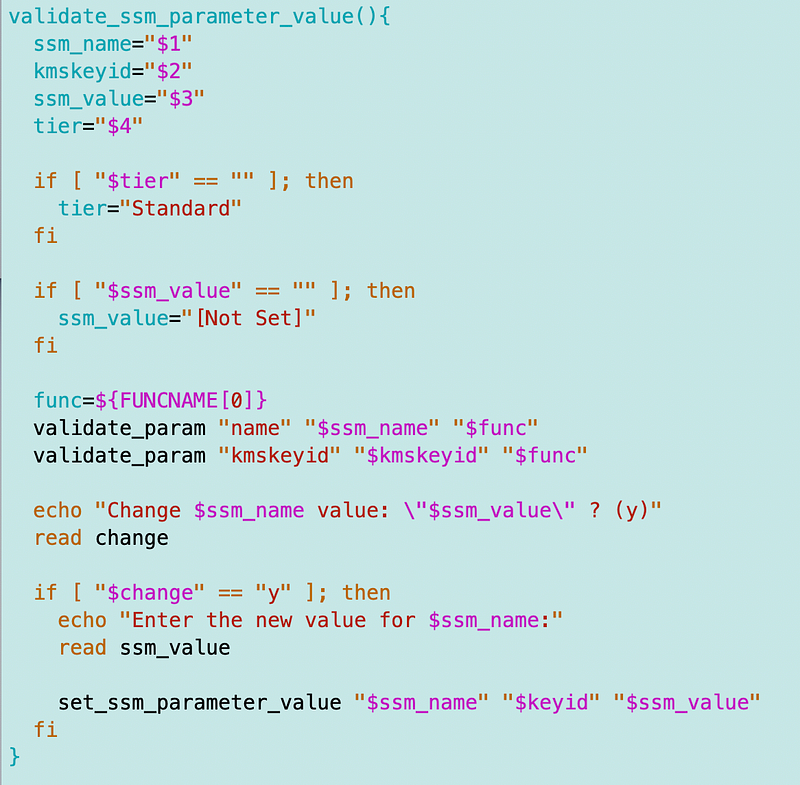
I also created one other function for a particular code base where I’m using this code. I check if a parameter is already set and ask if the user wants to override it. It’s a way to validate all the parameters for a particular operation I’m running are set to the proper values.
AppSec templates for secure code
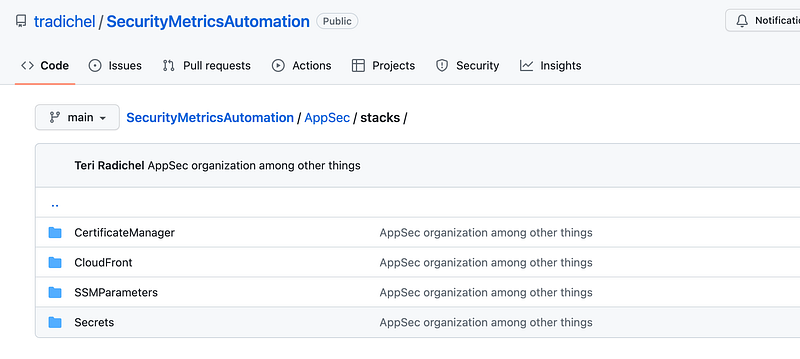
By using these functions I can ensure that values are always encrypted by enforcing the use of a KMS key for new parameters. I rearranged my AppSec stacks for different types of resources in the repo.
As a reminder, I showed you how to create a KMS key with a secure template starting here, modified throughout the series. the latest key template is in GitHub at the time of this writing.
I also explained how to use this code along with your own here:
Hope that helps you ensure your SSM Parameters are always encrypted with a customer managed key. :)
Follow for updates.
Teri Radichel | © 2nd Sight Lab 2023
About Teri Radichel:
~~~~~~~~~~~~~~~~~~~~
⭐️ Author: Cybersecurity Books
⭐️ Presentations: Presentations by Teri Radichel
⭐️ Recognition: SANS Award, AWS Security Hero, IANS Faculty
⭐️ Certifications: SANS ~ GSE 240
⭐️ Education: BA Business, Master of Software Engineering, Master of Infosec
⭐️ Company: Penetration Tests, Assessments, Phone Consulting ~ 2nd Sight Lab
Need Help With Cybersecurity, Cloud, or Application Security?
~~~~~~~~~~~~~~~~~~~~~~~~~~~~~~~~~~~~~~~~~~~~~~~~~~~~~~~~~~~~~
🔒 Request a penetration test or security assessment
🔒 Schedule a consulting call
🔒 Cybersecurity Speaker for PresentationFollow for more stories like this:
~~~~~~~~~~~~~~~~~~~~~~~~~~~~~~~~~~~~~~~~~~~~~~~~~~~~~~~~~~~~~
❤️ Sign Up my Medium Email List
❤️ Twitter: @teriradichel
❤️ LinkedIn: https://www.linkedin.com/in/teriradichel
❤️ Mastodon: @teriradichel@infosec.exchange
❤️ Facebook: 2nd Sight Lab
❤️ YouTube: @2ndsightlab


