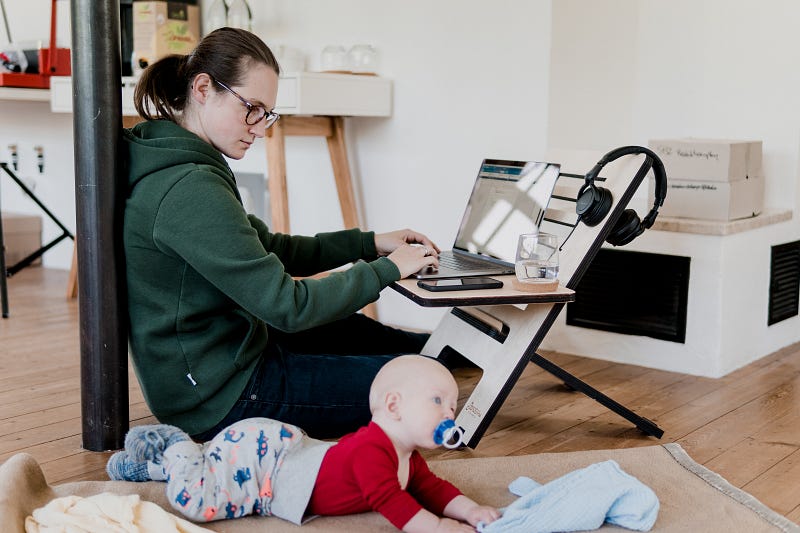
So COVID-19 Means You Have to Work from Home… Now What?
Working from home can be good but tricky. Here are 10 steps that will help you adjust to your new workflow and find a healthy work-life balance in this new coronavirus world…
It happened.
You finally got the instruction to work from home.
No more commute. No more dress shoes, no suit and tie. No more 17th meeting of the day, no smell of your coworker’s tuna salad sandwich wafting in around noon everyday.
You’ve always dreamed of working from home, but suddenly it’s here, and it’s new and scary. How do you get anything done? How do you maintain productivity with everything going on? When does work start — and where does it stop?
I’m not an expert, but I did sleep in my own bed last night and woke up whenever I wanted to start my workday. I’ve worked freelance from home the last five years and learned the hard way how to do this right. These are 10 lessons I’ve learned along the way…
1. Set up your workstation space.
Find one room in your home where you work, even one particular spot in that room if possible. Maybe that’s a desk in your office room. Maybe it’s a makeshift desk or the kitchen table or a spot on the couch.
Now when you “go to work,” this is where you go.
Before you start work for the day, get everything you’ll need. Get your laptop and your phone, obviously. Grab notebooks, pens, paper, etc. If you have any special tools or resources, have them at your workstation. If there are any online resources you’ll use, download them and set up links.
In the cooking world, they call this setting up your mise en place.
Before ever beginning to cook, chefs gather all the needed ingredients and prepare them for use. Wash and chop up the vegetables, get out all the spices you’ll use, lay out the utensils and pans. Make sure everything is ready.
When you start cooking, timing is key. Your hands are wet or dirty, you’ve got several pots boiling at once, everything is happening. The last thing you need is to go searching for that missing whisk or to dig through your spice rack with your raw chicken hands.
Before you begin your work day, set up your mise en place. Get everything you’ll need in place so you’re not running around distracted, losing productivity.
Now you’re ready to begin.
2. Don’t bunker down for hours at your workplace.
Do you really sit in one spot and work for three or four hours straight at your usual workplace without any distraction?
I doubt it.
You get a phone call, an email, a Slack notification. Your coworker walks by and asks how your night was. You get up to refill your coffee. You pop in to your boss’s office to ask a quick question.
Think about it — how often do you ever sit and work totally unencumbered for hours at a time?
That might sound really productive, but it’s mostly just unhealthy. Like, physically, it’s not healthy.
Take a break. Take one every single hour.
Get up from your computer and step away, even if it’s just to walk around. Go use the bathroom. Take a few laps around the house for your step counter. Refill your drink. Check on the kids. Step outside and get a breath of air.
Take a break physically and mentally from work, even for a full 10 minutes every hour.
“But I’m hourly!! Isn’t that cheating?!”
You are getting paid to do good work. You will do better work “working” for 50 minutes of every hour and using the other 10 minutes to move around, take a mental break, and get the blood flowing again.
Your brain will thank you — and so will your back.
3. Take a lunch break.
Think of this as a corollary to #2.
You’re going to be tempted to work right through lunch, especially when your day is slow getting started and you’re finally hitting a nice groove around 10:30 or 11.
Don’t do it.
Your body needs lunch, and it needs the break. And chances are, there are other people in your home that might like to see you for awhile, too.
Maybe you usually work right through lunch to save some time and beat rush hour. There is no rush hour now. There’s just you, working at home.
It doesn’t have to be an hour. If you’re worried about it taking too long, make a simple sandwich or salad, or make sure you have some leftovers from the night before. You can knock out lunch in 20 minutes, 30 tops.
You’ll hit that afternoon wall, lunch coma or not. The occasional breaks will help with that. I love to take 15 minutes right when I feel that nap calling around 3 or 3:30 and head outside to water the flowers. It’s sunny! There’s a cool breeze! Drink some water. Remember that the world is good and will return to goodness again soon.
Now go back inside and get to work, refreshed and ready. It’s even better than a nap, and so is lunch.
Feed your body. You need the break and you need the brain food.
4. Keep the snacks stored safely away.
Snacks are not part of your mise en place.
Leave the Cheez-Its in the kitchen cupboard. Don’t hide that giant bag of M&Ms in the third desk drawer when you know darn well they’re in there.
One of the hardest parts about working from home is avoiding snacking all day.
We like to snack. It’s satisfying to hear the crunch of a carrot (fine, potato chip), and it energizes us, and energy is good for work, right?
It might be good in the short term, but those Calories add up, and you’re about to be using a lot fewer Calories sitting on your butt at home all day. There’s a good chance your body needs fewer Calories right now. Don’t use them all on the Snickers you’ve been staring at all morning on the corner of your desk.
Snacks aren’t bad! It’s okay to snack. Healthy, even.
But keep the snacks stored away in the kitchen. And when it’s time for a snack, time it with one of those hourly breaks. Now you have a reason to get up and walk around a bit.
You’d be amazed how much easier it is to avoid the temptation of snacks when they’re not right there within reaching distance.
Oh, one other thing — drink some water. Our bodies often confuse thirst for hunger. You might just need a few big drinks of ice, cold water.
5. Figure out what level of distractions are okay.
Inevitably, there will be far more distractions working at home.
If you have kids, they’re probably there now, and oh yeah, they’re distracting. If you don’t, you might have a partner around or a loud roommate. Even if you live alone, you have music and podcasts and TV and Netflix.
Trust me — you’ll find a way to distract yourself.
Some distractions are okay, even inevitable. I know you think you work well with podcasts in your Air Buds all day long. I’m telling you it has to affect your productivity at some point.
There are probably some repetitive parts of your work day. You can listen to some music during that part, maybe even put a show on in the background!
Other work requires much more attention to detail and care. During those times, you’ll need to learn how to reduce the number of eliminations at home.
For starters, turn off the TV. Netflix too; no more Parks and Rec reruns. Turn off the podcasts. Your brain can’t focus appropriately on its most important work with words flying through your ears. Turn the music down, or off. Mute your notifications. Close your personal email. Put your phone on sleep mode.
Do what you need to do.
Everyone is different. Find what works for you.
I know exactly which TV shows can stream quietly in the background without distracting me and which ones need my full attention. Some bands I want to sing along with, but others relax me and help me work. I’m “watching” all rise. right now — at least I think I am. Not sure what’s happening, but it relaxes me.
And sometimes, even despite all that, the TV and music need to be totally off so I can just focus and work at 120% for awhile. I’m doing my final edit now. The TV is paused. All I hear are a few birds and a neighbor dog.
As a writer, I spend a lot of time researching and reading online, gathering and organizing thoughts. Light distractions are totally fine. But when it’s time to really focus on my writing, everything is off.
You know yourself better than anyone else. You’ll figure it out.
6. Give yourself some flexibility.
Working at home won’t be the same as your usual routine. Probably not even close.
It’s okay to admit that and healthy to know it heading into this.
Some workplaces need you to maintain strict 8-to-5 hours with your phone on, Slack loaded, on-call and ready to go. That doesn’t seem like a particularly fair expectation right now if you ask me, but I’m not your boss.
The reality is that working from home will be different, and it should be. So cut yourself some slack (pun intended?) and allow some flexibility into your life.
Many people dream about working from home, right? And why is that? It’s the presumed flexibility.
It’s that flexibility that allows you to take a stroll outside to break up your work day, or to grab lunch at 11 or 1 instead of noon. That flexibility lets you start your work day at 9:30 on a crazy morning when the kids just can’t get going or when you were tossing and turning all night before. It might even allow you an afternoon nap to shake that headache, or it may let you grab a few evening hours and take the family to the park during the usual work day.
When the latest shocking news hits mid-morning, step away from work and call a loved one. It’s okay. It’s good.
Don’t forget the dream of flexibility. It’s really easy to guilt yourself into sitting at your workstation all day, checking your phone and email incessantly, even when no one has demanded you do so.
You are your own boss at home. Allow yourself some flexibility.
Be a good boss.
7. Set work hours and keep an hours tracker.
Flexibility aside, it’s also important you find a routine.
If that’s 8- or 9-to-5, great. Maybe your typical work day will be 10-to-6. Maybe it’ll be 9-to-3 and another couple hours after the kids are in bed. Perhaps it’s six 6.5-hour days, counting Saturday.
What days will you work? What hours? When will you be responsible to answer that work call or read that work email?
You need to know the answer to that question, and if it’s not your decision to make, you need to ask your supervisor. Boundaries are important.
If you’re going to allow yourself some flexibility, then you should also track your work hours. Start a Google doc or Excel, and keep it simple. How many hours did you work that day? How many on each project?
Check back at the end of the week. Did you only end up with 30 hours? Uh oh. Did you actually get to 60 instead? Also uh oh. Actually, that reminds me…
8. Clock out.
Working from home is really great right up until you realize you never actually leave work now.
Remember that drive home when you roll the windows down, crank the music, and take a half hour mental break? There is no commute now. You’re still at work. You never left.
The single hardest part about working from home is knowing when to stop.
And it’s incredibly important that you stop. You need to clock out. You need to stop working sometime.
I used to live across the parking lot from my workplace. It literally took longer to walk from my office to where my team of employees worked than from my office to my apartment. I saved a ton of gas money. But I also voluntarily put in 60 or 70 hours a week for years until I learned how to draw appropriate boundaries between home and work life.
It’s hard to stop working. It’s right there, after all. Your laptop is right there. It’s 9pm and the kids are in bed and there’s your laptop. It’s Saturday and an idea popped into your head, and there’s your workstation.
Don’t.
DON’T.
Walk *away* from the laptop.
This is why it’s so important to pick a workstation and find a routine. Because it’s equally important to leave that workplace.
I work from my couch a lot. Perks of writing about television and sports. But what do I do when I’m done working? A lot of times I watch TV or sports. And then I get ideas, and now I’m researching or writing again. Now I’m working.
This sounds crazy, but I have literally designated a loveseat in the exact same room as my “work couch” that I’m not allowed to work at. My laptop doesn’t comfortably reach anyway, and that’s my relax couch. No work allowed.
Boundaries are so important. Find them.
9. For goodness sake, wash your hands.
Wash your hands. And stop touching your face.
You’re not on vacation. You were not asked to work from home so you can leave every hour to hit up Starbucks.
Don’t forget why you’re working at home right now. This coronavirus thing is real. Take every precaution. Practice social distancing. Be safe.
Don’t forget to wipe down your laptop and your phone, like a lot. There are few bigger germ collectors. Lysol wipes are perfect.
And seriously. Wash your hands.
10. Social distancing does not mean social isolation.
It is safer for you to work from home, not at your workplace.
It’s safer for you to stay home when possible, leaving only for necessities.
It is not safer for you to totally isolate yourself.
In world more connected than we ever imagined, we suddenly find ourselves more isolated than ever. For good reason.
But now is the time to use technology for good. Less social interaction at work means you need to find a replacement elsewhere. Start a new group chat. Call a friend and catch up. FaceTime with your family.
You can use technology during work, too. Don’t reply to the 11th email back and forth on a long chain. Most phones these days have this new fancy app that lets you type in a 10-digit code and magically talk to another human being. Use it. Call your coworker or boss and talk to them. Talking is good.
You’re not alone.
We’re in this thing together.
We can do this. ■
Follow Brandon on Medium or @wheatonbrando for more sports, television, humor, and culture. Visit the rest of Brandon’s writing archives here.