
Code Coverage with AltCover: How to test .Net Code in Azure DevOps YAML pipelines
Problem
How to run code coverage for .Net code with Ubuntu (Linux) agents? Coverlet works with Windows agents but not with Linux agents.
Solution: work with AltCover
Introduction
Code coverage is an important step in software development cycle to ensure code quality.
Using modern CI/CD tools, this process is now automated and part of YAML pipelines that run in tools such as Azure DevOps.
Typically, windows agents run the pipeline and the code coverage is run by Coverlet (a 3rd party tool) and the result formatted and posted in SonarQube.
Nevertheless, when moving to Linux agents — for better performance — it leads to the report failing to generate.
Fortunately, switching to AltCover instead of Coverlet solves the issue.
Since there is little documentation on this topic, we would like to share with the wider community how we managed to solve this transition.
What is AltCover?
As the name suggests, it’s an alternative coverage approach. Rather than working by hooking the .net profiling API at run-time, it works by weaving the same sort of extra IL into the assemblies of interest ahead of execution. This means that it should work pretty much everywhere, whatever your platform, so long as the executing process has write access to the results file. You can even mix-and-match between platforms used to instrument and those under test.
Today, I’m exploring AltCover by Steve Gilham. There are coverage tools that use the .NET Profiling API at run-time, instead, AltCover weaves IL for its coverage.
Objectives
- Get a detailed Code Coverage report in Azure DevOps
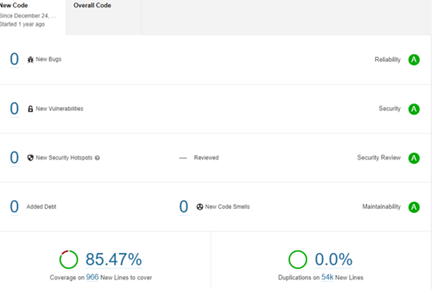
- Get a full Code Coverage report in SonarQube
Coverlet Process
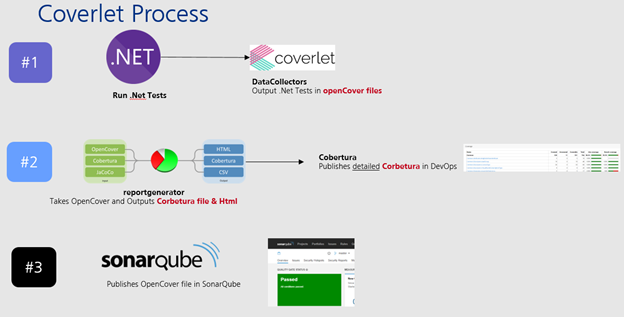
1. Run .Net Tests and use DataCollectors to output .Net Tests in openCover files
2. Using reportgenerator, take OpenCover and Outputs them into Corbetura files and Html files
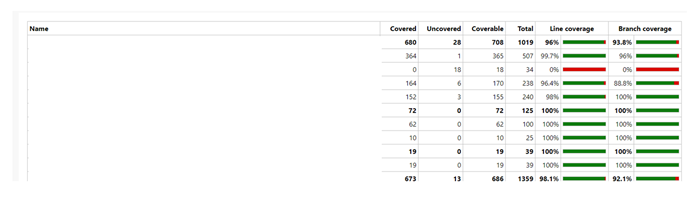
3. Corbertura files provide a detailed .Net Coverage report in Azure DevOps
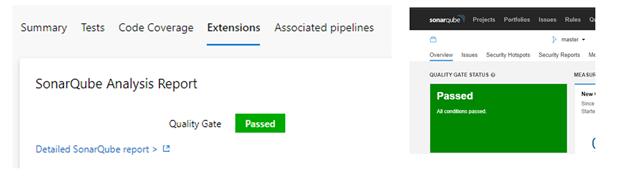
4. Publish OpenCover Files in SonarQube
What are DataCollectors?
Data collectors perform monitoring operations such as collecting code coverage metrics during test execution.
- Purpose: One of the primary functions of data collectors like Coverlet is to measure code coverage. Code coverage is a metric used to determine which portions of the codebase are exercised by a set of test cases.
- Coverage Types: Data collectors can measure different types of code coverage, such as statement coverage, branch coverage, and path coverage. These metrics help identify untested or poorly tested code paths.
- Usage: Developers and testers use code coverage data to identify areas of the codebase that need more testing, ensuring comprehensive test coverage and helping to uncover potential defects.
Agents: why using Linux agents in your pipeline?
- More than 30% faster than windows
- Different tools available
Overall, Linux agents offer flexibility, cost savings, and efficiency for organizations focused on Linux-based development in Azure DevOps pipelines.
Altcover Advantage
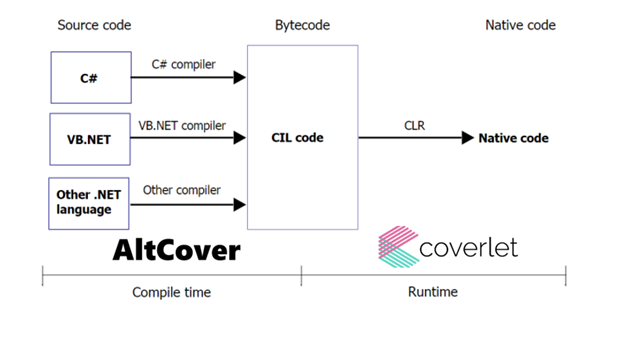
- AltCover runs during compile time
- With Coverlet, it depends on the Runtime, so if there is a new runtime (e.g. .Net7) then support for Coverlet needs to be updated
AltCover disadvantage
- Work of a single individual: Steve Gilham
- Limited Documentation & Code examples
See AltCover GitHub repo: https://github.com/SteveGilham/altcover
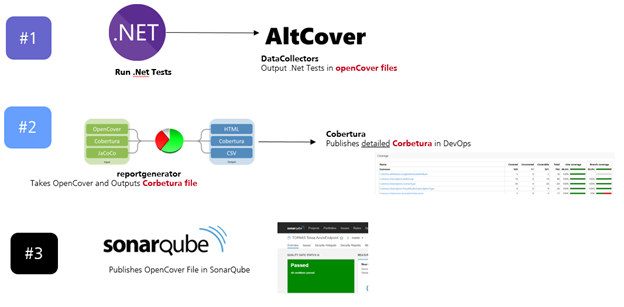
Coverlet Process
- Run .Net Tests then Ouput them in openCover Files
- Use reportgenerator to transform the openCover files in Corbertura
- Cobertura then publishes the Corbertura file in Azure DevOps
- SonarQube publishes the OpenCover file in SonarQube
Code
- task: SonarQubePrepare@5
            displayName: 'SonarQube prepare'
            inputs:
              SonarQube: 'TS SonarQube EE P'
              scannerMode: CLI
              cliSources: $(Build.SourcesDirectory)
              cliProjectName: nameofcliproject.${{ variables.Name }}'
              extraProperties: |
                sonar.projectKey=nameofkey
                sonar.cs.opencover.reportsPaths=$(Build.SourcesDirectory)/coverage.*.opencover.xml


          - task: DotNetCoreCLI@2
            displayName: 'Run tests'
            inputs:
              command: test
              projects: |
                **/ nameofproject2.Tests.csproj
                **/nameofproject1.Tests.csproj
              arguments: '/p:AltCover=true /p:AltCoverForce=true /p:AltCoverReport=$(Build.SourcesDirectory)/coverage.$(ProjectName).opencover.xml  /p:AltCoverAssemblyExcludeFilter=Tests /p:AltCoverAssemblyFilter=Tests|?(project1|| project2) /p:AltCoverAttributeFilter=ExcludeFromCodeCoverage /p:AltCoverVerbosity=Warning'

          - task: DotNetCoreCLI@2
            displayName: Restore dotnet tools
            inputs:
              command: custom
              custom: tool
              arguments: restore

          - script: |
              dotnet reportgenerator -reports:$(Build.SourcesDirectory)/coverage.*.opencover.xml '-targetdir:$(Build.SourcesDirectory)/' '-reporttypes:TextSummary;Cobertura'
            displayName: Generate report

          - task: PublishCodeCoverageResults@1
            displayName: 'Publish code coverage report'
            inputs:
              codeCoverageTool: 'cobertura'
              summaryFileLocation: '$(Build.SourcesDirectory)/Cobertura.xml'

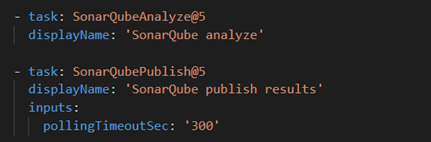
          - task: SonarQubeAnalyze@5
            displayName: 'SonarQube analyze'

          - task: SonarQubePublish@5
            displayName: 'SonarQube publish results'
            inputs:
              pollingTimeoutSec: '300'
Code explained: #1 Prepare SonarQube
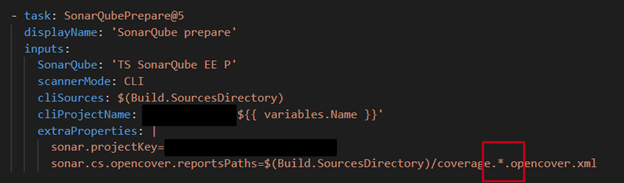
The * ensures that all files in the directory are included in the code coverage
Result = SonarQube will create reports based on all opencover.xml files found in the mentioned directory
Code explained: #2 Run DotNet Tests
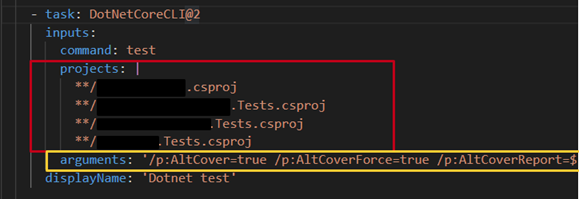
Result = Tests are run and converted by AltCover into opencover.xml files
Full Arguments string:
arguments: ‘/p:AltCover=true /p:AltCoverForce=true /p:AltCoverReport=$(Build.SourcesDirectory)/coverage.$(ProjectName).opencover.xml /p:AltCoverAssemblyExcludeFilter=Tests /p:AltCoverAssemblyFilter=Tests|?(nameofproject1|| nameofproject2||) /p:AltCoverAttributeFilter=ExcludeFromCodeCoverage /p:AltCoverVerbosity=Warning’
Arguments string explained:
- /p:AltCover=true (use AltCover package)
- /p:AltCoverForce=true (Use AltCover even if other packages are in place)
- /p:AltCoverReport=$(Build.SourcesDirectory)/coverage.$(ProjectName).opencover.xml (OutPut test project in opencover.xml)
- /p:AltCoverAssemblyExcludeFilter=Tests (exclude filter: all tests projects)
- /p:AltCoverAssemblyFilter=Tests|?( nameofproject1|| nameofproject2) (but include these)
- /p:AltCoverAttributeFilter=ExcludeFromCodeCoverage (apply exclude filter)
- /p:AltCoverVerbosity=Warning (log level)
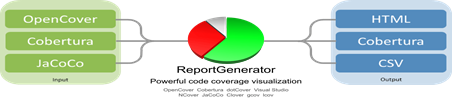
Code explained: #3 ReportGenerator

Result = transform OpenCover File into Cobertura
Code explained: #4 Publish Cobertura
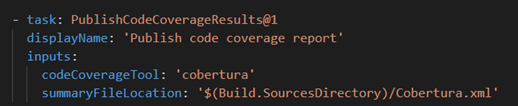
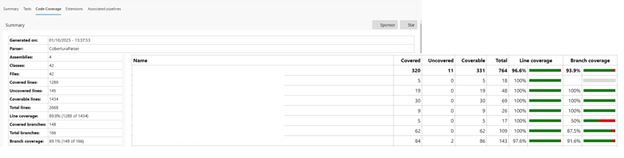
Cobertura is a reporting tool. It helps developers and teams assess the quality of their code by visualising test coverage and identifying areas that require additional testing.
Its open-source nature and integration capabilities make it a valuable asset in the development and testing process.
it is also called a parser because it takes data and parses it into a nice report.
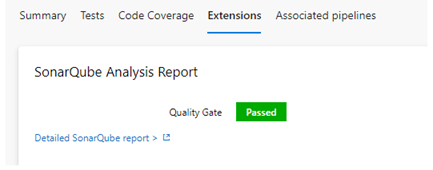
Code explained: #5 SonarQube analyse & publish
Links to Resources
■ Alt Cover Official documentation
■ Medium


