
Clone private repository for Github Actions of another repository

Step 0: Terminology
For brevity let’s refer to the repository running the Github Actions as action_repo and the private repository that is a dependency as private_repo.
Step 1: Create private and public keys
- ssh-keygen -t ed25519 -C “[email protected]” should do the trick
- This creates 2 files — one with the name provided and one with the name provided and the extension .pub as can be seen in the image above.
Step 2: Head over to action_repo
Add a repository secret and dump the contents of the private key file (this is the file without the .pub extension). In the image below this secret is called PRIVATE_REPOSITORY. Take note that the contents of the private key file should be copied in full with white spaces and all. This is because private and public keys are sensitive and even white spaces or ending comments are part of the entire contents.
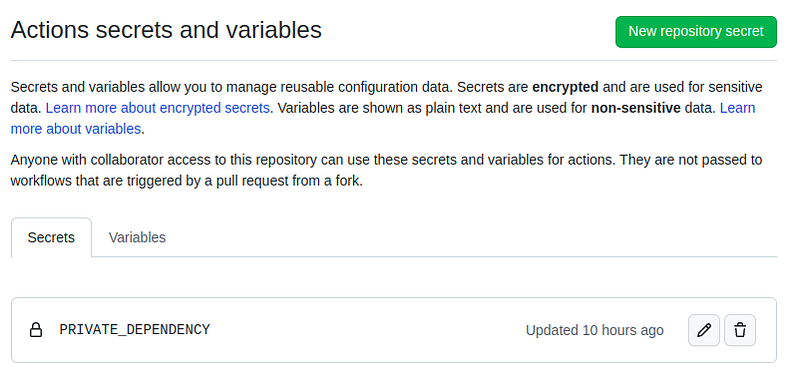
Step 3: Head over to the private_repo
Add the public key (the one ending in .pub) to the Deploy keys section of this repository.
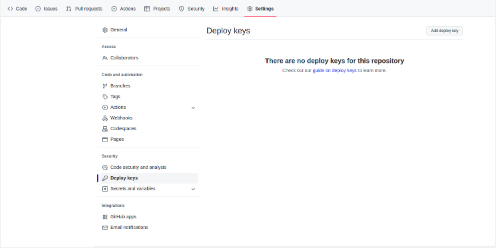
Ensure that all spaces are preserved in the key (or simply copy the contents without formatting white spaces etc).
Step 4: Create an actions file
Create a file called test.yaml and park in .github/workflows within the base of the action_repo. Remember to replace secrets.PRIVATE_DEPENDENCY with the name provied for the secrets in Step 2.
name: Test

on:
  push:
    branches:
      - test/action

jobs:
  build:
    runs-on: ubuntu-20.04
    env:
      ROS_CI_DESKTOP: "`lsb_release -cs`"
      ROS_DISTRO: noetic
    steps:
      - uses: actions/checkout@v2
        with:
          submodules: recursive
      - name: Download selected private repository dependencies
        run: |
          mkdir -p ~/catkin_workspace/src
          cd ~/catkin_workspace/src
          ssh-agent sh -c 'echo "${{ secrets.PRIVATE_DEPENDENCY }}" | ssh-add - && git clone [email protected]:githubaccount/private_repo.git'
          cd private_repo
This type of repository dependency could prove especially useful in the realm of ROS!
To learn more about the installation of ROS in CI/CD pipelines on Github, check this article which steps through the 3 types of ROS installation methods in Github Actions.


